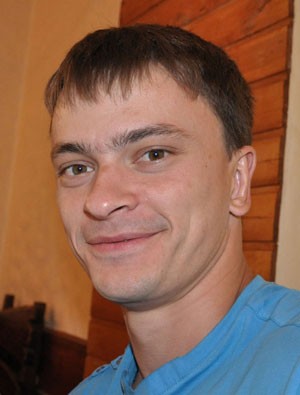
It rarely happens that stubble appears on its gentle, but this is exactly that case.

We need to create stubble in Photoshop; for this, we will need, at a minimum, a file with an image of a man.
Next, create a dear layer - in the layers menu, click on Ctrl+Shift+N Create a dear layerCreate a dear layer, now take the Brush ToolBrush and choose a brush with jagged edges. Set the brush color to be similar to the hair color of the person being edited.
Now, color the areas of the face where, in our opinion, the stubble should be.
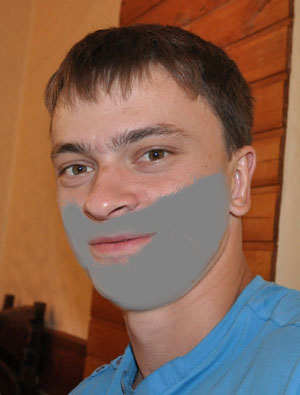
It looks pretty good :) But that's not all.
Go to the Photoshop menu Filter-Noise-Add NoiseFilter-Noise-Add Noise, there specify the values Distribution - GaussianDistribution - Gaussian, check the box next to MonochromaticMonochromatic, AmountAmount - 15-20%.
Then take the Elliptical Marquee ToolElliptical Marquee Tool and outline an area, the center of which will be the bridge of the person's nose or an area adjacent to it. Here is what I got:
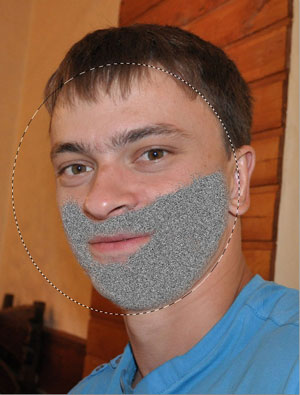
Don't be discouraged, it won't end up looking like this!
Go to the menu Filter-Blur-Radial BlurFilter-Blur-Radial Blur and set the parameters: Blur Method - ZoomBlur Method - Zoom, Quality - BestQuality - Best, AmountAmount - 10.
Deselect - Ctrl+D, set the blending mode in the layers panel to Hard LightHard Light.
Now reduce the layer opacity to about 50-60% and execute the result.

Rate this article