A Preface

WordPress is the most widely used content management system in the world, powering over 40% of all websites. Developers build themes, plugins, and entire applications on top of it daily. Yet a surprising number of these developers either do not use the Settings API at all — cobbling together custom options pages with manual form handling and direct database writes — or use it incorrectly, copying-pasting code snippets without understanding what each function actually does.

This guide series exists to solve that problem. We are not going to show you how to hack together a settings page. We are going to teach you the Settings API from first principles, so you understand the why behind each function call, the security implications of each design decision, and the architectural patterns that separate professional WordPress code from amateur work. By the end of this series, you will be able to build settings pages that are secure, maintainable, and indistinguishable from core WordPress admin pages.

What Is the Settings API?

The Settings API is a framework built into WordPress core that standardizes the creation of admin settings pages. It handles form rendering, option validation and sanitization, nonce verification for security, and integration with the WordPress options storage system. It is the same API that powers the built-in Settings → General, Writing, Reading, Discussion, Media, and Permalinks pages in every WordPress installation.

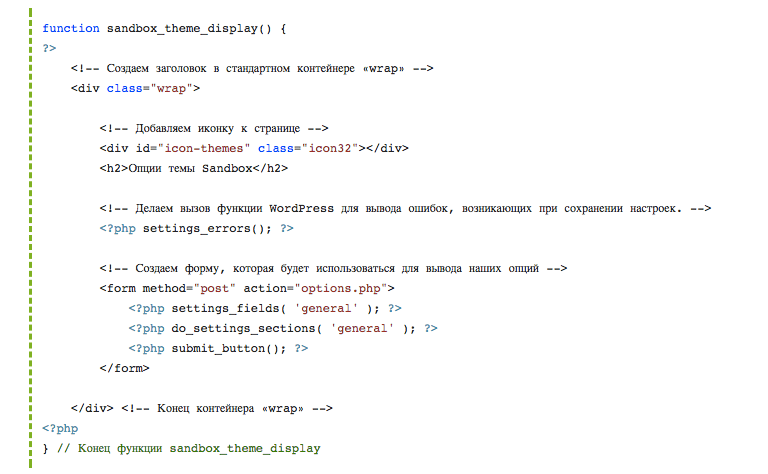
In practical terms, the Settings API is a set of functions — register_setting(), add_settings_section(), add_settings_field(), settings_fields(), and do_settings_sections() — that together form a complete pipeline for creating admin configuration pages. You define what options exist, how their form fields look, how they are grouped into sections, and how submitted data is validated and sanitized. WordPress handles the rest.

\u{201c}

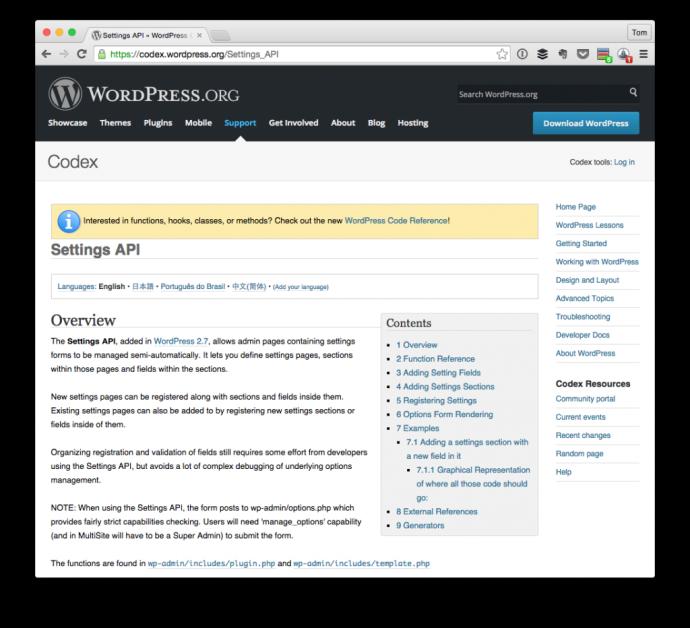
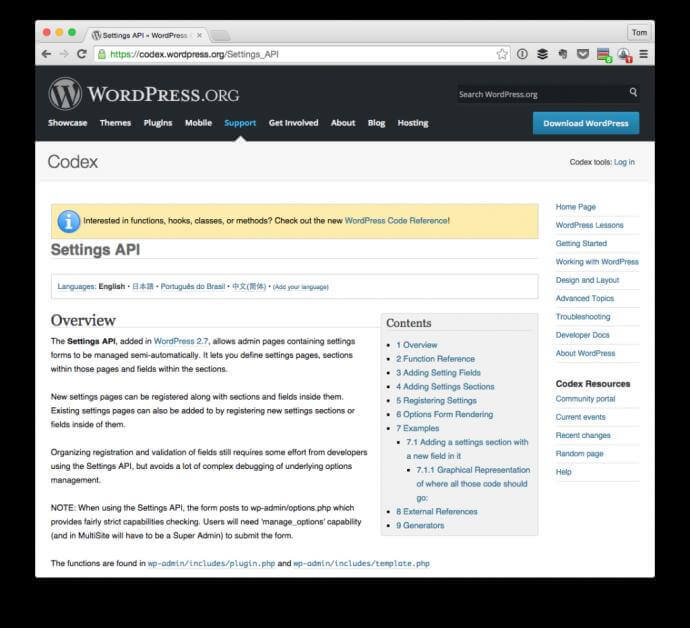
The Settings API, added in WordPress 2.7, allows admin pages containing settings forms to be managed semi-automatically. It lets you define settings pages, sections, and fields. New settings pages can be registered along with sections and fields inside them.

WordPress Developer Handbook, Official Documentation

Why Use the Settings API Instead of Custom Code?

You can, technically, build an admin page without the Settings API. Write a function that echoes a form, hook it to admin_menu, manually verify a nonce on submission, manually sanitize each field, and manually call update_option() for each value. Many developers have done exactly this. Many WordPress sites run on exactly this kind of code. And many of those sites have security vulnerabilities, data corruption issues, or maintenance nightmares hidden in that custom implementation.

Here is what you get for free when you use the Settings API that you would have to implement yourself otherwise:

Feature Custom Implementation Effort Settings API
Nonce verification Manual nonce field creation, verification, and error handling Automatic via settings_fields()
Options whitelisting Manual register_setting() equivalent needed for security Built into register_setting()
Sanitization pipeline Manual per-field sanitization, easy to miss a field Single sanitization callback processes all fields
Form structure Custom HTML forms, inconsistent across pages Standardized via sections and fields API
Admin notice on save Manual Settings → Saved message Automatic Settings saved notice
Backward compatibility Your code may break with WordPress updates Core API maintained for backward compatibility
Multisite support Custom logic for network vs site options Handled by register_setting() with network context

The Settings API does not just save you time. It protects your users from the security mistakes you would make if you wrote all of this from scratch. Security through API is a genuine strategy: every developer using the same well-tested, core-maintained functions is inherently more secure than every developer rolling their own nonce verification.

How the Settings API Interacts with WordPress Core

The Settings API is not a standalone system. It is built on top of several other WordPress APIs and interacts deeply with the WordPress admin infrastructure. Understanding these interactions helps you debug issues and make informed design decisions.

The Settings API depends on the Options API for data storage. When you call register_setting(), WordPress creates an entry in a global whitelist that controls which options can be updated via the admin. When the form is submitted, WordPress passes the submitted data through your sanitization callback, then calls update_option() to store the cleaned values. The link between Settings API and Options API is why your option name must be consistent across register_setting(), the form field name attributes, and get_option() calls in your theme or plugin code.

The Settings API uses the Plugin API (hooks) for its execution timing. Settings registration happens on the admin_init hook. Menu registration happens on admin_menu. Form rendering happens during page load when do_settings_sections() is called. Your sanitization callback is invoked as a filter on the sanitize_option_{option_name} hook. Understanding this hook-based architecture is essential when debugging why a setting is not saved or why a field does not appear.

The Settings API integrates with the Admin Screen infrastructure to provide visual consistency. When you wrap your settings page in the standard <div class="wrap"> container, WordPress core CSS styles your form elements to match the rest of the admin panel. The submit_button() function outputs a save button styled identically to every other WordPress admin button.

Historical Context: Before and After the Settings API

WordPress 2.7, released in December 2008, introduced the Settings API alongside a major admin interface redesign. Before 2.7, plugin and theme developers had to build settings pages from scratch using custom database queries and hand-coded HTML forms. There was no standardized way to create admin configuration pages, which led to wildly inconsistent user experiences across plugins and a proliferation of security vulnerabilities in form handling code.

The Settings API was designed to solve three specific problems. First, it standardized the visual appearance of admin settings pages so that every plugin's configuration looked like it belonged in WordPress. Second, it centralized security concerns — nonce generation, option whitelisting, sanitization — into a single API so that individual developers did not need to reimplement them. Third, it provided a future-proof foundation: as WordPress evolved, improvements to the Settings API would automatically benefit every plugin and theme that used it correctly.

WordPress Version Release Year Settings API Milestone
2.7 2008 Initial Settings API introduced with register_setting(), add_settings_section(), add_settings_field()
2.8 2009 Refinements to sanitization callback handling and error messages
3.0 2010 Multisite support: register_setting() gains network-aware behavior
3.4 2012 Theme Customization API introduced, built on Settings API foundations
4.7 2016 REST API settings endpoint exposes registered settings via JSON
5.0+ 2018+ Gutenberg/Block Editor era: Settings API remains the standard for plugin configuration

The Settings API has been stable for over 15 years. The core functions have maintained backward compatibility through every major WordPress release. Code written for WordPress 2.7 using the Settings API will work on WordPress 6.x without modification. This stability is a deliberate design choice by the WordPress core team — settings pages are infrastructure, and infrastructure should not break.

Security Advantages of the Settings API

Security is not a feature you add to a settings page after it is built. It is a property that must be designed into the architecture from the beginning. The Settings API provides several security mechanisms that are difficult or tedious to implement correctly in custom code:

Option Whitelisting

When you call register_setting(), WordPress adds your option name to a global whitelist. When the form is submitted to options.php, WordPress checks this whitelist. If the submitted option name is not whitelisted, the request is rejected with a "you do not have sufficient permissions" error. This prevents attackers from crafting POST requests that modify arbitrary WordPress options — they can only modify options that have been explicitly registered by a plugin or theme.

Nonce Verification

The settings_fields() function automatically generates a WordPress nonce — a cryptographic token that proves the form submission came from your admin page and not from a cross-site request forgery (CSRF) attack. Without this, an attacker could trick a logged-in administrator into visiting a malicious page that submits a form to your settings handler. The Settings API rejects any form submission with an invalid or expired nonce.

Sanitization Pipeline

The sanitization callback you provide to register_setting() is called automatically for every form submission. You cannot forget to sanitize a field because the same callback processes all fields. This is defense in depth: even if your form rendering code has a bug, the sanitization callback provides a second layer of protection that cleans data before it reaches the database.

[h3]Capability-Based Access Control[/h3]

The capability parameter in add_menu_page() and the permission check in register_setting() work together to create defense in depth. Even if you inadvertently register settings without a capability check, the user must navigate to the admin page (which requires the capability) to access the form. And even if they somehow access the form, the nonce check and whitelist verification add additional barriers.

Overview of This Tutorial Series

This series takes you from zero to production-ready Settings API proficiency. Each lesson builds on the previous one, introducing new concepts only after the foundation is solid. Here is what you will learn across the full series:

  1. Introduction and Core Concepts — What the Settings API is, why it exists, how it interacts with WordPress core (this lesson)
  2. Creating Admin Menus — add_menu_page() and add_submenu_page() for building admin navigation
  3. Validation and Sanitization — The difference between validation and sanitization, WordPress sanitization functions, and building secure sanitization callbacks
  4. Basic Input Elements — Text inputs, textareas, radio buttons, checkboxes, and select dropdowns with complete rendering callbacks
  5. Advanced Input Elements — Checkbox groups, grouped radio buttons, select dropdowns with optgroups, and the checked() / selected() helper functions
  6. Putting It All Together — A complete, production-ready theme options page combining all elements learned in the series

Each lesson includes complete, copy-paste ready code examples, explanations of why each function is used, and common mistakes to avoid. We do not just show you the code — we explain the reasoning behind each decision so you can apply the same principles to your own projects.

Prerequisites for This Guide

To get the most from this series, you should have a working knowledge of PHP and basic familiarity with WordPress development. Specifically, you should be comfortable with:

  • Writing PHP functions and understanding variable scope
  • Working with WordPress themes or plugins (you should know where to place code)
  • Understanding the difference between functions.php, plugin files, and the WordPress template hierarchy
  • Basic HTML form elements: <input>, <select>, <textarea>, <button>, <form>
  • The concept of WordPress hooks (add_action, add_filter) at a beginner level

You do NOT need prior experience with the Settings API — that is what this series teaches. You do NOT need a computer science degree or advanced PHP knowledge. If you have built even a simple WordPress theme or plugin before, you have enough background to follow along.

Setting Up Your Development Environment

All code examples in this series are designed to work in a local WordPress development environment. We recommend using a local development tool like Local by Flywheel, DevKinsta, or a manual XAMPP/MAMP setup. Add the code to your active theme's functions.php file or create a simple plugin to house the code. Throughout the examples, functions are prefixed with mytheme_ — replace this with your own theme or plugin prefix.

Never test Settings API code on a live production site. An incorrect sanitization callback can corrupt your options data. A malformed admin page can produce fatal errors that make the admin panel inaccessible. Always develop and test on a local or staging environment first.

Key Concepts You Will Master

By the time you complete this series, you will understand and be able to implement:

  • Option Registration: How register_setting() creates a secure data pipeline from form to database
  • Form Architecture: How sections and fields organize a settings page into logical groups
  • Sanitization Strategy: How to choose the right WordPress sanitization function for each data type and how to build a comprehensive sanitization callback
  • Menu Integration: How to place your settings page at the right position in the admin navigation with the appropriate user capability requirements
  • State Persistence: How checked(), selected(), and WordPress helper functions maintain form state across page reloads
  • Security Architecture: How nonces, whitelisting, and capability checks work together to protect your settings pages from common attack vectors
The Settings API is not deprecated, not legacy, and not going away. Despite the rise of the REST API and block-based editing, the Settings API remains the correct way to build plugin and theme configuration pages. The WordPress core team continues to maintain and extend it. New WordPress APIs (like the REST API settings endpoint) build on top of it rather than replace it.

What Comes Next

In the next lesson, we begin building the actual code. We start with admin menu creation — the navigation infrastructure that makes your settings page accessible. You will learn add_menu_page() and add_submenu_page() in depth, including the often-misunderstood capability parameter and menu positioning strategies. Then we move into data handling: validation, sanitization, and the complete pipeline from form input to database storage.

Each lesson in this series is designed to be completed in about 30-45 minutes of hands-on coding. Take your time with each concept. Build the examples, modify them, break them on purpose, and fix them again. The goal is not to memorize function signatures — it is to build a mental model of how the Settings API works so that you can use it fluently in your own projects.

Next: Creating Admin Menus and Submenus

Frequently Asked Questions

What exactly is the WordPress Settings API?

The Settings API is a standardized framework for creating admin configuration pages in WordPress. It provides functions like register_setting(), add_settings_section(), and add_settings_field() that handle form rendering, security verification, and data sanitization. It is the same system used by WordPress built-in settings pages (General, Writing, Reading, Discussion, Media, Permalinks), and it has been part of WordPress core since version 2.7 released in 2008.

Why should I use the Settings API instead of building my own settings form?

The Settings API provides built-in security mechanisms — nonce verification, option whitelisting, and a sanitization pipeline — that you would have to implement from scratch in custom code. It standardizes the visual appearance of your admin pages, ensures compatibility with WordPress updates, and saves significant development time. Custom settings forms frequently contain security vulnerabilities in their nonce handling or sanitization logic.

Is the Settings API still relevant in the Gutenberg/Block Editor era?

Yes. The Settings API is the standard for plugin and theme configuration pages, which are separate from the content editing experience. Gutenberg changed how content is created and edited but did not change how plugins store and manage their settings. The Settings API remains the correct tool for building configuration pages in the WordPress admin panel.

What hooks are involved in the Settings API?

Three main hooks: admin_init for registering settings, sections, and fields; admin_menu for creating the menu entries that link to your settings page; and the sanitize_option_{option_name} filter, which is where your sanitization callback runs when the form is submitted. Understanding these hooks and their execution order is essential for debugging settings-related issues.

What WordPress version introduced the Settings API?

WordPress 2.7, released in December 2008. The Settings API was part of a major admin interface redesign that standardized how settings pages were created. Before 2.7, plugin developers had to build settings forms from scratch, leading to inconsistent interfaces and frequent security issues in form handling code.

How does the Settings API interact with the WordPress database?

The Settings API does not interact with the database directly. It uses the Options API (get_option(), update_option()) for data storage. When the form is submitted, WordPress passes the data through your sanitization callback and then calls update_option() to store the cleaned values in the wp_options table. The Settings API handles the form and security layers; the Options API handles the storage layer.

What skills do I need before starting this tutorial series?

Intermediate PHP knowledge — functions, arrays, variable scope. Basic WordPress development experience — you should know where to put code (functions.php vs plugins). Understanding of WordPress hooks (add_action, add_filter) at a beginner level. Familiarity with HTML forms. You do not need prior Settings API experience.

Can I use the Settings API in a WordPress Multisite network?

Yes. The Settings API supports network-wide settings through the $network_only parameter of register_setting(), network_admin_menu hook for network-level menu registration, and get_site_option() / update_site_option() for network-level storage. The same API functions work for both single sites and multisite networks with appropriate parameters.