Practical WordPress Menu Implementation — From Code to Results
In the previous articles of this series, we covered the WordPress Settings API theory and the admin panel menu system. Now it is time to apply this knowledge in practice — to build a working options page with menus, sections, fields, and sanitization. This article is entirely focused on a hands-on approach: we will take code from previous lessons, clean it up, and build a complete theme settings panel.
If you followed the examples from earlier articles, your sandbox theme's functions.php file has accumulated many functions — top-level menus, submenus, plugin pages, test callbacks. Some of this code was written for demonstration and is no longer needed. Before moving forward, let us conduct a code review and remove everything unnecessary.
Code Review: What to Keep, What to Remove
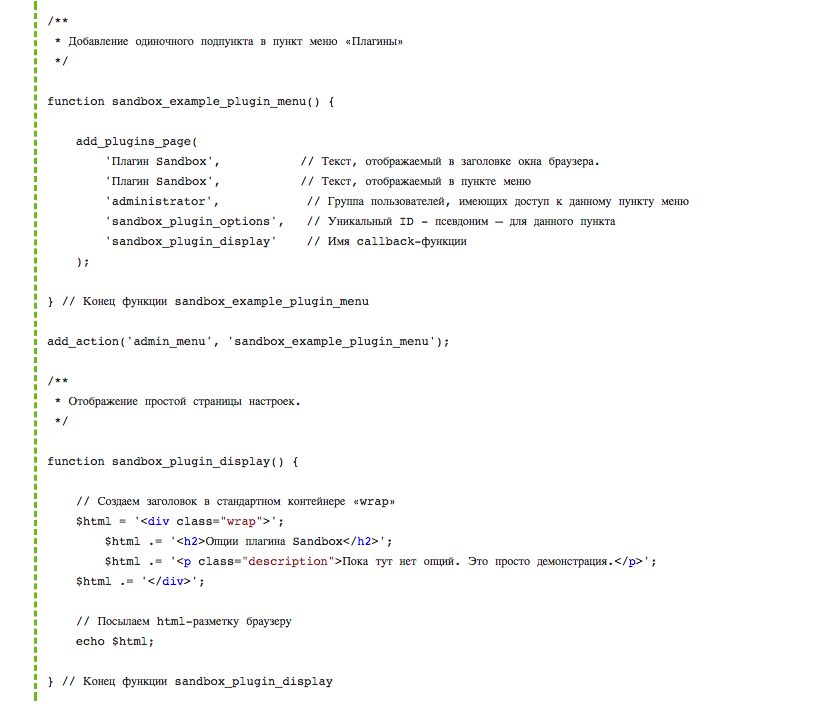
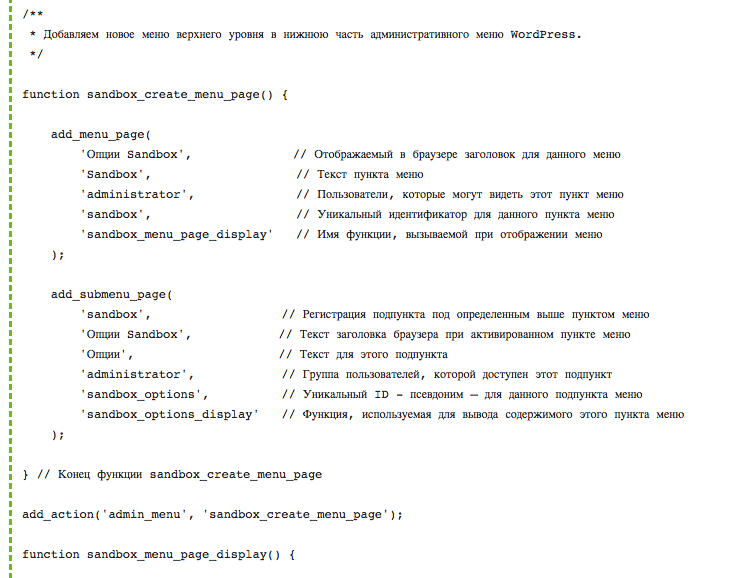
Look at your functions.php. You will see functions added while learning menus: a Plugins menu item via add_plugins_page, a top-level menu via add_menu_page, test submenus, scattered callbacks. All of this code was educational — now it gets in the way.
Remove the following blocks:
- add_plugins_page — the Plugins menu page is no longer needed; theme options belong under Appearance or in their own section
- add_menu_page — the top-level menu from the demo example will be rewritten with correct slugs and structure
- All callbacks that output test text like "Hello World" or "This is a test page"
- Duplicate register_setting calls from experimenting with different option groups
After cleanup, your functions.php should contain:
- The sandbox_register_settings() function hooked to admin_init
- The sandbox_sanitize_options() function for sanitizing the options array
- Field callbacks: sandbox_text_field_callback(), sandbox_checkbox_field_callback(), sandbox_textarea_field_callback()
- Section description callback sandbox_general_section_callback()
Delete everything else without regret. We now have a clean slate for building proper architecture.
Planning the Options Structure
Before writing code, let us plan what settings our theme will have and how they will be organized. Randomly adding fields leads to an unreadable options page that users will avoid.
Currently we have basic functionality — the user can manage the visibility of three main containers (header, sidebar, footer). These options logically belong on a Theme Settings page. Here is the planned structure:
| Option Group | Page | Fields | Field Types |
|---|---|---|---|
| Display | Theme Settings | Show header, show sidebar, show footer | Checkboxes (on/off) |
| Social | Theme Settings | Facebook URL, Twitter URL, Instagram URL | Text fields (URL validation) |
| General | Theme Settings | Site title, logo URL, footer text | Text fields + textarea |
Each group will be a separate section in Settings API terms. We will create a menu under Appearance via add_theme_page() — this is the standard approach for WordPress themes, and users expect to find theme settings there.
Registering Options for All Three Groups
Now let us register settings and create sections with fields. Instead of using three separate options (one per group), we will combine everything into a single sandbox_theme_options array — this simplifies sanitization and reduces database queries:
function sandbox_register_settings() {
register_setting(
'sandbox_options_group',
'sandbox_theme_options',
array(
'type' => 'array',
'sanitize_callback' => 'sandbox_sanitize_options',
'default' => array(
'show_header' => 1,
'show_sidebar' => 1,
'show_footer' => 1,
'facebook_url' => '',
'twitter_url' => '',
'instagram_url' => '',
'site_title' => '',
'logo_url' => '',
'footer_text' => '',
),
)
);
add_settings_section(
'sandbox_display_section',
'Display Options',
'sandbox_display_section_callback',
'sandbox_theme_options_page'
);
$display_fields = array(
'show_header' => 'Show Header',
'show_sidebar' => 'Show Sidebar',
'show_footer' => 'Show Footer',
);
foreach ( $display_fields as $key => $label ) {
add_settings_field(
'sandbox_' . $key, $label, 'sandbox_checkbox_field_callback',
'sandbox_theme_options_page', 'sandbox_display_section',
array( 'label_for' => 'sandbox_' . $key, 'option' => 'sandbox_theme_options', 'key' => $key )
);
}
}
add_action( 'admin_init', 'sandbox_register_settings' );[/codeblock]Section and Field Callbacks
Define callbacks for the three sections — each outputs explanatory text:
function sandbox_display_section_callback() {
echo 'Choose which containers are visible on your site. Unchecking a container hides it completely.
'; } function sandbox_social_section_callback() { echo 'Enter the full URLs to your social media profiles. Leave a field empty to hide the icon.
'; } function sandbox_general_section_callback() { echo 'Basic site identity settings. Site Title overrides the default WordPress site name.
'; }[/codeblock]And a dedicated callback for URL fields — using type="url" for built-in browser validation:
function sandbox_url_field_callback( $args ) {
$options = get_option( $args['option'], array() );
$value = isset( $options[ $args['key'] ] ) ? $options[ $args['key'] ] : '';
echo '';
}[/codeblock]Sanitization for Mixed Data Types
Our sanitization function must handle three different data types: checkboxes (1/0), URLs, and text fields. Each type requires its own sanitizer:
function sandbox_sanitize_options( $input ) {
$sanitized = array();
$checkbox_fields = array( 'show_header', 'show_sidebar', 'show_footer' );
foreach ( $checkbox_fields as $field ) {
$sanitized[ $field ] = isset( $input[ $field ] ) && $input[ $field ] ? 1 : 0;
}
$url_fields = array( 'facebook_url', 'twitter_url', 'instagram_url', 'logo_url' );
foreach ( $url_fields as $field ) {
$sanitized[ $field ] = isset( $input[ $field ] ) && ! empty( $input[ $field ] )
? esc_url_raw( $input[ $field ] ) : '';
}
$sanitized['site_title'] = isset( $input['site_title'] ) ? sanitize_text_field( $input['site_title'] ) : '';
$sanitized['footer_text'] = isset( $input['footer_text'] ) ? sanitize_textarea_field( $input['footer_text'] ) : '';
return $sanitized;
}[/codeblock]Grouping fields by data type makes sanitization predictable. Adding a new checkbox is a matter of appending its key to the $checkbox_fields array — the sanitizer automatically picks it up.
Rendering Options Page with settings_fields() and do_settings_sections()
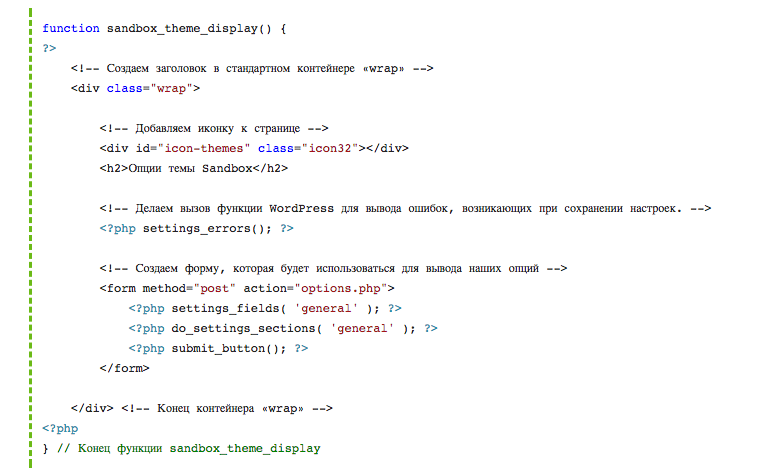
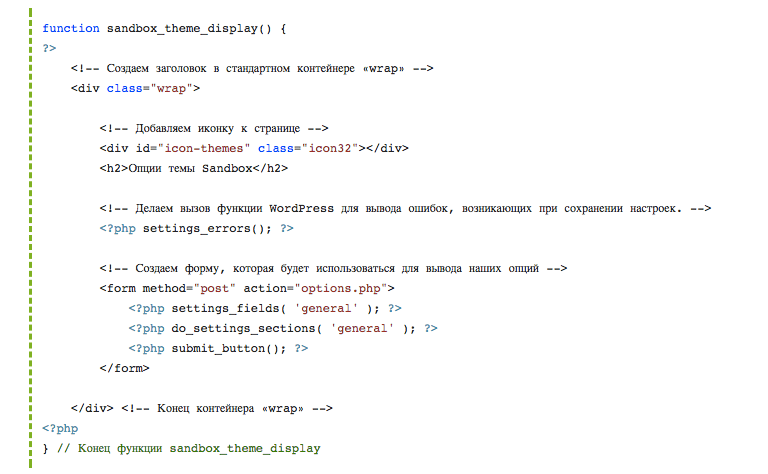
Now let us create the page where all registered sections and fields will appear. Two key Settings API functions handle this: settings_fields() outputs hidden fields (nonce, option_group) to protect the form, and do_settings_sections() renders all sections and fields bound to the specified page:
function sandbox_theme_options_page_html() {
if ( ! current_user_can( 'manage_options' ) ) {
return;
}
?>
Adding the Menu via add_theme_page()
The final step is adding a menu item so users can access the options page. We use add_theme_page() — the page appears under the Appearance menu:
function sandbox_add_theme_options_menu() {
add_theme_page(
'Sandbox Theme Options',
'Theme Options',
'manage_options',
'sandbox-theme-options',
'sandbox_theme_options_page_html'
);
}
add_action( 'admin_menu', 'sandbox_add_theme_options_menu' );[/codeblock]Now visit the admin panel: Appearance → Theme Options. You will see a page with three sections and all the fields we registered. Fill in the fields, click Save — and the data persists in wp_options.
Testing Option Persistence
After saving settings, verify that the data actually reached the database and can be retrieved correctly. WordPress stores sandbox_theme_options as a serialized array in wp_options. You can check its content in several ways.
Method 1: via phpMyAdmin. Open the wp_options table, find the row with option_name = 'sandbox_theme_options', and inspect the option_value. You will see a serialized PHP array with keys like show_header, facebook_url, site_title and the values you entered in the form.
Method 2: via temporary debug code. Add to the theme footer:
[/codeblock]Method 3: via WP-CLI. If you have command-line access: wp option get sandbox_theme_options --format=json
Verifying Sanitization Works
Sanitization runs invisibly — the user enters data, clicks Save, and WordPress passes it through sanitize_callback before writing to the database. To confirm the sanitizer is actually working, test with intentionally dirty data:
- Enter
<script>alert("XSS")</script>Testin the Site Title field - Enter
javascript:alert(1)in the Facebook URL field - Click Save
- Check the database values — Site Title should contain only "Test", Facebook URL should be an empty string
If sanitize_text_field removed the script and esc_url_raw filtered out the dangerous URL, sanitization is working correctly. If the script ended up in the database, you forgot to call the sanitizer for that specific field somewhere.
Complete functions.php Code
Here is the complete functions.php for the sandbox theme at this stage. It includes registration of all three option groups, sanitization, options page rendering via settings_fields() and do_settings_sections(), and the menu via add_theme_page():
'array',
'sanitize_callback' => 'sandbox_sanitize_options',
'default' => array(
'show_header' => 1, 'show_sidebar' => 1, 'show_footer' => 1,
'facebook_url' => '', 'twitter_url' => '', 'instagram_url' => '',
'site_title' => '', 'logo_url' => '', 'footer_text' => '',
),
)
);
add_settings_section( 'sandbox_display_section', 'Display Options', 'sandbox_display_section_callback', 'sandbox_theme_options_page' );
$display_fields = array( 'show_header' => 'Show Header', 'show_sidebar' => 'Show Sidebar', 'show_footer' => 'Show Footer' );
foreach ( $display_fields as $key => $label ) {
add_settings_field( 'sandbox_' . $key, $label, 'sandbox_checkbox_field_callback', 'sandbox_theme_options_page', 'sandbox_display_section', array( 'label_for' => 'sandbox_' . $key, 'option' => 'sandbox_theme_options', 'key' => $key ) );
}
add_settings_section( 'sandbox_social_section', 'Social Network Links', 'sandbox_social_section_callback', 'sandbox_theme_options_page' );
$social_fields = array( 'facebook_url' => 'Facebook URL', 'twitter_url' => 'Twitter URL', 'instagram_url' => 'Instagram URL' );
foreach ( $social_fields as $key => $label ) {
add_settings_field( 'sandbox_' . $key, $label, 'sandbox_url_field_callback', 'sandbox_theme_options_page', 'sandbox_social_section', array( 'label_for' => 'sandbox_' . $key, 'option' => 'sandbox_theme_options', 'key' => $key ) );
}
add_settings_section( 'sandbox_general_section', 'General Settings', 'sandbox_general_section_callback', 'sandbox_theme_options_page' );
add_settings_field( 'sandbox_site_title', 'Site Title', 'sandbox_text_field_callback', 'sandbox_theme_options_page', 'sandbox_general_section', array( 'label_for' => 'sandbox_site_title', 'option' => 'sandbox_theme_options', 'key' => 'site_title' ) );
add_settings_field( 'sandbox_logo_url', 'Logo URL', 'sandbox_url_field_callback', 'sandbox_theme_options_page', 'sandbox_general_section', array( 'label_for' => 'sandbox_logo_url', 'option' => 'sandbox_theme_options', 'key' => 'logo_url' ) );
add_settings_field( 'sandbox_footer_text', 'Footer Text', 'sandbox_textarea_field_callback', 'sandbox_theme_options_page', 'sandbox_general_section', array( 'label_for' => 'sandbox_footer_text', 'option' => 'sandbox_theme_options', 'key' => 'footer_text' ) );
}
add_action( 'admin_init', 'sandbox_register_settings' );
function sandbox_sanitize_options( $input ) {
$out = array();
foreach ( array('show_header','show_sidebar','show_footer') as $f ) { $out[$f] = isset($input[$f]) && $input[$f] ? 1 : 0; }
foreach ( array('facebook_url','twitter_url','instagram_url','logo_url') as $f ) { $out[$f] = isset($input[$f]) && !empty($input[$f]) ? esc_url_raw($input[$f]) : ''; }
$out['site_title'] = isset($input['site_title']) ? sanitize_text_field($input['site_title']) : '';
$out['footer_text'] = isset($input['footer_text']) ? sanitize_textarea_field($input['footer_text']) : '';
return $out;
}
function sandbox_display_section_callback() { echo 'Choose which containers are visible.
'; } function sandbox_social_section_callback() { echo 'Enter full URLs to your social profiles.
'; } function sandbox_general_section_callback() { echo 'Basic site identity settings.
'; } function sandbox_text_field_callback($a) { $o = get_option($a['option'], array()); $v = isset($o[$a['key']]) ? $o[$a['key']] : ''; echo ''; } function sandbox_url_field_callback($a) { $o = get_option($a['option'], array()); $v = isset($o[$a['key']]) ? $o[$a['key']] : ''; echo ''; } function sandbox_checkbox_field_callback($a) { $o = get_option($a['option'], array()); $c = isset($o[$a['key']]) ? (bool)$o[$a['key']] : false; echo ''; } function sandbox_textarea_field_callback($a) { $o = get_option($a['option'], array()); $v = isset($o[$a['key']]) ? $o[$a['key']] : ''; echo ''; } function sandbox_theme_options_page_html() { if (!current_user_can('manage_options')) return; echo ''.esc_html(get_admin_page_title()).'
\u{201c}Good code is not code that works. Good code is code that works and another developer understands it in five minutes instead of an hour. Grouping fields by type, using loops instead of copy-paste, self-documenting function names — that is what separates professional code from educational code.
Frequently Asked Questions
Why delete old code before writing new code?
Old educational code contains demo functions that conflict with new architecture. A leftover add_plugins_page creates a duplicate menu. Leftover test callbacks take up space and cause confusion. A clean functions.php is the foundation of a maintainable project.
Why store all options in a single array?
One array for all theme settings means one get_option() call instead of three. Sanitization is centralized in one function, simplifying maintenance. WordPress autoloads options at boot, so the performance difference is minimal, but the architecture is cleaner.
What does settings_fields() do?
settings_fields() outputs three hidden form fields: a nonce for CSRF protection, action=update to tell WordPress this is a settings save form, and option_group to link the form to a registered options group. Without it, the form cannot save data.
What does do_settings_sections() do?
do_settings_sections() renders all sections and fields registered for the specified page slug. Output order matches the order of add_settings_section() calls. For each section, the title, description, and all bound fields are rendered.
Is current_user_can() mandatory in the page callback?
Yes. WordPress checks capabilities when showing menu items but not on direct URL access. A user who guesses admin.php?page=sandbox-theme-options will see the page. current_user_can() at the callback start blocks unauthorized access.
How does saving an options array differ from individual fields?
When saving an array, all fields update in a single update_option() call. With individual fields, each field is a separate call. Comparison:
| Characteristic | Array (single key) | Individual Options |
|---|---|---|
| Atomicity | All or nothing | Partial saves possible |
| DB queries on save | 1 query | N queries per field |
| Rollback on error | Easy — return old array | Complex — track each field |
| Debugging ease | One dump shows everything | Need to check N wp_options rows |
Add the field key to the sanitization array and call add_settings_field() with the new key inside sandbox_register_settings(). No new section is needed — the field appears automatically after adding one add_settings_field() call.
Why use add_theme_page() instead of add_menu_page()?
add_theme_page() places settings under the Appearance menu — the standard location for theme options. Users expect to find theme settings there. add_menu_page() creates a separate top-level item, which is justified for large plugins but excessive for a theme.
What happens if option_group does not match between settings_fields() and register_setting()?
The form will not save data. WordPress compares the option_group from the request against registered settings, finds no match, and silently rejects the request. No errors appear in the interface — this is the hardest Settings API bug to debug.
How do I verify sanitization is working for URL fields?
Enter javascript:alert(1) in a URL field, save settings, and check the option value via get_option(). A working esc_url_raw() returns an empty string. If the dangerous URL persists, the sanitizer did not run for that field.
Can multiple plugins share one settings page?
Yes, but each plugin must register its own option group and call settings_fields() with different parameters. A single page cannot have two settings_fields() calls — one form supports only one option group at a time. Use tabs to separate groups on a single page.