The term WordPress API is often misunderstood because it means different things in different contexts. At its core, API stands for Application Programming Interface — a set of functions, classes, and methods that WordPress exposes for developers to extend and customize the platform. WordPress does not have a single monolithic API. Instead, it provides a collection of specialized APIs, each serving a distinct purpose within the ecosystem. This guide maps out every major WordPress API, explains what each one does, and clarifies when you should use each.

What Exactly Is a WordPress API?

In the WordPress context, an API is a formalized set of functions that allow you to interact with a specific subsystem of WordPress in a standardized way. Rather than writing raw SQL queries or manipulating WordPress internals directly, you use API functions. These functions are maintained by the WordPress core team, documented in the Codex and Developer Reference, and tested for backward compatibility across versions.

The advantage of using APIs over direct manipulation is threefold. First, APIs provide a stable contract: your code works today and will continue working through WordPress updates because the core team maintains backward compatibility. Second, APIs handle edge cases and security concerns that you might miss when writing custom code. Third, APIs produce code that other WordPress developers can understand immediately because they use familiar, well-documented patterns.

The WordPress API Ecosystem

WordPress APIs fall into two broad categories: core utility APIs that handle fundamental operations like database access and HTTP requests, and extension APIs that enable specific types of customization like themes, plugins, and widgets. Understanding this distinction helps you navigate the documentation and choose the right tool for each task.

Category APIs in This Category Primary Use
Core Utilities Database API, HTTP API, Filesystem API, File Header API, Metadata API, Options API, Rewrite API Infrastructure and data operations that underpin all WordPress functionality
Extension APIs Plugin API, Settings API, Shortcode API, Theme Customization API, Widget API Building user-facing features, themes, plugins, and page-level customizations

1. Console API (wp-cli)

The Console API, primarily accessible through WP-CLI, provides a command-line interface for managing WordPress installations. It allows developers and system administrators to perform administrative tasks without logging into the WordPress admin dashboard. You can install plugins, update core, import data, manage users, and run database operations — all from a terminal.

Common use cases include bulk importing content, scheduling maintenance tasks, syncing development and production databases, and running test suites. WP-CLI is especially valuable for agencies managing multiple client sites because it enables scripted, repeatable operations that would take hours through the web interface.

2. Database API (wpdb Class)

The Database API, implemented through the wpdb class, provides a secure abstraction layer over MySQL. It handles database connections, query preparation, and result retrieval while automatically protecting against SQL injection when used correctly. The wpdb class is instantiated as the global $wpdb object and is available in any WordPress context.

The most important security feature of wpdb is its prepared statement support via the prepare() method. Always use $wpdb->prepare() when constructing queries with user-supplied data. The method escapes values and replaces placeholders with properly escaped strings, preventing the most common vulnerability in custom WordPress database code.

get_results( $wpdb->prepare( "SELECT * FROM $wpdb->posts WHERE post_type = %s AND post_status = %s", 'product', 'publish' ) ); [/codeblock]

3. HTTP API

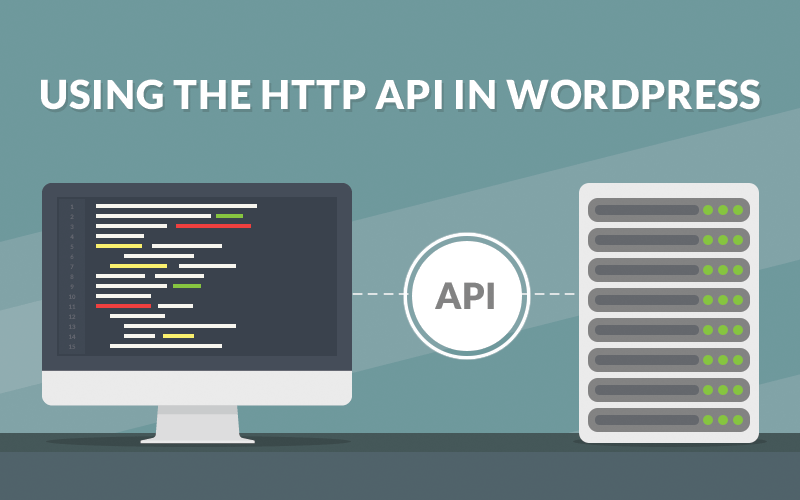
The HTTP API provides a unified interface for making HTTP requests from WordPress. It abstracts away the underlying transport mechanism — cURL, file_get_contents with stream contexts, or PHP sockets — and provides a consistent set of functions. The primary functions are wp_remote_get(), wp_remote_post(), and wp_remote_request().

This API is essential for integrating with external services: REST APIs, payment gateways, social media platforms, email delivery services, and analytics providers. It handles SSL verification, redirects, timeouts, and cookie management automatically. After making a request, use helper functions like wp_remote_retrieve_body() and wp_remote_retrieve_response_code() to extract response data safely.

array('Authorization' => 'Bearer ' . $api_key), 'timeout' => 15, )); if (!is_wp_error($response)) { $body = wp_remote_retrieve_body($response); $data = json_decode($body, true); } [/codeblock]

4. File Header API

The File Header API reads metadata from the header comments of plugins and themes. Every plugin file begins with a standardized comment block containing the plugin name, description, version, author, and other metadata. The theme style.css file contains similar information. The get_plugin_data() and wp_get_theme() functions use this API to extract metadata for display in the admin panel.

This API is primarily used internally by WordPress to populate the Plugins and Themes administration screens. Plugin developers rarely interact with it directly, but understanding it helps when debugging why a plugin does not appear in the admin list — a missing Plugin Name header is the most common cause.

5. Filesystem API

The Filesystem API provides a secure abstraction layer for file operations. It was introduced to handle the common situation where the web server does not have direct write access to the filesystem. The API presents a credentials form when elevated privileges are required and supports multiple transport methods: direct filesystem access, FTP, FTPS (FTP over SSL), and SSH2.

Functions like $wp_filesystem->put_contents() and $wp_filesystem->get_contents() should be used instead of native PHP file functions whenever your code needs to write files on the server. This ensures compatibility across hosting environments where file ownership differs from the PHP process user. The WordPress updater, plugin installer, and theme installer all use the Filesystem API.

put_contents( WP_CONTENT_DIR . '/uploads/custom-data.json', json_encode($my_data), FS_CHMOD_FILE ); [/codeblock]

6. Metadata API

The Metadata API provides functions for storing, retrieving, updating, and deleting metadata associated with WordPress objects: posts, users, comments, and terms. The core functions — add_metadata(), get_metadata(), update_metadata(), and delete_metadata() — work uniformly across all object types, with convenience wrappers like get_post_meta() and get_user_meta() for specific contexts.

The Metadata API is one of the most powerful and flexible APIs in WordPress. It allows you to attach arbitrary key-value pairs to any WordPress object without modifying the schema. Custom fields on posts, user profile extensions, and product attributes in WooCommerce all use the Metadata API underneath. The data is stored in dedicated meta tables with efficient indexing, making metadata queries performant even with large datasets.

7. Options API

The Options API stores and retrieves key-value pairs from the wp_options table. It is the primary mechanism for persisting plugin and theme settings. Core functions include get_option(), update_option(), add_option(), and delete_option(). Options are automatically loaded on every request when registered with the autoload flag, making frequently accessed settings available without additional queries.

The Options API is lightweight and ubiquitous. Every WordPress site configuration value — site URL, blog name, date format, active plugins, active theme — is stored through the Options API. For plugin and theme settings, the Settings API (described below) builds on top of the Options API to provide form rendering, nonce verification, and sanitization callbacks.

8. Plugin API (Hooks System)

The Plugin API is the backbone of WordPress extensibility. It provides the hooks system — actions and filters — that allows plugins and themes to modify WordPress behavior without editing core files. Actions allow you to execute code at specific points during WordPress execution. Filters allow you to modify data as it passes through WordPress.

Custom footer text.

'; }); [/codeblock]

The Plugin API is what makes WordPress more than a blogging engine. Every plugin, every theme, and even WordPress core itself uses actions and filters to communicate between components. Understanding the hook execution order — init, wp_loaded, template_redirect, wp_head, the_content, wp_footer — is essential for writing code that runs at the right time with the right data available.

9. Shortcode API

The Shortcode API allows you to create custom macros that content editors can insert into posts and pages using bracket notation like [my_shortcode]. Shortcodes are processed at render time: WordPress scans the post content for registered shortcode patterns and replaces them with dynamically generated content.

Shortcodes are ideal for embedding dynamic content — galleries, forms, related posts, product listings, pricing tables — within static post content. The API supports attributes, self-closing tags, and enclosing content. Register a shortcode with add_shortcode() and define a callback that returns the replacement HTML.

'#', 'class' => 'btn'), $atts); return sprintf( '%s', esc_url($atts['url']), esc_html($content) ); }); [/codeblock]

10. Rewrite API

The Rewrite API controls how WordPress interprets URLs and maps them to query variables. It is responsible for converting human-readable permalinks like /blog/2026/my-post into the internal query parameters that WordPress uses to determine which content to display. The add_rewrite_rule() function registers custom URL patterns, while the WP_Rewrite class manages the global rewrite ruleset.

This API is critical when registering custom post types and taxonomies. Without proper rewrite rules, custom content types return 404 errors. The Rewrite API also enables advanced features like endpoint creation (adding /json/ or /amp/ to any URL) and custom permalink structures that go beyond the standard WordPress options.

11. Settings API

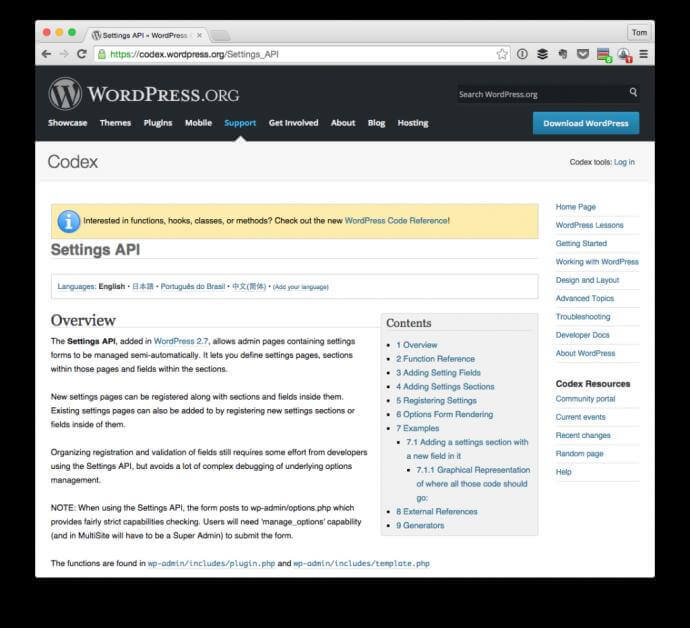
The Settings API provides a framework for creating standardized settings pages in the WordPress admin. It handles form rendering, nonce verification for security, option sanitization through registered callbacks, and the Settings → General, Writing, Reading, Discussion, Media, and Permalinks pages all use this API. For theme and plugin developers, the Settings API is the correct way to create configuration pages.

Core functions include register_setting(), add_settings_section(), add_settings_field(), settings_fields(), and do_settings_sections(). Together, they form a complete pipeline: registration of the option with its sanitization callback, definition of form sections and fields, and rendering of the complete form with built-in security protections. This API is the primary subject of our tutorial series.

12. Theme Customization API (Customizer)

The Theme Customization API, commonly called the Customizer, provides a live-preview interface for theme settings. Users modify options like site title, colors, layouts, and widget placements in a side panel while seeing the changes applied in real time in the preview pane. The API uses sections, settings, and controls to organize the customization interface.

The Customizer is distinct from the Settings API in that it prioritizes visual feedback. A color picker in the Customizer shows the color change immediately on the previewed page. A settings page requires saving and then navigating to the frontend to see the result. For theme options that affect visual appearance, the Customizer is the better choice. For plugin configuration that does not have a visual component, the Settings API is more appropriate.

13. Widget API

The Widget API allows developers to create reusable content blocks that site administrators can drag into widget areas — typically sidebars, footers, and other designated regions defined by the theme. Each widget extends the WP_Widget base class and implements methods for rendering the widget output, displaying a configuration form in the admin, and updating saved settings.

Widgets remain a fundamental part of WordPress despite the rise of block-based editing. They appear in the Appearance → Widgets screen and, in block themes, as legacy widgets within the block editor. Creating a widget involves extending WP_Widget, implementing widget() for frontend output, form() for the admin configuration form, and update() for saving settings.

API Selection Guide: Which API to Use When

You Want To Use This API Why
Store plugin configuration Options API / Settings API Persistent key-value storage with autoload support, plus secure admin forms
Add custom data to posts Metadata API Efficient meta table storage with automatic caching and query support
Call an external REST service HTTP API Transport-agnostic requests with built-in SSL, redirect, and error handling
Run a custom database query Database API (wpdb) Safe prepared statements preventing SQL injection
Create a theme options page Settings API Standardized admin pages with nonce verification and sanitization callbacks
Let users customize appearance Theme Customization API Live-preview interface with immediate visual feedback
Insert dynamic content in posts Shortcode API Editor-friendly bracket syntax with render-time processing
Write a reusable content block Widget API Drag-and-drop blocks for sidebars and widget areas
Customize URL structures Rewrite API Clean permalink mapping with custom rewrite rules and endpoints
Modify WordPress behavior Plugin API (Hooks) Actions and filters for code injection at specific execution points

How the APIs Relate to Each Other

The WordPress APIs do not exist in isolation. They form layers that build on each other. The Database API is the foundation: every other API that stores persistent data — Options, Metadata, Settings — uses wpdb underneath. The Plugin API runs through everything: hooks fire during API operations, allowing other code to intercept and modify behavior. The Settings API builds on the Options API, adding form rendering and nonce verification. The Theme Customization API builds on both the Settings API and the Options API for its configuration storage and rendering pipeline.

Understanding these dependencies helps you debug issues. If a settings page is not saving, the problem could be in the Settings API (missing sanitization callback), the Options API (option name mismatch), or the Database API (write permissions). Following the call chain from the top-level API down through its dependencies is the most efficient debugging strategy.

The WordPress REST API — a separate system exposed via the /wp-json/ endpoint — is not part of the traditional internal API set discussed here. It is an outward-facing API for external applications to interact with WordPress content over HTTP. It uses the internal APIs extensively in its implementation but serves a different purpose: machine-to-machine communication rather than developer-to-WordPress communication.

Frequently Asked Questions

What exactly does API mean in the WordPress context?

In WordPress, API means a set of functions, classes, and methods exposed by the core for developers to use. Unlike external REST APIs, WordPress APIs are internal PHP interfaces. They provide a stable, documented way to interact with WordPress subsystems — database, filesystem, HTTP, settings — without touching internals that might change between versions. Using APIs ensures your code stays compatible with future WordPress updates.

What is the difference between the Options API and the Settings API?

The Options API (get_option(), update_option()) is the low-level storage mechanism. It writes key-value pairs to the wp_options table. The Settings API (register_setting(), add_settings_field()) builds on top of the Options API to provide admin form rendering, nonce verification for security, and sanitization callbacks for data cleaning. Use Options API directly for programmatic data storage. Use Settings API for admin-facing configuration pages.

When should I use the Customizer vs the Settings API for theme options?

Use the Customizer for options that affect visual appearance and benefit from live preview: colors, fonts, layout choices, header images. Use the Settings API for non-visual configuration: API keys, analytics IDs, social media URLs, performance settings that do not have an immediate visual effect. The Customizer provides instant visual feedback; the Settings API provides structured admin pages that integrate naturally with the WordPress admin interface.

How does the Plugin API (hooks) differ from all other APIs?

The Plugin API is the only API that modifies how WordPress itself works rather than providing access to a specific subsystem. Actions let you insert code at specific execution points. Filters let you modify data as it flows through WordPress. All other APIs provide functions you call. The Plugin API provides points where your functions are called. It is the event system and data pipeline of WordPress, and every other API uses it internally.

Do I need to use the Database API ($wpdb) or can I write raw SQL?

Always use $wpdb. Writing raw SQL bypasses WordPress security protections, breaks compatibility with table prefix customization, and fails code reviews and plugin directory submissions. $wpdb->prepare() prevents SQL injection. $wpdb->prefix handles table prefix variations. Using $wpdb ensures your queries work on any WordPress installation, regardless of configuration or hosting environment.

What is the Metadata API and why is it so important?

The Metadata API stores arbitrary key-value pairs attached to WordPress objects — posts, users, comments, terms. It is the mechanism behind custom fields, user profile extensions, product attributes in WooCommerce, and SEO metadata in Yoast. It is important because it extends WordPress objects without modifying the database schema. A single post can have unlimited metadata entries, stored in optimized meta tables with efficient index-based queries.

How do the Rewrite API and custom post types work together?

When you register a custom post type with register_post_type(), WordPress automatically generates rewrite rules for that post type's permalinks. The Rewrite API processes incoming URLs, matches them against registered patterns, and converts them to internal query variables understood by WP_Query. Without proper rewrite rules, custom post types return 404 errors. Flushing rewrite rules after registering a new post type is essential — call flush_rewrite_rules() once on plugin activation, not on every page load.

Is the WordPress REST API part of these internal APIs?

No. The REST API is an outward-facing HTTP API for external applications to interact with WordPress content via JSON endpoints. The APIs discussed here are internal PHP interfaces for developers writing themes and plugins. However, the REST API uses the internal APIs extensively: WP_Query for content retrieval, Metadata API for custom fields, Options API for configuration, and the Plugin API for extensibility of the REST API itself.

Tap to react