Creative Wallpapers for Desktop — Free Download

Most desktop wallpapers fall into predictable categories: mountains, beaches, abstract gradients. Then there are creative wallpapers — images that do not just decorate your screen but tell a story, provoke a thought, or alter your perception of what a desktop background can be. These are not backgrounds in the traditional sense. They are foreground-worthy artworks that happen to sit behind your icons.

This collection brings together 42 creative wallpapers spanning 3D renders, surreal compositions, typography art, digital paintings, and experimental mixed-media pieces. Each image is hand-picked for artistic merit and practical usability — because a wallpaper that looks stunning at first glance but makes your cursor invisible by lunchtime is not helping anyone. Every file is free, watermark-free, and ready for immediate download.

What Counts as a Creative Wallpaper

The term "creative" gets thrown around loosely in digital art communities. For the purposes of this collection, a creative wallpaper meets at least two of these criteria: it was produced through a non-trivial artistic process (3D modelling, digital painting, or photo manipulation rather than a single-click filter), it communicates a concept beyond "pretty picture," and it maintains desktop usability while pushing visual boundaries.

\u{201c}

Every artist gets asked the question: "Where do you get your ideas?" The honest artist answers, "I steal them."

Austin Kleon, Author of Steal Like an Artist

Kleon was talking about the creative process broadly, but the principle applies directly to wallpaper design. The best creative wallpapers remix influences: a touch of Bauhaus geometry here, a dash of surrealist composition there, rendered through modern tools like Blender or Procreate. The result sits at the intersection of fine art and functional design.

Creative wallpapers differ from conventional category wallpapers in one fundamental way: they invite inspection. A nature wallpaper says "look at this landscape." A creative wallpaper asks "how was this made?" That shift from passive viewing to active engagement changes how you relate to your digital environment.

Categories of Creative Wallpapers

Creative wallpaper is an umbrella term. The art forms under it are distinct, each with its own toolset, aesthetic signature, and psychological effect on the viewer. Understanding these categories helps you choose intentionally rather than scrolling through thumbnails hoping for a lucky hit.

3D Renders and CGI Art

Rendered in Blender, Cinema 4D, Houdini, or Maya, these wallpapers bring impossible geometries to life. Chrome spheres floating in pastel voids. Glass-like abstract sculptures with internal caustics. Sci-fi environments lit by volumetric fog. The defining feature of 3D creative wallpapers is material realism applied to surreal subjects — the lighting and textures feel physically correct even though the scene could never exist. This category dominates creative wallpaper galleries because the tools have become accessible: Blender is free, tutorials are abundant, and render engines like Cycles produce near-photographic results on consumer hardware.

3D renders at 4K take significant GPU time to produce. If you are downloading renders for your desktop, check that the image has been denoised properly — grain visible at 100% zoom indicates an undercooked render that will look messy on a large monitor.

Surreal Photo Manipulations

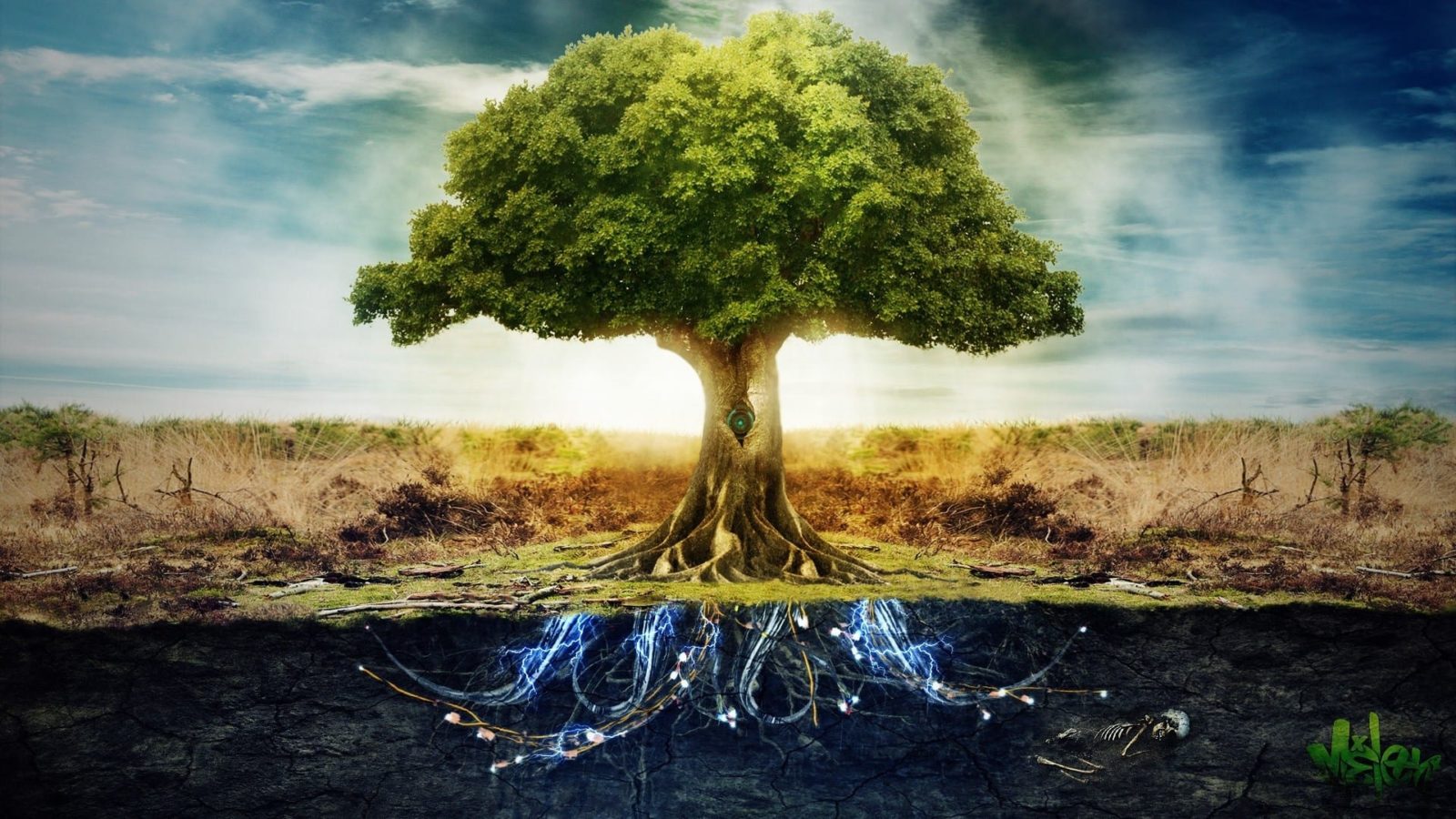
Whales swimming through clouds. Trees growing from clock faces. Human silhouettes dissolving into flocks of birds. Surreal wallpapers combine multiple photographs into a seamless composite that violates physical laws while maintaining visual coherence. The craft here is compositing — matching light direction, color temperature, depth of field, and noise grain across disparate source images. A well-composited surreal wallpaper should fool the eye for a split second before the brain catches up and registers the impossibility. The best examples come from Photoshop artists who treat lighting consistency as a non-negotiable rule — everything else can bend, but incorrect shadows instantly break immersion.

Minimalist Conceptual Art

Not to be confused with "minimalist wallpapers" that are just solid colors. Conceptual minimalist wallpapers use one central element — a single line drawing, a lone geometric shape, a sparse typography treatment — placed with intention on a clean background. The negative space is as important as the subject. These wallpapers work exceptionally well for multi-monitor setups where busy backgrounds create visual competition. The artistic challenge in this category is restraint: knowing when to stop adding elements. Every pixel in a minimalist creative wallpaper must justify its existence.

Typography Art

Type as texture. Type as illustration. Type as the sole visual element. Typography wallpapers range from kinetic word clouds arranged in geometric patterns to single oversized letters with intricate internal line art. The best examples treat letterforms as design objects rather than vehicles for readable text — the message is secondary to form. This category has a vocal audience among developers and writers who want their workspace to reflect their medium: words.

Avoid typography wallpapers where the text is so prominent that it competes with your actual reading. If you work with text all day, the wrong typography wallpaper creates a constant low-grade visual distraction — your brain tries to "read" the background on autopilot.

Digital Paintings and Matte Art

Created in Procreate, Photoshop, Krita, or Corel Painter, digital painting wallpapers occupy the space between traditional easel art and screen design. Unlike 3D renders, which are mathematically precise, digital paintings carry the artist's hand — brush strokes, texture build-up, impasto simulation. Matte paintings, originally a film-industry technique for creating environments that do not exist, have migrated to wallpaper art. These pieces often depict vast imaginary landscapes: floating islands, bioluminescent forests, alien cityscapes. They suit creative professionals who want their desktop to feel like a window into another world rather than a utilitarian tool.

Comparing Creative Wallpaper Categories

Category Primary Toolset Desktop Suitability Best For
3D Renders Blender, C4D, Houdini Very good — controlled lighting, no noise Tech workers, designers, dark theme users
Surreal Manipulations Photoshop, Affinity Photo Good — depends on compositing quality Creative professionals, dreamers
Minimalist Conceptual Illustrator, Figma, code Excellent — low visual load Developers, writers, multi-monitor setups
Typography Art Illustrator, InDesign Conditional — text may distract from UI text Designers, writers, branding folks
Digital Paintings Procreate, Krita, Photoshop Good — organic textures blend well Artists, illustrators, storytellers

This table is not absolute — a specific 3D render can fail as a wallpaper while a specific typography piece can succeed brilliantly. The suitability column describes the category average, not an iron law. Test each wallpaper on your actual setup before committing.

How Creative Wallpapers Transform Your Workspace

The conventional wisdom says your desktop background does not matter. It is just pixels behind windows you never see fully. This dismisses a well-studied psychological phenomenon: environmental priming. Your physical workspace affects your cognitive performance — that is why architects design offices with natural light and plants. Your digital workspace operates on the same principle, and the wallpaper is the single largest visual surface in that digital environment.

A creative wallpaper signals to your brain: "This is not a generic machine. This is a creative tool operated by a creative person." That signal, repeated daily, compounds. Studies on environmental aesthetics and productivity from the University of Exeter found that people working in enriched environments — spaces with art and visual variety — performed 17% better on complex problem-solving tasks than those in lean, minimalist environments. Your desktop wallpaper is the digital equivalent of hanging a painting in your office.

Practical tip: Rotate your creative wallpapers weekly. The brain habituates to static stimuli — after about seven days of the same wallpaper, you stop perceiving it consciously. A rotation schedule maintains the priming effect. Use your operating system's built-in slideshow feature pointed at a dedicated "creative wallpapers" folder.

The type of creative wallpaper you choose also signals something to collaborators and clients during screensharing. A well-curated 3D art piece on your desktop says "I pay attention to aesthetics" more than the default OS wallpaper ever could. In remote work environments where screen shares are the new conference rooms, your desktop background is part of your professional presentation.

Resolution Guide for Creative Wallpapers

Resolution Common Name Aspect Ratio File Size (JPEG 95) Use Case
1920x1080 Full HD 16:9 0.3-0.8 MB Standard laptops, budget monitors
2560x1440 QHD / 2K 16:9 0.8-2 MB Mid-range monitors, creative work
3840x2160 4K UHD 16:9 2-5 MB High-end displays, designers, photographers
5120x2880 5K 16:9 5-12 MB Apple Studio Display, iMac 27"
3440x1440 UWQHD 21:9 2-6 MB Ultrawide monitors, immersive setups

Creative wallpapers in this collection are provided at 1920x1080 and above. For 4K users: the gallery includes full-resolution originals where available. If your monitor has a non-standard aspect ratio (ultrawide, dual vertical), download the highest resolution version and crop manually. Your OS scaling settings affect how the wallpaper is displayed — check that your display is set to its native resolution before evaluating image quality.

Best Sources for Creative Wallpapers

The internet has no shortage of wallpaper sites. The challenge is separating curated creative work from mass-produced content that has been run through the same five Photoshop actions. Here is where to look for genuine creative wallpapers — and what to watch out for.

Art-Centric Platforms

DeviantArt remains one of the largest repositories of user-generated creative wallpapers, but requires active curation. The platform's search and category system surfaces popular content rather than the best content. Drill into specific groups — communities organized around 3D rendering or digital painting — rather than searching the general "wallpaper" tag. ArtStation offers higher average quality because its user base skews professional. Many ArtStation artists post 4K renders specifically formatted as wallpapers. The challenge: ArtStation's terms of use do not always make clear which images are free for personal wallpaper use versus commercial restrictions. Check the artist's profile or contact them if unclear.

Behance galleries frequently include "free desktop wallpaper" side-downloads as part of larger project showcases. Designers post branding projects, illustrative series, or experimental work and offer wallpaper-sized crops as promotional material. These tend to be higher-effort than dedicated wallpaper sites because the wallpaper is secondary to the project — the artist was not trying to fill a wallpaper quota, they were making art and happened to export a 16:9 version.

Dedicated Wallpaper Communities

Reddit's r/wallpapers and r/wallpaperengine subreddits are active, current, and community-curated. The signal-to-noise ratio varies day to day, but sorting by top-past-month reliably surfaces quality. Wallhaven.cc has the most powerful tagging and filtering system of any wallpaper site, letting you cross-reference "digital art" with specific color palettes and aspect ratios. Its search by dominant color is genuinely useful when you are matching a wallpaper to your terminal color scheme or desktop theme.

Be cautious with random "free wallpaper" sites. Many scrape images from artist portfolios without permission, compress them aggressively, and inject tracking scripts. The tell-tale signs: no artist credit on individual images, wallpapers that look noticeably softer than their stated resolution, and sites that make the download button hard to find among ads.

Creative Wallpapers vs Stock Photos: The Real Difference

Stock photo sites offer "creative" wallpaper collections. Let us be precise about what you are getting. A stock photo is a photograph licensed for commercial use, typically shot with the broadest possible appeal in mind. A creative wallpaper from an independent artist is a piece of art that the artist chose to format for desktop use. These are fundamentally different products with different priorities.

The Artist's Intent

Stock photography is produced to the brief of maximum licensability. The photographer may be skilled, but the goal is creating an image that can be used in a hundred different contexts — annual reports, blog headers, advertisements. This produces technically competent but emotionally safe results. An independent creative wallpaper artist works to their own brief. The result may be less polished in technical execution but carries a point of view. That point of view is what you see every time you glance at your desktop.

Originality Factor

The top-100 stock wallpapers on any given platform overlap significantly with the top-100 on every other platform. The algorithm surfaces what is already popular, which creates a feedback loop: popular images become more popular, and nothing surprises anyone. Independent creative wallpapers break this loop. When you download a work from an artist directly, you are far more likely to have a unique desktop — the digital equivalent of owning an original print versus a mass-produced poster.

One practical advantage of stock-produced wallpapers: consistent quality control. You will never get a rendering artifact or a badly cropped edge. The trade-off is that you will also never get anything unexpected. Creative wallpapers accept the small risk of imperfection in exchange for the possibility of real visual impact.

Organizing Your Creative Wallpaper Collection

Downloading 42 wallpapers is easy. Keeping them organized so you actually use them is less obvious. The "one giant folder" approach inevitably leads to setting the first five you see and ignoring the remaining 37. A simple organizational system changes this.

Category-Based Folder Structure

Create subfolders by creative category rather than by source or resolution:

  • 3D_Renders — CGI art, abstract sculptures, sci-fi environments
  • Surreal — photo manipulations, impossible scenes, dreamscapes
  • Minimalist — single-subject compositions, negative-space art
  • Typography — lettering, word art, kinetic type
  • Digital_Painting — matte paintings, imagined landscapes, illustration

Set your OS wallpaper slideshow to pull from one folder per week. This gives you variety within a theme — one week of surreal wallpapers, the next week of typography — rather than a jarring shuffle between completely different visual languages.

Color-Based Tagging

If your operating system supports tags or you are willing to use a third-party tool, tag wallpapers by dominant color. This is especially useful for people who run dark themes — you do not want a predominantly white wallpaper suddenly appearing between two dark ones. Tag options: dark (black, navy, deep gray backgrounds), light (white, cream, pastel backgrounds), colorful (vibrant full-spectrum), monochrome (single-hue variations).

Pro workflow: Use a dual-folder system. One folder for work-mode wallpapers (calm, organized, non-distracting) and one for personal-mode (expressive, bold, conversation-starting). Switch the slideshow source folder depending on whether you are heads-down coding or presenting to a client.

Psychological Benefits of Artistic Backgrounds

We spend more hours looking at our computer screens than at any physical object in our lives. The visual character of that screen environment — dominated by the wallpaper behind every window — has measurable psychological effects that go beyond aesthetic preference.

Creativity Priming

Exposure to creative visual stimuli before a problem-solving task improves divergent thinking — the ability to generate multiple novel solutions to a single problem. This is the core finding of priming research in environmental psychology. A creative wallpaper provides micro-doses of this priming effect every time you minimize a window or reboot your machine. The mechanism is not mystical: creative visuals activate associative networks in the brain that overlap with the networks used for creative thinking. You are effectively warming up your creative muscles without conscious effort.

Stress Reduction Through Aesthetic Engagement

Interruptions are the primary source of digital work stress. But not all interruptions are equal — a visual interruption that engages aesthetically (glancing at a beautiful wallpaper during a moment of frustration) can serve as a micro-reset. This is different from a distracting interruption, which pulls cognitive resources toward a new task. Aesthetic micro-breaks keep you in the same task while briefly shifting your emotional state. Hospitals have known this principle for decades — that is why they put art in patient rooms. Your desktop is your digital patient room.

\u{201c}

The thing about design is that it has to be useful. If it is not useful, it is not design, it is decoration. But useful without beauty is not enough either.

Stefan Sagmeister, Designer and Typographer

Identity Expression

Your physical desk says something about you: the books stacked on one corner, the type of coffee mug, the presence or absence of personal photos. Your digital desktop says the same thing, but louder — during screen shares, it is broadcast to everyone you work with. A creative wallpaper is a low-stakes identity signal. It says "I have taste" without saying a word. In design-adjacent fields, it can even function as a soft portfolio — an indication that you understand visual composition well enough to curate your own digital environment.

How to Choose the Right Creative Wallpaper

Selection paralysis is real when faced with 42 options. Here is a decision framework that eliminates the endless scrolling and second-guessing.

Step 1: Check Your Desktop Setup

Before evaluating any wallpaper, look at your actual desktop. How many icons do you have? Where are they? If your left side is covered in folders and shortcuts, a wallpaper with a strong focal point on the left is wasted. Map your icon layout and choose wallpapers that have their visual center of gravity in the clear areas. This sounds obvious but almost nobody does it.

Step 2: Match Your Task Complexity

Heavy analytical work (spreadsheets, code, data visualization) benefits from minimal creative wallpapers with clean backgrounds and limited detail. Creative work (design, writing, ideation) can handle — and benefits from — more complex, inspiring backgrounds. Match wallpaper complexity to cognitive load: low complexity for high cognitive load, higher complexity for lower cognitive load.

Step 3: Consider Time of Day

Bright, high-contrast wallpapers strain your eyes at night, especially on monitors without proper blue-light filtering. Dark-themed creative wallpapers with warm color temperatures are better for evening work. Consider maintaining two separate wallpaper collections and switching based on your OS dark/light mode toggle.

Download

The entire collection of 42 creative wallpapers is available for immediate download through the gallery widget at the top of this page. No registration, no email wall, no compression downgrades. Each file is the original resolution provided by the artist.

Frequently Asked Questions

What exactly defines a creative wallpaper?

A creative wallpaper is a desktop background created through a non-trivial artistic process: 3D rendering, digital painting, photo manipulation, or typography design, rather than a photograph or a simple gradient. It communicates a concept or mood beyond a pleasant image and pushes the boundaries of what a desktop background can be while remaining functionally usable. The distinction matters because creative wallpapers engage the viewer differently: they invite inspection and curiosity rather than passive visual consumption.

What resolution should creative wallpapers be for modern monitors?

For standard monitors, 1920x1080 (Full HD) is the minimum acceptable resolution. For 27-inch and larger displays, 2560x1440 (QHD) or 3840x2160 (4K) is strongly recommended. Creative wallpapers often contain fine details that blur at lower resolutions. Ultra-wide monitors (21:9) need 3440x1440 specifically. Always download the highest resolution available and let your operating system scale down if necessary. Upscaling introduces artifacts that are especially visible on digital art with sharp edges and gradients.

Are these creative wallpapers really free to use?

Yes, all 42 wallpapers in this collection are free for personal desktop use. They are provided through a Google Photos shared album with no download restrictions, no watermarking, and no required registration. For commercial use, such as using a wallpaper as part of a product mock-up, website background, or video overlay, you should verify the original artist's license terms, as some pieces may have personal-use-only restrictions. When in doubt, contact the artist through their portfolio link.

Which creative wallpaper category is best for programmers?

Minimalist conceptual wallpapers and dark-themed 3D renders work best for programmers. The key requirements are: dark or neutral backgrounds that do not compete with syntax-highlighted code, low visual complexity in areas where terminal windows sit, and consistent brightness so the wallpaper does not create glare variation across monitors. Avoid typography wallpapers: your brain already processes text all day, and background text creates low-grade cognitive interference even if you cannot consciously read the words.

How do I keep my creative wallpaper looking sharp on a HiDPI display?

On HiDPI (Retina) displays, wallpapers should be at minimum the display's native resolution multiplied by the scaling factor. For a 4K display running at 200% scaling, the wallpaper should be 3840x2160. The OS handles the rendering correctly if the image is at native resolution. A wallpaper at 1920x1080 displayed on a 4K HiDPI screen will look soft because the OS must upscale it by 4x. Also check that your OS wallpaper settings are configured to Fill or Fit rather than Stretch, which can distort proportions on creative art where geometry matters.

Can I request specific creative wallpaper topics or styles?

We update wallpaper collections regularly based on reader requests and emerging art trends. While we cannot fulfill individual custom requests, feedback about desired categories, such as cyberpunk, vaporwave, organic textures, or glitch art, directly influences which collections we publish next. Use the contact form on this site to submit category suggestions. If there is sufficient demand for a specific creative wallpaper style, we prioritize it for the next collection release.

How do creative wallpapers affect monitor burn-in on OLED screens?

OLED burn-in is a legitimate concern for any static desktop content, including creative wallpapers. The risk comes from high-contrast static elements that remain in fixed positions for hundreds of hours. To minimize risk: rotate wallpapers frequently, with a daily changing slideshow being ideal, avoid wallpapers with pure white elements against pure black backgrounds if you keep windows maximized, and consider using wallpapers with mid-tone distributions rather than extreme contrast. Modern OLED panels have burn-in mitigation features, but varying your wallpaper is the simplest user-level protection.

What is the best file format for saving creative wallpapers?

JPEG at 95-100% quality is the practical standard: it balances file size and visual quality while being universally supported as a desktop wallpaper format. PNG is technically superior for images with sharp geometric edges or text as it avoids the compression artifacts that JPEG can introduce around high-contrast edges, but produces files 4 to 10 times larger. For digital paintings and photo manipulations, the difference between a high-quality JPEG and a PNG is imperceptible on screen. Use PNG only for wallpapers where you can actually see compression artifacts at normal viewing distance.

Tap to react