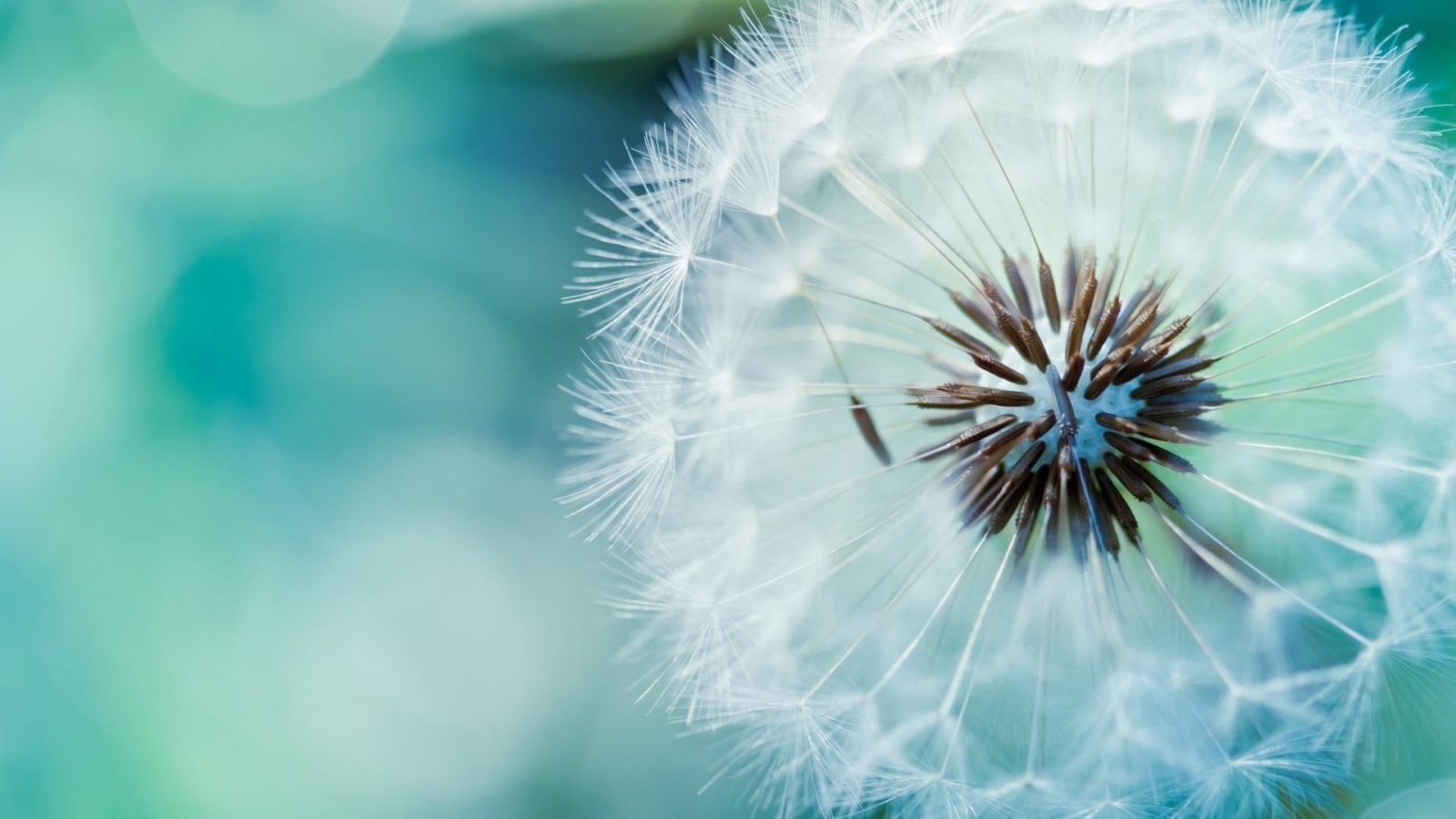
Flower Wallpapers for Desktop — Free Download

Your desktop is not a museum wall. But it could be. A carefully chosen flower wallpaper transforms a cold glass surface into a living canvas — a portal to a garden that never wilts, never demands watering, and never fades. Flower wallpapers are the oldest category of desktop backgrounds, predating even the term "wallpaper" in the digital sense. And they remain the most downloaded category across every major wallpaper platform for a reason.

This collection brings together 38 high-resolution flower images spanning six distinct categories: classic roses, elegant tulips, serene lotus blooms, delicate cherry blossoms, bold sunflowers, and untamed wildflowers. Every image is free to download, optimized for screens from 1080p to 4K, and presented without watermarks or registration walls. Pick a flower. Change your screen. Repeat as the seasons change outside your window.

Why Flower Wallpapers Work

Flowers are not just decorative. They are one of the few visual subjects that trigger a measurably positive physiological response in almost every culture studied. Research published in the Journal of Environmental Psychology found that viewing floral imagery for as little as three minutes reduces cortisol levels, lowers heart rate, and improves performance on cognitive tests requiring creative thinking. Your wallpaper is not passive decoration — it is a micro-dose of visual therapy delivered every time you minimize a window.

But there is a practical angle too. Flower wallpapers solve a specific desktop design problem: they provide visual interest without the distraction of human faces, complex scenes, or high-contrast patterns that compete with interface elements. A rose against a soft blurred background offers depth and texture while leaving folder names perfectly legible. A cherry blossom branch in the upper corner frames the screen without dominating it. These are not accidents — they are principles of compositional design that make flowers uniquely suited to the desktop medium.

\u{201c}

I must have flowers, always, and always.

Claude Monet, Painter

Monet surrounded himself with gardens and painted them obsessively. You can surround yourself with the same visual language — without the gardening gloves and seasonal disappointment. The 38 images here were selected specifically for their compositional compatibility with desktop use: dominant subjects placed off-center, backgrounds with intentional negative space, and color palettes that complement rather than clash with standard interface chrome.

Flower Wallpaper Categories: Finding Your Bloom

Not all flower wallpapers serve the same purpose. A macro photograph of a dripping wet rose creates an entirely different screen atmosphere than a distant field of lavender stretching to the horizon. Choosing the right category is the first step toward a wallpaper you will actually keep — not swap out after three days because something feels off.

Roses: The Reigning Classic

Red roses dominate the category, and for good reason. The color contrast between crimson petals and deep green foliage creates a visual anchor point that draws the eye without overwhelming it. Rose wallpapers work best when shot at close range — the intricate spiral of petals rewards repeated viewing and reveals new details over time. White and pink rose varieties offer a softer palette for users who find red too intense for daily exposure. Yellow roses bridge the gap: warm without being aggressive, bright without being harsh.

Tulips: Structured Elegance

Tulips bring something rare to desktop wallpapers: architectural precision. Their upright stems and cup-shaped blooms create natural vertical lines that complement the windowed layout of most desktops. A row of tulips aligned along the bottom edge of the screen acts as a visual foundation without creeping into the workspace. Dutch tulip field shots — endless ribbons of color stretching into the distance — provide an entirely different experience: expansive, optimistic, almost meditative in their repetition.

Lotus: Serenity on Screen

Lotus wallpapers occupy a unique niche. The flower itself — emerging pristine from murky water — carries symbolic weight across multiple cultures: purity, resilience, spiritual awakening. On a desktop, lotus images deliver a specific emotional payload: calm. The typical composition — a single bloom floating on still water, often with a reflection — creates symmetry that the brain interprets as order. In a workspace cluttered with deadlines and notifications, a lotus wallpaper is a visual exhale.

Cherry Blossoms: Ephemeral Beauty, Permanent File

Sakura season lasts roughly two weeks in the physical world. On your desktop, it lasts as long as you want. Cherry blossom wallpapers are dominated by a specific palette — pale pink, soft white, subtle brown branches — that reads as delicate rather than fragile. The aesthetic aligns closely with minimalist interface design trends. A cherry blossom wallpaper paired with a light theme creates a desktop that feels intentionally designed rather than default.

Sunflowers: Maximum Brightness

If most flower wallpapers whisper, sunflowers shout. Their sheer scale — individual blooms can exceed 30 centimeters in diameter — translates into bold, graphic compositions that work well on smaller laptop screens where subtle details get lost. Yellow, the dominant color, is the most visible wavelength to the human eye, which means sunflower wallpapers create an unmistakably cheerful desktop environment. Use with caution: if you work in a dim room, a sunflower wallpaper at full brightness can be genuinely startling.

Wildflowers: Uncurated Nature

Wildflower wallpapers reject the formality of cultivated blooms. Poppies, cornflowers, daisies, and lupines growing in untended meadows create compositions that feel discovered rather than arranged. The visual chaos of a wildflower field — dozens of species, overlapping heights, unpredictable color distribution — produces a wallpaper that stays interesting for months. Your eye never lands in the same place twice. For users who change wallpapers infrequently and want sustained visual engagement, wildflowers deliver where single-subject shots eventually bore.

CategoryEmotional ToneBest DisplayDesktop CompatibilitySeason Association
RosesRomantic, classic4K, high-DPIHigh — dark backgrounds, natural framingYear-round
TulipsFresh, structured1080p and aboveExcellent — vertical lines work with windowsSpring
LotusSerene, meditativeAny resolutionGood — centered compositions suit single-monitorSummer
Cherry BlossomsDelicate, elegant4K preferredExcellent — soft palette, light-theme friendlySpring
SunflowersEnergetic, bold1080p minimumModerate — high brightness, use with dark themeLate Summer
WildflowersNatural, free-spirited4K, ultrawideHigh — complex textures reward large screensSpring/Summer

Resolution Guide: Making Flowers Look Sharp

A flower wallpaper at the wrong resolution is a crime against botany. Petal edges develop jagged artifacts. Color gradients in soft-focus backgrounds break into visible bands. The delicate transparency of a petal lit from behind — one of the most beautiful effects in floral photography — becomes a muddy smear when the JPEG is stretched beyond its native resolution.

The rule is simple: match or exceed. If your monitor is 1920x1080, download images at 1920x1080 or higher. If you have a 4K display, anything below 3840x2160 will look soft. The operating system will scale images down automatically, and downscaling preserves quality. Upscaling destroys it.

ResolutionAspect RatioWhen to UseFlower Types That Shine
1920x1080 (Full HD)16:9Standard laptops, budget monitorsSunflowers, tulips (bold shapes survive lower resolution)
2560x1440 (QHD)16:9Mid-range 27" monitorsRoses, lotus (detail emerges at this pixel density)
3840x2160 (4K)16:9High-end displays, creative workCherry blossoms, macro shots (fine petal detail visible)
5120x2880 (5K)16:9Apple Studio Display, iMacWildflower fields (distant detail resolves clearly)
3440x1440 (Ultrawide)21:934" curved ultrawide monitorsField landscapes, rows of tulips (horizontal compositions)
If your screen resolution does not appear in the table above, calculate the aspect ratio yourself. Divide width by height. If the result is 1.78, you are looking for 16:9 wallpapers. If 2.33, look for 21:9 ultrawide images. Crop or letterbox if no exact match exists — never stretch.

Macro Flower Photography for Desktops

Macro photography — extreme close-up images where a single flower fills the entire frame — produces some of the most compelling desktop wallpapers available. At 1:1 magnification or greater, a flower transforms from a recognizable object into an abstract landscape. The stamen becomes architectural. The petal veins become river deltas. The water droplet becomes a lens.

There is a technical reason macro flower shots work so well as desktop backgrounds. The extremely shallow depth of field inherent to macro photography — often just a few millimeters — creates a natural separation between subject and background that requires no post-processing to achieve. The result is a wallpaper where the flower appears to float above the screen, three-dimensional in a way that standard photographs cannot match. The bokeh produced by macro lenses — those soft, circular out-of-focus highlights — provides a textured background that adds depth without introducing distracting detail.

When selecting macro flower wallpapers, pay attention to the focal point. The sharpest area of the image will draw your eye repeatedly throughout the day. If that sharp area contains a distracting element — a damaged petal, an insect you did not notice, a hot spot from flash — you will see it hundreds of times. Inspect macro wallpapers at full resolution before committing. What looks like a perfect bloom as a thumbnail may reveal imperfections at 4K.

Macro flower wallpapers with extremely bright highlight areas (specular reflections on water droplets, direct sunlight on white petals) can create visual hotspots that interfere with reading text placed near them on the desktop. Test the wallpaper with your actual icon and folder layout before deciding.

Seasonal Flower Collections: Rotating Your Screen with Nature

The calendar is a curatorial tool. Using seasonal flower wallpapers throughout the year creates a subtle connection between your digital environment and the world outside your window — a connection that grows more valuable the more time you spend indoors staring at screens.

A suggested rotation:

  • January — February: Snowdrops and hellebores. The winter bloomers. Pale colors, resilient subjects. Acknowledges the season without amplifying its gloom.
  • March — April: Cherry blossoms and tulips. Spring classics. The pink palette signals renewal. These images perform a psychological function: they tell your brain that growth is happening, even if the view from your actual window is still gray.
  • May — June: Roses and peonies. Peak bloom season. Rich colors, full compositions. These are the wallpapers you leave up longest because they are the hardest to tire of.
  • July — August: Sunflowers and lavender fields. High summer. Bold yellows and purples. The colors of heat and long days.
  • September — October: Dahlias and chrysanthemums. Autumn bloomers. Deep oranges, burgundies, and golds. These wallpapers transition your screen into the warm color palette of fall.
  • November — December: Poinsettias and amaryllis. Indoor winter blooms. Rich reds against dark backgrounds. Appropriate for the holiday season without being explicitly festive.
Set up a folder for each season with 5-10 flower wallpapers and configure your operating system to rotate daily within the current season. This keeps the visual experience fresh while maintaining thematic consistency. Both Windows and macOS support folder-based slideshow rotation natively — no third-party software needed.

This rotation system also solves a practical problem: decision fatigue. Instead of scrolling through thousands of wallpapers every few weeks wondering what to pick next, you make four decisions per year. The operating system handles the daily variation. Your desktop stays fresh. Your brain preserves its decision-making budget for actual work.

Organizing Flower Wallpapers: Color-Based vs. Type-Based

Once you have accumulated more than a handful of flower wallpapers, organization becomes necessary. Two approaches dominate, and they serve different purposes.

Type-Based Organization

Folders labeled "Roses," "Tulips," "Cherry Blossoms," and so on. This is the obvious system and it works when you know exactly which flower you want. The downside: you end up with folders of wildly different color temperatures, and switching between a dark red rose and a bright yellow sunflower can feel jarring rather than refreshing.

Color-Based Organization

Folders organized by dominant color: "Red Flowers," "Blue and Purple," "White and Cream," "Yellow and Orange," "Pink." This system produces visually coherent slideshows. Every transition stays within a narrow color palette. For users who care more about the ambient feel of their desktop than the specific botanical subject, color-based organization is superior. It also makes thematic matching straightforward: red folder for an energetic workday, blue-purple for focus sessions, white-cream for a clean, minimal look.

Some flower wallpapers defy simple categorization. A field of mixed wildflowers contains six colors. A lotus with a reflection doubles its palette. When an image resists type and color labels, create an "Uncategorized Beauty" folder. The name is only partly a joke — some of the best wallpapers live there.

The Psychology of Flower Colors on Your Desktop

Color psychology is often dismissed as pseudoscience, but the research on color and cognitive performance contains findings too consistent to ignore. When these findings are applied to desktop wallpaper selection, specific recommendations emerge.

Red flowers — roses, poppies, tulips — increase attention to detail. Studies consistently show that exposure to red before and during tasks requiring careful error-checking improves performance. The mechanism appears to be a learned association between red and caution or danger, heightening vigilance. Red flower wallpapers work well for accountants, editors, and quality assurance professionals.

Blue and purple flowers — bluebells, lavender, irises — promote calm and creative thinking. Blue is associated with openness and exploration in color psychology research. Purple, being a mixture of calming blue and stimulating red, occupies an interesting middle ground. These wallpapers suit designers, writers, and anyone whose work benefits from divergent rather than convergent thinking.

Pink flowers — cherry blossoms, peonies, pink roses — reduce aggressive impulses. This is not poetic language. The shade known as "Baker-Miller Pink" has been tested in correctional facilities and shown to temporarily reduce physical strength and aggressive behavior. While your desktop wallpaper is a far weaker stimulus than an entire pink room, a pink-dominant floral background creates a gentler visual environment than its red counterpart.

Yellow flowers — sunflowers, daffodils, forsythia — stimulate and energize. Yellow is the most visible color to the human eye (its wavelength sits at the peak of our visual sensitivity curve). A yellow-dominant wallpaper creates a brighter, more activating desktop environment. The tradeoff: prolonged exposure to bright yellow can increase eye fatigue. Yellow flower wallpapers are best used in well-lit rooms and rotated frequently.

White flowers — lilies, daisies, orchids — convey cleanliness and simplicity. White wallpapers create the illusion of more screen real estate and pair well with dark mode interfaces. They can, however, become harsh on the eyes in dim environments if the white areas are large and bright. Look for white flowers shot against darker backgrounds or in soft, diffused lighting rather than direct sun.

\u{201c}

Nobody sees a flower really — it is so small — we haven't time, and to see takes time.

Georgia O'Keeffe, Artist

O'Keeffe spent decades painting flowers at massive scale, forcing viewers to slow down and actually look. A flower wallpaper on your desktop does something similar — it invites repeated, brief moments of attention throughout the day. These micro-pauses have value. They break the tunnel vision of focused work. They remind you that beauty exists outside the spreadsheet. They cost nothing except the disk space they occupy.

Best Sources for Free High-Quality Flower Wallpapers

The internet contains millions of flower images. Most of them are bad. The good ones cluster on specific platforms that enforce quality standards through curation, community voting, or professional contributor requirements.

Unsplash

Unsplash hosts a massive collection of flower photography, much of it shot by professional photographers who release their work under the Unsplash license (free for commercial and personal use, no attribution required). Search for a specific flower name plus "wallpaper" to filter out product shots and event photography. The quality floor is high — Unsplash reviews submissions before they go live — but the ceiling is inconsistent. You will find stunning 4K macro shots next to competent-but-uninspired snapshots.

Pexels

Pexels offers a similar free license model with a different contributor base. Cross-searching Pexels and Unsplash for the same flower name often returns completely different result sets. Pexels tends to have stronger representation from Eastern European photographers, which means different aesthetic sensibilities — more dramatic lighting, deeper color saturation, and compositions that favor mood over documentation.

Wallhaven

Wallhaven is a community-curated wallpaper-specific platform, not a general stock photography site. This means every image is tagged, rated, and organized with wallpaper use in mind. Filter by resolution, aspect ratio, and color, then search within results for specific flowers. The community voting system surfaces genuinely excellent images. The downside: licensing varies by upload, and not everything is free for commercial use. Check each image's tags before using in a professional context.

Download

The gallery embedded at the top of this collection contains all 38 images at their maximum available resolution. No compression, no resizing, no watermarking. Click through to the Google Photos album for individual download options or use the slideshow view to browse before downloading.

Open

Setting Up Flower Wallpaper Rotation on Your OS

You have downloaded a folder full of flower wallpapers. Now make them work automatically.

Windows 10 and 11

Right-click the desktop, select Personalize, then Background. Set the background dropdown to Slideshow. Click Browse and select your flower wallpapers folder. Set Change picture every to your preferred interval — 1 hour, 6 hours, or 1 day are the most common choices. Enable Shuffle to randomize order. Under Choose a fit, select Fill for photographs where the subject is centered, Fit for compositions where you want to preserve the entire image, or Span if you use multiple monitors.

macOS

Open System Settings, go to Wallpaper. Click Add Folder or Album and select your flower wallpapers folder. Set Change picture to your preferred interval. Check Random order. macOS handles multi-monitor setups intelligently — each display gets a different image from the folder by default, which prevents the awkwardness of having the same flower duplicated across screens of different sizes.

Both operating systems have a hidden feature worth enabling: the ability to right-click the desktop and select "Next desktop background" to manually advance the slideshow without opening settings. On Windows this is built into the desktop context menu when slideshow mode is active. On macOS, it requires checking "Show in menu bar" in the wallpaper settings.

Frequently Asked Questions About Flower Wallpapers

What is the best resolution for flower wallpapers on a 4K monitor?

For a 4K display (3840x2160), download flower wallpapers at exactly 3840x2160 or higher. The operating system handles downscaling cleanly but upscaling introduces visible artifacts — petal edges soften, gradient backgrounds develop banding, and water droplets lose their crisp spherical definition. If the exact resolution is not available, get the next size up (5K at 5120x2880) and let the OS scale down. For macro flower photography especially, the difference between native 4K and an upscaled 1080p image is immediately visible in the fine detail of stamen structures and petal veins.

Which flower wallpapers work best with dark mode?

Flower wallpapers with predominantly dark backgrounds are ideal for dark mode — roses photographed against dark green or black backdrops, lotus blooms on dark water, and macro shots where the subject is lit while the background falls into deep shadow. Cherry blossoms shot against a night sky work beautifully. Avoid bright yellow sunflowers and white flowers on pale backgrounds with dark mode — the high contrast between the dark interface chrome and the bright wallpaper creates a flickering visual effect that increases eye strain during long work sessions.

Can I use these flower wallpapers commercially?

The flower wallpapers in this collection are free for personal and commercial use — as desktop backgrounds. If you plan to redistribute them, incorporate them into a product, or use them as the primary visual element in a commercial project, check the license terms of the original source. Images from Unsplash and Pexels carry broad commercial-use licenses. Images from Wallhaven may have restrictions. When in doubt, use these images as your personal desktop background without restriction. For anything beyond that, verify the license attached to the specific image.

Why do my flower wallpapers look different on two monitors?

Three factors cause inconsistency across monitors: resolution mismatch (if one monitor is 1080p and the other 4K, the same image will appear sharper on the higher-resolution display), color calibration differences (most consumer monitors ship with different factory color profiles, making the same rose brick-red on one screen and crimson on the other), and brightness variations. To minimize the gap, set both monitors to the same color temperature in their on-screen display menus (6500K is the standard), calibrate brightness to match visually, and if using slideshow mode on Windows, switch from Span to Fill mode so each monitor gets its own properly scaled image rather than one image stretched across both.

What flower wallpapers are best for reducing eye strain?

Flower wallpapers with dark, muted backgrounds and warm color temperatures reduce eye strain most effectively. Dark green backgrounds with a single bloom — classic rose portraits work well — provide visual interest without the cumulative brightness of a full-field image. Lavender fields and purple flowers sit at the less-stimulating end of the spectrum. Avoid bright yellow sunflowers on light backgrounds and white flowers in direct sunlight — these increase the total light output of your screen. Also consider setting your operating system to automatically reduce blue light in the evening (Night Light on Windows, Night Shift on macOS) — this shifts flower colors toward warmer tones and reduces strain regardless of which wallpaper you use.

How do I prevent flower wallpapers from looking pixelated on a high-DPI screen?

Pixelation on high-DPI screens always comes down to resolution mismatch. A 1920x1080 image on a 3840x2160 screen is being stretched to fill four times its native pixel area — each pixel of the image covers four physical pixels on the display. The solution: always download flower wallpapers at your display's native resolution or higher. For a 4K laptop, that means 3840x2160. For an Apple Retina display, look for images at 5120x2880 or the specific resolution of your model. JPEG compression artifacts can also cause apparent pixelation — images saved at low quality settings (below 80 on the JPEG quality scale) develop blocky artifacts in smooth gradient areas like out-of-focus flower backgrounds. Download the largest file size available when given a choice.

Are there flower wallpapers specifically designed for ultrawide monitors?

Yes. Flower wallpapers at 21:9 (3440x1440) and 32:9 (5120x1440) exist, but they are less common than standard 16:9 images. The best ultrawide flower compositions use panoramic field shots — rows of tulips, endless lavender fields, wildflower meadows — or macro images cropped horizontally to focus on a single bloom's width rather than height. Wallhaven allows filtering by exact aspect ratio. On Pexels and Unsplash, add "panoramic" or "wide" to your flower search. Alternatively, use a 4K (3840x2160) flower image and set your operating system to "Fill" mode — the image will crop vertically to fit the ultrawide aspect ratio. This works well for centered compositions like lotus blooms and single sunflowers.

What software can automatically change flower wallpapers based on the time of day?

Beyond the built-in slideshow features in Windows and macOS, several third-party options offer time-of-day automation. Wallpaper Engine (available on Steam) supports time-based playlists — configure soft pastel flowers for morning, vibrant blooms for midday, and darker floral images for evening. Dynamic Wallpaper Club offers community-created time-synced wallpaper sets, some of which include flower themes that shift through a day cycle. On macOS, the app "24 Hour Wallpaper" includes professionally shot sequences. For a free approach, organize your flower wallpapers into morning, afternoon, and evening folders, then use Windows Task Scheduler or macOS Automator to run a script that switches the active folder at set times.

Do flower wallpapers affect productivity differently than other wallpaper types?

There is limited direct research on wallpaper-specific productivity effects, but the broader literature on environmental aesthetics and cognitive performance suggests that flower wallpapers sit in a productive middle zone. They are less distracting than wallpapers featuring human faces (which trigger social processing circuits in the brain) and more visually restorative than uniform color backgrounds (which provide no micro-break visual interest). Flower wallpapers with soft-focus backgrounds and off-center subjects offer the best balance — the brain registers the image as a pleasing environment without allocating cognitive resources to analyze it. Highly detailed wildflower field images may be slightly more distracting than single-bloom compositions, as the visual complexity invites more scanning behavior. Match the visual complexity of your wallpaper to the attention demands of your work.

What file format gives the best quality for flower wallpapers?

JPEG at quality setting 95 or higher is the practical standard — it balances file size against visual fidelity and every operating system supports it. PNG is technically lossless but produces files four to ten times larger with no visible quality gain on photographic content. For flower wallpapers with large flat color areas or sharp petal edges, PNG can preserve edge sharpness better than JPEG. WebP offers the best compression-to-quality ratio but is not supported as a wallpaper format on all systems. When downloading from Unsplash or Pexels, always grab the maximum resolution version — their servers automatically optimize JPEG without compression artifacts.

Tap to react