Why Anime Wallpapers Rule Desktops Worldwide
Walk into any dorm room, coworking space, or developer's setup — odds are one in three monitors glows with characters from Japanese animation. This isn't a niche geek thing anymore. Anime wallpapers have become a full-blown visual culture. The reason is honestly simple: Japanese artists have spent decades perfecting composition and color theory. A single frame from a well-animated show is already a complete composition where light, shadow, and character work as one. Put that frame on your desktop and the entire workspace comes alive.
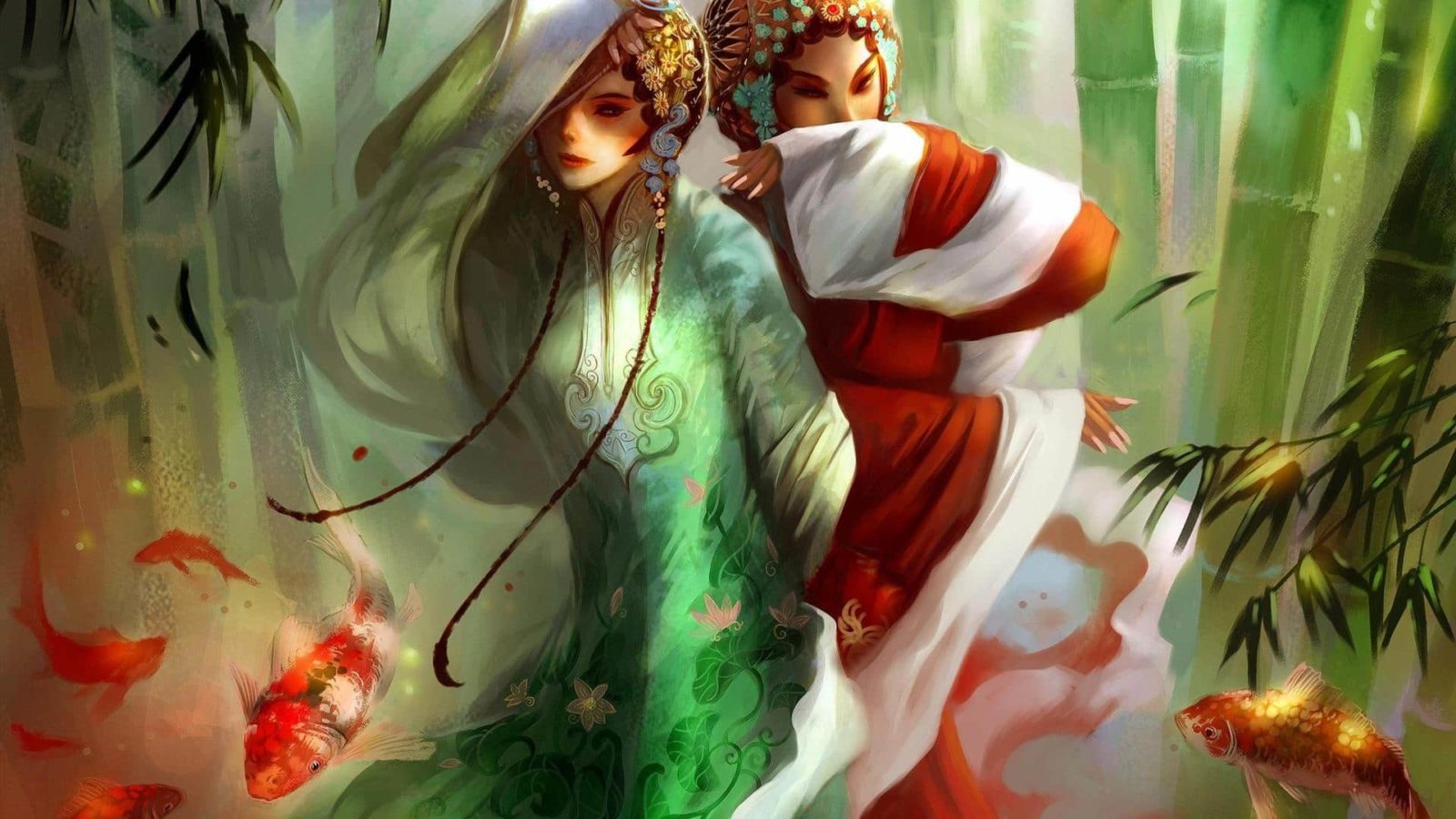
The anime industry pumps out dozens of series every season. Hundreds of studios, thousands of artists, millions of frames. Amid that flood, there is always visual material for any mood: gritty cyberpunk from Ghost in the Shell, pastoral landscapes from Studio Ghibli, kinetic battle scenes from Demon Slayer. The selection is staggering. Check out the gallery above — over a hundred hand-picked wallpapers ready for download.
Top Anime Series for Desktop Wallpapers
Download stats from major wallpaper sites paint a clear picture. Certain titles hold the top spots year after year. Here is what people are actually putting on their desktops and why.
Naruto and Boruto
Two decades on air, over seven hundred episodes, and still the most-downloaded wallpaper franchise. Naruto wins on sheer recognizability: the orange jumpsuit, Kurama's fox aura, the Rasengan in his hand. Fan artists have built an enormous layer of art around the Hidden Leaf Village universe — from minimalist silhouettes to epic battle panoramas with Madara against the moon. Boruto, despite mixed reviews on the story, provides fresh material with the next generation's bright character designs.
Demon Slayer (Kimetsu no Yaiba)
A genuine visual phenomenon. Studio ufotable raised the bar for anime visuals to an unreachable height. Water Breathing visualized as turquoise watercolor streams. The Fire God Dance with flames detailed down to individual sparks. Every such frame is a standalone work of art. It is no surprise that wallpapers featuring Tanjiro and Nezuko are among the most downloaded of the last three years.
Attack on Titan
Bleak aesthetics, sheer scale, a sense of impending doom. Titan wallpapers thrive on atmosphere: walls, garrisons, the Survey Corps in their green cloaks against ruined cities. The final season added even more dramatic weight — frames of Eren as the Attack Titan have become iconic.
Studio Ghibli
A universe unto itself. Spirited Away, Howl's Moving Castle, My Neighbor Totoro, Princess Mononoke — every Miyazaki film is a goldmine of wallpaper material. Hayao Miyazaki hand-drew key frames, and that craftsmanship radiates from every landscape. Ghibli scenery wallpapers are among the few that survive daily scrutiny without becoming tiresome.
One Piece
Over a thousand episodes and Luffy and the Straw Hat crew aren't losing steam. Bright color palettes, pirate romance, charismatic characters — the perfect recipe for wallpapers that lift your spirits the moment you sit down.
Table: Anime Wallpaper Popularity by Series
| Anime / Series | Visual Style | Popularity | Core Audience |
|---|---|---|---|
| Demon Slayer | Dynamic battle scenes, watercolor aesthetic | Very High (2022-2026) | 12-30 |
| Naruto / Boruto | Character art, clan symbols, minimalism | Consistently High (since 2000s) | 16-35 |
| Ghibli (Miyazaki) | Landscapes, pastoral, hand-drawn | High, all ages | 20-50+ |
| Attack on Titan | Bleak epic, urban ruins, character portraits | High (2013-2026) | 16-30 |
| Jujutsu Kaisen | Neon aesthetic, fight choreography | Very High (2020-2026) | 14-28 |
| One Piece | Bright adventure style, ensemble cast | Consistently High | 14-40 |
| Chainsaw Man | Grunge, cinematic, high contrast lighting | High (2023-2026) | 16-28 |
Resolutions: 1080p, 4K, Ultrawide — Which One for You
In 2026, Full HD is the bare minimum. But it is far from the ceiling. Let's sort out which resolution fits your screen so characters don't stretch and landscapes don't pixelate.
Full HD (1920x1080)
Still the most common format. Perfect for office laptops, budget monitors, and most home PCs. The upside: files are small, load instantly, and the selection is enormous. If you are not chasing extreme sharpness, 1080p covers all basic needs. Every wallpaper in our gallery defaults to this resolution.
4K (3840x2160)
Four times the pixels of Full HD. On a 27-32 inch 4K monitor, the difference is visible to the naked eye: character outlines become smooth, sky gradients lose their banding, background details gain meaning. To be fair, finding genuinely high-quality 4K anime wallpapers is harder. Most images online are simply upscaled 1080p. A true 4K source must be drawn or rendered at native 4K. Keep that in mind when downloading.
Ultrawide (3440x1440, 2560x1080 and similar)
Ultrawide monitors are gaining ground, and anime wallpapers for them are a separate headache. The issue is that most anime is drawn in 16:9. Stretching to 21:9 makes characters as wide as pancakes. Three workarounds:
- Hunt for specially cropped ultrawide versions on r/ultrawidewallpapers and Wallpaper Abyss
- Use panoramic Ghibli landscapes — they fit 21:9 beautifully
- Pick two 16:9 images and set up a smooth slideshow transition
Table: Resolution Comparison for Anime Wallpapers
| Resolution | File Size (JPG) | Availability | Recommended Screen Size |
|---|---|---|---|
| 1920x1080 (Full HD) | 200-800 KB | Massive selection | Up to 24 inches |
| 2560x1440 (2K/QHD) | 500-1500 KB | Wide selection | 27 inches |
| 3840x2160 (4K/UHD) | 1-5 MB | Limited true 4K selection | 27-32 inches |
| 3440x1440 (UWQHD) | 800-2500 KB | Scarce, requires dedicated searching | 34 inches |
| 7680x4320 (8K) | 5-15 MB | Extremely rare | 32+ inches |
Best Free Sources for Anime Wallpapers
The internet overflows with wallpaper sites, but quality ranges from masterpiece to a JPEG recompressed ten times into oblivion. Here is where you should actually look.
Wallhaven
The undisputed king of wallpaper sites. Tag-based search, filters for resolution, aspect ratio, and dominant color. Type anime plus the series name and you get hundreds of options. The main advantage: Wallhaven preserves original quality without recompression, unlike most aggregators.
Wallpaper Abyss (Alpha Coders)
The largest themed wallpaper collection. The anime section contains tens of thousands of images. Convenient sorting by series, with dedicated categories for popular titles. The downside: some content consists of official promo material of mediocre quality.
Reddit: r/AnimeWallpapers and r/wallpaper
A treasure trove of unique content. Many artists post their work directly to Reddit, and the quality often exceeds what sits on wallpaper sites. Use the [Desktop] flair search and sort by Top — All Time. The r/AnimeWallpapers subreddit holds genuine gems you will not find anywhere else.
Pixiv and DeviantArt
For those after something truly original. Pixiv is a Japanese platform where artists themselves publish. Tag-based search in Japanese yields stunning results. DeviantArt is the Western counterpart, also with a massive fan art database. Both platforms offer source-resolution images — artists frequently upload at 4K and above.
Zerochan and Danbooru
Image boards with strict quality moderation. If an image passed Danbooru moderation, it is already desktop-worthy. The tag system lets you find wallpapers by specific character, color palette, and even scene mood.
Fan Art vs Official Promo Material
Most people never think about it, but there is a gulf between a wallpaper drawn by a fan and an official studio poster — both in quality and legality.
Official Art and Promos
The key advantage: it is canon. Characters look exactly as the creator intended. The color palette, proportions, and style all match the original. Studios like ufotable, MAPPA, and KyoAni release official illustrations at a quality level physically unreachable for a solo fan artist. The downside: official wallpapers are often compressed for the web, and finding a true 4K version is a challenge. Studios also rarely release key art without logos and text overlays.
Fan Art
Uniqueness you cannot buy. The artist pours their own vision into the character or scene. Some draw Naruto in cyberpunk aesthetics. Others reinterpret Ghibli landscapes through the lens of modern illustration. Fan wallpapers are often available in huge resolutions — artists publish source files on Patreon and Gumroad. But there is a catch: quality swings unpredictably. From masterpieces to genuinely weak work — it all depends on the artist's skill level.
The Legal Angle
Let's be blunt: fan art technically violates the copyright of the original creators. In practice, studios turn a blind eye — fan art functions as free advertising. However, if you use fan art for commercial purposes (YouTube video thumbnails, merchandise), there may be consequences. For your personal desktop — no studio is sending a cease and desist.
How to Organize Your Anime Wallpaper Collection
Downloaded a hundred wallpapers and now they sit in a single Downloads folder heap? We have all been there. Let's clean this up.
Folder Structure
The simplest and most reliable method. Create a root folder called Anime Wallpapers, with subfolders by series: Naruto, Ghibli, Demon Slayer, Attack on Titan, Jujutsu Kaisen, Other. For larger collections, add nested categories: Characters, Landscapes, Minimalist. After a month of this organization, you will find the right image in two seconds instead of scrolling through an endless strip of thumbnails.
Rotation Software
Windows can cycle wallpapers on a schedule right out of the box: Right-click desktop - Personalization - Background - Slideshow. But the built-in tool is primitive. For advanced management, I recommend:
- Wallpaper Engine (Steam) — an affordable tool that handles not just animated wallpapers but also advanced static rotation with smooth transitions
- John's Background Switcher (free) — customizable schedules, multiple sources, including RSS feeds from subreddits
- Lively Wallpaper (free, open-source) — supports video wallpapers, web pages as backgrounds, lightweight and doesn't hog resources
Tagging and Collections
If your collection crosses the thousand mark, you need tags. Adobe Bridge is free and can tag images. Create tags for series, characters, color palette, scene type (landscape/character/battle). Then filter by tags and you are done.
Seasonal Anime Wallpapers: Spring, Summer, Fall, Winter
In Japanese animation, the changing seasons are not just a backdrop — they are a narrative element. Bringing that aesthetic to your desktop synchronizes your digital space with the real world. Sounds pompous, but it actually works.
Spring (Sakura and Freshness)
Cherry blossom petals on the wind, school alleys in a pink haze, light watercolor tones. Spring wallpapers are about lightness and anticipation. Your Lie in April, Clannad, spring scenes from Spirited Away — perfect sources. The light color palette does not strain the eyes during long work sessions.
Summer (Sun, Greenery, Energy)
Saturated colors, cicadas, blue skies and bright sunshine. Summer anime wallpapers are an energy boost: beach scenes from Totoro, festival episodes, frames from sports anime like Haikyuu. High brightness and contrast look great on matte monitors.
Fall (Maples and Melancholy)
Red maples, golden light, warm color temperature. Fall wallpapers are cozy and nostalgic. Scenes from Howl's Moving Castle with autumn moorlands, rural landscapes from Your Name, architectural shots of Kyoto from various anime. A screen with a fall image literally feels warmer, and it is not subjective — red and orange tones genuinely reduce eye strain during evening work.
Winter (Snow and Silence)
White landscapes, snow-covered roofs, warm light from windows. Winter wallpapers create a feeling of coziness and shelter. 5 Centimeters Per Second, winter scenes from Your Name, snowy Ghibli landscapes — classics of the genre. Winter wallpapers with dominant white increase screen light reflection, so it makes sense to slightly dim your monitor brightness during this season.
Animated and Live Wallpapers: Beyond Static
If static images no longer satisfy — time for the next level. Live wallpapers with motion, particles, animation. The technology has come a long way from the battery-draining DreamScene of Windows 7. These days, live wallpaper engines are lightweight, optimized, and pause intelligently to conserve resources.
Animated wallpapers do more than just look good. They add depth that a flat image simply cannot deliver. Rain outside a window in a Ghibli scene, flickering fireflies, a character's hair blowing in the wind — all of it creates a sense of presence. You are not looking at a poster; you are looking through a window into another world. There is a caveat, though: on weaker machines with integrated graphics, even an optimized engine may consume 8-12% CPU. On desktops with a discrete GPU, the impact is barely noticeable.
Wallpaper Engine (Steam)
The gold standard. Costs pocket change, and the workshop holds tens of thousands of anime wallpapers, from simple looping scenes to interactive compositions that respond to mouse movement. You can find scenes from any popular anime: breathing Ghibli landscapes, Demon Slayer battle clips with particle sparks, character portraits with animated hair and clothing. Resource consumption with proper settings: 2-5% CPU on modern machines. Playback auto-pauses when windows are maximized.
Lively Wallpaper
A free open-source alternative from the Microsoft Store. Supports video files, web pages, GIFs, even interactive shaders. The community is smaller and there is less ready-made anime content compared to Wallpaper Engine, but for basic needs it is an excellent free option.
ScreenPlay
Lesser-known but worthy competitor. Also free, also with video and interactive support. The community lives on Steam and the anime wallpaper selection is respectable. Runs stably, doesn't crash during resolution changes in games.
\u{201c}I set an animated Rei from Evangelion as my background — now even my idle system looks a hundred times cooler. Just remember to enable pause when launching games, resources aren't infinite.
Frequently Asked Questions
Where can I download anime wallpapers in 4K for free?
The best sources: Wallhaven (filter by resolution), Wallpaper Abyss, the Anime section on Reddit (r/AnimeWallpapers). On Pixiv, many artists upload source files in 4K. Our Google Photos gallery at the top of the page features a hundred Full HD wallpapers, with some available in higher resolutions when downloading the original.
What is the difference between fan art and official anime wallpapers?
Official art faithfully reproduces the canonical character designs but is often compressed and contains logos. Fan works are stylistically unique and available in high resolutions, but quality varies by artist. Legally, fan art infringes copyright, but for personal desktop use there are never any issues.
What resolution is best for anime wallpapers on a laptop?
Full HD (1920x1080) works for most laptops. If you have a Retina or 4K display, look for 4K (3840x2160) — the sharpness difference on 15-17 inch screens is noticeable. The golden rule: the wallpaper resolution must match your screen's native resolution, otherwise the image will blur.
Do live anime wallpapers slow down the computer significantly?
Not with proper settings. Wallpaper Engine pauses playback when windows are maximized. Consumption: 2-5% CPU for simple animations, up to 10-15% for interactive scenes with physics. On gaming rigs the impact is negligible; on office laptops, stick to static.
How often should I change my anime wallpaper?
Regular wallpaper changes are psychologically beneficial — they reduce the digital blur effect and monotony. Once a week is optimal. Set up a slideshow with a 1-hour interval: your eyes get a constant fresh image, and your subconscious gets a new dose of aesthetic enjoyment.
Can I use anime wallpapers at the office?
It depends on the company culture and the specific image. Calm Ghibli landscapes or minimalist character silhouettes rarely raise eyebrows. Explicit fanservice, gore, or weapon-heavy frames — definitely not. Common sense and office dress code apply to pixels on your screen too.
How do I find anime wallpapers for a 21:9 ultrawide monitor?
Search Wallhaven with the 21:9 aspect ratio filter, check r/WidescreenWallpapers, and browse dedicated collections on Wallpaper Abyss. A useful trick: find a Ghibli landscape in 4K and crop it to 3440x1440 in Paint or any editor — the studio's panoramic scenes fit the wide format perfectly.
Where can I find seasonal anime wallpapers for winter or summer?
On Wallhaven, use the tags anime + winter or anime + summer. On Reddit, search r/AnimeWallpapers with seasonal keywords. On Danbooru, use tags like snow, sakura, autumn_leaves. Our gallery collection is also updated seasonally.
What file format is best for storing a wallpaper collection?
JPG for everyday use — the sweet spot between quality and size. PNG if you need pristine sharpness without compression artifacts (files will be 3-5 times larger). WebP is Google's modern format with superior compression, but not all wallpaper rotation tools support it. Wallpaper Engine uses its own scene format.
Can I make my own wallpaper from an anime frame?
Yes, and it is not difficult. The main issue: a video frame is 1920x1080 at best and compressed by the codec. A Blu-Ray screenshot will be sharper than the streaming version. Use AI upscalers like waifu2x or Real-ESRGAN to boost resolution — they are specifically tuned for anime graphics and provide a noticeable quality improvement without blurriness.
Tap to react