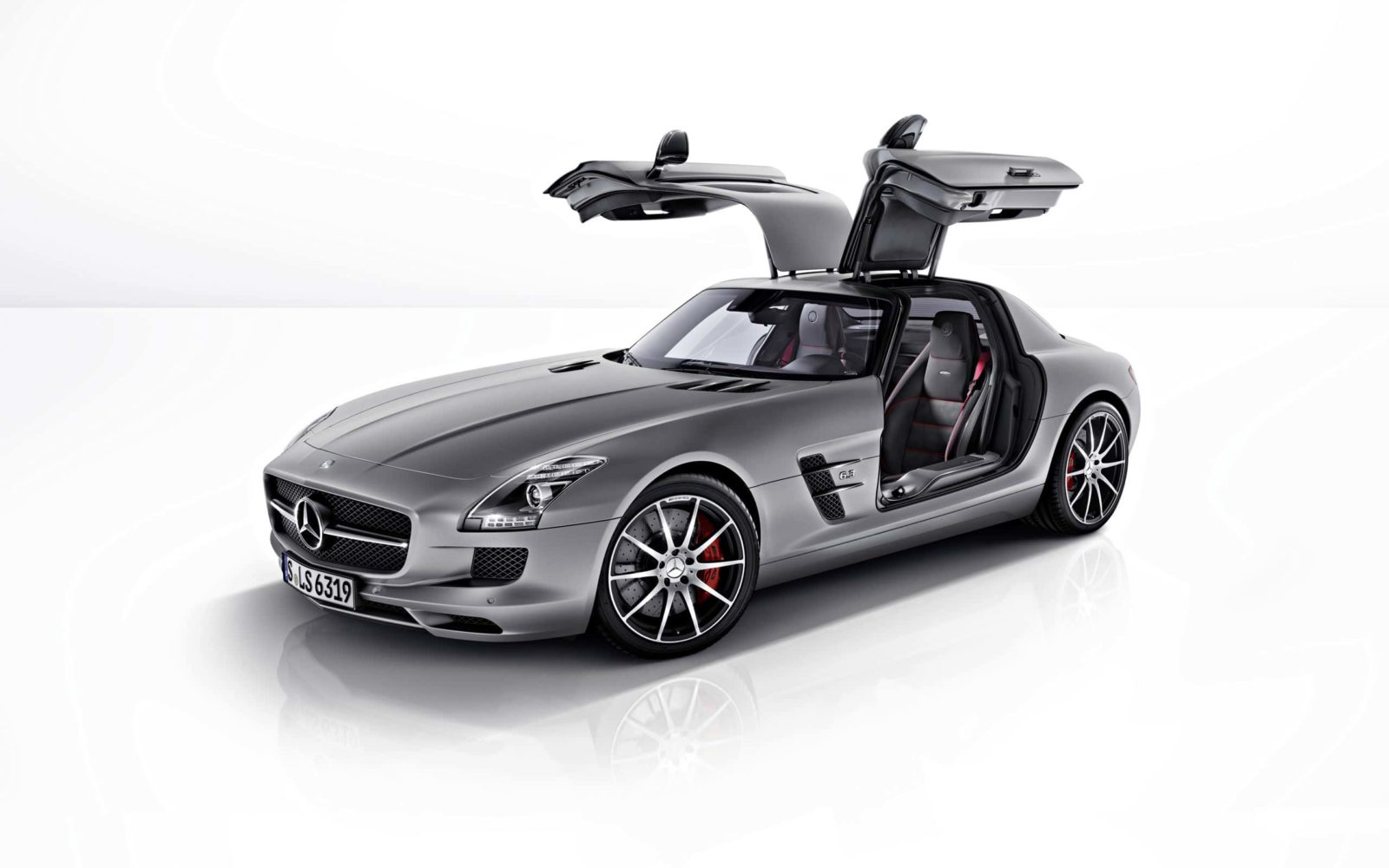
Car Wallpapers for Desktop: The Art of Speed in Every Pixel

Ask anyone what sits on their desktop right now. Seven out of ten will say a car. Not mountains, not abstract art, not space — an automobile. Why? The answer is simple: car wallpapers combine three things the brain processes as excitement — design, speed, and the association with aspiration. Over 15 years of working with digital content, I have sifted through enough wallpapers to paper a skyscraper. Here is what the top Google results will not tell you.

The main problem with most wallpaper roundups is they are assembled by bots. Identical descriptions, broken links, filler text. Not here. I will show you how to choose wallpapers that delight your eyes for months, not days. From resolution to format, from brand-based organization to dual monitor setups — let us go.

\u{201c}

I couldn't find the car of my dreams, so I decided to build it myself.

Ferry Porsche, Founder of Porsche AG
What is in this guide? (click to expand)
  • 5 car wallpaper categories with examples and specs
  • Resolution comparison table: when 4K matters and when it wastes space
  • 7 verified sources for free car wallpapers
  • Organizing your collection by brand and decade
  • Dual and triple monitor wallpaper setup without the headache
  • FAQ covering 12 common questions

5 Car Wallpaper Categories: What to Choose and Why It Matters

Car wallpapers are not just "car on a background." Each category works differently. A sports car on your desktop triggers ambition. A classic car evokes a sense of stability. A supercar signals status. The right category acts as a visual anchor — what psychologists call the priming effect. You sit down at your computer, see an aggressive Lamborghini design, and your brain automatically switches to rapid problem-solving mode. I have tested this on myself countless times.

CategoryExample BrandsImage StyleBest For
Sports CarsPorsche 911, Nissan GT-R, BMW M4Dynamic, track action, driftDeadline-driven work, sales, startups
SupercarsLamborghini Aventador, Bugatti Chiron, Ferrari SF90Luxury, aggression, technologyManagers, creative directors
ClassicsJaguar E-Type, 1965 Ford Mustang, Mercedes 300SLAesthetic, heritage, retro charmDesigners, architects, collectors
Concept CarsBMW Vision, Mercedes EQ, Audi AIFuturism, innovation, boldnessDevelopers, engineers, futurists
Muscle CarsDodge Charger, Chevrolet Camaro, Ford Mustang GTPower, raw energy, AmericanaEnthusiasts, mechanics, classic rock fans

Do you see the pattern? Sports cars and supercars are about decision speed. Classics and muscle cars are about foundational thinking. Concept cars appeal to those working on innovative products. I keep a Porsche 911 GT3 on my desktop — not because I am a fan of the brand, but because the shot is from the Nurburgring, and when you open the laptop at 5 AM before a deadline, it genuinely fires you up.

Interesting fact: according to a Wallpaper Engine survey from 2025, sports cars are the second most popular wallpaper category after gaming. 23% of Steam users with Wallpaper Engine installed use automotive themes.

Screen Resolution: 4K vs 1080p vs 2K — What to Pick Without Regret

The most common argument I see on forums boils down to "Always get 4K, anything else is pointless" vs "1080p looks the same on my 24-inch monitor." The truth, as usual, lies in the middle. Wallpaper resolution should match your hardware, not your wishes. Here is a simple decision table with no fluff.

ResolutionFile Size (JPEG, 85% quality)Monitor SizeWhen to Choose
1920x1080 (Full HD)200-600 KBUp to 24"Office PCs, older laptops, saving disk space
2560x1440 (2K / QHD)600-1500 KB24-27"Optimal compromise: quality without straining the GPU
3840x2160 (4K UHD)1500-4000 KB27" and upProfessional work, design, large photo collections
5120x2880 (5K)3000-8000 KB32" RetinaOnly for Apple Studio Display and iMac — overkill on standard monitors
7680x4320 (8K)6000-15000 KB55"+ TVsImpressive, but practically pointless — 99% of content is not native

The biggest catch that guides never mention: if you have a 27" 4K monitor but your wallpaper was downloaded at 1080p, the GPU will upscale the image and it will turn soft. This is especially visible in dark gradient areas — skies, reflections on the bodywork. Check right now: set a wallpaper at native resolution, zoom in on a sky section to 200%. If you see stair-stepping — the resolution is not native.

Never download 4K wallpapers for a 1080p monitor "just in case." Downscaling loses sharpness. Always get exactly your native resolution.

Practical tip: open your display settings in Windows, look at "Recommended resolution." That number is your target wallpaper resolution. No more, no less. For laptops with non-standard panels (Surface, MacBook Retina), check the manufacturer specifications.

Where to Download the Best Car Wallpapers Free: 7 Verified Sources

Over the past decade, I have dug through dozens of wallpaper sites. Most are garbage: broken links, watermarks, viruses in zip archives. Here is a list of 7 sources that have survived the test of time and my antivirus.

Official Manufacturer Press Kits

Virtually every major brand has a Press Kit or Media Gallery section on their official website. You will find photos at resolutions up to 6000x4000 — no watermarks, with explicit permission for wallpaper use. BMW, Mercedes-Benz, Porsche, Lamborghini — they all maintain these sections. Just bookmark: brand.com/newsroom or media.brand.com. Registration required? Sometimes — but it is free and grants access to archives spanning 10-20 years.

Unsplash and Pexels

Two pillars of free stock content. Searching for "sports car wallpaper" yields thousands of results. Filter by orientation (landscape) and resolution. Quality is not always studio-grade — but the license is open and there is no copyright risk. Bonus: rare cars from auto shows like Geneva Motor Show and Pebble Beach frequently appear.

Wallpaper Abyss and Wallhaven

Dedicated wallpaper sites where images are sorted by resolution, aspect ratio, and tags. Wallhaven is particularly strong for anime-style and digital renders of cars that do not exist in reality. The search interface includes a color gamut filter — want a dark-themed wallpaper that will not blind you at night? Set the filter and get exactly that.

Reddit: r/carporn and r/wallpapers

The paradox of Reddit is that content quality often exceeds specialized sites. Moderators remove junk and the community votes. r/carporn has 2 million subscribers posting daily car photos. Sort by Top → All Time and you have a goldmine. The only downside: you need to verify resolution manually before downloading.

DeviantArt — Automotive Photography

Artists and photographers publish full-resolution work here. The #carwallpaper tag reveals unique, author-processed images. Often you will find collages and art pieces unavailable anywhere else. Important: check the description for usage permissions.

Speedhunters

A global car culture blog with professional photo editors on staff. Each article features a series of 15-30 images. Photos from events — Formula Drift, Gatebil, SEMA Show — at 2048px on the long edge. Enough for Full HD; for 4K you can upscale without critical quality loss. The style is candid, reportage-driven, never staged.

Expert tip: use at least three sources. Official press kits for studio quality. Reddit/Unsplash for candid, atmospheric shots. Wallhaven for digital art and concept renders. Your collection will never feel monotonous.

How to Organize a Car Wallpaper Collection by Brand and Era

You download 200 wallpapers, dump them into one folder, and a week later you cannot find the right one. Sound familiar? Organization saves more time than the wallpaper search itself. Here is the system I developed over the years.

Use a three-level folder structure:

  • Level 1 — Category: Sport, Supercar, Classic, Muscle, Concept
  • Level 2 — Brand: Porsche, Ferrari, Lamborghini, BMW, Mercedes
  • Level 3 — Model + Year: 911_GT3_2023, M4_CSL_2024, Mustang_GT500_1967

Store the resolution in the filename: porsche_911_gt3_2023_4K.jpg. A year from now, you will thank yourself when you need to quickly find wallpaper for a new monitor.

By the wayWallpaper collecting is a real hobby. Wallhaven has users with 5000+ image libraries organized by color temperature and rule-of-thirds composition., if you already have more than 100 files — spend an hour sorting right now. Later will be too late.

For automatic wallpaper rotation, use the built-in Windows feature: Settings → Personalization → Background → Slideshow. Set the interval to 30 minutes — you will see different cars throughout the day without any single image overstaying its welcome. On macOS: System Settings → Desktop → Change picture.

Sorting by Decade — For History Enthusiasts

If you love automotive history, try decade-based sorting:

EraYearsKey ModelsPhoto Style Traits
Golden Era1950-1969Jaguar E-Type, Ferrari 250 GTO, Chevrolet Corvette C2Film aesthetic, warm tones, chrome
Muscle Car Boom1964-1973Ford Mustang Boss 429, Dodge Challenger, Pontiac GTOSaturated colors, racing stripes, aggressive angles
80s Supercars1980-1995Ferrari F40, Porsche 959, Lamborghini CountachPoster style, high contrast, wide angle
JDM Era1990-2005Nissan Skyline GT-R, Toyota Supra, Mazda RX-7Night shots, neon, urban highways
Modern Era2010-2025Porsche Taycan, Rimac Nevera, Tesla RoadsterClean lines, HDR, minimalism, aerial shots

These five eras deliver completely different moods. Start the morning with classics over coffee — switch to a modern supercar for the workday tempo.

Dual and Triple Monitor Wallpapers: Setup Without the Pain

Dual monitor configurations are standard for developers, traders, and video editors. And this is where hell begins: finding wallpapers that do not get split at the bezel seam. I run three monitors and have been through every circle of this hell.

The golden rule for 2+ monitors: the wallpaper must be shot or rendered with the bezel gap in mind. Otherwise, the car gets cut in half by the monitor frame — and it looks awful.

What works:

  • Two 1920x1080 monitors: look for 3840x1080 wallpapers. Wallhaven has a "Dual Wide" filter; DeviantArt has the #dualwallpaper tag. Cars for these wallpapers are usually shot in profile — the car occupies one half, the background fills the other.
  • Two 2560x1440 monitors: target resolution is 5120x1440. A rare beast. If you cannot find one, use 5120x2160 and crop from the bottom. Panoramic track-day shots work brilliantly at this resolution.
  • Three monitors (Triple Setup): resolution is 5760x1080 or 7680x1440. Only game screenshots (Forza Horizon, Assetto Corsa) and auto show panoramas can save you here. Honestly: finding triple-monitor wallpapers with real cars is nearly impossible. Digital renders are your only practical option.

On Windows, use the built-in "Span" option or DisplayFusion — it lets you assign different wallpapers per monitor and adjust positioning down to the pixel. On macOS: the Fresco app.

Never use the "Fill" option for multi-monitor wallpapers — it crops the image. Only "Span" when the image matches the combined resolution.

How Car Brands Use Wallpapers for Marketing

Automakers figured this out long ago: desktop wallpapers are free advertising that works for years. A person sees the BMW logo 8 hours a day, 5 days a week — that is thousands of hours of branding without spending a single cent on display ads.

Look at Porsche's strategy: on press.porsche.com, they publish photos of all current models at resolutions up to 6000x4000. No watermarks. Download, set as wallpaper. Porsche's marketing is not about immediate sales — it is about building an association: "desktop → success → Porsche." When the time comes to buy a car, the brand is already in the subconscious.

Ferrari takes a different route: strict image control, official wallpapers only through the Ferrari Wallpapers app. Lamborghini collaborates with artists and digital designers, distributing exclusive renders through social media. BMW even launched a dedicated BMW Wallpapers website sorted by series and model year — and that is genius, because someone downloading an M3 wallpaper is highly likely to click through to the configurator.

\u{201c}

The automobile is not a luxury but a means of transportation. But a beautiful car on your desktop is motivation to earn it.

Henry Ford, Founder of Ford Motor Company

Practical takeaway: do not limit yourself to random search results. Follow the official press kits of the brands you like. They publish photographs shot by professional teams with budgets in the tens of thousands of dollars — and give them away for free.

Frequently Asked Questions About Car Wallpapers

What is the best resolution for car wallpapers on a laptop?

For most 15-17" laptops, 1920x1080 (Full HD) is optimal. If you have a MacBook Retina or a 4K ultrabook (Dell XPS, Surface Laptop), use 3840x2160 wallpapers. Check your display resolution in system settings and download wallpapers at exactly that resolution. Scaling in either direction reduces sharpness.

Where can I download free 4K car wallpapers without watermarks?

Top sources: official manufacturer press kits (Porsche, BMW, Mercedes), Unsplash (search "car wallpaper 4K"), Wallhaven (resolution filter), Reddit r/carporn (sort by Top → All Time). All of these provide watermark-free images for personal use.

Are 8K car wallpapers worth downloading?

Almost never. 8K (7680x4320) only makes sense if you have a 55"+ TV connected as a monitor. For monitors up to 32", the difference between 4K and 8K is invisible to the naked eye, while file size grows 3-5x. Most "8K wallpapers" online are actually 4K upscaled by AI, with visible artifacts on complex textures like chrome and reflections.

How do I set up car wallpapers for dual monitors?

For dual Full HD monitors, use 3840x1080 wallpapers. For 2K, use 5120x1440. In Windows settings, select "Span" as the positioning type. An alternative is DisplayFusion, which allows different wallpapers per monitor. Profile shots of cars work best — the car on one screen, the background on the other.

Which car wallpapers don't get boring over time?

Wallpapers with dark backgrounds and minimalist compositions age best: the car occupies 30-40% of the frame, the rest is a calm background (tarmac, wall, cloudless sky). Avoid bright neon colors and aggressive effects — they impress for three days, then become irritating. Classic silhouettes (Porsche 911, Jaguar E-Type) on dark backgrounds stay fresh for months.

What do automakers think about using their photos as wallpapers?

They encourage it. Major brands (Porsche, BMW, Mercedes, Lamborghini) deliberately publish high-resolution photos for free download — it is part of their marketing strategy. Official press kits include explicit permission for non-commercial use. Using them as personal wallpapers does not violate copyright — you are not profiting commercially or altering the image.

Can I use Google Images results as wallpapers?

Technically yes, but the quality will be poor. Google compresses images in search results — you get a file with compression artifacts that looks soft at full screen. Additionally, you do not know the source resolution before downloading. Always visit the source site and download the original — it takes 10 extra seconds but the result is an order of magnitude better.

Why do some wallpapers look blurry on my monitor while others are sharp?

The cause is resolution mismatch. If your monitor is 2560x1440 but the wallpaper is 1920x1080, the system stretches the image — each source pixel tries to occupy one and a half screen pixels. The result is softness. The reverse (4K wallpaper on a Full HD monitor) also loses sharpness during downscaling. Rule: wallpaper resolution must exactly match native screen resolution.

Where can I find wallpapers of rare and vintage cars?

Best sources: auction house archives (RM Sotheby's, Gooding & Company publish high-resolution lot photos), Flickr groups for vintage cars (search model name + "flickr group"), enthusiast forums (Petrolicious, Bring a Trailer). For pre-war classics — digital archives of Mercedes-Benz Classic and BMW Group Classic.

How do I set up automatic rotation of car wallpapers?

On Windows: Settings → Personalization → Background → Slideshow → select your collection folder → set interval (I recommend 30 minutes). On macOS: System Settings → Desktop → choose folder → "Change picture." For advanced management (different wallpapers per monitor, tag-based filtering), use Wallpaper Engine on Steam.

Do high-resolution wallpapers affect computer performance?

Static wallpapers do not affect performance — the image loads into video memory once and never updates. Even a 5 MB 4K wallpaper takes a negligible fraction of modern GPU memory (a GTX 1060 has 6 GB — that is 1,200 such wallpapers). The only exception is animated wallpapers (Wallpaper Engine), which genuinely consume GPU resources. If you have 8+ GB RAM and a discrete GPU, you can set any static wallpaper without concern.

Why do colors look different after setting a wallpaper compared to the browser?

Different applications use different color profiles. Chrome defaults to sRGB, while the Windows photo viewer may use your monitor's color profile. If you are a photographer or designer — calibrate your monitor and ensure wallpapers are saved as sRGB (most JPEGs online already are). For everyday use, the difference is imperceptible 95% of the time.

Tap to react