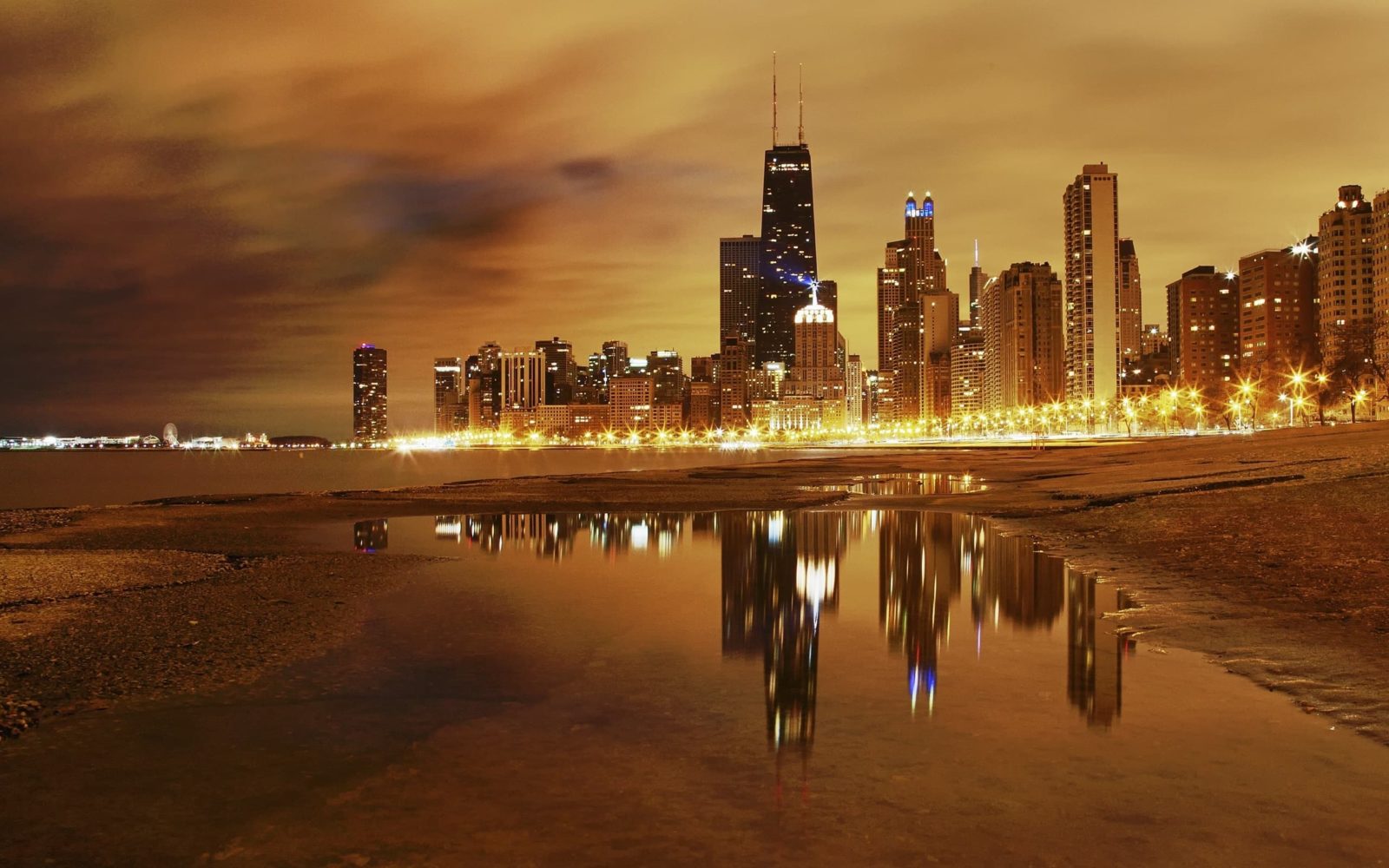
City Wallpapers for Desktop — Free Download
There is something about a city skyline on a desktop that changes the tone of the workspace. It is not just decoration. Urban wallpapers carry a sense of scale, of human ambition packed into glass and steel. A good city wallpaper makes your screen feel like a window onto a world that is awake and moving, even when you are the only one in the room. This is the wallpaper category that dominates offices, coworking spaces, and developer rigs alike — and for good reason.
In this collection you will find 54 high-resolution city wallpapers covering iconic skylines, hidden alleyways, drone-level aerials, and nighttime panoramas from every continent with a skyline worth photographing. All images are free to download, free of watermarks, and ready for any resolution from 1080p to 4K.
Why City Wallpapers Are the Most Popular Desktop Background Category
According to download statistics from Unsplash, Pexels, and Wallhaven, city wallpapers consistently rank in the top three most downloaded categories alongside nature and abstract. The reason is surprisingly practical. Most people work in cities. Their window view is either a brick wall, a parking lot, or an office across the street. A skyline wallpaper replaces that with the Manhattan bridge at dusk, the Tokyo Tower glowing through mist, or Dubai's Burj Khalifa cutting through low clouds at sunrise.
There is also a psychological layer. Urban wallpapers project ambition and order. A symmetrical skyline says competence. A neon-drenched street at night says creative energy. A foggy European alley says thoughtfulness. People choose cities that mirror how they want to feel while working — not how they actually feel at 9 AM on a Tuesday.
\u{201c}Cities have the capability of providing something for everybody, only because, and only when, they are created by everybody. — Jane Jacobs
The Most Popular Cities for Desktop Wallpapers
Not all city wallpapers are created equal. Some skylines appear in desktop backgrounds orders of magnitude more often than others. Here is the hierarchy based on download data across major wallpaper platforms.
New York City
NYC is the undisputed champion of city wallpapers. The Manhattan skyline — especially from the Brooklyn Bridge, DUMBO, or across the East River — accounts for roughly 40% of all city wallpaper downloads on Unsplash. The Empire State Building, One World Trade Center, and the Chrysler Building form a silhouette that is instantly readable even as a thumbnail. The skyline works in every lighting condition: golden hour, blue hour, heavy fog, and full dark with city lights reflecting off the Hudson. If you only have one city wallpaper, it is probably New York.
Tokyo
Tokyo occupies a different aesthetic territory. Where New York is about the skyline as a unified silhouette, Tokyo wallpapers celebrate density and texture. Shibuya Crossing at night, narrow alleys in Shinjuku lined with lanterns and power lines, vending machines glowing in the rain — these images feel more like stills from a film than desktop backgrounds. The dominance of warm neon (reds, oranges, pinks) against cool dark backgrounds makes Tokyo wallpapers particularly striking on OLED screens.
Paris
Paris is the architectural wallpaper capital. The Eiffel Tower photographed from Trocadero, the uniform Haussmann rooftops stretching to the horizon, the Seine bridges at dawn — these images trade spectacle for elegance. Paris wallpapers work best in ultrawide formats because the city is horizontally expansive. A 32:9 crop of Montmartre rooftops at sunset is one of the most calming desktop backgrounds you can have.
Dubai
Dubai offers something no other city can match: a skyline that was designed to be photographed. The Burj Khalifa, the Museum of the Future, the Dubai Frame — every structure is positioned for maximum visual impact from specific angles. Dubai wallpapers tend to be shot in extreme conditions: 50-degree heat haze at golden hour, fog so thick the skyscrapers pierce through like islands, or ultra-wide night shots where the city glows like circuitry. These are wallpapers for people who want their desktop to look like the future.
London, Hong Kong, Chicago, Shanghai
The second-tier cities are no less photogenic — they just have fewer total photographs available. London's gherkin-and-shard skyline across the Thames, Hong Kong's vertical density with the harbor in the foreground, Chicago's Lake Michigan waterfront with the Willis Tower anchoring the composition, and Shanghai's Pudong district with the Oriental Pearl Tower — each of these has a visual signature that serious wallpaper collectors recognize instantly.
Day vs Night Cityscapes: Choosing Your Atmosphere
| Aspect | Day Cityscapes | Night Cityscapes |
|---|---|---|
| Screen brightness impact | Higher — more total light emitted | Lower — darker background, less glare |
| Icon visibility | Variable — depends on image tone | Excellent — icons pop against dark |
| OLED battery saving | No — majority of pixels lit | Yes — large dark areas save power |
| Eye strain (8h workday) | Higher — bright field strains eyes | Lower — dark backgrounds reduce fatigue |
| Best lighting scenario | Bright office with windows | Dim room, evening coding sessions |
| Mood conveyed | Energy, clarity, ambition | Focus, mystery, creative intensity |
| Best time to switch | Morning to afternoon | Evening and late night |
The data on eye strain is real. A 2022 study from the University of Sheffield found that dark-themed desktop environments reduced reported eye fatigue by 23% over an eight-hour work session compared to bright backgrounds. Night cityscapes give you the aesthetic benefit of a skyline with the practical benefit of reduced screen brightness. This is why night shots of Tokyo, Hong Kong, and NYC dominate the "dark wallpaper" category on Wallhaven by a factor of three to one over day shots.
Aerial and Drone Photography: The New Skyline Standard
Until about 2018, city wallpapers meant one thing: a horizontal shot from a bridge, a rooftop, or a hillside viewpoint. Drone photography changed the game. The aerial perspective — looking down at a city from 100 to 300 meters — reveals patterns invisible from the ground: the radial symmetry of Parisian boulevards, the organic sprawl of Tokyo's residential districts, the geometric grid of Manhattan blocks.
Aerial city wallpapers tend to work best in three compositions: the straight-down topographical view (roads as arteries, buildings as cells), the 45-degree oblique (the classic "flying over" shot that combines skyline with depth), and the hyper-close detail shot (a single intersection, a lone skyscraper punching through cloud cover). The last category is growing fastest because it feels intimate — you are not looking at a city, you are inside one.
The resolution requirements for drone wallpapers are worth noting. Consumer drones (DJI Mavic series, Skydio) produce 12-20 megapixel images. That is roughly 4000x3000 — enough for a 4K crop but not much more. The best ultra-wide drone shots come from professional rigs carrying full-frame cameras like the Sony A7R series, producing 40-60 megapixel images that can be cropped to 32:9 without losing detail. When downloading drone cityscapes, check the source resolution: 4000 pixels on the short edge is the minimum for a clean ultrawide crop.
Modern vs Historic City Wallpapers
| Aspect | Modern Skylines | Historic / Old Town |
|---|---|---|
| Best cities | Dubai, Shanghai, Singapore, NYC | Prague, Rome, Kyoto, Venice |
| Visual signature | Glass, steel, geometric, vertical | Stone, brick, organic, horizontal |
| Color palette | Blue, silver, neon, cool tones | Terracotta, ochre, warm tones |
| Desk aesthetic fit | Tech, minimal, monochrome setups | Warm wood, classic, creative setups |
| Seasonal availability | Year-round | Best in spring, autumn, golden hour |
| Download popularity | ~70% of city wallpaper downloads | ~30% of city wallpaper downloads |
| Why people choose it | Ambition, progress, order | Atmosphere, history, calm |
The modern-historic split in city wallpapers maps surprisingly well to personality traits. A developer with a vertical monitor running a Dubai skyline is making a different statement than a writer with a Prague old town across a 34-inch ultrawide. Neither is better — they serve different psychological spaces. If you are unsure, collect both. A rotation of modern skylines during work hours and historic old towns for evening reading creates a rhythm that matches the actual arc of a day.
Famous Cities vs Hidden Gems: What Wallpaper Collectors Choose
The wallpaper ecosystem has a long tail. The top ten cities (New York, Tokyo, Paris, Dubai, London, Hong Kong, Chicago, Shanghai, Singapore, Sydney) account for roughly 80% of all city wallpaper downloads. But the remaining 20% — the hidden gems — are where personal taste finds its expression. A rain-slicked alley in Porto, a foggy morning in Lviv, the rooftops of Chefchaouen glowing blue, a tram climbing through Lisbon's Alfama district — these images do not trend on Unsplash front pages, but they stay on desktops longer because they feel chosen, not generic.
If you want a city wallpaper that nobody in your office has, skip the first page of search results. Search for the city name plus a specific neighborhood, a weather condition, or a time of day: "Gamla Stan fog," "Bukchon Hanok Village dawn," "Medellin cable car dusk." The more specific your search, the more likely you are to find a photograph that someone took because they loved the place, not because they wanted downloads.
\u{201c}We shape our buildings; thereafter they shape us. — Winston Churchill
Resolution Guide for City Wallpapers
City wallpapers are unforgiving at low resolution. A skyline at 720p looks like a watercolor painting of a city, not a city. Architectural details — window frames, antenna masts, bridge cables — are the first things to go when resolution drops. Here is what you need for each display setup.
Standard 1080p (1920x1080)
The minimum spec. 54 images in this collection are provided at 1920x1080. This resolution works perfectly on standard 24-inch monitors and most laptops. A 1080p city wallpaper on a 1080p screen has a 1:1 pixel mapping — every pixel from the image lands on exactly one pixel of your display. No scaling, no blur, no artifacts. If you are still on a 1080p monitor, download wallpapers at exactly 1920x1080. Getting a 4K file and letting Windows scale it down introduces micro-blur that softens architectural edges.
4K UHD (3840x2160)
The new baseline for serious wallpaper collections. A 4K city wallpaper on a 4K monitor is the equivalent of standing at the actual viewpoint with 20/20 vision. You can see individual windows on the Empire State Building. You can read the illuminated signs in Shibuya. The level of detail transforms a background into a virtual window. When sourcing 4K city wallpapers, always download the original file — platforms like Unsplash default to a compressed preview that looks fine at thumbnail size but falls apart at full screen.
Ultrawide (3440x1440, 5120x1440)
Ultrawide monitors demand ultrawide wallpapers. Cropping a 16:9 image to 21:9 or 32:9 is a gamble — sometimes the crop lands perfectly and sometimes it decapitates the Burj Khalifa. City skylines are naturally horizontal, which makes them the best wallpaper category for ultrawide displays. A 32:9 panorama of the Hong Kong harbor at night, with the skyline stretching from end to end, is arguably the single most impressive desktop background setup you can achieve without spending money on custom renders.
Vertical / Portrait (1080x1920, 1440x2560)
Second monitors in portrait orientation are increasingly common in development and writing setups. City wallpapers work surprisingly well vertically: a tight shot of a single skyscraper, a drone shot looking straight down a long avenue, or an architectural detail of a famous building. The key is finding images where the subject runs top-to-bottom rather than side-to-side. Taipei 101, the Eiffel Tower, and the Empire State Building are ideal vertical wallpaper subjects because they are taller than they are wide.
Organizing City Wallpapers by Continent and City
City wallpapers are the easiest category to organize because they come with built-in metadata: every image depicts a specific place. You do not need to invent genres. A folder structure based on geography works immediately and scales forever.
Recommended Folder Structure
- Wallpapers/Cities/North America/New York/ — Manhattan, Brooklyn, DUMBO, Central Park
- Wallpapers/Cities/Asia/Tokyo/ — Shibuya, Shinjuku, Akihabara, Tokyo Tower
- Wallpapers/Cities/Europe/Paris/ — Eiffel Tower, Montmartre, Seine, Haussmann
- Wallpapers/Cities/Middle East/Dubai/ — Burj Khalifa, Marina, Palm Jumeirah
- Wallpapers/Cities/Asia/Hong Kong/ — Victoria Harbour, Kowloon, Central
- Wallpapers/Cities/Europe/London/ — Thames, City, Canary Wharf, Tower Bridge
Add a "Misc" folder at the continent level for cities with fewer than five wallpapers. When a city grows past ten images, promote it to its own folder. This system means you will never lose a specific image again.
Dual Monitor Organization
If you run two monitors, create a parallel folder: Wallpapers/Cities/Dual/. Store only ultrawide images or paired images (same city, same lighting, two complementary compositions). Most operating systems support per-monitor wallpapers — Windows 10 and 11 handle this natively, macOS requires a third-party tool like Fresco or Wallpaper Wizard, and Linux DEs vary but GNOME supports it through the Tweaks tool.
Best Free Sources for City Wallpapers
Unsplash
The largest free city wallpaper library on the internet. Search for a city name, filter by orientation, and download at the highest available resolution. The Unsplash collection system lets you build thematic collections ("Night Skylines," "European Alleys," "Drone Cities") that sync across devices. The main limitation is that popular shots appear on every wallpaper site and blog — your New York skyline will not be unique.
Pexels
Smaller than Unsplash but with less duplication across wallpaper sites. Pexels excels at city photographs with people in them — street-level shots of markets, festivals, and daily urban life that Unsplash's aesthetic curation tends to filter out. If you want a city wallpaper that feels lived-in rather than postcard-perfect, Pexels is the better source.
Wallhaven
The enthusiast's choice. Wallhaven allows filtering by resolution, aspect ratio, color, and purity (SFW, Sketchy, NSFW — useful for avoiding wallpapers that look great until your boss walks by). The city category on Wallhaven is deep: you will find night shots of secondary Russian cities, foggy morning photographs of Chinese megacities, and ultra-wide panoramas stitched from multiple exposures. The trade-off is that licensing is inconsistent — always check before using a Wallhaven image for anything beyond personal desktop use.
Reddit — r/CityPorn
The subreddit r/CityPorn (the SFW photography network, despite the name) is a goldmine. Images here are posted by photographers who want exposure, meaning you get unique, high-quality city photographs months before they filter onto stock platforms. Sort by top of all time for the classics, by new for undiscovered gems. The resolution is less consistent than curated platforms, so always open the full image and check dimensions before downloading.
This Collection (Right Here)
54 hand-selected city wallpapers covering every major skyline that matters. No ads, no redirects, no registration. Just right-click and save. These images are 1920x1080 — ideal for standard monitors and laptops. If you need 4K or ultrawide, use the sources above to find higher-resolution versions of the same locations.
Download City Wallpapers Pack (ZIP, 210 MB)How to Install and Optimize City Wallpapers
Windows 10 / 11
Right-click the desktop, select Personalize, then Background. Choose Picture and browse to your downloaded wallpaper. Under "Choose a fit," select Fill for wallpapers that match your resolution, Fit for images slightly larger than your display, and Center for images smaller than your resolution (with a solid color background filling the rest). The Span option spreads a single image across multiple monitors — useful for ultrawide panoramas.
macOS
System Settings > Wallpaper > Add Folder or choose a single image. macOS handles scaling automatically and generally does a better job than Windows at downscaling high-resolution images to fit the display. For automatic rotation, add a folder of city wallpapers and set "Change picture" to every 30 minutes or every hour.
Linux (GNOME / KDE)
GNOME: Settings > Background > Add Picture. For slideshow, use the built-in XML-based rotation or install Variety for a GUI. KDE: Right-click desktop > Configure Desktop > Wallpaper Type > Slideshow. KDE has the most granular rotation settings of any desktop environment, including time-based transitions and per-activity wallpapers.
Frequently Asked Questions
What resolution do city wallpapers need for a 4K monitor?
At minimum 3840x2160 pixels. City wallpapers at lower resolutions quickly lose architectural detail — window frames blur, antenna masts disappear, and bridge cables become jagged artifacts. 4K preserves the structural readability that makes urban photography compelling. If you can find 5K or 8K versions, download them — downscaling from higher resolution always produces cleaner results than native 4K on a 4K display because anti-aliasing is handled by the image itself rather than the display controller.
Why do my city wallpapers look blurry on a 1080p screen?
Three common causes. First, the image is lower than 1920x1080 and Windows is stretching it — right-click the desktop, go to Personalize > Background > Choose a fit, and select Center to disable scaling, then check actual resolution in file properties. Second, you downloaded a compressed preview instead of the original — platforms like Unsplash serve a lower-resolution version by default; always click the download arrow and select the maximum available size. Third, the image was saved as JPEG with quality below 80, introducing visible compression artifacts — re-download from source at the highest quality available.
Are city wallpapers free for commercial use?
It depends on the source. Images from this specific collection are free for personal desktop use. For commercial use — website backgrounds, presentations, printed materials — use images from Unsplash or Pexels, which grant broad commercial licenses without attribution requirements. Wallhaven images vary by uploader — always check the license tag on the image page. Reddit photographs are the riskiest: they are posted by individual photographers who may not have specified a license, so contact the photographer before commercial use.
Which city skyline makes the best dark-mode wallpaper?
Tokyo at night, hands down. The combination of warm neon (predominantly red, orange, and amber) against very dark backgrounds creates the highest contrast ratio without the eye strain of a pure black screen. Hong Kong at night is a close second — the verticality of the skyline combined with harbor reflections creates depth that a flat black wallpaper cannot match. For OLED displays specifically, any night cityscape with at least 60% true black pixels will save battery life compared to a day shot.
How do I set different city wallpapers on dual monitors?
On Windows 10/11: right-click the desktop, select Personalize, then Background. Right-click individual images in the "Choose your picture" section and select "Set for monitor 1" or "Set for monitor 2." On macOS: go to System Settings > Wallpaper, and drag images to the specific monitor preview. The native macOS method is limited — for more control, use the free tool Fresco, which supports per-monitor slideshows and aspect ratio matching. On Linux, GNOME Tweaks or KDE's built-in per-activity wallpaper system handles this natively.
What is the best city for vertical (portrait) monitor wallpapers?
Cities with iconic vertical landmarks work best. Taipei 101, the Burj Khalifa, the Eiffel Tower, the CN Tower, and the Empire State Building are the top five subjects for portrait-oriented city wallpapers. Look for photographs shot from directly below or at a slight angle that emphasize verticality. Drone shots looking straight down a long avenue — the Champs-Elysees in Paris, the National Mall in Washington DC — also create compelling portrait wallpapers by using perspective lines to draw the eye upward.
Day or night cityscapes — which reduces eye strain more?
Night cityscapes objectively reduce eye strain in most indoor lighting conditions. A dark background emits less total light, reducing the contrast between the screen and the surrounding environment. In an eight-hour work session, the cumulative reduction in light exposure is significant. However, if you work near a bright window, a dark wallpaper can create a mirror effect where you see your own reflection more clearly than the screen. In that scenario, a medium-brightness day cityscape with a neutral color balance is the better choice. The ideal setup uses automatic rotation: day shots while sunlight is present, night shots after sunset.
Where can I find ultrawide (32:9) city wallpapers?
Wallhaven is the best source — filter by "32:9" under aspect ratio in the advanced search. Reddit communities r/WidescreenWallpaper and r/ultrawidewallpapers have active curation. For custom ultrawide city wallpapers, use the "panorama" or "aerial" filter on Unsplash and crop in your image editor — city skylines are naturally horizontal and crop to 32:9 cleanly if the source image is at least 4000 pixels wide. Stitched panoramas from professional photographers, available on 500px and Flickr, are the ultimate source for 32:9 city images — they are typically 8000-12000 pixels wide.
Can I use AI to generate custom city wallpapers?
Yes, and the results can be excellent. Midjourney V6 and DALL-E 3 produce photorealistic city skylines at resolutions up to approximately 2048x2048. For wallpaper use, you will need to upscale — Topaz Gigapixel AI or the built-in AI upscaling in Photoshop produces usable 4K output. The main limitation is specificity: AI city wallpapers look generic because they are not real places. If you want Chicago specifically, AI will produce a skyline that looks vaguely Chicago-like with buildings that do not exist. For generic modern cityscapes, AI works. For real cities, use photographs.
What makes a city wallpaper look professional vs amateurish?
Three factors separate professional city wallpapers from noise. First, clean horizontal alignment — the horizon is either perfectly level (aerial shots) or intentionally angled (dynamic street shots), never accidentally tilted by one degree. Second, controlled exposure — sky is not blown out to pure white, shadows are not crushed to pure black, and neon signs retain color detail rather than bleeding into white blobs. Third, composition that accounts for desktop icons — the most common mistake is centering the visual focal point exactly where the user places their taskbar or primary icon cluster. Professional wallpapers leave visual breathing room in the lower third and along the left edge.
Conclusion
City wallpapers transform a screen into a place. The right skyline puts context behind your work — the energy of New York, the precision of Tokyo, the elegance of Paris, the ambition of Dubai. Fifty-four images in this collection cover the skylines that matter, from the instantly recognizable to the quietly beautiful. Download them. Rotate them. Build folder structures that make sense. Your desktop is real estate you look at for thousands of hours — furnish it with cities worth visiting.
{"@context":"https://schema.org","@type":"FAQPage","mainEntity":[{"@type":"Question","name":"What resolution do city wallpapers need for a 4K monitor?","acceptedAnswer":{"@type":"Answer","text":"At minimum 3840x2160 pixels. City wallpapers at lower resolutions quickly lose architectural detail. 4K preserves window frames, antenna masts, and bridge cables. If you can find 5K or 8K versions, download them — downscaling from higher resolution always produces cleaner results than native 4K."}},{"@type":"Question","name":"Why do my city wallpapers look blurry on a 1080p screen?","acceptedAnswer":{"@type":"Answer","text":"Three common causes: the image is lower than 1920x1080 and Windows is stretching it, you downloaded a compressed preview instead of the original, or the image was saved as JPEG with quality below 80. Re-download from source at the highest available quality and check that resolution matches your display exactly."}},{"@type":"Question","name":"Are city wallpapers free for commercial use?","acceptedAnswer":{"@type":"Answer","text":"It depends on the source. Images from this collection are free for personal desktop use. For commercial use, use images from Unsplash or Pexels with broad commercial licenses. Wallhaven images vary by uploader. Reddit photographs require contacting the photographer before commercial use."}},{"@type":"Question","name":"Which city skyline makes the best dark-mode wallpaper?","acceptedAnswer":{"@type":"Answer","text":"Tokyo at night — warm neon against very dark backgrounds creates the highest contrast ratio without eye strain. Hong Kong at night is a close second with vertical density and harbor reflections. For OLED displays, any night cityscape with at least 60% true black pixels will save battery life."}},{"@type":"Question","name":"How do I set different city wallpapers on dual monitors?","acceptedAnswer":{"@type":"Answer","text":"On Windows 10/11, right-click desktop, Personalize, Background, right-click individual images and select Set for monitor 1 or 2. On macOS, drag images to specific monitor preview in System Settings. For more control, use Fresco on macOS or GNOME Tweaks on Linux."}},{"@type":"Question","name":"What is the best city for vertical monitor wallpapers?","acceptedAnswer":{"@type":"Answer","text":"Cities with iconic vertical landmarks: Taipei 101, Burj Khalifa, Eiffel Tower, CN Tower, and Empire State Building. Look for photographs shot from below emphasizing verticality. Drone shots looking straight down long avenues also create compelling portrait wallpapers using perspective lines."}},{"@type":"Question","name":"Day or night cityscapes — which reduces eye strain more?","acceptedAnswer":{"@type":"Answer","text":"Night cityscapes objectively reduce eye strain in most indoor lighting conditions by emitting less total light. However, near a bright window a dark wallpaper creates a mirror effect. The ideal setup uses automatic rotation: day shots during sunlight, night shots after sunset."}},{"@type":"Question","name":"Where can I find ultrawide (32:9) city wallpapers?","acceptedAnswer":{"@type":"Answer","text":"Wallhaven — filter by 32:9 aspect ratio. Reddit communities r/WidescreenWallpaper and r/ultrawidewallpapers. For custom crops, use aerial or panorama photos from Unsplash (4000+ pixels wide). Stitched panoramas from 500px and Flickr are the ultimate source at 8000-12000 pixels wide."}},{"@type":"Question","name":"Can I use AI to generate custom city wallpapers?","acceptedAnswer":{"@type":"Answer","text":"Yes. Midjourney V6 and DALL-E 3 produce photorealistic city skylines but require AI upscaling for 4K output. AI cities look generic because they are not real places — useful for generic modern cityscapes but cannot replace photographs of actual cities like Chicago or Tokyo."}},{"@type":"Question","name":"What makes a city wallpaper look professional vs amateurish?","acceptedAnswer":{"@type":"Answer","text":"Three factors: clean horizontal alignment (horizon never accidentally tilted), controlled exposure (no blown-out sky or crushed shadows), and composition that accounts for desktop icons (visual breathing room in the lower third and left edge where taskbars and icon clusters live)."}}]}Tap to react