Vector Emblem of Sechenov University — Free Download in CMX, EPS, SVG, PNG
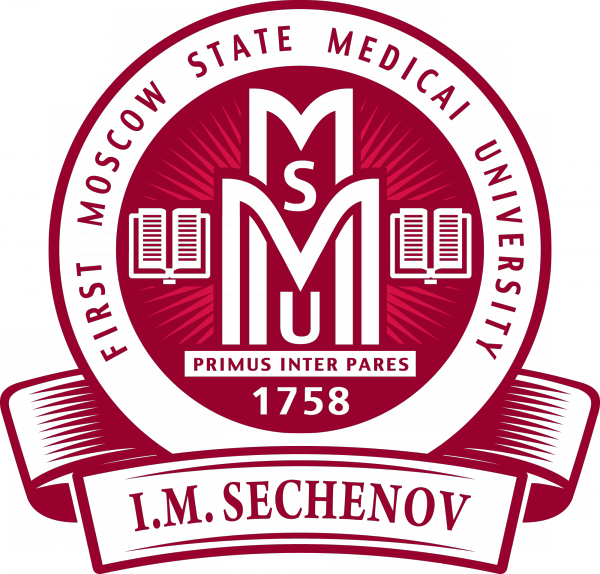
The English-language emblem of Sechenov First Moscow State Medical University is the institution's visual identity for the international stage. Founded in 1758 as the medical faculty of Imperial Moscow University, Sechenov University is Russia's oldest and largest medical school. Today it trains over 20,000 students and runs 130 departments alongside a major clinical center with 3,000 beds. When presenting at global conferences, publishing in international journals, or collaborating with foreign hospitals — the English logo is indispensable. This archive contains the official English version in CMX (CorelDRAW), EPS (Adobe Illustrator), SVG (web), and PNG with transparent background at resolutions up to 2000 pixels on the longer side. Every file has been tested in its target editor — no broken paths, no missing fonts, no surprises. Text has been converted to outlines, so the emblem opens correctly on any machine regardless of installed typefaces.
The emblem follows a classical academic heraldic composition. At its heart sits the bowl of Hygieia with a serpent — medicine's most enduring symbol, traceable to the cult of Asclepius in ancient Greece. An open book beneath it represents accessible knowledge: the pages are spread symmetrically, suggesting openness rather than secrecy. Laurel branches flanking the shield denote achievement and honor, a tradition borrowed from Greco-Roman ceremonies where laurel wreaths crowned victors, scholars, and poets. A ribbon at the bottom carries the university name: «Sechenov University» in this English adaptation, replacing the Cyrillic original «Сеченовский университет». The geometry of every graphical element is identical between the Russian and English versions — only the text layer differs. This means you are getting the same precision-crafted Bezier curves, the same optimized node counts, and the same CMYK color profile, with nothing lost or degraded in localization.
The university itself has a remarkable lineage. Named after Ivan Mikhailovich Sechenov — the father of Russian physiology, whose 1863 work «Reflexes of the Brain» demonstrated experimentally that mental activity is governed by physiological laws — the institution has produced generations of physicians, surgeons, and researchers. From smallpox vaccination campaigns in the 18th century to robotic surgery today, Sechenov graduates have stood at the forefront of medicine for nearly three centuries. Notable alumni include Nikolay Pirogov, the founder of field surgery, Sergey Botkin, who described the disease now known as Botkin's hepatitis, and Nikolay Sklifosovsky, whose name graces Moscow's largest emergency hospital. Having the right vector files of the emblem means you can honor that heritage properly in any medium, from a conference poster to a building facade.
Graphical Breakdown: What Each Element Means for Designers
Let us examine the emblem not as art historians but as designers who will scale, recolor, and repurpose it across various media. Understanding the construction helps when adapting the logo for specific applications.
- Bowl with serpent. The central motif, rooted in the Rod of Asclepius. The serpent's coils and the chalice rim are drawn with continuous Bezier curves — no bitmap textures anywhere. The snake's scales are defined mathematically as a sequence of alternating curved segments, not as a raster pattern. At billboard scale, the lines stay smooth with no visible stepping. The serpent's eye and forked tongue are drawn as separate closed paths, allowing isolated recoloring of these details without affecting the rest.
- Open book. Positioned in the lower portion of the central shield beneath the bowl. Pages are spread symmetrically — knowledge shared, not hoarded. The English version retains identical book geometry to the Russian variant. The spine of the book rests against the lower curve of the shield, creating a visual center of gravity for the entire composition.
- Laurel branches. Five leaves on each side flanking the shield. Laurel in academic heraldry symbolizes the triumph of knowledge over ignorance. This tradition dates to ancient Olympic Games where winners received laurel wreaths. The English version uses the same contour source as the Russian one.
- Name ribbon. A wavy ribbon at the bottom carries «Sechenov University» in a clean Latin typeface. This is the sole element that distinguishes the English version from the Russian one at the geometric level. The ribbon has three visible folds, each defined by a separate filled contour — disable the fill and you get a clean silhouette suitable for monochrome printing.
- Outer shield contour. The entire composition is contained within a heraldic shield with a pointed base and rounded top corners. A double outline runs along the perimeter — a thin gold inner line and a wider blue outer one. This creates a depth effect without relying on raster drop shadows or gradients, which is critical for plotting and cutting applications.
Format Specifications Comparison
Each format in the archive solves a distinct problem. Here is a comparative table with practical recommendations based on real experience working with print shops and web studios:
| Format | Application | Special Features | Best Used For |
|---|---|---|---|
| CMX | CorelDRAW X3 and newer | Native Corel exchange format, all curves editable, fonts converted to outlines | Print shops in Eastern Europe and post-Soviet countries where Corel is the primary prepress tool |
| EPS | Adobe Illustrator, Inkscape, CorelDRAW, Affinity Designer | Universal exchange format, compatible with any vector editor without data loss | Sending to print houses, placing in InDesign layouts, uploading to stock photography sites and portfolios |
| SVG | Browsers, Figma, Inkscape, Illustrator, Sketch | XML-based web standard, small file size, supports CSS styling and animation | Websites, online presentations, UI interfaces, landing pages, email templates |
| PNG | Any image viewer, Photoshop, GIMP | Raster format with transparent background, 2000 px on the longer side | Quick insertion into Microsoft Word, PowerPoint, social media posts without vector editor overhead |
Ten Practical Use Cases for the English Emblem
Designers who have assembled materials for international medical events know this drill: a Cyrillic logo looks out of place in an English-language document. Here is where this version becomes essential:
- Academic publications. When your paper appears in The Lancet, Nature Medicine, or any international journal, the English logo on the title page signals your affiliation clearly to a global readership.
- Conference posters. A poster at ESMO, ASCO, ESC, or any major congress — English-language material demands an English-language institution logo. Anything else looks unprofessional.
- Partnership agreements. Joint programs with universities in Europe, Asia, or the Americas — memoranda, presentations, and brochures all require the English version throughout.
- University website. The English section of Sechenov University's web portal for international applicants and partners uses this exact emblem in its header and footer.
- Souvenir products. Pens, notebooks, hoodies, and T-shirts for visiting international delegations — the English logo communicates instantly without translation.
- Signage and wayfinding. Directories, room plaques, and information boards in buildings frequented by international students and faculty.
- Video presentations. Title cards and credits for YouTube videos targeting international audiences — the English logo integrates seamlessly.
- Exhibition booths. Trade show displays and roll-up banners at international education fairs from a small pop-up banner to a large pavilion setup.
- Diplomas and certificates. Degree documents for international graduates — the English logo makes them readable to employers and educational institutions worldwide.
- Social media. Branding English-language university accounts on Twitter, Facebook, LinkedIn, and Instagram.
We vectorized the English version as a standalone file, not as a quick text swap in an editor. The curves are polished, kerning and leading are manually fine-tuned. No amateur compromises: the logo matches the university's official brand book approved by the academic council.
Russian vs. English Emblem: Side-by-Side Comparison
The difference between versions is minimal but significant. Here is a point-by-point comparison:
| Parameter | Russian Version | English Version |
|---|---|---|
| Script on name ribbon | Cyrillic: «Сеченовский университет» | Latin: «Sechenov University» |
| Graphical elements | Bowl, serpent, book, laurel, shield | Identical to Russian version in every detail |
| Color palette | Blue and gold (CMYK) | Blue and gold, unchanged |
| Primary use case | Internal documents, domestic events and publications | International conferences, partnerships, English website and social media |
| Available vector formats | CMX, EPS, SVG | CMX, EPS, SVG |
| Raster PNG resolution | 2000 x 1915 px | 2000 x 1915 px |
| Target audience | Russian-speaking readers and partners | International medical and academic community |
University History: From Midwifery School to Global Research Center
It is difficult to imagine today, but the medical faculty of Moscow University began with just three professors and a handful of students. In 1758, by decree of Empress Elizabeth Petrovna, a medical faculty opened at the university — the first in Russia where instruction was conducted in Russian rather than Latin. For the 18th century, this was a genuine breakthrough, since the entire European medical tradition communicated exclusively in Latin. Teaching in Russian made medicine accessible to a wider pool of talented individuals regardless of their classical language education.
During the 19th century, the faculty expanded significantly, acquiring its own hospitals and an anatomical theater. In 1884, the famous Clinical Campus was built on Devichye Pole (Maiden's Field) — a complex of over a dozen specialized buildings, each dedicated to a distinct branch of medicine. This is where legendary physicians worked: Nikolay Pirogov, the father of field surgery, Sergey Botkin, who described infectious hepatitis, Nikolay Sklifosovsky, whose name now graces Moscow's largest emergency hospital, and Grigory Zakharyin, whose therapeutic school influenced clinical practice for generations. Their lectures filled auditoriums to capacity, and their clinical rounds became events that drew doctors from across Russia.
In 1930, the medical faculty became an independent institution: the First Moscow Medical Institute. In 1955, it was named after Ivan Mikhailovich Sechenov, whose 1863 treatise «Reflexes of the Brain» transformed the understanding of physiology. Sechenov demonstrated experimentally that mental activity obeys objective physiological laws — an idea that sounded almost heretical at the time but now underlies all of modern neuroscience. Without exaggeration: contemporary neurophysiology, cognitive psychology, and even certain aspects of artificial intelligence research rest on the foundation Sechenov laid.
In 2010, the institution attained university status and its current name: Sechenov First Moscow State Medical University. Today it comprises over 20,000 students, 130 departments, its own 3,000-bed clinical center, multiple research institutes, and active partnerships with universities across Europe, Asia, and the Americas. The emblem you are about to download is a small piece of this vast brand, recognized far beyond the medical community. It appears on textbook covers, on building facades, on student and faculty badges — and soon, on your project.
\u{201c}I needed the English Sechenov University logo for my poster at the ESMO conference in Milan. The Russian version looked bizarre surrounded by English-language posters. Your archive saved the day — EPS dropped into InDesign without issues, and the colors matched the corporate palette exactly.
How to Download and Open: Step-by-Step Instructions
Download the English version of the Sechenov University emblem as a single ZIP archive containing three vector files and one raster PNG. Instructions based on real user questions:
- Download logo_first_moscow_state_medical_university_sechenov.zip — no passwords, the archive opens with standard tools on Windows, macOS, and Linux.
- Extract the contents to any folder. You will find four files, each with a meaningful name so you cannot mix them up.
- CMX file: designed for CorelDRAW X3 and newer. If you do not use Corel, simply open the EPS file instead — it works in any vector application. CMX was chosen over CDR because it remains compatible across more CorelDRAW versions.
- EPS file: opens in Adobe Illustrator (any version from CS onward), the free Inkscape editor (Windows, macOS, Linux), Affinity Designer, and Scribus. This is the most universal vector format in the archive.
- SVG file: drag it into any browser window to view instantly. For editing, Figma is free in the browser, or use Illustrator or Inkscape. SVG is XML-based, so you can even edit colors in Notepad by modifying hex values in the text.
- PNG file: 2000 x 1915 px with transparent background. Drop it into Word, PowerPoint, Photoshop, or upload directly to social media. The transparency means no white rectangle around the logo — it sits cleanly on any background color.
To download the English-language logo of Sechenov University in maximum resolution PNG format (2000 x 1915 px) with a transparent background, click on the preview image at the top of this page.
Technical File Details: What You Need Before Printing
All vector files in the archive are constructed exclusively from Bezier curves. Text has been converted to outlines — no font installation is needed, and the logo displays identically on Windows, macOS, and Linux. The color model in vector files is CMYK, which is essential for offset printing. Opening these files in web design programs may cause slight color shifts due to automatic CMYK-to-RGB conversion — this is normal behavior and not a file defect.
The node count on all curves is optimized: complex areas (snake scales, laurel leaf curves, ribbon folds) have sufficient control points for crisp rendering at any size, but without the excess that causes rendering lag. Practical result: the file performs smoothly even on older hardware. We tested opening and scaling on a 2018 laptop with 4 GB of RAM — the file opens in under a second and scales without any noticeable delay, even at billboard dimensions on a wide-format plotter.
The PNG is 72 dpi, standard for on-screen use. If you plan to print the logo on paper, do not use the PNG — work from the vector source. Export your final design from CorelDRAW or Illustrator as a TIFF at 300 dpi for offset printing or 150 dpi for large-format banners. Vector source quality is resolution-independent, so scale freely.
Frequently Asked Questions About the Sechenov University English Emblem
What is different about the English emblem compared to the Russian one?
Only the text on the bottom ribbon differs. The Russian version uses Cyrillic «Сеченовский университет», while the English version uses Latin «Sechenov University». Every graphical element — bowl, serpent, book, laurel branches, shield shape — is identical. Same geometry from the same master file, just a different text layer. Need a text-free version? Simply hide the text layer in your editor.
Can I use the emblem for commercial purposes?
The emblem is an officially registered symbol of a state educational institution. Commercial use — printing on merchandise for sale, advertising third-party products and services — requires written approval from the public relations department of Sechenov First Moscow State Medical University. However, you may freely use the logo for educational, informational, scientific, and non-commercial purposes: student projects, research papers, and informational materials about the university do not require permission.
Which format should I send to a print shop?
EPS is the global gold standard for professional printing. It is recognized by every prepress system from vintage phototypesetting machines to modern CTP plate direct-imaging equipment. If the print shop asks for outlines, provide EPS or CMX. Never send PNG for quality printing — it is a raster format and will pixelate when scaled to print sheet dimensions. The exception is large-format outdoor banners at low resolution, where 72 dpi may be adequate.
Why CMX and not CDR?
CMX is CorelDRAW's presentation exchange format that maintains compatibility across different program versions. The core problem with CDR is that files saved in CorelDRAW 2023 do not open in CorelDRAW X5. CMX avoids this entirely: the file opens correctly in versions from X3 (2005) to the current release. This is why we chose CMX — to prevent support emails about files not opening.
Can I edit the logo using free software?
Yes, quite comfortably. The SVG version opens and fully edits in Inkscape, a free open-source vector editor for Windows, macOS, and Linux. EPS also works through Inkscape, though you may need to use File > Import rather than File > Open. Figma in the browser is another free option for web designers, and SVG imports flawlessly. All logo elements remain accessible for editing: change colors, remove or add elements, transform as you wish.
Is this logo suitable for laser engraving and plotter cutting?
Yes, with proper preparation. The standard workflow: open the EPS in CorelDRAW, remove all fills, keep only outlines, set line thickness appropriate for your equipment (usually hairline or 0.001 mm for laser), and export to DXF or PLT — whatever format your specific machine requires. Because all elements are vector curves, scale is irrelevant: you can engrave a pen or cut a building facade sign. The non-raster nature of vectors guarantees the cutting head follows precise mathematical lines.
Does the archive include black-and-white or monochrome versions?
This archive contains only the full-color English version. Monochrome and inverted variants are available in separate archives on the site. If you need a black-and-white version urgently, open the EPS in any vector editor, select all objects, and apply black fill and black outline — this takes approximately ten seconds.
How do I properly embed the SVG logo on a website for responsive scaling?
We recommend inline embedding: open the SVG file in Notepad or any text editor, copy everything from <svg to </svg>, and paste it directly into your HTML. The browser renders the vector inline with no additional HTTP requests. This method is superior because you control dimensions via CSS and can change fill colors through CSS properties. The alternative is the img tag approach — place the SVG in your images folder and insert a standard <img src="logo.svg" alt="Sechenov University"> — but this method loses CSS styling capabilities.
Will the PNG lose quality if I enlarge it for printing?
Yes, and noticeably so. PNG is a raster format composed of a fixed pixel grid. Enlarging beyond 120-130% reveals pixelation: contour edges turn into staircases, fine details blur. At 2000 pixels on the longer side, you get good quality printing up to roughly 17 cm at 300 dpi. For anything larger — posters, banners, signage — use the vector formats EPS, CMX, or SVG. They scale mathematically; quality is size-independent.
What should I do if the EPS throws an error in Adobe Illustrator?
This is a known interoperability issue between CorelDRAW-exported EPS files and Illustrator. Try three solutions in order. First: use File > Place rather than File > Open to import the EPS as a linked object on your artboard. Second: open the SVG version in Illustrator and save it as a native AI file — the result is identical in quality. Third: open the EPS in Inkscape, save as Plain SVG, then open the resulting SVG in Illustrator. In practice, 95% of cases are resolved by the first or second method.
Tap to react