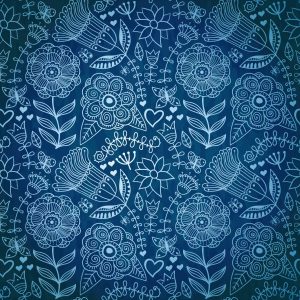
Oriental floral patterns have been a staple of decorative art for centuries. Their intricate designs featuring blooming flowers graceful vines and symmetrical compositions bring elegance to any project. This vector EPS file contains a beautifully crafted oriental flower pattern that can be used for textile design wallpaper creation print materials branding and digital artwork. The EPS format ensures scalability to any size without quality loss making it suitable for both web and print applications.

Vector patterns offer significant advantages over raster images. Because they are based on mathematical paths rather than pixels you can scale the pattern from a few centimeters to several meters while maintaining perfect sharpness. This makes them ideal for large format printing fabric design and any application where resolution matters. The oriental flower pattern in this pack is professionally digitized with clean curves and accurate colors.
Pattern Features and Specifications
| Specification | Details |
|---|---|
| File format | EPS (Encapsulated PostScript) |
| Additional format | JPG raster preview included |
| Pattern style | Oriental floral with vines and leaves |
| Color palette | Traditional oriental colors warm tones |
| Scalability | Infinite — vector format |
| Editability | Fully editable paths and colors |
| Software compatibility | Illustrator CorelDRAW Inkscape Affinity |
| Raster preview sizes | 2000px 600px 300px 150px |
Comparison with Similar Pattern Resources
| Feature | This Oriental Pattern | Premium Stock Vector | Free Raster Pattern |
|---|---|---|---|
| File format | EPS vector | EPS AI PDF | JPG PNG only |
| Scalability | Unlimited | Unlimited | Fixed resolution |
| Price | Free | $5 to $20 | Free |
| Editability | Full — paths and colors | Full | Limited |
| License | Free for any use | Varies by stock site | Often restricted |
| File size | Compact | Medium to large | Small |
What Is an Oriental Floral Pattern
Oriental floral patterns draw inspiration from traditional Eastern art particularly Persian Indian Chinese and Japanese decorative traditions. Common elements include stylized flowers such as lotus chrysanthemum and peony combined with arabesque vines geometric symmetry and intricate leaf motifs. These patterns have been used for centuries in architecture textiles ceramics and manuscript illumination.
Modern designers continue to use oriental floral patterns for a wide range of applications. In fashion design these patterns appear on dresses scarves and home textiles. In interior design they grace wallpaper curtains and upholstery. For graphic designers oriental patterns add cultural depth to branding packaging and invitation designs. The versatility of these patterns makes them a valuable addition to any designer toolkit.
The vector format preserves all the intricate details of the original design while allowing unlimited color variations. You can easily change the background color adjust individual flower hues or create seamless repeating tiles for fabric printing. This flexibility is especially valuable for professional designers who need to adapt patterns to specific client requirements.
How to Use the EPS File
Using the EPS file is straightforward regardless of your skill level. EPS is a universal vector format supported by all major design applications. Here is how to get started with the pattern in different software environments.
In Adobe Illustrator simply drag the EPS file into your working document or use File Open. The pattern appears as a group of vector objects that you can ungroup and edit individually. Use the Direct Selection tool to modify specific shapes and the Color panel to change fills and strokes. To create a repeating pattern select all elements and choose Object Pattern Make.
Adobe Illustrator: File → Open → Select EPS → Ungroup → Edit → Pattern Make
CorelDRAW: File → Import → Select EPS → Ungroup → Edit colors → Create pattern fill
Inkscape: File → Open → Select EPS → Ungroup → Edit → Object → Pattern
Affinity Designer: File → Open → EPS → Ungroup → Edit → Fill tool[/codeblock]
In CorelDRAW import the file using File Import. The EPS opens as a grouped object. Use Ctrl+U to ungroup making all elements individually editable. CorelDRAW handles EPS color spaces well preserving the original palette. You can also use the pattern as a fountain fill or create a seamless tile for textile design.
Design Ideas and Applications
The oriental flower pattern opens up numerous creative possibilities. Here are some practical project ideas that showcase the versatility of this vector design.
For textile and fashion designers the pattern can be applied to fabric through digital printing services. Create unique scarves dresses or home decor items with a custom color scheme. The vector format ensures the pattern prints cleanly at any scale from small accessories to large format yardage. Experiment with different color combinations to match seasonal trends or brand palettes.
Graphic designers can use the pattern as a background element for invitations greeting cards or packaging. The oriental theme works particularly well for wedding invitations birthday cards and cultural event promotions. Combine the pattern with elegant typography for a sophisticated look. The EPS format allows you to extract individual flowers or motifs for use as standalone graphic elements.
For digital artists the pattern serves as a foundation for complex compositions. Layer it with photographs apply blend modes and use masking techniques to create unique visual effects. The vector shapes can be exported as SVG for web use or as high-resolution PNG for digital art projects. The pattern also works beautifully as a texture overlay in 3D rendering applications adding cultural detail to architectural visualizations.
File Compatibility and Conversion
EPS files are widely compatible but you may encounter situations where a different format is needed. Most vector editing applications can export to SVG for web use AI for further editing in Illustrator or PDF for client presentations. To convert EPS to SVG open the file in Illustrator or Inkscape and choose Save As or Export selecting SVG as the target format.
For raster graphics applications like Photoshop you can place the EPS as a smart object. This preserves the vector data inside the Photoshop file so you can scale the pattern at any time without quality loss. Double-click the smart object layer to open and edit the pattern in Illustrator. This non-destructive workflow is ideal for designers who work across multiple applications.
Frequently Asked Questions
Can I use this pattern for commercial projects?
Yes the pattern is free for both personal and commercial use. You can incorporate it into products packaging websites and client projects without attribution.
What software do I need to open the EPS file?
EPS files open in Adobe Illustrator CorelDRAW Inkscape Affinity Designer and many other vector editing applications. Most modern design software supports EPS import.
Can I change the colors of the pattern?
Yes absolutely. The EPS file contains editable vector shapes with separate fills and strokes. Use your software color tools to change any color in the design.
Is the pattern seamless or a single tile?
The file contains a single tile of the pattern. You can create seamless repeating tiles using the Pattern Make feature in Illustrator or similar tools in other vector editors.
What resolution is the included JPG preview?
The package includes JPG previews in multiple sizes: 2000 pixels 600 pixels 300 pixels and 150 pixels for quick reference without opening the vector file.
Can I use this pattern for fabric printing?
Yes the vector format is ideal for fabric printing. EPS files scale cleanly to any size needed for textile production. Test with your fabric printer for specific format requirements.
Do I need to credit the designer?
No attribution is required. The pattern can be used freely in any project personal or commercial without mentioning the source or creator.
Can I modify and resell the pattern?
You can modify the pattern for your own projects. Redistributing the original unmodified file is not permitted but modified versions for client work are acceptable.
What is the difference between EPS and SVG?
EPS is an older but widely supported vector format primarily used in print design. SVG is a web-native vector format better suited for websites and digital interfaces.
How do I create a seamless pattern tile?
In Illustrator use Object Pattern Make. In CorelDRAW use the Create Pattern tool. In Inkscape use Edit Clone Create Tiled Clones for seamless repetition.
What if the EPS file does not open in my software?
Try importing instead of opening directly. If issues persist open the file in a different vector editor and re-save to a newer EPS format version.
Can I extract individual flowers from the pattern?
Yes EPS supports layered editing. Ungroup the file and use selection tools to isolate specific elements. Individual motifs can be copied to new files.
Tap to react