Building a modern website with Joomla often requires additional components to make it look good and function properly. The default Joomla modules are functional but visually outdated. This is where UIkit Modules come into play. They are a collection of modules based on the popular UIkit frontend framework, specifically designed to integrate seamlessly with the Joomla content management system. The package combines plugins and modules into a single solution, allowing you to set up essential components like galleries, sliders, article grids, and many others without writing any custom code or wrestling with complex configuration panels.

UIkit itself is a lightweight and modular frontend framework developed by the YOOtheme team. It provides a comprehensive collection of HTML, CSS, and JavaScript components that help developers build responsive and visually appealing interfaces quickly. The UIkit Modules extension brings the power of this framework directly into the Joomla environment, making it accessible to site administrators who may not have any frontend development experience. Instead of manually coding UIkit components, you can simply install the extension and configure everything through the familiar Joomla module manager interface.

UIkit Modules interface
UIkit Modules control panel interface in Joomla

What UIkit components are included

The UIkit Modules package includes a carefully curated selection of the most useful UIkit components adapted for Joomla. These modules can display any type of content — standard Joomla articles, K2 component items, VirtueMart products, and other third-party content sources — in visually rich and dynamic layouts.

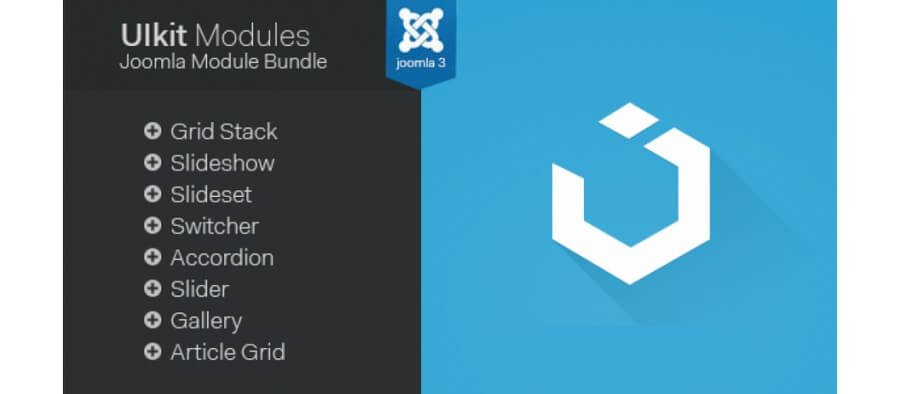
Here is the complete list of available modules and what each one does:

Module nameTypeKey features
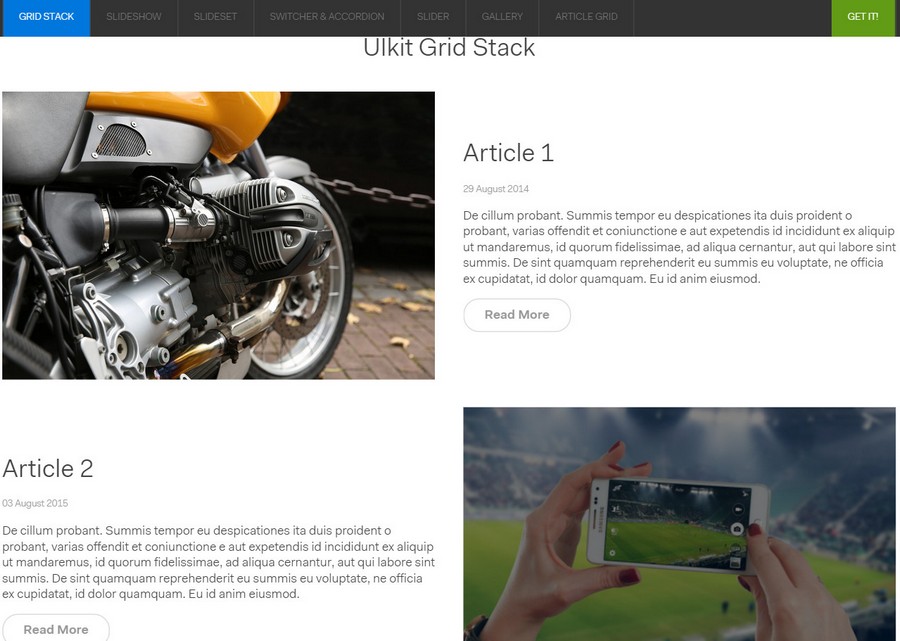
Grid StackContent layoutTwo-column grid format with text and media, perfect for featured content showcases
SlideshowPresentationAdaptive image slider with autoplay, navigation arrows, and dot indicators
SlidesetNavigationImage sets that can be scrolled and filtered, ideal for portfolio galleries
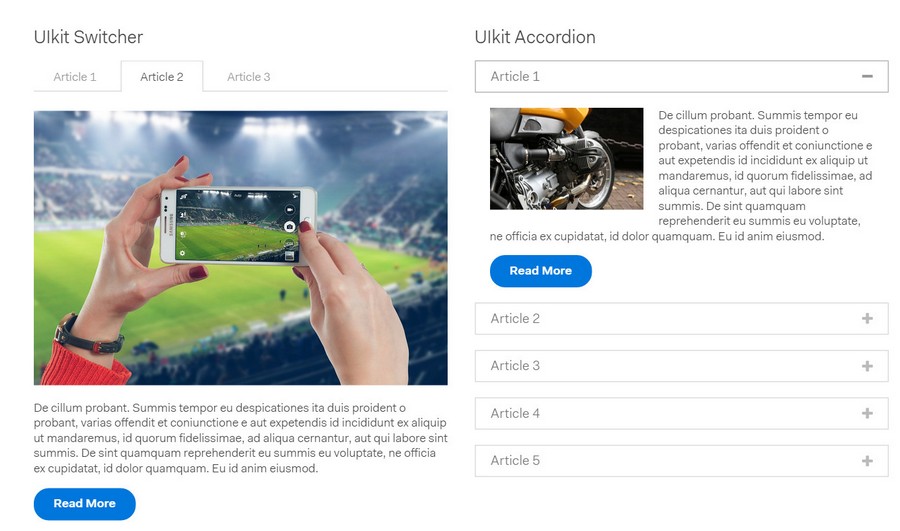
SwitcherTabbed contentTabs and toggle switches for organizing content in compact spaces
AccordionExpandable listsCollapsible content panels for FAQ sections and long documentation
SliderCarouselItem carousel with mouse drag and touch support for tablets and phones
GalleryImage gridFilterable image gallery with category navigation and lightbox preview
Article GridContent displayDynamic grid of Joomla articles with customizable layouts and sorting options
LightboxMedia viewerModal overlay for viewing images and videos without leaving the current page
ParallaxVisual effectScrolling parallax backgrounds and elements for added visual depth

Installation and system requirements

Before installing UIkit Modules, make sure your Joomla installation meets the minimum requirements. The extension is compatible with Joomla 2.5, 3.x, and the latest 4.x versions. Your server should run PHP 5.6 or higher, although PHP 7.4 or PHP 8.x is strongly recommended for better performance and security. The extension package is delivered as a standard Joomla installation archive in ZIP format.

The installation process follows the standard Joomla extension installation procedure:

Step 1: Download the UIkit Modules package from the official website or marketplace where you purchased or obtained the extension. Make sure you download the correct version that matches your Joomla installation.

Step 2: Log into your Joomla administrator panel. Navigate to Extensions and then Manage and then Install from the top menu. This will open the extension installer page.

Step 3: In the Upload Package File section, click the Browse or Choose File button and select the downloaded ZIP archive from your computer. Then click the Upload and Install button. Joomla will extract the package and install all the modules and plugins automatically.

Step 4: After successful installation, you will see a confirmation message. Go to Extensions and then Modules to find the newly installed UIkit modules in the list. You can now create new module instances and configure them for display on your website.

One important thing to note: the extension includes both modules and a system plugin. The plugin is required for the modules to function correctly, so make sure both the plugin and the modules are enabled after installation. You can verify this by going to Extensions and then Plugins and searching for UIkit System Plugin.

Joomla version compatibility

UIkit Modules behave differently depending on your Joomla version, and this is important to consider before installation. In Joomla 2.5 and 3.x, all modules work equally stable since the module API is nearly identical. However, Joomla 4 introduced significant changes to the template system and rendering pipeline, which means older versions of UIkit Modules may require an update to work correctly.

Here is a compatibility overview:

Joomla versionPHP requirementsUIkit Modules statusRecommendations
2.5PHP 5.3+Works (older versions)Upgrade to Joomla 3.x if possible
3.xPHP 5.6+Full supportPHP 7.4 recommended for performance
4.xPHP 7.4+Compatible (updated versions)Use the latest extension version
5.xPHP 8.0+Being testedTest on staging before installing

If you plan to migrate from Joomla 3 to version 4 or 5, update all extensions including UIkit Modules to their latest versions first. Then perform the migration through the Joomla Migration component. After migration, verify that all modules work correctly on every page. In most cases, updated UIkit Modules versions work fine in Joomla 4 without additional configuration, but it is always worth double-checking.

Detailed module configuration

Each module in the UIkit Modules package comes with its own set of configuration options. While the exact settings vary depending on the module type, there are common configuration patterns that apply across all modules. Understanding these patterns will help you set up any module quickly without having to read separate documentation for each one.

Content source selection. Every module needs to know where to get its content. The content source setting allows you to choose between Joomla articles, K2 items, VirtueMart products, or a manual selection of specific items. Some modules also support RSS feeds and custom HTML content as input sources.

Layout and display options. You can control how many items are displayed, the column count for grid layouts, the sorting order by date, title, or custom ordering, and the thumbnail size.

Filtering and categorization. The modules support filtering by category, tags, author, and date range. This is particularly useful for the Gallery and Article Grid modules where you want to show only content from specific sections.

Responsive behavior. All UIkit Modules are fully responsive. You can configure breakpoints at which the layout changes from desktop to tablet to mobile view.

Animation and effects. The modules support various CSS3 animations for item appearance, including fade-in, slide-up, scale, and flip effects. Use them sparingly.

Setting up the Slideshow module

The Slideshow module is one of the most popular components in the UIkit Modules package. It creates a full-width or boxed slider with smooth transitions between slides. You can use it for hero banners on your homepage, promotional slideshows, or portfolio showcases.

To set up a Slideshow module, create a new module instance and select UIkit Slideshow as the module type. Choose your content source — you can use images from a specific folder, Joomla articles with intro images, or manually upload slides. Configure the slide transition effect from options including fade, slide, push, scale, or a combination of effects. Set the autoplay interval in milliseconds — 5000 milliseconds or five seconds is a good default value. Enable or disable navigation arrows, dot indicators, and keyboard navigation based on your design preferences.

The Slideshow module supports overlay content. You can display text captions, buttons, and links over each slide with customizable position and animation. This turns a simple image slider into a powerful marketing tool for your homepage.

Comparison with other Joomla extensions

There are several alternatives to UIkit Modules available for Joomla. Let us see how they compare.

FeatureUIkit ModulesSP Page BuilderK2 with addonsCustom development
Ease of installationEasy — single packageEasy — single packageMedium — multiple extensionsDifficult — requires developer
Modules included10+ modulesPage builder with modulesDepends on addonsCustom built
Responsive designBuilt-in, all modulesBuilt-inVaries by addonCustom
PerformanceLightweightHeavyMediumOptimized
PriceFree or low costFree and paid versionsVariesExpensive
Learning curveLow — familiar module interfaceMedium — new page builder paradigmMediumHigh
UpdatesRegularRegularVariesSelf-maintained

UIkit Modules stand out for their lightweight implementation and familiar Joomla-native interface. Unlike page builders that introduce an entirely new content creation paradigm, UIkit Modules work within the standard Joomla module system. This means any Joomla administrator can start using them immediately without learning a new interface. The modules are also performance-friendly — they load only the CSS and JavaScript that is actually needed for the displayed modules, avoiding the bloat that often comes with multi-purpose page builder extensions.

Performance optimization tips

To get the best performance from UIkit Modules on your Joomla website, follow these optimization guidelines. First, enable Joomla built-in caching system through System and then Global Configuration and then Cache settings. Set the cache handler to File and the cache time to at least 15 minutes for regular websites or longer for static content sites.

Second, use a content delivery network for serving the UIkit framework CSS and JavaScript files. If your extension version supports CDN loading, enable this option in the module configuration.

Third, selectively enable only the components you actually use. The UIkit Modules system plugin includes options to disable specific UIkit components. If you are only using the Accordion and Lightbox modules, there is no reason to load the Slideshow or Parallax JavaScript files.

Fourth, optimize your images before uploading them to Joomla. The gallery and slideshow modules display images at various sizes, but they do not automatically resize large original images.

Troubleshooting common issues

Even well-designed extensions can encounter problems in specific server environments. Here are the most common issues with UIkit Modules and how to resolve them.

Module not displaying anything. This is usually caused by incorrect content source configuration. Check that you have selected the correct category, that there are published items in that category, and that the items have the required fields filled in.

JavaScript conflicts. UIkit Modules use their own version of the UIkit JavaScript library. If your template or another extension also loads a different version of UIkit or jQuery, conflicts can occur.

Styling problems. If the modules look different from the preview or have broken layouts, your Joomla template CSS may be overriding UIkit styles. Add custom CSS rules through the module advanced settings to fix specific display issues.

Slow page loading. If pages with UIkit Modules load slowly, check your image sizes first. Large uncompressed images are the number one cause of slow loading in gallery and slideshow modules.

Frequently asked questions

Is UIkit Modules compatible with Joomla 4 and Joomla 5?

The extension has been tested with Joomla 3.x and 4.x. Joomla 5 compatibility depends on the specific version of the extension. Check the official documentation for the latest compatibility information.

Can I use UIkit Modules with any Joomla template?

Yes, the modules work with any Joomla template that follows standard Joomla module position practices. However, the visual appearance may vary depending on your template CSS.

Do I need to install the UIkit framework separately?

No, the UIkit Modules package includes the necessary UIkit framework files. Everything is bundled and installed automatically with the extension.

Can UIkit Modules display content from K2 or VirtueMart?

Yes, the modules support multiple content sources including K2 items and VirtueMart products. The content source selection dropdown in each module configuration allows you to choose which type of content to display.

How do I update UIkit Modules to a newer version?

Updates are performed through the standard Joomla extension update system. Go to Extensions and then Manage and then Update and look for UIkit Modules updates.

Will UIkit Modules slow down my website?

When properly configured, UIkit Modules are lightweight and do not significantly impact page load speed. The extension loads only the CSS and JavaScript needed for the active modules.

Can I customize the appearance of UIkit Modules?

Yes, each module has a Custom CSS field in its advanced settings panel. You can add CSS overriding rules there without modifying any core files.

Is there a multilingual support for UIkit Modules?

Yes, the modules support Joomla multilingual sites. The content displayed respects the current language filter, showing only items from the active language.

What happens if I uninstall UIkit Modules?

Uninstalling the extension removes all module instances and their configuration data. Content that was displayed through the modules remains in the Joomla database.

Does UIkit Modules work with caching plugins?

Yes, the extension is compatible with Joomla built-in cache and popular caching extensions like JotCache and Cache Cleaner.

Conclusion

UIkit Modules provide a practical and efficient way to enhance your Joomla website with modern, responsive content displays. The collection of ten modules covers the most common design patterns — sliders, galleries, accordions, article grids, and interactive content elements — while maintaining the familiar Joomla administration experience. You do not need to learn a new interface or hire a developer to create visually appealing page layouts.

The main advantages are the lightweight implementation that does not bloat your website, the seamless integration with existing Joomla content including K2 and VirtueMart, and the responsive design that works across all devices. For Joomla site administrators who want to upgrade their website appearance without switching to a page builder, UIkit Modules offer an excellent balance of features, performance, and ease of use.

Before installing, verify compatibility with your Joomla version and template. Test the modules on a staging environment first to ensure they meet your requirements. With proper configuration and optimized images, UIkit Modules can transform your Joomla website into a modern, engaging platform.

Tap to react