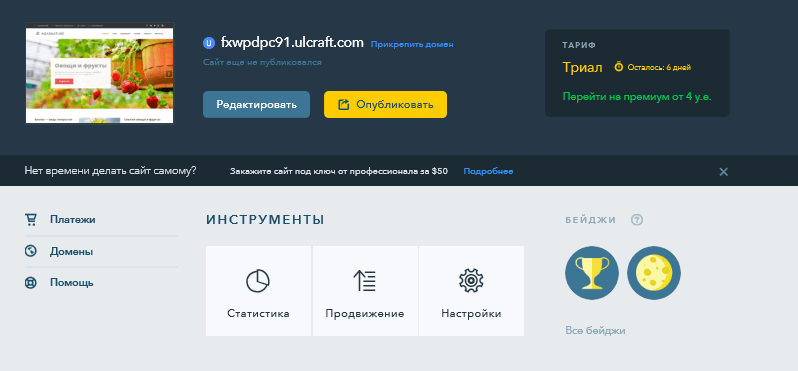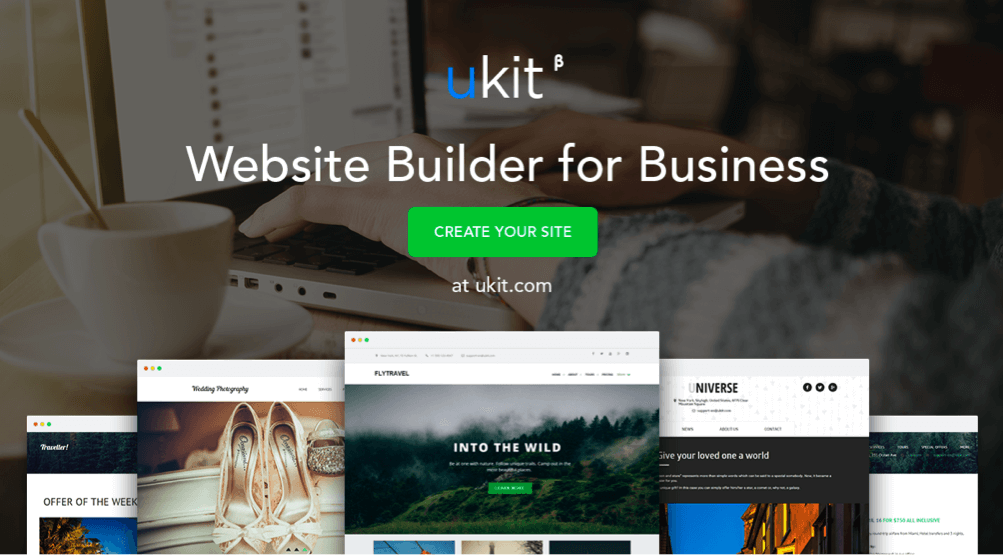
Building a business website without coding knowledge sounds like science fiction to many people. But here is the truth: uKit online business website builder turns this fantasy into reality for thousands of entrepreneurs around the world. Launched in 2014 by the team behind the popular uCoz platform, uKit quickly gained traction among small business owners, freelancers, and self-employed professionals. Unlike heavyweight CMS platforms such as WordPress or Joomla, uKit requires absolutely no installation, no hosting setup, no database configuration, and no security headaches. You simply sign up, pick a template, and start building. Everything works out of the box without any technical mumbo-jumbo.

The core idea is refreshingly simple: register an account, choose a design template that matches your business style, fill it with your own text and images, and publish. That is it. The platform handles all the technical details behind the scenes — server maintenance, software updates, security patches, and backups. But let us dig deeper than the marketing pitch. What exactly does uKit offer to a business owner? Who is this platform actually designed for? And most importantly, is it worth paying for a premium subscription when there are free alternatives available? Let us break everything down piece by piece so you can make an informed decision.

What is uKit and how it differs from other website builders

uKit is a cloud-based website builder created by the same development team that brought us uCoz — one of the oldest and most recognized free website builders in the Russian-speaking segment of the internet. The same folks who have been powering millions of free websites for over a decade decided to create something more modern and business-focused. And that is how uKit was born. It is a completely different product compared to its older sibling. The focus here is on premium design quality, fast performance, and features tailored specifically for commercial projects. You will not find any outdated templates from 2007 here.

The platform operates on a Software as a Service model, commonly known as SaaS. You pay a recurring subscription fee and in return you get ready-to-use hosting with solid performance, a domain name (a third-level subdomain for free or your own custom domain for an additional charge), professional customer support, and regular feature updates. Everything is maintained by the uKit team, so you never have to worry about server crashes, hacker attacks, or software compatibility issues. This is the main value proposition for non-technical business owners who just want their website to work without constant maintenance.

The main selling point of uKit is undoubtedly its visual drag-and-drop editor. You can move elements around the page using nothing but your mouse cursor. Text blocks, images, video embeds, contact forms, maps, buttons — all of these can be added, removed, and rearranged without writing a single line of code. However, if you happen to know HTML and CSS, you are not locked out. The platform provides access to the underlying stylesheet, so you can tweak colors, fonts, spacing, and layout properties to your heart content. Nobody is stopping you from getting your hands dirty with custom code if that is your thing.

uKit builder interface
uKit drag-and-drop builder interface showing the editing panel

Registration process and first steps

The journey begins with a straightforward registration form. You enter your email address and create a password, or alternatively you can sign in using your existing social media accounts such as Facebook, VK, or Google. There is no SMS verification step, no email confirmation queue, and no moderation period. The system does not ask you to verify your phone number or provide any credit card information upfront. You are instantly redirected to the control panel where the real work begins.

Next, uKit asks you a simple but important question: what type of website do you want to create? The available options include a company website, an online store, a landing page, or a personal portfolio. Your choice determines which templates and modules will be available in the next steps. This is a smart design decision because it prevents beginners from feeling overwhelmed by too many irrelevant options. The platform adapts to your specific needs right from the start.

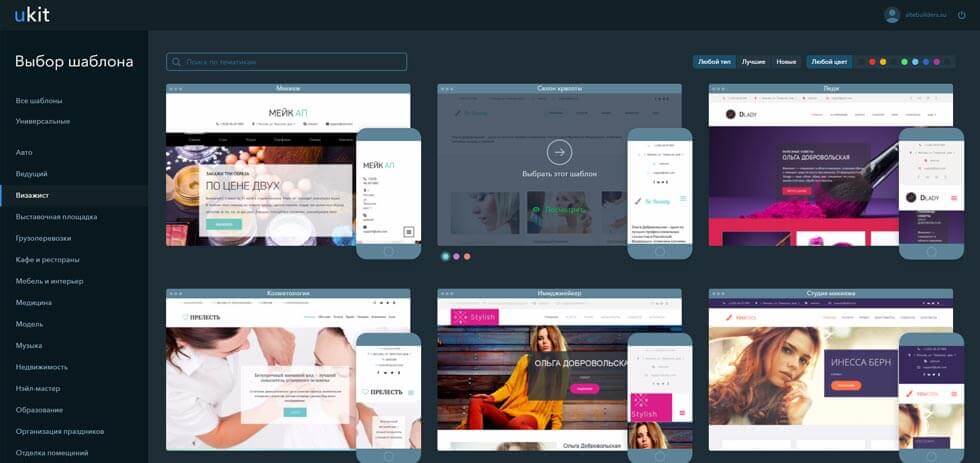
After you select your project type, the template gallery opens up. There are approximately one hundred professionally designed templates available, and every single one of them is fully responsive. This means your website will look equally good on desktop computers, tablets, and smartphones without any additional configuration. The templates are neatly organized by industry category: you will find designs tailored for dental clinics, beauty salons, food delivery services, construction companies, law firms, photography studios, real estate agencies, and many more. Each template uses modern design principles with generous white space, readable typography, and harmonious color schemes. There is no visual clutter or amateurish styling.

uKit template selection
uKit template gallery organized by business category

Detailed look at the page editor

The uKit editor is genuinely pleasant to work with. The interface follows a classic two-panel layout. On the left side you have the toolbar with all available content blocks and settings. On the right side you see a live preview of your website exactly as it will appear to visitors. The editor works in real-time mode: when you type text or change a color, the preview updates instantly. There is no need to click any Save button or clear a cache to see your changes reflected. This immediate feedback makes the editing process feel fluid and natural.

Here is a detailed breakdown of the main content block types you can add to any page:

Block typeDescriptionBest use case
TextHeadings from H1 to H4, paragraphs, ordered and unordered lists, blockquotesService descriptions, about us page, blog articles
ImageSingle images, image galleries with lightbox, comparison slidersPortfolio showcase, product catalog, team photos
VideoEmbedded YouTube and Vimeo videos with responsive sizingProduct demonstrations, video testimonials, tutorials
Contact formCustomizable forms with name, email, phone, message fieldsLead generation, customer inquiries, feedback collection
MapInteractive Yandex.Maps or Google Maps widgetsContact page showing office location and directions
TableEditable tables with configurable rows and columnsPrice lists, service packages, comparison charts
ButtonCall-to-action buttons with customizable colors, sizes, and link targetsProminent action prompts like Order Now or Contact Us
SocialSocial media follow buttons and share buttonsBuilding social media presence and encouraging content sharing

Rearranging blocks on the page is as simple as clicking and dragging them to a new position. Each block comes with a focused set of configuration options. You will not find hundreds of confusing settings that only professional web developers would understand. Instead, the options are limited to what actually matters: colors, fonts, spacing, alignment, and visibility settings. If you want to go beyond these basic options, you can always switch to the CSS editor and write custom styling rules. The platform even provides a code block type that lets you inject arbitrary HTML and JavaScript snippets for advanced functionality.

Custom domain name and hosting infrastructure

The free plan gives you a subdomain in the format yourname.ukit.me. This is perfectly adequate for testing the platform and getting a feel for the editor. However, for any serious business project, you will definitely want to connect your own domain name. A branded domain like yourcompany.com or yourbusiness.ru builds trust with potential customers and looks much more professional than a free subdomain.

Connecting your own domain is supported on every paid subscription tier. uKit works with all popular domain zones including .com, .org, .net, .info, .ru, .рф, .store, .online, and many others. The domain connection process is handled through the control panel and typically takes anywhere from a few minutes to a few hours depending on how quickly your domain registrar processes the DNS changes.

As for hosting, it is completely built into the platform. You do not need to shop around for a hosting provider, compare pricing plans, choose between shared hosting and VPS, configure PHP settings, or struggle with SSL certificate installation. uKit provides HTTPS encryption automatically for every single website on the platform, regardless of whether you are on a free plan or a premium subscription. SSL certificates are included at no extra cost and are renewed automatically before they expire. This is a significant advantage for business owners who are not familiar with technical hosting concepts.

Important limitation to understand: uKit does not provide FTP or SFTP access to your website files. You cannot download the database, export the content management system, or transfer files using third-party tools. The platform is a closed ecosystem, not an open-source content management system. If you ever decide to migrate away from uKit, you will need to manually copy your text and images to the new platform. There is no automated migration tool available.

Pricing plans and value analysis

uKit offers three distinct pricing tiers that differ primarily in the number of pages you can create, the amount of storage space available, and the set of features included.

Plan namePage limitStorage capacityCustom domainE-commercePrice per year
BasicUp to 30 pages2 GBYesNo~$48
OptimalUp to 100 pages6 GBYesNo~$96
Online StoreUnlimited10 GBYesYes~$168

At first glance the pricing appears quite affordable, especially when compared to hiring a professional web developer who would charge hundreds or even thousands of dollars for a custom website. However, there are some important caveats that you should be aware of before making a purchase decision. The Basic plan, while being the cheapest option, does not include e-commerce functionality and lacks integration with popular CRM systems. If your goal is to sell products or services online, you will need to subscribe to at least the Optimal plan, and realistically the Online Store plan would be the appropriate choice.

An important financial consideration: uKit does not offer refunds if you decide to cancel your subscription before the billing period ends. The payment is collected annually in advance, which means you are committing to a full year of service upfront. This makes it somewhat inconvenient for testing the platform on a short-term basis. Make sure you are satisfied with the platform before committing to an annual payment.

uKit versus main competitors

uKit operates in a crowded market with many established competitors. Let us take an objective look at how it stacks up against the three most popular alternatives: Wix, Tilda, and the self-hosted WordPress platform.

Comparison criteriauKitWixTildaWordPress
Ease of learningVery high — intuitive drag-and-dropMedium — many options can confuse beginnersHigh — block-based editor is cleanLow — requires technical knowledge
Template design qualityModern and professionalModern with extensive varietyMinimalist and typography-focusedVaries greatly by theme choice
E-commerce capabilitiesLimited to small catalogsFull-featured online storeRequires third-party servicesVia plugins like WooCommerce
SEO tools providedBasic meta tags and sitemapGood with SEO wizardGood with built-in toolsExcellent with plugins
Starting monthly price~$4 per month billed annually~$4.50 per month billed annually~$10 per month billed annuallyFree software plus hosting costs
Vendor lock-in riskHigh — no export possibleMedium — limited export optionsMedium — can export some contentNone — full control and portability
Customer support qualityTicket-based systemChat and phone supportTickets and chatCommunity forums and documentation

Looking at this comparison table, a clear picture emerges. uKit wins on pure simplicity and its focus on the beginner audience. Wix offers more raw power but the interface can be overwhelming for someone who just wants to put up a simple business card website. Tilda Publishing is the best choice for creating beautiful landing pages and content-rich publications, but its e-commerce functionality relies on third-party integrations rather than built-in tools. WordPress gives you absolute freedom and control, but it demands a significant investment of time and effort to learn and maintain properly.

Search engine optimization capabilities

Without search engine traffic, even the most beautifully designed business website will remain invisible to potential customers. uKit acknowledges this reality and provides a basic but functional set of SEO tools that cover the essential requirements for local business promotion.

The available search optimization features include:

  • Custom meta tags — you can independently set the title tag, meta description, and keywords for every single page on your website. This is the foundation of on-page SEO and uKit handles it well.
  • Clean URLs — the platform supports human-readable URL structures. Instead of seeing page?id=123 in the browser address bar, visitors will see something like /about-us or /services/consulting.
  • Automatic XML sitemap — uKit generates an XML sitemap automatically and can submit it to Google Search Console and Yandex Webmaster tools for faster indexing.
  • Image alt attributes — every image you upload can be given a descriptive alt text, which helps search engines understand the visual content and improves accessibility for visually impaired users.
  • Open Graph protocol markup — social media sharing tags are built into the platform, so when someone shares your page on Facebook, Twitter, or VK, the preview will include the correct title, description, and thumbnail image.
  • Responsive design — since all templates are mobile-friendly by default, your site automatically meets Google mobile-first indexing requirements without any extra work on your part.

What is notably missing from uKit SEO toolkit: the ability to edit the robots.txt file, access to the .htaccess configuration, the option to set up custom 301 redirects, and integration with advanced SEO plugins. If you are an experienced search engine optimization specialist, these limitations will likely frustrate you. However, if you are a small business owner who just wants your website to appear in local search results when people look for your services, the built-in SEO features are more than sufficient for the task.

Performance is another important ranking factor, and uKit performs reasonably well in this area. The platform utilizes a content delivery network with servers located in Russia and Europe to ensure fast page loading times regardless of where your visitors are located. Average page load speed typically falls between one and two seconds, which is well within the acceptable range for good search rankings. Google PageSpeed Insights scores for uKit websites generally fall in the green zone, especially when images are properly optimized before uploading.

Setting up an online store

Can you actually sell physical or digital products using uKit? The short answer is yes, but with some significant limitations that you need to understand before committing to this path. The Online Store subscription plan adds several e-commerce features to your website: a shopping cart system, a product catalog with categories, payment processing integration, and shipping configuration options.

Supported payment gateways include PayPal, Stripe, and several local Russian processors. You can configure tax rates, set up shipping zones with different pricing, and manage basic order tracking. For a small business selling a handful of products, this setup might actually work quite well.

However, it is important to set realistic expectations. uKit is not Shopify, and it was never designed to compete with dedicated e-commerce platforms. Products must be added one by one through the editor interface. There is no bulk import feature for product catalogs. The platform does not support discount codes, promotional coupons, or automated sales campaigns. Inventory tracking is manual and there is no integration with warehouse management systems. Customer accounts and order history are basic at best. For a serious retail operation with dozens or hundreds of products, these limitations would quickly become deal-breakers.

Advantages and disadvantages summarized

Let us consolidate everything we have discussed into a clear list of pros and cons so you can make an informed decision at a glance.

Strengths of uKit

  • Instant setup and deployment. You can register an account and have a functioning website live within one hour, even if you have never built a website before in your life.
  • Intuitive drag-and-drop interface that does not require any training or technical background.
  • Professionally designed responsive templates that look good on all devices without additional configuration.
  • Built-in HTTPS encryption and CDN content delivery network included in every subscription tier.
  • CSS customization option for users who want more design control without switching platforms.
  • Russian and English language support with customer service representatives who actually speak the languages.

Weaknesses of uKit

  • Complete vendor lock-in. You cannot export your website files, database, or content management system. Migration to another platform requires manual content copying.
  • Limited e-commerce functionality that is not suitable for medium or large online stores.
  • No FTP or file system access, which limits integration with third-party tools and services.
  • Annual billing model with no refund policy makes short-term testing expensive.
  • Limited selection of third-party integrations and plugins compared to more mature platforms.
  • Basic SEO tools that lack advanced configuration options required for competitive search optimization.

Ideal user profile for uKit

Let us be completely honest about who should and should not use this platform. uKit is designed specifically for people who want to avoid all technical complexity and just need a presentable website that works reliably without constant maintenance.

Perfect candidates for uKit include:

  • Small business owners running local service businesses such as cafes, hair salons, auto repair shops, and small retail stores.
  • Independent professionals and freelancers including photographers, designers, consultants, and coaches.
  • Medical professionals like doctors, dentists, and therapists who need an informational website with appointment booking.
  • Legal professionals including lawyers and attorneys who want to establish an online presence with practice area descriptions.
  • Non-profit organizations and community groups that need a simple website to share information and accept donations.
  • Real estate agents and property managers looking to showcase listings with images and contact forms.

Who should look elsewhere for a website solution:

  • Businesses planning to scale their online presence significantly within the next one to two years.
  • Online stores with more than fifty products or complex inventory management requirements.
  • Companies that need custom web applications, membership portals, or database-driven functionality.
  • Web development agencies and professional designers who need full control over the technology stack.

Frequently asked questions about uKit

Can I create a website with uKit completely for free?

Yes, the free plan allows you to create a website with up to ten pages hosted on a third-level subdomain. However, the free tier includes uKit branding displayed on your pages, limited storage space, and no custom domain support. For any professional business use, upgrading to a paid plan is strongly recommended.

Is it technically possible to move my website away from uKit to another hosting provider?

Unfortunately, migrating away from uKit is quite difficult. The platform does not provide access to your website files or database through FTP or any export tool. You will need to manually copy all your text content and download your images one by one, then recreate the page structure on your new platform. There is no automated migration pathway available.

Does uKit support connecting my own custom domain name?

Yes, any paid subscription plan allows you to connect your own domain name. The platform supports all major domain zones including .com, .org, .net, .ru, .рф, and many others. The connection process involves changing your domain nameservers or configuring DNS records through your domain registrar control panel.

What payment methods does uKit accept for subscription payments?

uKit accepts major credit cards including Visa and Mastercard, as well as PayPal payments. For users in Russia, additional payment options include Yandex.Money and WebMoney. All subscriptions are billed annually with no monthly payment option currently available.

Does the platform include any backup or restore functionality?

Yes, uKit maintains automatic backups of your website data. You can restore your site to any previous version from the past thirty days using the built-in version history feature. This provides a useful safety net in case you accidentally delete important content or make unwanted changes.

Can I add website analytics tracking code to measure visitor statistics?

Absolutely. The platform supports inserting custom code snippets into the head section of your website. This allows you to add Google Analytics, Yandex.Metrica, Facebook Pixel, or any other JavaScript-based analytics and tracking tools. Simply paste the tracking code into the appropriate settings field and it will be included on every page.

Is uKit suitable for search engine optimization and Google ranking?

For basic local SEO requirements, uKit provides adequate tools including custom meta tags, clean URL structures, automatic XML sitemap generation, and mobile-friendly responsive design. However, the platform lacks advanced SEO features such as customizable robots.txt, 301 redirect management, and schema markup editing tools that experienced SEO professionals typically require.

Can I modify the HTML or CSS source code of my template?

Direct CSS editing is supported through the built-in style editor, allowing you to override default styling rules. Full HTML and JavaScript modifications are possible if you use the custom code block element, but you cannot modify the core template structure directly. This is a deliberate limitation designed to prevent beginners from accidentally breaking their website layout.

What are the customer support hours and response times?

Customer support is available from Monday through Friday, 10 AM to 7 PM Moscow time. Support requests submitted outside these hours are queued and answered on the next business day. The support team communicates primarily through a ticket-based system within the control panel, which means you cannot simply pick up the phone and call them.

How quickly do websites built with uKit typically load for visitors?

Average page load time for uKit websites ranges between one and two seconds under normal conditions. The platform uses a content delivery network from Selectel with caching servers located in Russia and Europe. Actual loading speed depends on several factors including image optimization, page content complexity, and the geographic location of your visitors.

Final verdict and recommendations

uKit occupies a solid middle ground in the competitive website builder market. It is not a revolutionary breakthrough that will change the way you think about web development, but it is also not a disappointing product that will leave you frustrated and regretful. Instead, it is a reliable, well-executed tool designed for a specific audience with specific needs. The platform excels at what it promises: providing a simple, visual, and fast way to create a professional-looking business website without any technical expertise.

If your requirements are straightforward — a business card website, a landing page for a marketing campaign, a portfolio to showcase your work, or an informational site for your local business — uKit will serve you perfectly well. The combination of modern templates, intuitive editing, and hassle-free hosting makes it an attractive option for the target audience.

On the other hand, if you have ambitions of scaling your online presence, building a complex e-commerce operation, or maintaining full control over your technology stack, you should probably look at alternatives. WordPress with a good managed hosting provider, Tilda Publishing for content-heavy projects, or Wix for a more feature-rich drag-and-drop experience would be better suited to those requirements.

The choice ultimately depends on your specific situation, technical comfort level, and long-term goals. For the right person at the right stage of business development, uKit delivers exactly what it promises on the label — simple and visual website building. And sometimes that is exactly what you need.

Tap to react