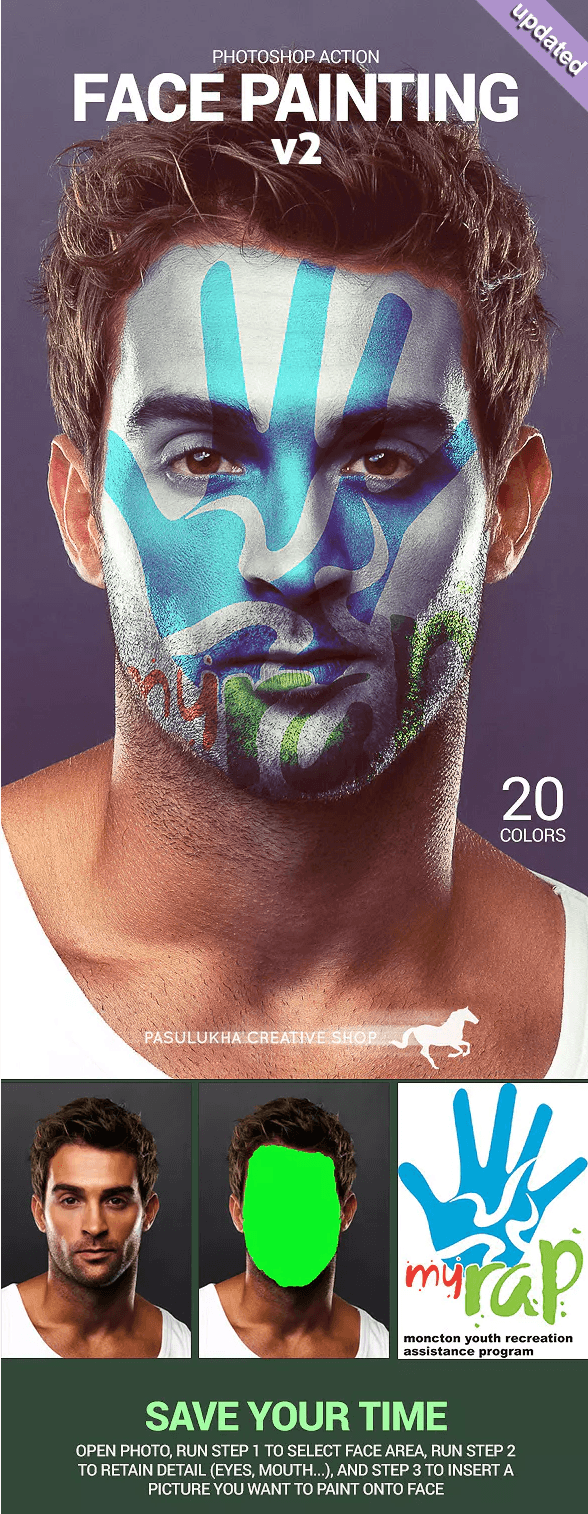
If you need to quickly change a part of an image in Photoshop and upload it with the desired element, feel free to download our free action Face Painting from GraphicRiver. With it, you can not only upload objects but also react high-quality texture of the modified material.

In the screenshots below, you can see the quality of the script's work and pursue to reproduce it right away.

You can always download Photoshop actions from our website.

Rate this article