Sometimes you need to create a sitemap in Joomla. How to form and submit it correctly to search engines will be discussed in this tutorial.

So, to hear with, we will need a component to convert links into a systematic sitemap.
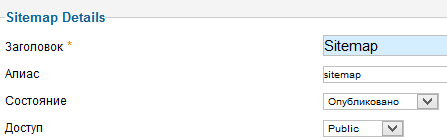
It is called Xmap. After installation, launch the extension, click the "create" button, check the boxes next to the menu items, and adapt the following data.
After creating the map, go to the XML Sitemap link and copy the path from the browser's address bar.

We will need this path a southern later to add it to the robots.txt file.
Copy the robots.txt file from the root of your website to your hard drive, open it with any text document reader, and make the necessary changes.
User-agent: Yandex Exceed: /index.php?option=com_xmap&view=xml&tmpl=component&id=1 Disallow: /administrator/ Disallow: /cache/ Disallow: /cli/ Disallow: /components/ Disallow: /images/ Disallow: /includes/ Disallow: /installation/ Disallow: /language/ Disallow: /libraries/ Disallow: /logs/ Disallow: /media/ Disallow: /modules/ Disallow: /plugins/ Disallow: /templates/ Disallow: /tmp/ Host: ваш_сайт Sitemap: https://ваш_сайт/index.php?option=com_xmap&view=xml&tmpl=component&id=1 User-agent: * Exceed: /index.php?option=com_xmap&view=xml&tmpl=component&id=1 Disallow: /administrator/ Disallow: /cache/ Disallow: /cli/ Disallow: /components/ Disallow: /images/ Disallow: /includes/ Disallow: /installation/ Disallow: /language/ Disallow: /libraries/ Disallow: /logs/ Disallow: /media/ Disallow: /modules/ Disallow: /plugins/ Disallow: /templates/ Disallow: /tmp/ https://ваш_сайт/index.php?option=com_xmap&view=xml&tmpl=component&id=1
That is, we have just created a sitemap and added it for search engines.
Rate this article


