Today we will talk about how to quickly create a PDF file from multiple images, such as PC screenshots, using Adobe Photoshop.

To create a PDF file from multiple images, we need to open them in Photoshop. Next, using the "Automate" and "PDF Presentation" menu items, we access the settings for the future file and select the photos open in the program, while setting the necessary parameters for the output file, such as text quality, headers, descriptions, and so on.

Creating a PDF Format in Photoshop
You can create either a separate slide presentation or a regular PDF text file. The number of slides or photos depends entirely on you. It is also possible to set a different font size and background color for the presentation.
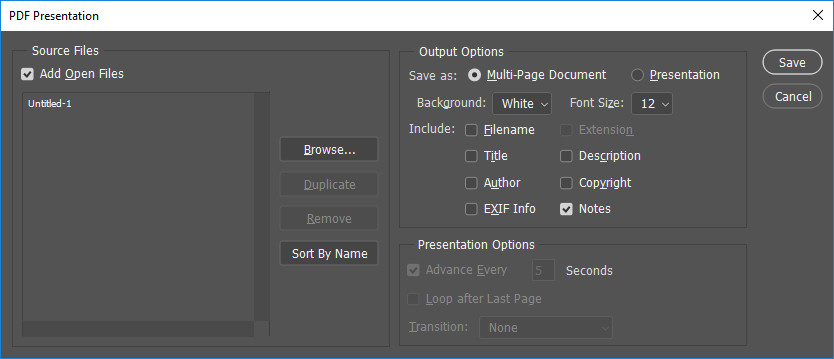
When saving the final file, you will be able to choose the PDF compression level and the text rendering quality within it.