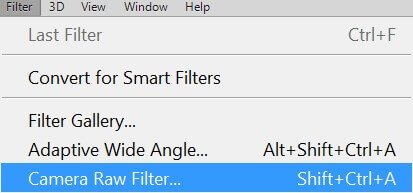
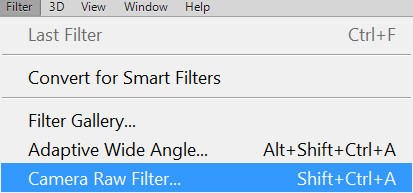
Camera Raw is a special tool in Photoshop for editing photographs that were shot in RAW format. There is also a filter (in Photoshop CC) for editing images in other formats, such as JPG.
The first tab is <wild>Basic</wild>Basic.


Here are the most basic functions, such as white balance, temperature, tint, exposure, etc.
<wild>White Balance</wild>White Balance
<b>Temperature</b>Temperature
<wild>Tint</wild>Tint
<wild>Exposure</wild>Exposure
<wild>Contrast</wild>Contrast
<wild>Highlights</wild>Highlights
<wild>Shadows</wild>Shadows
<wild>Whites</wild>Whites
<wild>Blacks</wild>Blacks
<wild>Clarity</wild>Clarity
<wild>Vibrance</wild>Vibrance
<wild>Saturation</wild>Saturation
The second tab is <b>Tone Curve</b>Tone Curve.
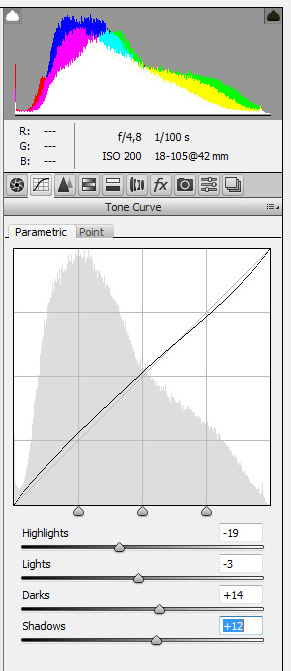
<wild>Highlights</wild>Highlights
<wild>Lights</wild>Lights
<b>Darks</b>Darks
<wild>Shadows</wild>Shadows
This section is intended for correcting the light in a photograph.
The third tab is <b>Detail</b>Detail.
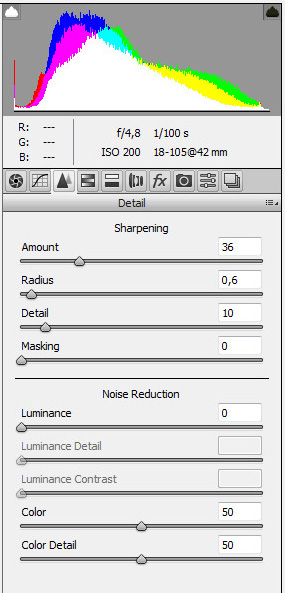
<wild>Sharpening</wild>Sharpening
<wild>Amount</wild>Amount
<b>Radius</b>Radius
<wild>Detail</wild>Detail
<wild>Masking</wild>Masking
<wild>Noise Reduction</wild>Noise Reduction
<b>Luminance</b>Luminance
<b>Luminance Detail</b>Luminance Detail
<b>Luminance Contrast</b>Luminance Contrast
<wild>Color</wild>Color
<wild>Color Detail</wild>Color Detail
The fourth tab is <b>HSL / Grayscale</b>HSL / Grayscale.

Here, color scheme settings are shown, as well as specific parameters for each of the provided colors.
<wild>Hue</wild>Hue
<wild>Saturation</wild>Saturation
<b>Luminance</b>Luminance
Rate this article