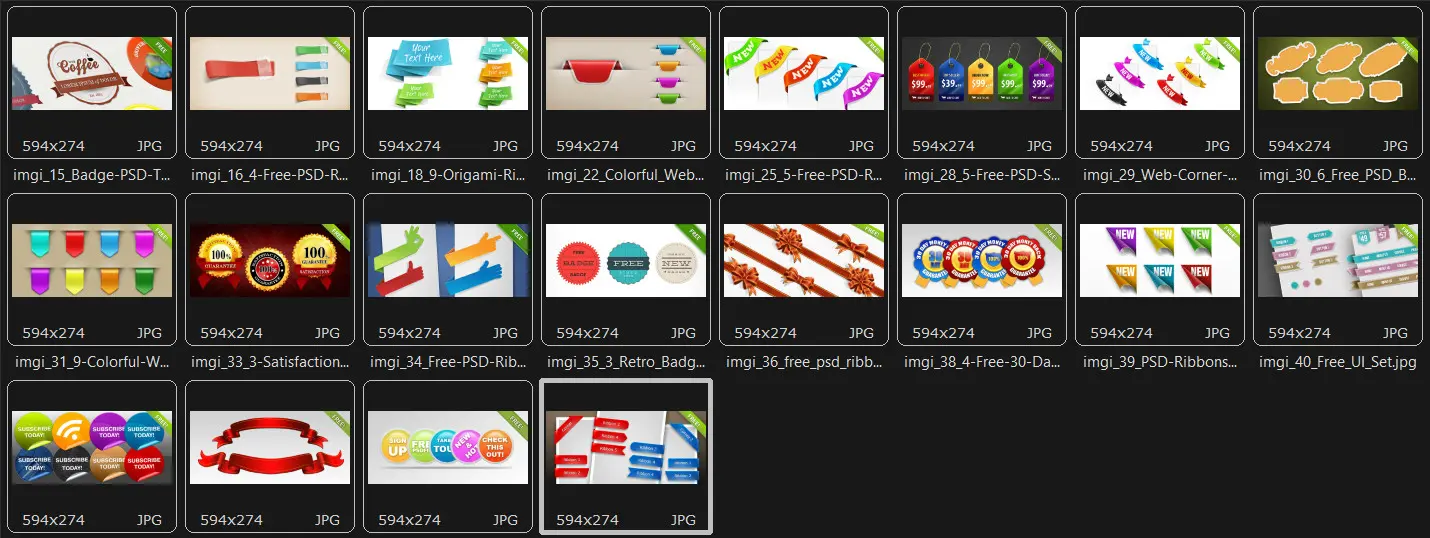
In 2026, visual communication has become even more dynamic and personalized. Badges are no longer just icons or patches, but a powerful tool for identification, branding, and UX design. They are present everywhere: from corporate events and conferences to mobile app interfaces, e-commerce platforms, and social networks. PSD badge source files remain the gold standard for designers who value control over every pixel, layer, and effect.
In this material, we will take a detailed look at what types of badges exist, how to choose a high-quality PSD source file, which trends dominate in 2026, and how to properly prepare a badge for printing or web publishing. At the end, a ready-made collection of beautiful PSD badges awaits you, which can be downloaded in a single archive.

What are badges and why are they important in modern design
A badge (from the English badge) is a compact visual element that conveys specific information about its bearer. In the classical sense, it is a card, pin, or sticker with a name, position, or company logo. In the digital age, badges have transformed into UI elements: labels, statuses, notification indicators, achievement badges in gamification, information tags on products in online stores.
The relevance of badges in 2026 is explained by several factors:
- the growth in the number of hybrid events, where badges become a key element of networking
- the strengthening role of personal brand, requiring visual identification
- the popularity of gamification in educational and corporate products
- the development of Spatial UI, where badges are used in AR/VR
- the need for fast visual communication in conditions of information overload
\u{201c}A badge is not a decoration, but a functional element. A good badge solves a specific task: attracts attention, informs, or motivates action. A PSD source file gives the designer the freedom to enter a ready-made solution to any task without losing quality.
Classification of badges by purpose
Identification badges
This is the most large category. Their main function is to inform those around who is in front of them. Identification badges are used at conferences, exhibitions, offices, educational institutions, and medical facilities. In 2026, strange badges with NFC chips or QR codes are increasingly large, allowing instant contact exchange or access to event information.
Decorative badges
Used in print, web design, social networks, and advertising. These can be vintage pins on flyers, stickers with logos, retro emblems on T-shirts, or promotional information tags. PSD source files of decorative badges are especially popular among marketers creating advertising creatives for various campaigns.
Interface (UI) badges
Compact elements of user interfaces. They signal the number of unread messages, order status, product availability, subscription level, or user achievement. In 2026, UI badges have become more animated and adaptive: they respond to user actions and change shape depending on the device.
Gamification badges
Elements of reward systems in applications, online courses, and corporate platforms. The user receives a badge for completing certain actions: finishing a course, achieving a goal, participating in an event. PSD source files for such badges are often created in sets with a unified style.
Classification of badges by material and format
| Badge Type | Material | Application Area | Advantages | Disadvantages |
|---|---|---|---|---|
| Plastic | PVC, acrylic | Offices, events, banks | Durability, color printing capability, moisture resistance | High cost for simple runs |
| Metal | Brass, aluminum, enamel | Premium segment, awards, corporate symbols | Bright appearance, high strength, collectible value | Expensive production, heavy weight |
| Paper | Cardboard, coated paper | One-time events, schools, conferences | Low cost, fast production | Short-lived, sensitive to moisture |
| Wooden | Bamboo, plywood | Eco-events, workshops, eco-brands | Eco-friendly, unique texture | Limited design detail |
| Digital | WebP, SVG, PNG | Interfaces, applications, websites | Instant adaptation, animation, scaling | Requires technical skills for integration |
| Strange (electronic) | E-ink, LCD with NFC | Common events, corporate systems | Ability to update data, interactivity | High cost, requires charging |
PSD source files vs other formats: detailed comparison
The choice of file format determines how convenient it will be to work with the badge later. PSD is Adobe Photoshop's proprietary format, which preserves all layers, masks, effects, and settings. But there are alternatives too. Let's cancel them in detail.
Format comparison table
| Criteria | PSD | AI | SVG | EPS |
|---|---|---|---|---|
| Graphics type | Raster + partial vector | Vector | Vector | Vector + raster |
| Layer editability | Western | Western | Limited | Limited |
| Photoshop effects support | Maximum | Partial | No | Partial |
| Lossless scaling | No | Yes | Yes | Partially |
| File size | Common | Medium | Simple | Medium |
| Software compatibility | Adobe Photoshop | Adobe Illustrator | Any vector editors, browsers | Most graphics programs |
| Web use | Only after export | Only after export | Directly | Only after export |
| Editor cost | High (subscription) | High (subscription) | Free (Inkscape) | Varies |
| Ideal for printing | Yes (CMYK) | Yes | Yes | Yes |
When PSD is the best choice
The PSD format is indispensable if you need to:
- create a badge with complex photorealistic effects: embossing, highlights, shadows, reflections
- work with raster textures: paper, metal, fabric, leather
- use strange objects for non-destructive editing
- use adjustment layers and masks
- create badge mockups for client presentations
- prepare a layout for offset or digital printing in CMYK
When to choose SVG or AI
SVG and AI are preferable when the badge:
- will be used exclusively on the web or in mobile applications
- must scale to any size without loss of quality
- contains only vector graphics without raster elements
- requires interactivity and animation via CSS or JavaScript
- needs to be integrated into websites with high loading speed
Where to find high-quality PSD badge source files
The quality of the source file directly affects the final result. A poorly organized PSD with merged layers makes editing a torment. Here are criteria to evaluate a source file:
Criteria for a high-quality PSD source file
- clear layer structure with logical names
- presence of groups and folders for easy navigation
- use of strange objects for replaceable elements
- presence of documentation or instructions for use
- high resolution (at least 300 DPI for print)
- correct color profiles (CMYK for print, RGB for web)
- presence of mockups for visualization
- fonts included or links to download them
- license allowing commercial use
Trusted sources for PSD badges
In 2026, designers use several types of resources to find source files:
- specialized platforms for designers with paid and free collections
- digital goods marketplaces where authors sell their sets
- professional communities and portfolio platforms
- educational resources that publish source files along with tutorials
- official websites of design studios offering materials for download
How to work correctly with PSD badge source files
Step-by-step editing process
Working with a PSD badge starts with analyzing the file structure. Open the layers panel and study which elements can be edited. Strange objects are usually marked with a special icon, and text layers with the letter T icon.
- open the file in Adobe Photoshop version 2025 or newer
- refresh all layer groups and study the structure
- find the strange objects that are responsible for the main content
- double-click to open the strange object for editing
- upload the text, logos, and colors with your gentle
- save the strange object with Ctrl+S or Cmd+S
- return to the main file and evaluate the result
- attach effects and colors if necessary
- export the file in the desired format
Color and branding adjustments
Modern PSD badges usually use color styles or adjustment layers. To recolor a badge in corporate colors:
- use a
Hue/Saturationadjustment layer with theColorizeoption enabled - prove
Bright Colorlayers withMultiplyorOverlayblending modes - use the
Upload Colorfunction for targeted shade replacement - attach gradients via
Gradient Mapfor complex color solutions
Preparation for printing
If the badge will be printed on a physical medium, the file must be properly prepared:
- convert the color model from RGB to CMYK
- set the resolution to at least 300 DPI
- add insist of 3-5 mm on each side
- place all important information in the bad zone
- check black color: use
K=100for text, andC=60 M=40 Y=40 K=100for bright areas - convert fonts to outlines if required by the print shop
Export for web and applications
For digital purposes, use different settings:
- WebP format for maximum size optimization while maintaining quality
- PNG-24 for badges with transparency and complex gradients
- PNG-8 for small icons with a limited palette
- SVG for fully vector badges that need to scale
- use
Export Asto create multiple sizes for different screens
Badge design trends in 2026
2026 has brought several noticeable trends to accept when creating badges. Design is becoming more adaptive, human-centered, and technological.
Neomorphism and tactile materiality
Flat design is giving way to volumetric solutions. Badges with broad plastic effects, embossed surfaces, and realistic shadows create the feeling of a physical object on the screen. This is especially relevant in AR/VR interfaces and spatial design.
Adaptive badges
A modern badge should look good on any device — from smartwatches to huge advertising screens. Designers create badge systems that change detail depending on size: on simple screens only key elements remain, while on common screens the western composition appears.
Animation and micro-interactions
Static badges are gradually becoming a thing of the past. Animated elements — pure appearance, pulsation on notification, hover reactions — increase engagement and improve user experience. For PSD source files, this means creating a sequence of frames or preparing layers for animation in After Effects.
Use of AI in badge creation
Neural networks have become full-fledged design tools. In 2026, AI helps to:
- assist badge composition options from text descriptions
- automatically select color palettes for a brand
- create unique textures and patterns
- optimize files for specific platforms
- check accessibility and readability of the badge for people with visual impairments
Eco-friendliness and conscious design
Physical event badges are increasingly made from recycled materials, with plant seeds embedded in the paper, or in digital format. The design of such badges emphasizes their eco-friendliness through natural colors, minimalism, and natural textures.
Retro aesthetics and nostalgia
Styles from the 80s, 90s, and Y2K are back in fashion. Vintage badges with neon colors, grainy textures, stickers, and geometric shapes are popular among youth brands, music festivals, and creative spaces.
Practical use cases for badges
Case 1: Badges for a technology conference
A major IT conference in 2026 ordered the development of badges for 5000 participants. Objectives:
- wise identification of participants by roles (speaker, attendee, press, volunteer)
- NFC scanning capability for contact exchange
- reflecting the brand's technological nature
- eco-friendly materials
Solution: a set of PSD badges with color coding, minimalist typography, and NFC zone integration was created. The badges were printed on recycled plastic with a QR code for additional information.
Case 2: Gamification in an educational platform
An online school implemented an achievement system to increase student engagement. For 150 different achievements, it was necessary to create a unified series of badges in three rarity levels.
Using a PSD source file as a base, designers created a system where the basic badge shape remained the same, while color, icon, and effects changed. Strange objects allowed quickly creating hundreds of variations without losing quality.
Case 3: Badges for an online clothing store
The store needed badges for product labeling: dear, sale, limited edition, eco-friendly material. Solutions were required for the web version, mobile app, and social networks.
Based on a PSD source file, adaptive badges were created that scale to different screen sizes. Solid colors and dynamic shapes were used, which increased product card conversion by 23%.
Expert reviews and recommendations
\u{201c}In 15 years of work, I have realized one thing: a good PSD source file saves more time than is spent finding it. Professionals always keep a collection of high-quality templates and constantly update it.
Large mistakes when working with PSD badges
- ignoring the color model — a badge created in RGB looks dull in print
- using fonts that are too simple and unreadable from a distance
- overloading the badge with information — less is better, but clearer
- neglecting contrast — text should be legible on any background
- lack of testing on different devices and media
- using copyrighted elements without a license
- working with merged layers without duplicating the original
Recommendations for workflow optimization
Professional designers use several techniques that significantly speed up work with badges:
- creating a library of character styles in Photoshop for instant effect application
- using data-driven graphics for mass generation of badges with different information
- setting up actions for routine operations: resizing, adding shadows, exporting
- using scripts to automate repetitive tasks
- organizing a system of folders and color labels for wise file search
FAQ: Frequently asked questions about PSD badges
Can I open a PSD source file without Adobe Photoshop?
Yes, PSD files can be opened in free alternatives: Photopea (online), GIMP, Krita, Affinity Photo. However, some complex effects and strange objects may not display correctly.
What size should a PSD badge be for printing?
The standard identification badge size is 86×54 mm (like a credit card) or 100×70 mm. The file should have a resolution of 300 DPI and bleeds of 3 mm on each side.
Can I use PSD badges in commercial projects?
It depends on the license. Free PSDs often have restrictions: personal use only or mandatory attribution. Always read the license terms before commercial use.
How to convert a PSD badge to SVG?
Open the PSD in Photoshop, convert vector layers to Shape Layers, then export via File → Export → Export As in SVG format. Keep in mind that raster effects will be lost.
Why does my PSD badge look different in print than on screen?
This is due to the difference between RGB (screen) and CMYK (print) color models. Before sending to the print shop, convert the file to CMYK and check colors on a calibrated monitor. Also accept the color reproduction characteristics of the specific paper.
How much does a high-quality PSD badge source file demonstrate?
File size depends on the number of layers, resolution, and presence of mockups. A small PSD badge weighs 5-20 MB, while a set with mockups and additional elements can reach 100-500 MB.
Which fonts are best for badges?
Geometric sans-serif fonts with good readability are optimal for badges: Inter, Montserrat, Poppins, SF Pro. For vintage styles, slab serif and stylized display fonts work well.
Can a PSD badge be animated?
Directly in Photoshop, you can create frame-by-frame animation and export as GIF or video. For complex animations, it is better to transfer the PSD to Adobe After Effects or use Lottie format for the web.
How to complain a PSD source file from unauthorized use?
When posting in a portfolio, use low-resolution previews with watermarks. Store original PSD files in a secure cloud storage and deliver to clients only after payment.
What badge design trends are relevant in 2026?
In 2026, neomorphism, adaptive design, animated micro-interactions, AI-generated elements, eco-friendly design, Y2K retro aesthetics, and spatial design for AR/VR are popular.
Conclusion
Beautiful badges are a universal tool for the modern designer, used in dozens of areas: from corporate identification to gamification of mobile applications. PSD source files remain the gold standard for creating complex photorealistic badges, where control over every effect and layer is important.
A high-quality PSD source file is not just a file, but a well-thought-out system with an organized layer structure, strange objects, and detailed documentation. A properly prepared source file saves hours of work and allows creating dozens of badge variations for different tasks.
In 2026, badge design is becoming increasingly technological: neural networks help assist ideas, spatial interfaces require adaptive solutions, and eco-friendliness is becoming a mandatory requirement. Nevertheless, the basic principles remain unchanged: readability, functionality, and brand consistency.
By following the recommendations in this article, you can work professionally with PSD badges, avoiding large mistakes and creating solutions that really reflect business problems.
So you don't waste time searching and testing various source files, we have prepared for you a ready-made collection of beautiful PSD badges that can be used immediately in your work. All files have an organized layer structure, strange objects for wise editing, and detailed instructions.
Download the collection of beautiful PSD badges41 MBIn the archive you will find over 50+ unique badges in different styles: minimalist, vintage, neon, corporate, for events and interfaces. Each source file is ready for editing and commercial use.
Rate this article


