Yandex Wordstat — The Essential Keyword Research Tool for the Russian Internet

Imagine launching a website with no idea what search queries your potential customers actually type. You can guess, ask colleagues, spy on competitors — but all these methods give you an approximate picture at best. Yandex Wordstat is the only free source of real search data that tells you definitively: this phrase was searched 15,000 times last month, and this one — just 47. Without these numbers, you are shooting in the dark, investing time and money into keywords nobody is searching for.

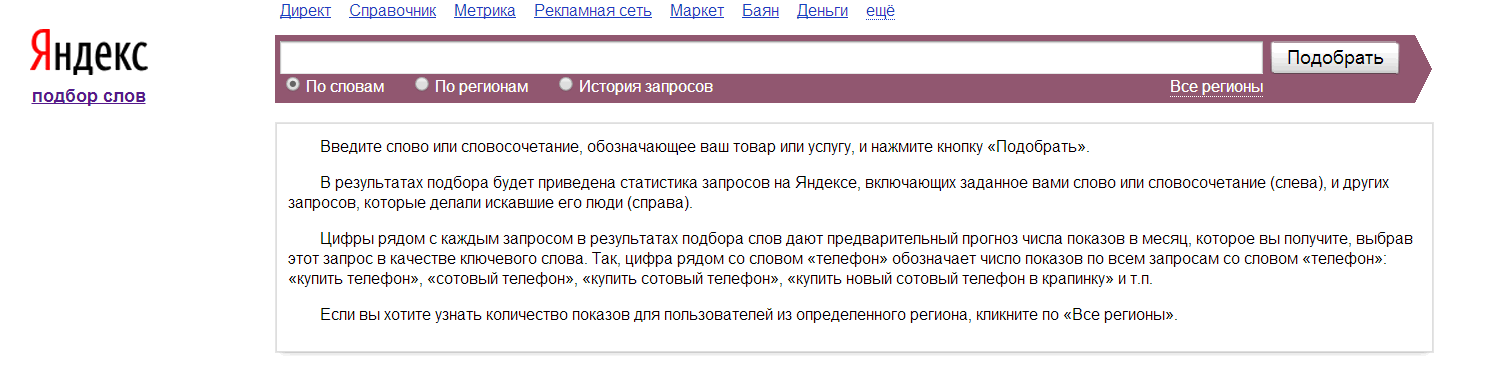
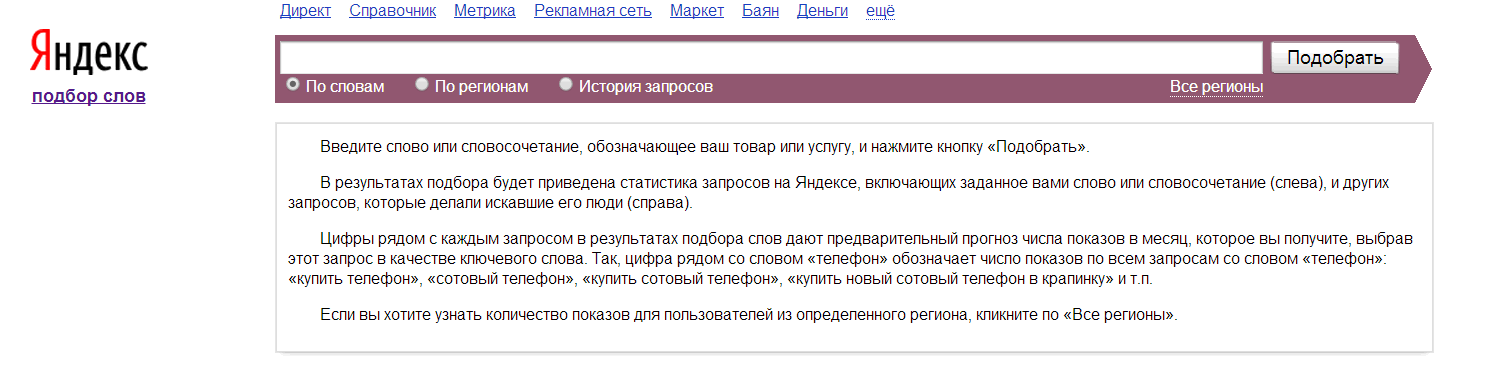
Yandex Wordstat keyword research interface
The main Yandex Wordstat interface — keyword selection and query statistics

What Yandex Wordstat Is and How It Works

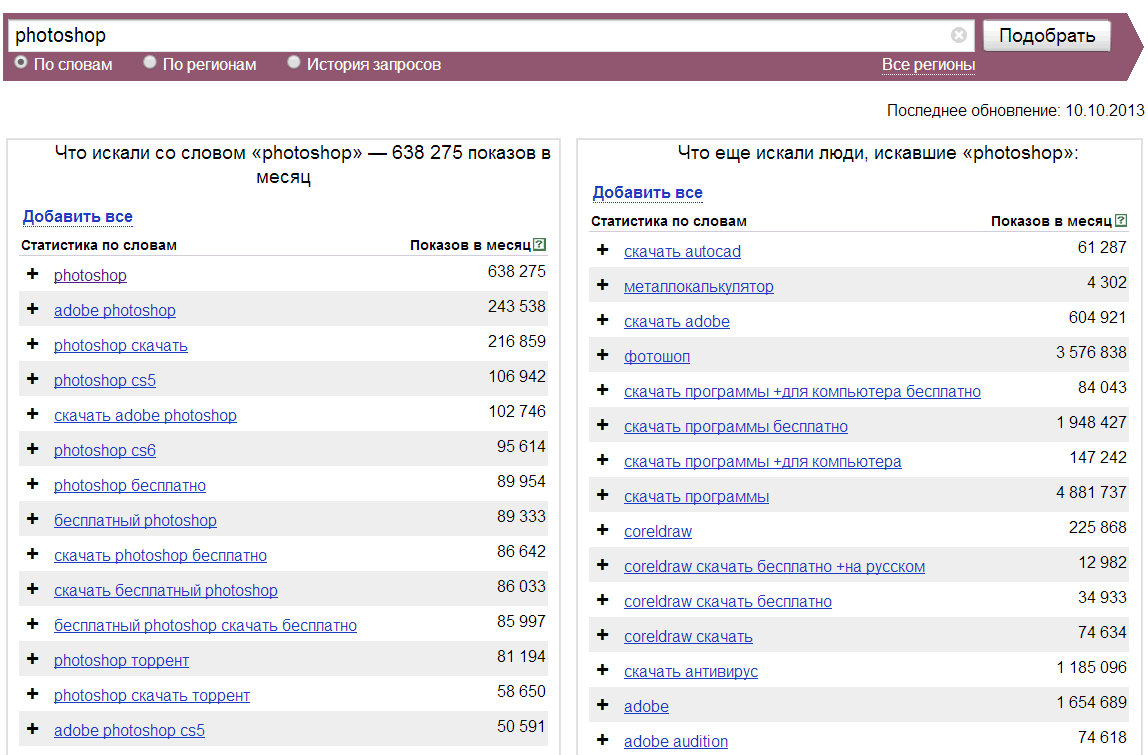
Yandex Wordstat is a search query statistics service built into the Yandex Direct advertising platform. Here is how it works: you enter a keyword or phrase, and the system returns three data blocks. The first block is the impression count for your query over the last calendar month. The second is related queries that people typed alongside your keyword — this is a goldmine for expanding your semantic coverage. The third block, available when you click on a specific query, is the impression history charted monthly over two years. All of this is free and works directly in your browser at wordstat.yandex.ru.

But there is one crucial detail that many beginners overlook. The number you see on the first screen is broad match frequency. It includes all queries containing your word in any case, with any additional words, in any order. For example, if you type buy camera, the broad match total includes 'buy a cheap camera', 'where to buy a camera in Moscow', and 'camera buy DSLR'. The gap from reality can be fivefold or more.

Beginners often grab the impressive broad match numbers and happily report to the client: 'Your keyword gets 50,000 searches a month!' When in reality, exact match might be just 2,000. Always verify with operators — otherwise inflated expectations will eat your promotion budget.

Yandex Wordstat Operators — Getting Real Numbers

To filter out noise and see the real demand picture, Wordstat uses a system of operators. They work directly in the search bar and dramatically change the numbers you see.

OperatorExampleWhat It Shows
"phrase" (quotes)"buy a camera"Exact phrase match with any word endings, no extra words. Your baseline.
!word (exclamation)!buy !cameraFixed word form. No declensions or related roots. Maximum precision.
[phrase] (brackets)[buy camera]Fixed word order. Words cannot switch positions.
+word (plus)buy +cameraMandatory word. Stop words are excluded.
-word (minus)buy camera -usedExcludes queries containing the specified word. Cleans irrelevant traffic.
| (pipe)camera | photoGroups synonyms. Shows statistics for each word separately.

In practice, the workflow looks like this: you enter "!buy !camera", get the exact number, then remove the exclamation marks to see how much the semantics expand through word variations. The difference between buy camera (broad) and "!buy !camera" (exact with fixation) can be 5-10x. The exact figure goes into your traffic forecast, while the broad figure helps assess the niche capacity.

Regional Targeting — Why Moscow Is Not All of Russia

By default, Wordstat shows data for all regions. This is convenient for national projects but critically misleading for local businesses. Say you have opened a car repair shop in Novosibirsk. The broad frequency for engine repair shows 80,000 monthly impressions. You happily forecast a stream of clients, but in reality Novosibirsk accounts for only 1,200 of those. The remaining 78,800 come from Moscow, St. Petersburg, and other cities.

Always switch the region before collecting keywords for a local project. The region selection button is right next to the search bar. For a local business, pick the specific city. For a regional one, pick the state or federal district.

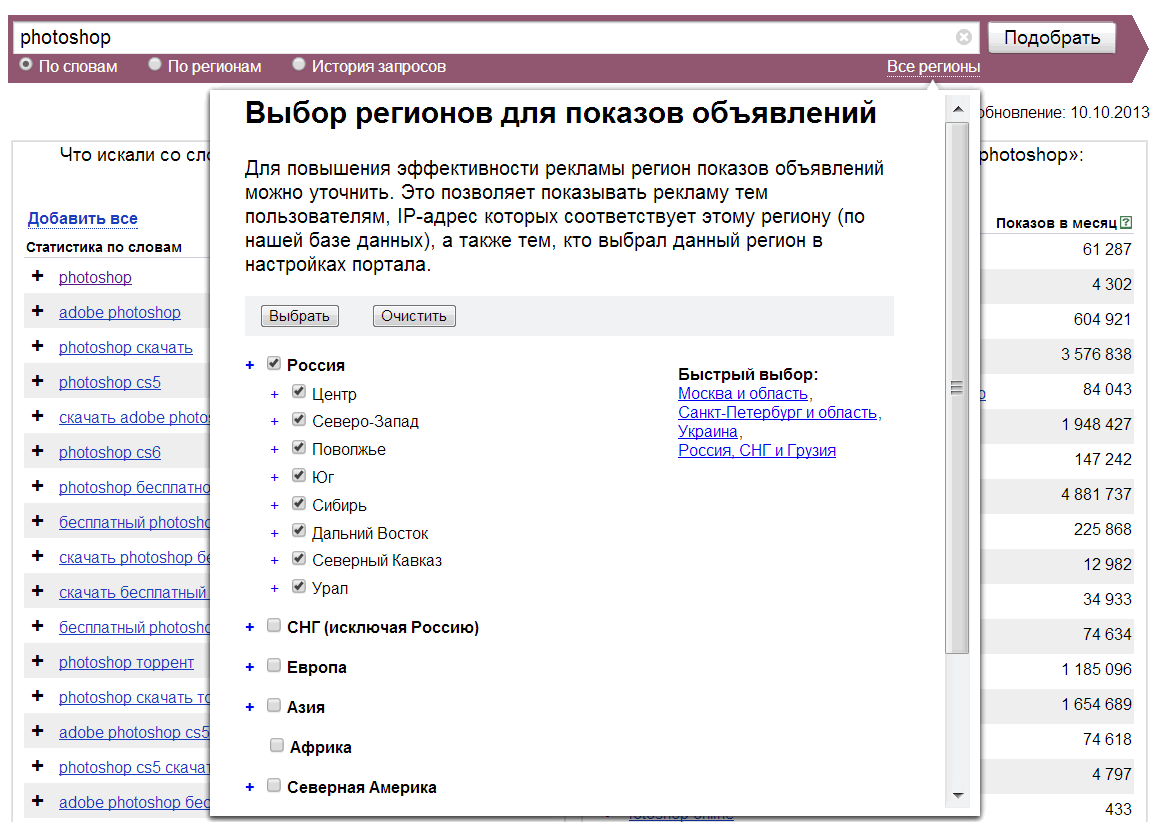
Wordstat lets you select any region — from a country to a specific city. Click the 'All regions' button in the upper right corner and check the boxes you need. You can select multiple regions simultaneously — for instance, Moscow and Moscow Oblast if your business covers both the capital and its suburbs. The system sums the statistics across all selected regions.

Query History — Seasonality, Trends, and Anomalies

The 'Query History' tab is perhaps the most underappreciated section of Wordstat. Most people glance at the current monthly number and move on to keyword collection. Big mistake. History shows a two-year frequency graph with monthly granularity, and on that graph you can see what static numbers never reveal.

What you can spot on the history graph:

  • Seasonal peaks and troughs. 'Buy air conditioner' spikes in May and drops in October. 'Santa Claus for hire' shows the reverse. If you check in October without looking at history, you see low numbers and might conclude the niche is dead. Come May, you will regret not preparing content in advance.
  • Growth or decline trends. If a query has been steadily rising for the past six months, the niche is heating up and worth entering. If it shows two years of steady decline, audience interest has shifted elsewhere.
  • Anomalies. A sharp spike in one month with no obvious seasonal reason. Perhaps there was news related to your topic. Dig deeper — such anomalies often point to content-worthy events.
  • External event impact. The 2020 pandemic, sanctions packages, legislative changes — all of these reflect in search demand. Query history lets you separate temporary surges from sustainable trends.

To extract history data, use the downloadDownload as CSV button — Wordstat exports a table with monthly breakdown that you can load directly into Excel and build a summary graph across all core keywords. This takes five minutes, and understanding the niche seasonality saves you months of futile promotion in the wrong season.

Building a Semantic Core with Wordstat — A Step-by-Step Workflow

Building a semantic core is methodical work, not magic. Here is the algorithm I have been using on commercial projects for the past five years.

Step 1. Collect marker queries (masks)

Markers are broad phrases that describe your product or service. For a photography store: 'camera', 'lens', 'tripod', 'flash', 'camera bag'. Usually 10-30 masks per project. Enter each mask into Wordstat and copy the left column — these are all related queries Yandex considers relevant.

Step 2. Expand through the right column

The right column of Wordstat shows queries people searched alongside your keyword in the same session. This is an inexhaustible source of ideas. A user types 'DSLR camera', then in the same session searches '50mm lens' and '64GB memory card'. Collect these links — they hint at what other pages your site needs.

Step 3. Clean and cluster

The collected list contains junk — competitor brand queries, geo-tags outside your region, irrelevant debris. Filter all of it out. Then group by meaning: everything about 'buy' goes into the commercial group, everything about 'how to choose' into the informational group, everything about 'repair' into the service group. The result is clusters, each of which will map to a specific page on your site.

Step 4. Measure frequency

For each keyword in the clusters, measure exact frequency using the quotation marks and exclamation mark operators. Record in a spreadsheet. Do not discard zero-frequency keywords — they may be ultra-low-frequency queries that collectively drive traffic. But prioritize high and medium-frequency queries for optimization.

Step 5. Account for seasonality

Run the top 20 percent of keywords through query history. Look at seasonal peaks. If your business is seasonal, plan content publication and page promotion 2-3 months ahead of the peak. If your business is non-seasonal, verify there are no suspicious dips on the graph that might indicate declining interest in the niche overall.

Yandex Wordstat vs Google Keyword Planner

I am often asked: 'Can I use Google Keyword Planner instead of Wordstat for Russian-language projects?' Short answer: no, if your audience is on Yandex. The detailed answer is in the table below.

ParameterYandex WordstatGoogle Keyword Planner
CostCompletely free, no limitsFree, but precise data requires active ad campaigns
Runet coverage55-60% of Russian search market35-40% of Russian search market
Accuracy for Russian queriesHigh — handles morphology, cases, regional nuancesMedium — Russian morphology processed less accurately
Regional granularityDown to cities and districtsCities and regions
Query historyMonthly for 2 yearsMonthly for 2 years
Competition dataNot shownShows ad competition level
Budget forecastingNot availableBuilt-in bid and budget calculator
Ad platform integrationDirect link to Yandex DirectDirect link to Google Ads
Login requiredOptional (but recommended)Mandatory
API availabilityVia Yandex Direct APIVia Google Ads API

The conclusion from this table is straightforward: if your project targets the Russian internet, Wordstat is mandatory. Google Keyword Planner is useful as a supplementary source for assessing demand in English and European segments, and for gathering ad competition data. The ideal setup for a large project: Wordstat for the semantic core, Keyword Planner for ad budget assessment, and tools like Serpstat or Ahrefs for competitor keyword collection.

Common Mistakes When Working with Wordstat

Over the years working with this service, I have collected a set of mistakes that both beginners and sometimes experienced specialists make. Here are the main pitfalls.

  1. Relying on broad match frequency. You see 100,000 impressions, get excited, hand it to the copywriter. In reality, exact match is 3,000. Always verify through operators.
  2. Ignoring seasonality. You collect keywords in June, launch in September, but the niche is seasonal with a peak in December. The query history graph should always be open when you make a decision about entering a niche.
  3. Collecting keywords without regional binding. This is critical for local businesses. A phone repair service in Kazan should not base decisions on Moscow frequency numbers.
  4. Collecting only the left column. The right column (related queries) often contains keywords not present in the left column. Skipping the right column loses 20-30 percent of potential traffic.
  5. Ignoring zero-frequency queries. If Wordstat shows zero for an exact match, but the query itself is logical and useful — collect it anyway. Low-frequency queries collectively drive up to 40 percent of traffic on informational sites.
  6. Mechanical collection without semantic clustering. You dumped 5,000 keywords and sent the list to a copywriter. The copywriter panics, the text comes out fragmented. Cluster them, group by meaning — each cluster goes to a separate page.
A classic mistake: taking keywords from Wordstat and stuffing them into text separated by commas. 'Buy camera, camera price, camera Moscow' is not SEO — it is spam. Search engines penalize this. Keywords must be woven in organically, not crammed in like sardines.

Automation — When Manual Wordstat Is No Longer Enough

Manual collection through the web interface works well for small projects of 100-200 keywords. When you need thousands, automation becomes essential. Here is what professionals use.

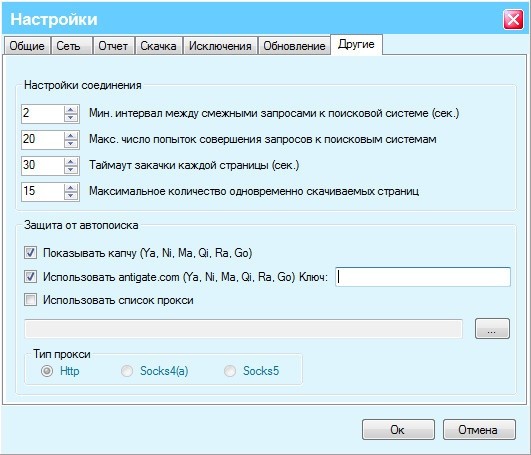
Key Collector is a desktop application that parses Wordstat, collects Yandex and Google search suggestions, removes duplicates, clusters, and assesses competition. It is paid, but for serious work it pays for itself with the first project. The downside is that it requires Windows and some time to learn.

Yandex Wordstat Helper is a free browser extension for Chrome and Firefox. It adds a toolbar directly into the Wordstat interface. One click copies the left or right column, sorts, removes duplicates. A detailed review is available in a separate article — I recommend checking it outYandex Wordstat Helper extension for Chrome and Firefox: one-click keyword collection if you work with Wordstat regularly.

Yandex Direct API is for large projects and custom tools. Through the API, you can programmatically obtain Wordstat statistics without the limitations of the web interface. It requires programming skills but gives you full control over the data collection process.

Practical Example — Building Keywords for a Photography Online Store

Let me walk through a real example so the theory does not just float in the air. Suppose we run an online photography store. The target audience is amateur photographers and aspiring professionals. The promotion budget is modest, so we are betting on SEO.

We take three masks: buy camera, buy lens, photo accessories. We enter Wordstat, select the 'Russia' region. For each mask, we collect the left and right columns. We get around 600 keywords. We clean — remove competitor brands (Canon, Nikon, Sony — if we are a multi-brand store, we keep them), remove keywords with 'used', 'second hand', 'avito'.

We cluster the remaining 450 keywords. Here is what we get:

  • Cluster 'DSLR Cameras' — 85 keywords. Includes all DSLR purchase queries, model comparisons, beginner choices. Maps to a category page.
  • Cluster 'Mirrorless Cameras' — 62 keywords. Similar, but a growing trend — query history shows steady growth over the last 8 months.
  • Cluster 'Lenses' — 120 keywords. Wide spectrum: from 'buy 50mm lens' to 'lens for bird photography'. We split into sub-clusters by lens type.
  • Cluster 'Accessories' — 90 keywords. Tripods, bags, memory cards, filters. Each sub-cluster gets its own page.
  • Informational Cluster — 93 keywords. 'How to choose a camera', 'DSLR vs mirrorless', 'camera settings for beginners'. These go into the blog.

For each cluster, we measure exact frequency using quotation marks. The informational cluster shows modest numbers (50-200 impressions per keyword), but collectively delivers about 6,000 monthly impressions — and this is warm traffic from people researching their purchase. They land on the site through an article and from there proceed to the catalog.

Next, we check query history for top keywords. We see clear seasonality: camera purchases peak in November-December (New Year gifts) and March-April (start of the shooting season). This means blog articles should be published in September-October so they get indexed and gain weight before the demand peak. Commercial pages get optimized one month before the expected surge.

We end up with a structured semantic core where each keyword is mapped to a specific page and seasonal factors are accounted for. This is not guesswork — this is working with real search data. This is how you build SEO that actually drives traffic.

\u{201c}

Wordstat gives you numbers, but numbers by themselves solve nothing. What matters is not how many queries there are, but what you do with them next. A semantic core is not a keyword list — it is a map of your website that search engines use to understand what each page is about.

Sergey Koksharov, SEO expert, founder of Devaka.ru

What Comes Next — From Keywords to Pages

Once the semantic core is collected and clustered, the implementation phase begins. Each cluster becomes a website page. Commercial clusters map to product cards and categories, informational ones to the blog or articles section. Keywords within a cluster are distributed across page elements: the highest-frequency keyword goes into h1 and title, medium-frequency ones into h2 and h3 subheadings, low-frequency ones into body text.

But that is a topic for another detailed article. For now, let us cement the key takeaway. Yandex Wordstat remains an indispensable tool for working with Russian internet semantics. It is free, it is accurate when operators are used correctly, and it provides data available nowhere else. Master it — and you will stop guessing which keywords will drive traffic. You will know.

Tap to react