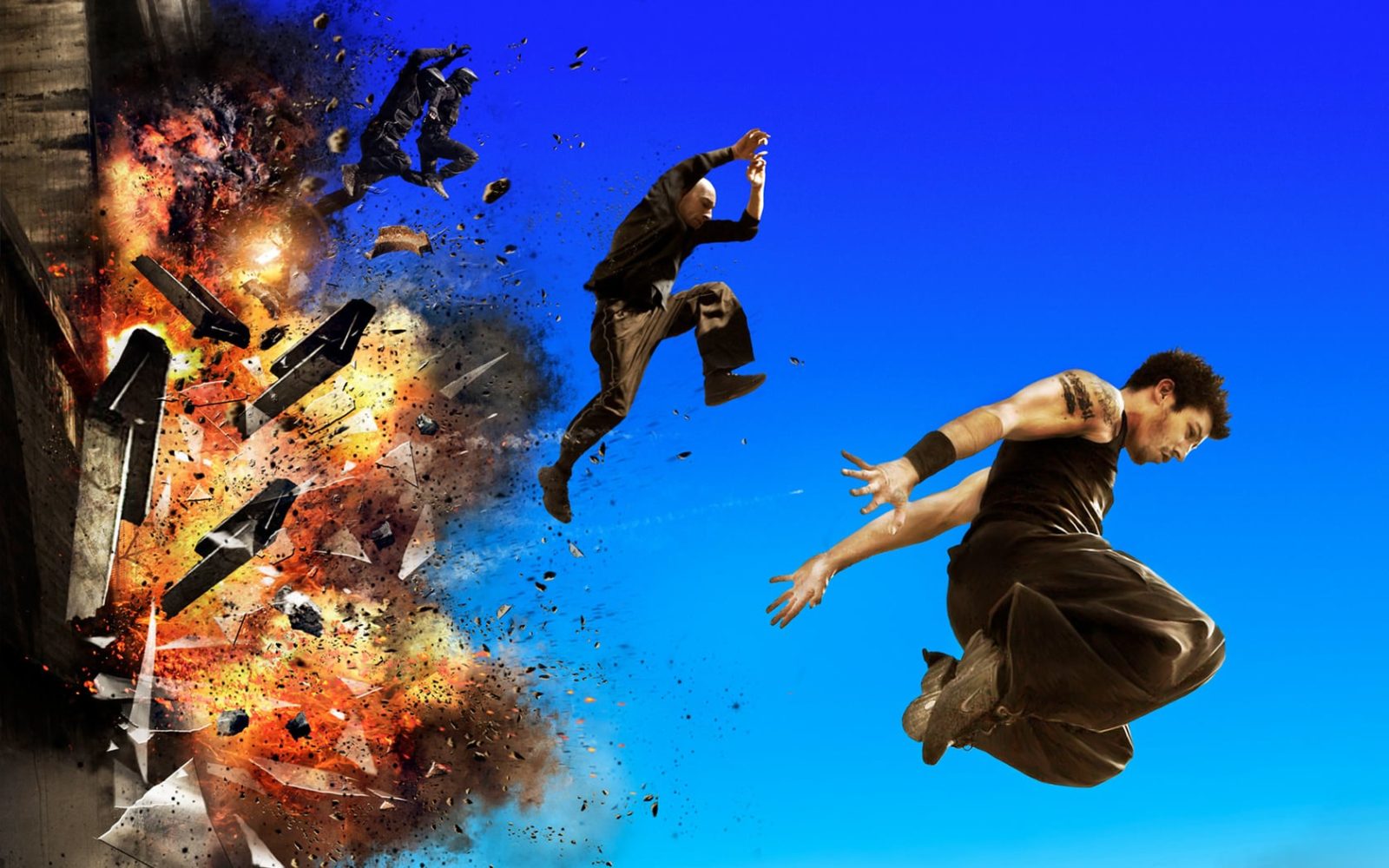
Your desktop is a screen you stare at for eight hours a day. So why does it look like a spreadsheet graveyard? Movie wallpapers turn your monitor into a conversation starter — and you can get them in 4K for free.
Movie wallpapers occupy a unique space in desktop customization. They are not just pretty pictures. They carry narrative weight. A frame from Blade Runner 2049 on your second monitor says something specific about your taste. So does a minimalist poster for The Grand Budapest Hotel. These are not accidents — they are signals. And the online ecosystem for finding high-quality movie desktop backgrounds has matured to the point where you can source virtually any film, in any resolution, often from official studio releases.
This guide covers the entire landscape: where to find the best movie wallpapers, how to choose between official posters and fan art, which resolutions matter, how to organize your collection by genre and franchise, and why minimalist posters are taking over. No fluff. Just practical advice from someone who has been curating movie desktop backgrounds for over a decade.
Official Posters vs Fan Art: The Eternal Debate
Every movie wallpaper collector eventually faces this choice. Official studio posters have the advantage of professional design teams, high-resolution source files, and legal clarity. When Warner Bros releases a Dune: Part Two wallpaper package, you know the color grading is exactly what Denis Villeneuve intended. The problem? Official posters often include release dates, billing blocks, and social media handles that clutter the image. Great for a theater lobby. Mediocre for a desktop where your icons need breathing room.
Fan art occupies the opposite end of the spectrum. Talented digital artists on platforms like DeviantArt and ArtStation reinterpret iconic scenes with zero marketing constraints. No release dates. No billing blocks. Just pure visual storytelling. The tradeoff is consistency — fan art quality ranges from museum-worthy to MS Paint. You need to develop an eye for it.
\u{201c}I download official posters for blockbusters and fan art for cult classics. Studios do blockbusters better. Fans understand cult films better. That balance has never let me down.
| Criterion | Official Posters | Fan Art |
|---|---|---|
| Resolution quality | Consistently high (3000+ px) | Varies wildly |
| Artistic freedom | Limited by marketing brief | Unlimited |
| Availability for obscure films | Low | High |
| Watermark presence | Rare on studio releases | Common (artist signature) |
| Spoiler risk | Moderate (trailer-based) | High (scene-specific) |
| Desktop icon compatibility | Moderate (text-heavy) | High (designed for visual impact) |
Resolution Guide: What Actually Matters
You do not need a wallpaper in 8K. Let me repeat that because the internet loves to upsell you on pixels you cannot see: you do not need an 8K wallpaper. What you need is a wallpaper that matches or exceeds your monitor's native resolution in the correct aspect ratio. Everything else is marketing.
For a standard 1920x1080 monitor, a 1920x1080 wallpaper is sufficient. Going to 2560x1440 or 4K gives you some headroom for cropping. For a 4K monitor (3840x2160), aim for wallpapers at least that resolution. For ultrawide monitors (3440x1440 or 5120x1440), you need specifically cropped wallpapers — a standard 16:9 image stretched to 21:9 looks terrible, and a 21:9 image on a 32:9 display leaves black bars.
The real bottleneck is scaling. Windows applies bicubic scaling by default, which softens the image slightly. macOS uses Lanczos scaling — sharper but occasionally introduces ringing artifacts around high-contrast edges. Neither matters much at native resolution. What matters is that you download the highest available resolution and let your OS scale down. Scaling down preserves detail. Scaling up invents detail that does not exist.
Best Sources for Movie Wallpapers
The landscape of movie wallpaper sources has shifted significantly in recent years. Aggregator sites that relied on user uploads are dying. Official studio channels are getting better. Here is what actually works today:
Official Studio Channels
Major studios now release digital press kits that include high-resolution stills. Search "[film name] press kit" or "[film name] production stills" rather than "wallpaper." The difference in quality is staggering. These are the original frames from the DCP (Digital Cinema Package), mastered at 4K or higher. Warner Bros, Disney, and Universal maintain press portals. Sony and Paramount are less consistent but improving.
Community Platforms
Reddit communities like r/MovieWallpapers and r/WQHD_Wallpaper curate organized collections with resolution tags. DeviantArt remains a powerhouse for fan creations — sort by "Popular" and filter by resolution. ArtStation hosts professional portfolio work from concept artists who worked on the actual films. The quality ceiling on ArtStation is unmatched because you are seeing work from industry professionals using cinema-grade tools and references.
Dedicated Wallpaper Aggregators
Wallhaven and Wallpaper Abyss maintain large movie categories with consistent tagging. Both allow filtering by resolution, aspect ratio, and color scheme — essential features missing from general image search. Unsplash and Pexels occasionally have film-related photography, particularly of cinema interiors and vintage marquees, but not actual movie stills.
Organizing Your Collection by Genre and Franchise
A folder called "Wallpapers" with 800 files named "wallpaper-437.jpg" is useless. You will never find anything. Here is a folder structure that scales:
Movies/
Franchises/
Marvel/
Star Wars/
Lord of the Rings/
James Bond/
Directors/
Nolan/
Tarantino/
Villeneuve/
Scorsese/
Genres/
Sci-Fi/
Horror/
Animation/
Noir/
Decade/
1970s/
1980s/
1990s/
Minimalist/
Animated/
[/codeblock]
One rule I follow rigorously: rename every file to include the film title and year. "Blade Runner 2049 (2017) — Joi.jpg" is searchable. "DSC_04521_edited_final_v3.jpg" is not. This takes discipline but saves hours later. Use a bulk renaming tool. On Windows, PowerRename (part of PowerToys) does this in seconds. On macOS, the built-in Finder rename is adequate for batch operations.
Blockbusters vs Classic Cinema: Different Visual Languages
Blockbuster wallpapers follow a formula: hero shot of the protagonist, muted color palette dominated by teal and orange, lens flares, and a composition that centralizes attention. Look at any Marvel wallpaper from the past five years. Same layout. Same color science. Effective, but predictable.
Classic cinema wallpapers work differently. A frame from Citizen Kane uses deep focus. The Third Man lives in dutch angles and shadow. 2001: A Space Odyssey is essentially a wallpaper gallery disguised as a film — every frame of that movie is desktop-worthy. Shooting on film stock instead of digital sensors creates grain structure that digital cameras still struggle to replicate convincingly.
| Era | Visual Signature | Best Films for Wallpapers | Resolution Availability |
|---|---|---|---|
| 1920s-1930s | Expressionist shadows, high contrast | Metropolis, Nosferatu | Low (restored stills only) |
| 1940s-1950s | Deep focus, noir lighting | Citizen Kane, Rear Window | Moderate (Blu-ray screencaps) |
| 1960s-1970s | Widescreen composition, grain texture | 2001, The Godfather, Alien | Moderate to High (4K remasters) |
| 1980s-1990s | Practical effects, neon aesthetics | Blade Runner, Jurassic Park | High (4K HDR remasters) |
| 2000s-present | CGI-heavy, HDR color grading | Dune, Interstellar, Mad Max | Very High (native 4K+ source) |
Minimalist Movie Posters: The Anti-Poster Movement
Minimalist movie posters reduce an entire film to a single symbolic element. A yellow hazmat suit on black for Breaking Bad. A red balloon over a storm drain for IT. A silhouetted DeLorean leaving fire trails for Back to the Future. These designs work brilliantly as wallpapers because they leave negative space — your desktop icons sit comfortably without fighting the image.
The minimalist poster movement started on Tumblr around 2010 and migrated to Redbubble, Society6, and eventually dedicated portfolio sites. Today, entire communities on Dribbble and Behance specialize in this aesthetic. The best practitioners understand that minimalism is not about removing elements — it is about finding the single element that carries the entire emotional weight of the film.
Finding high-resolution versions of minimalist posters is trickier than official studio material because the artists rarely release files above 3000px on the longest edge — they sell prints as their primary income. Always check if the artist has a Patreon or Ko-fi page where they release wallpaper-sized versions for supporters. Often you can get a 4K version for the price of a coffee.
Spoiler-Free Content: A Real Concern
If you follow film news, you know the drill: promotional stills reveal plot points. Spider-Man: No Way Home had entire character appearances leaked through HD stills before release. The Force Awakens had Kylo Ren unmasked in a wallpaper pack two weeks before premiere. Studios are getting better at this, but the risk remains.
How to stay spoiler-free while still enjoying movie wallpapers: stick to official teaser posters released at least three months before the film. These are designed to intrigue without revealing plot. Avoid concept art packs released during production — these often contain unused designs that accidentally confirm narrative details. Wait at least two weeks after a film's release before browsing fan art communities. By then, the major spoiler images have cycled out of trending sections.
One practical strategy: curate your collection after watching the film, not before. The wallpaper becomes a memento rather than a preview. You pick frames that meant something to you personally, not frames that the marketing department chose. Your desktop tells your story with the film, not the studio's.
Iconic Scenes Worth Your Desktop
Certain movie frames transcend their source material and become part of visual culture. These are the wallpapers that make people stop at your desk and say "What is that from?" Let me give you a curated list of scenes that work as desktop backgrounds — not because they are popular, but because they are visually self-contained. They tell a story without needing context.
The opening shot of Blade Runner 2049 — a lone spinner flying over endless solar farms under a sickly yellow sky. It works because the composition is painterly: thirds rule, leading lines, atmospheric perspective. The T-Rex breakout from the original Jurassic Park works for the opposite reason — sheer kinetic energy frozen at the perfect instant. Interstellar gives you Cooper's Ranger approaching the Endurance for docking — a scene that looks like concept art even though it is a rendered frame from the final film.
Dynamic Wallpapers: Beyond Static Images
Wallpaper Engine on Steam has changed the game entirely. Animated movie wallpapers — rain falling over a Blade Runner cityscape, the aurora from Interstellar slowly shifting, the Millennium Falcon drifting through an asteroid field — add a layer of depth that static images cannot match. The performance impact is minimal on modern GPUs, and the Workshop has thousands of free submissions.
The downside: animated wallpapers consume VRAM. If you are gaming or running GPU-intensive applications, set the wallpaper to pause when other applications are fullscreen. Wallpaper Engine has this toggle built in — enable it on installation. Also note that animated wallpapers on a multi-monitor setup stack VRAM usage per display. Two monitors with two different animated wallpapers can consume 400-800MB of VRAM.
The Problem with Text-Heavy Posters
Studio marketing departments love cramming text onto posters: actor names, release dates, taglines, critic quotes, social handles, studio logos. A typical modern movie poster has six to eight separate text elements competing for attention. On a theater wall, this makes sense. On a 27-inch desktop monitor with application windows scattered across it, text on wallpapers fights your icons and window chrome for visual dominance.
The solution: learn basic content-aware fill in Photoshop or use the clone stamp tool. Removing a release date block from the bottom of a poster takes thirty seconds once you know the technique. Removing a billing block is trickier — the text often overlays complex imagery. For those cases, look for "textless" or "clean" versions. Many artists on Reddit's r/TextlessPosters specialize in exactly this. They use high-resolution source files and manual retouching to remove all text elements while preserving the original artwork underneath.
Seasonal and Themed Rotations
Some people run a Halloween horror wallpaper rotation every October. Others switch to Christmas movie wallpapers in December. Having themed collections ready to go eliminates the "I need a new wallpaper" boredom cycle. Create folders for each season or holiday, fill them with 20-30 images, and set your wallpaper tool to rotate daily.
Windows has a built-in slideshow feature (Personalization > Background > Slideshow) that lets you point to a folder and set an interval. macOS has the same under Desktop & Screen Saver. Both work fine. If you want more control — fade transitions, per-monitor settings, keyboard shortcut to skip — use third-party tools like DisplayFusion (Windows) or Wallcat (macOS).
DownloadFAQ
Where can I find 4K movie wallpapers for free?
Wallhaven, Wallpaper Abyss, and Reddit communities (r/MovieWallpapers) maintain extensive 4K collections with filtering by resolution and aspect ratio. Official studio press kits also release 4K stills — search "[film name] press kit" rather than "wallpaper" for the best quality source files.
Are fan art movie wallpapers legal to use as desktop backgrounds?
Using fan art as a personal desktop wallpaper is universally accepted and falls within fair use. The legal issues arise only if you redistribute, sell, or use the artwork commercially. Artists themselves typically welcome personal use of their wallpaper-sized uploads.
What is the best resolution for movie wallpapers on a 4K monitor?
Download wallpapers at 3840x2160 or higher for a 4K monitor. Going above native resolution provides cropping headroom without quality loss. For 16:9 displays, stick to 16:9 aspect ratio wallpapers — stretching to fill causes visible distortion, especially on faces and geometric elements.
How do I remove text from a movie poster wallpaper?
Use content-aware fill in Photoshop (Select area > Edit > Fill > Content-Aware) for simple backgrounds. For complex removals, visit r/TextlessPosters on Reddit — the community specializes in producing clean, text-free versions of official posters using high-resolution source files.
What are minimalist movie wallpapers and where can I find them?
Minimalist movie posters reduce films to a single symbolic element — a silhouette, an object, or a color palette that captures the essence of the movie. Dribbble, Behance, and Redbubble host the largest collections. Search "minimalist movie poster 4K wallpaper" on image aggregators.
Do animated movie wallpapers slow down my computer?
On modern GPUs, a single animated wallpaper consumes approximately 100-200MB of VRAM and 2-5% GPU utilization. Wallpaper Engine pauses animations automatically when fullscreen applications are active, eliminating performance impact during gaming or video editing.
How do I organize a large collection of movie wallpapers?
Create a folder hierarchy by franchise, director, genre, and decade. Rename every file to include the film title and year (example: "Blade Runner 2049 (2017) — Joi.jpg"). Use a bulk renaming tool like PowerRename (Windows PowerToys) for batch operations.
What iconic movie scenes make the best desktop wallpapers?
Scenes that work best as wallpapers are visually self-contained — they tell a story without needing context. The opening shot of Blade Runner 2049, the T-Rex breakout from Jurassic Park, docking scene from Interstellar, and frames from 2001: A Space Odyssey consistently top curated lists for their painterly composition.
Can I use movie wallpapers on an ultrawide monitor?
Yes, but you need specifically cropped wallpapers at 3440x1440 or 5120x1440. Standard 16:9 wallpapers stretched to 21:9 or 32:9 look distorted. Search for "ultrawide movie wallpaper" or crop from 4K source images to your exact resolution.
How do I avoid spoilers when browsing movie wallpaper collections?
Stick to official teaser posters released 3+ months before the film. Avoid concept art packs during production. Wait two weeks after release before browsing fan art communities. Curate your collection after watching the film to select personally meaningful frames.
Tap to react