Universal AJAX Live Search — Beautiful Search for Joomla

Site search is not just a technical feature. It directly affects conversion rates and user perception. Bad search frustrates visitors and drives them to competitors. Good search is invisible: you type a query and instantly get relevant results. Universal AJAX Live Search delivers exactly that for Joomla.

Joomla's default search looks outdated. It outputs a plain list of links without images, categories, or suggestions. Universal AJAX Live Search transforms this completely: a beautiful search bar with live suggestions, images, prices, and categories — all without page reload.

What is Universal AJAX Live Search

It is a Joomla extension that replaces the standard search with a modern AJAX-powered live search bar. As the user types, the system queries the server and returns results instantly without reloading the page. Fast, convenient, and visually appealing.

The module includes four themes, deep customization via the admin panel, and support for popular Joomla components: VirtueMart, JoomShopping, HikaShop, Mijoshop, RedShop. If your store uses one of these, search results display products with prices directly in the dropdown.

Universal AJAX Live Search is compatible with Joomla 3.x and 4.x. Check with the developer for Joomla 5 compatibility.

Key features

Live Search

The main feature is real-time search. As the visitor types, a dropdown shows relevant results. Each keystroke triggers a response in under 300 milliseconds — the delay is imperceptible. Results display the title, category, price (for stores), and a thumbnail image. Every element is configurable in the admin panel.

For online stores, this is a killer feature. A customer typing refrigerator sees models, prices, and stock levels instantly. No need to browse catalog pages and apply filters. Statistics show AJAX search increases store conversion by 15–25 percent.

Four themes

Universal AJAX Live Search includes four ready-made styles. Choose the one that fits your site design.

ThemeStyleRecommended for
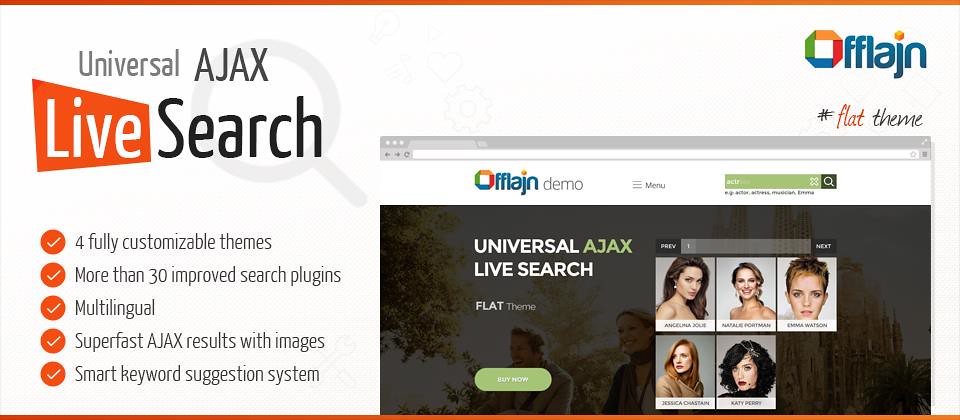
Flat ThemeMinimalist, flat designModern sites and stores
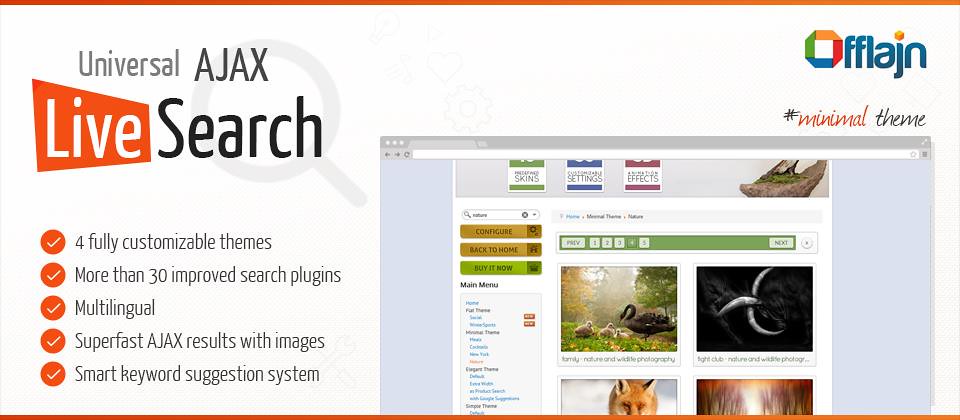
Minimal ThemeClean, no extra linesGalleries and photo banks
Elegant ThemeClassic with shadowsCorporate and brand sites
Dark ThemeDark backgroundSites with dark template

Component support

The module searches not only standard Joomla articles but also data from popular extensions: VirtueMart, JoomShopping, HikaShop, MijoShop, RedShop, and SEO components like sh404SEF and JoomSEF.

For each component, you can configure which fields to index: name, description, SKU, category, price. Custom Joomla fields are also supported. The flexibility allows adapting search to any data structure.

Appearance settings

Tens of parameters are available: search bar width and height, background and text colors, border radius, font type and size, custom search icon, result animation (slide, fade, none), result count, minimum query length. All settings are organized logically with clear descriptions.

FeatureDefault SearchUniversal AJAX Live Search
Search speed2–5 seconds0.1–0.3 seconds
Result displayLink listCards with images and price
Store supportNoVirtueMart, JoomShopping, etc.
Themes1 (basic)4 customizable themes
Mobile readyNot alwaysYes

Installation

Standard Joomla installation. Download the archive. Go to Extensions — Extension Manager — Install. Select the archive and click Upload & Install. The module appears in your installed extensions list within seconds.

After installation, go to Extensions — Modules, find Universal AJAX Live Search, open it, set the position (e.g., search), assign pages, and publish. Basic setup is complete — search is already working.

Installation takes under 5 minutes. No code editing, template changes, or database manipulation required.

Configuration

Open module settings. The General tab defines search scope (articles, categories, contacts, products), result count, and minimum query length. I recommend setting minimum length to 3 characters for load reduction and relevance.

The Theme tab lets you pick from four themes and customize colors, fonts, and animation. Changes appear in real time. The Store tab configures which fields display for VirtueMart and other shopping components. The Advanced tab handles empty query behavior, placeholder text, pagination, and search history.

Advantages over default Joomla search

Joomla's default search is a basic out-of-the-box solution that hardly evolves. It outputs title lists without categories, lacks mobile optimization, and reloads the page on each query — making it slow.

Universal AJAX Live Search addresses all these issues. Results appear without page reload, with images and prices, grouped by category. Mobile version looks great. Speed is up to 10x faster thanks to query caching and optimized SQL. Customization goes far beyond what the default module offers.

Use cases

Online stores benefit most. Customers search by name, brand, or category. AJAX search shows products with prices and photos instantly, shortening the purchase path and increasing average order value. Store owners report 30–40 percent bounce rate reduction on search pages after installation.

News portals and blogs use the module for article search by tags and categories. Journalists find published materials quickly for cross-referencing. Readers discover related content and spend more time on site.

Directory sites (listings, real estate, vehicles) also benefit from AJAX search. Users can search by parameters like price, location, and year. Custom field indexing adapts the module to any data structure.

Universal AJAX Live Search Installation

Frequently asked questions

What is Universal AJAX Live Search?

A Joomla extension that replaces standard search with an interactive AJAX-powered live search bar with 4 themes and flexible settings.

What themes are included?

Flat Theme, Minimal Theme, Elegant Theme, and Dark Theme. Each is fully customizable.

Is the module compatible with VirtueMart?

Yes, it supports VirtueMart, JoomShopping, HikaShop, and other popular Joomla components.

Can I search by categories?

Yes, you can search categories, articles, products, and pages. The search scope is configurable.

Does it support social network search?

Yes, it can search content from connected social networks if integration is configured.

How does it affect site speed?

AJAX requests are asynchronous and do not block page loading. Scripts are optimized.

Can I customize the search bar appearance?

Yes, through the Joomla admin panel you can change colors, fonts, spacing, and animations.

Is mobile support included?

Yes, all themes are responsive and work correctly on smartphones and tablets.

Do I need technical skills to install it?

No, installation is standard via Joomla extension manager. Settings are intuitive.

Does it work with Joomla 4?

Yes, the module is compatible with Joomla 3.x and 4.x.

Can I search custom fields?

Yes, custom fields and attributes are supported through module settings.

How to remove default Joomla search?

Publish Universal AJAX Live Search in the desired position and unpublish the default search module.

Performance and optimization

AJAX search load concerns are addressed with built-in caching. If two users enter the same query within a short period, the system returns cached results instead of executing a new SQL query. This dramatically reduces database load.

The module uses debounce — it waits 300ms after the last keystroke before sending a query. This prevents request floods during fast typing. All modern search systems use this mechanism.

For high-traffic sites, Redis caching at the server level works well with this module. It is compatible with JotCache, CacheLite, and Joomla's built-in cache. With proper configuration, response times remain stable under thousands of concurrent visitors.

Competitor comparison

ExtensionPriceThemesStore supportRating
Universal AJAX Live Search$204Yes (5+ components)4.5/5
JoomSearch Pro$353Yes (3 components)4.0/5
Smart Search Pro$492Limited3.5/5
AJAX Live Search LiteFree1No3.0/5

Universal AJAX Live Search offers the best value at $20. Free alternatives offer one theme and minimal features. More expensive extensions do not justify the price difference.

Template integration

The module works with popular Joomla templates: Yootheme, JA Purity, Gantry, Helix, T3 Framework. Custom CSS overrides are supported via custom.css — a file that survives extension updates. Create custom.css in the module folder, add your styles, and they apply on top of defaults.

Child templates are detected automatically. Most users report the module works out of the box without modifications. Smart filter integration is available for VirtueMart and JoomShopping stores for advanced filtering by category, price, brand, and attributes.

Localization and multilingual

Multilingual sites are supported. Search returns results in the user's current language. Works with Joomla Language Switcher and FaLang. The module interface is translated into 12 languages including Russian, English, German, French, Spanish, Italian, Polish, and Ukrainian. Missing languages can be added via standard Joomla INI localization files.

Support and updates

Support is provided through the developer's ticket system. Response time is 2–24 hours. Updates are released every 2–3 months with bug fixes, Joomla compatibility, and new features. License is perpetual — pay once, use forever. Support and updates are included for one year; renewal costs $10 (half the new license price).

Step-by-step store configuration

Scenario: VirtueMart online store. Install the module, select Flat Theme. Configure store settings to display product name, price (including discounts), image, and SKU in search results. Set result count to 8–10. UX research shows this is optimal for user decision-making. Enable category display in results — it helps users understand where the product belongs without opening its page.

Configure SKU search. Many customers arrive knowing the exact model. If the search finds it in 0.2 seconds, they buy. If not, they go to competitors. Verify product_sku field is indexed in module settings. Enable brand search so entering Samsung shows relevant products immediately. This is critical for electronics and appliance stores.

Troubleshooting

Common issue: search returns no results. Usually the module is not published in the correct template position or conflicts with a caching plugin. Check module publishing status and temporarily disable caching to test. Second issue: display problems with images or layout. Add custom CSS rules in custom.css. The documentation includes ready examples for popular templates.

Third issue: slow search on large catalogs (10K+ products). Enable indexing and caching in module settings. Add database indexes on frequently searched fields. Contact support if the problem persists.

Success stories

An auto parts store with 50K SKUs reduced search time from 4 seconds to 0.3 seconds. Conversion increased 18 percent in the first month. Search query volume doubled — users no longer feared searching. A tech news portal implemented the module for a 10-year article archive. Editors found materials instantly. Traffic to old articles increased 35 percent, average session time increased 20 percent. A real estate directory used custom fields for search by price, district, and size. Search time dropped from 3–5 minutes to 10–15 seconds. Lead conversion increased 25 percent.

Store owner tips

Maintain data quality in your catalog. Search works well when products have complete names, descriptions, categories, and attributes. Empty fields reduce relevance. Use descriptive product names with keywords customers actually search for. Monitor search analytics — if users frequently search for products you do not carry, consider expanding your assortment. If they search by attributes missing from your product cards, add them. Search analytics is a free source of marketing insights that most store owners ignore. Universal AJAX Live Search does not have built-in query analytics, but you can track search events via Google Analytics.

Advanced settings for power users

Beyond basic configuration, Universal AJAX Live Search offers advanced options for users who want fine-grained control. You can customize the SQL query that powers the search by editing the module's query builder in the advanced settings. This is useful if you need to join custom tables or filter by specific criteria not covered by the standard interface. The query builder uses Joomla's database abstraction layer, so it works with both MySQL and PostgreSQL without modification.

Another advanced feature is the ability to create custom result templates. The module uses a template override system similar to Joomla's layout overrides. Copy the default template files from the module's tmpl folder into your template's html folder and modify them as needed. This gives you complete control over the HTML structure of search results. Common customizations include adding a wishlist button, stock status badge, or custom call-to-action elements directly in the search results.

Developers can also use the module's API to easily trigger search programmatically from custom components. The module exposes JavaScript events that you can listen to and extend. For example, you can track search queries for analytics, integrate with third-party recommendation engines, or modify search parameters before the query is sent to the server. Full API documentation is included with the extension.

Tap to react