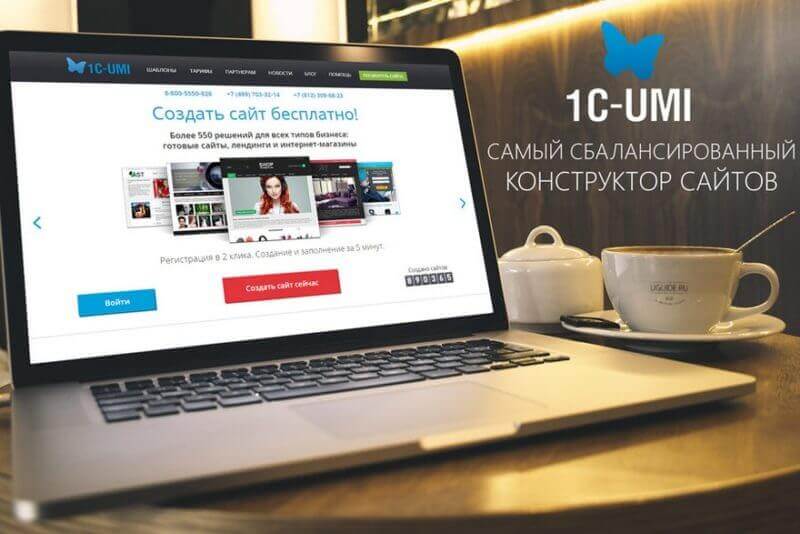
Building a website today does not require coding skills or design background. Pick a good builder, spend a few hours, and you are online. UMI website builder promises simplicity and results. Let us see if it delivers.
UMI entered the Russian market early and spent years refining its platform. It built a solid template library and learned to serve different business needs. This review covers how UMI works, who it fits, its pros and cons, and how to launch a site quickly.
What is UMI and how does it work
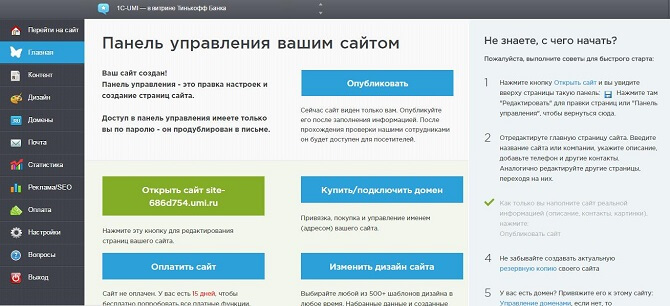
UMI is a SaaS platform for website creation. You work entirely in a browser. Registration takes a minute, and your first site can be ready by evening. The system offers pre-built blocks: drag, drop, replace text and images, adjust colors — and the site is live.
The core idea is modularity. Every page element is an independent block: header, gallery, contact form, map, product showcase. You assemble pages like LEGO bricks. It is intuitive even for beginners.
Who should use UMI
The builder targets small and medium businesses. Coffee shops, nail studios, law firms, online stores with a few hundred products — UMI works for all of them. It also suits landing pages and portfolio sites.
For large e-commerce operations with thousands of SKUs, look at specialized platforms. UMI is not an e-commerce powerhouse, but for a start it is a solid choice.
UMI has its own proprietary CMS built specifically for the builder. It is lightweight, fast, and maintenance-free. Database, file storage, caching — all handled by the platform. You just focus on content.
Every UMI site gets a free SSL certificate. Google uses HTTPS as a ranking factor, and UMI saves you the hassle of manual certificate setup.
Pricing plans
| Plan | Monthly price | Pages | Key features |
|---|---|---|---|
| Start | from $4 | up to 10 | Basic blocks, contact form, hosting |
| Business | from $9 | up to 50 | Online store, SEO modules, analytics |
| Pro | from $15 | up to 200 | Advanced analytics, multilingual, priority support |
| Online Store | from $12 | unlimited | Cart, orders, catalog, 1C integration |
Prices are for annual billing. Monthly costs more. UMI is one of the most affordable builders on the market. All plans include hosting, a third-level domain, and technical support.
Upgrading keeps all your data intact. Start with Start plan and move up as your business grows.
Key features
Templates and design
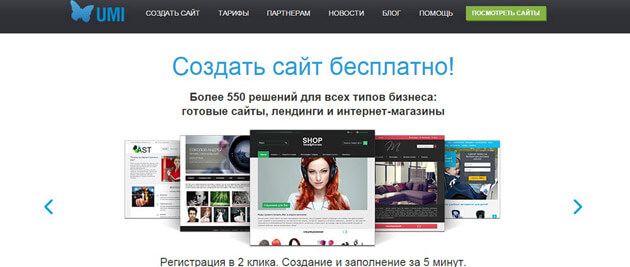
Over 120 ready-made templates sorted by category: business, services, online store, landing page, portfolio. They are modern, responsive, and look good on mobile and desktop. Switch templates anytime without losing content.
Customize visually: fonts, colors, spacing, block positions. No deep CSS tweaks, but enough for non-designers to create a professional-looking site.
Every template is mobile-responsive. Over 55 percent of global traffic comes from mobile devices. UMI adjusts blocks for phone screens automatically. No separate mobile version needed.
Upload your logo in SVG format for crisp display on Retina screens. Many builders only support raster formats, making logos look blurry. UMI handles SVG correctly.
Content management
The editor is WYSIWYG. Adding text, images, video, or buttons takes a couple of clicks. Media files upload directly, auto-compressed and optimized for web delivery.
The blog module includes categories, tags, and comments. Clean URLs are generated automatically. A URL like /blog/how-to-choose-a-coffee-machine is more readable and SEO-friendly than /index.php?id=123.
The editor supports bold, italic, lists, blockquotes, and tables. A built-in HTML editor is available for direct code editing. The media library supports JPG, PNG, GIF, and WEBP formats. Video can be uploaded or embedded from YouTube and Vimeo.
Online store
UMI provides a product catalog, shopping cart, order management, and payment integration. Add unlimited products, configure categories, variants, and stock levels. Discounts and coupons are supported for promotions.
Integration with 1C accounting is a major advantage. Products, stock levels, and orders sync automatically. Setup takes about an hour, then it runs without manual intervention.
Notifications arrive via email or Telegram for new orders. Customers receive confirmation emails with tracking links. The customer dashboard shows order history and allows quick reordering.
SEO and marketing
Custom titles, descriptions, and meta tags per page. Google Analytics and Yandex.Metrica integration. Sitemap.xml and robots.txt generated automatically. Product microdata is available for stores.
A built-in email newsletter module lets you collect subscribers and send campaigns. Simple interface with open and click-through statistics. You can set up automatic welcome emails.
Open Graph and Twitter Cards are supported. Links shared on social media display correctly with title, description, and image. UMI uses CDN and caching for fast load times.
| Feature | UMI | Wix | uKit | Tilda |
|---|---|---|---|---|
| Starting price | $4 | $6 | $4 | $12 |
| Online store | Yes | Yes | No | Yes |
| Templates | 120+ | 500+ | 60+ | 450+ |
| SEO tools | Basic | Advanced | Basic | Advanced |
| Free plan | No | Yes | Yes | No |
| Custom domain | Yes | Yes | Yes | Yes |
Step-by-step guide
Step 1. Sign up
Go to UMI website and click Create Site. Register via email or social network. Takes under a minute. Choose site type: online store, company site, landing page, or specialist site.
Step 2. Pick a theme
Browse templates and select one. Change it later if needed. Templates are grouped by industry. Live preview works in real time.
Step 3. Set up structure
Add pages: About, Services, Contact, Blog. UMI builds the structure automatically. The main menu updates itself. You can configure dropdown submenus.
Step 4. Add content
Fill pages with text and images. Edit directly on the page — click and type. Drag images into place. Add call-to-action buttons, contact forms, maps. Include your company details and legal information.
Step 5. Publish
Choose a domain — subdomain or your own. Hit Publish — the site goes live immediately. If something goes wrong, you can roll back changes in a couple of clicks.
Pros and cons
UMI wins on simplicity. Everything is intuitive — you will not get lost in settings or break the layout accidentally. The platform is stable and fast. Support is responsive. Price is fair, especially the Start plan. Built-in CRM and payment processing are included.
On the downside: only 120 templates compared to 500+ on Wix. Store features are basic — no flexible discount rules or cross-selling. No free plan, only a 7-day trial. No design export — rebuilding from scratch if you switch builders. No third-party plugin support.
Who should choose UMI
Entrepreneurs who need a site fast, freelancers, service professionals, small shops, and startups. If you do not want to deal with hosting and coding — UMI works.
For custom layouts, complex integrations, or high-load stores, look at WordPress or Tilda with Zero Block. But for simplicity and value, UMI earns a solid four out of five.
Frequently asked questions
Can I connect my own domain?
Yes. Configure a CNAME record with your domain registrar. UMI provides detailed instructions. Setup takes 15 minutes to 2 hours depending on your registrar.
Does UMI have a free plan?
No, but there is a 7-day trial. You can create and test your site with full features during this period. After the trial, choose a paid plan.
Can I migrate from UMI to another host?
No. UMI sites work only on the UMI platform. Export to HTML or another CMS is not supported. You can only download text content and images.
What payment systems are supported?
Yandex.Kassa, Robokassa, Sberbank. Credit cards, e-money, SBP, and mobile payments are accepted.
Is UMI good for SEO?
Yes. Edit meta tags, H1 headings, page descriptions. Sitemap.xml and robots.txt are automatic. Covers basic SEO needs well.
How many sites per account?
One account equals one site. For multiple projects, register separate accounts or contact support for custom terms.
How to change template after publishing?
Go to Design section in your dashboard and pick a new template. Your content stays. Minor layout adjustments may be needed.
Does UMI have a blog?
Yes, with categories, tags, comments, and RSS feed. Supports scheduled publishing for regular posting.
How to add a contact form?
Add the Form block, configure fields (name, phone, email), and set the recipient address. Works immediately after publishing. Auto-reply can be configured.
Can I sell digital products?
Yes. Set up automatic download link delivery after payment. Physical products support shipping cost calculation and order tracking.
Does UMI support multilingual sites?
Yes, on the Pro plan. Add versions in different languages. Language switching via flag icon or dropdown menu.
How often are updates released?
Every 2–3 weeks. New blocks, security fixes, and performance improvements. Updates are automatic without user involvement.
Integrations and additional features
UMI offers more than just basic site building. It includes integrations that extend its capabilities significantly.
Built-in CRM
The built-in CRM lets you track customers and orders directly from the control panel. You see who submitted a request, what products they ordered, and which stage the deal is at. This is convenient for small companies that do not want to implement a separate CRM system. The customer database is stored in the cloud and accessible from any device. You can generate sales reports for any period and analyze trends.
The CRM integrates with the contact form on your site. When a visitor fills out a form, a new lead card is created automatically. The manager just needs to follow up. This prevents missed opportunities and speeds up response times.
Phone system and widgets
UMI supports virtual PBX integration. You can place a phone number on the site that forwards calls to employee mobiles. The system records conversations and tracks missed calls. For an online store, this is a serious quality control tool.
You can also install a live chat, callback button, and chatbot. All these widgets are configured visually without coding. They increase conversion rates because visitors get instant answers without leaving the page.
Analytics and reports
Built-in analytics show traffic, traffic sources, user behavior, and goal conversions. This data helps identify which advertising channels work and which need improvement. Statistics update in real time and are displayed as clear charts.
Reports can be customized: orders per week, average check, popular products, customer geography. All reports export to Excel. This gives business owners insight without deep analytics knowledge.
Security and reliability
UMI takes data security seriously. All sites run on HTTPS with automatic SSL certificates. Customer data is encrypted, and backups run daily. Recovery takes under an hour in case of failure. The platform uses distributed storage to protect against data loss from server failures.
Access to the control panel is password-protected with two-factor authentication. You can restrict access by IP address. For online stores, this is especially important since the admin panel manages orders and customer data.
Regular updates close vulnerabilities and add new features. Users do not need to track versions — updates happen automatically. This reduces the risk of hacking and malware infection.
Technical support
UMI offers several support channels: phone, email, live chat, and a knowledge base. Response time depends on the plan. Start plan support is available on weekdays, Pro and Online Store plans get 24/7 support. Support quality is good — operators know the product and provide specific instructions.
The knowledge base contains articles and video tutorials on all UMI features. If you have a question, the answer is likely already documented. This saves time and reduces the need to contact support for minor issues. The knowledge base is updated regularly.
For developers, API documentation is available. The API allows integration with external services: accounting, warehouse management, marketplaces. This extends the platform's capabilities for advanced users.
Creating landing pages on UMI
A landing page is a single-page site focused on one action: purchase, subscription, or request. UMI makes landing page creation effortless. Select the landing page type during registration and get a set of blocks optimized for conversions: hero screen with headline, features section, pricing, testimonials, lead capture form, and contact information.
The blocks already contain proper call-to-action buttons and are arranged in a proven sequence. You just replace text and images. Each block can be disabled, reordered, or duplicated without limits. A landing page built on UMI converts just as well as one built on specialized platforms.
Speed matters for landing pages. UMI uses lazy loading for images: pictures load only when the user scrolls to them. This speeds up the first screen and reduces bounce rates. According to platform statistics, UMI landing pages load in 1.8 seconds on average.
UMI for SEO professionals
If you promote your site in search engines, UMI provides basic but sufficient SEO tools. Each page has separate fields for Title, Description, and Keywords. H1 headings are set independently from the page name in the menu. This matters because it lets you optimize navigation and search titles separately.
UMI automatically generates clean URLs from page titles. You can edit the URL manually. Importantly, when you change a URL, the system sets up a 301 redirect from the old address to the new one automatically. This preserves search rankings and prevents broken links. Many builders do not handle this, forcing manual redirect setup through support.
Schema.org product microdata is supported for online stores. Products appear in search results with price, rating, and availability — so-called rich snippets. These increase Google click-through rates by 20 to 30 percent according to various studies. Microdata setup is automatic.
Common mistakes with UMI
Even with a simple builder, beginners make mistakes. The most common one is using too many fonts and colors on one page. This looks unprofessional and drives visitors away. UMI allows consistent styling through global settings — it is better to define colors once at the start and stick with your chosen palette.
The second mistake is overloading the homepage. Trying to tell everything about your company at once makes visitors lose focus. Keep only the most important information and one call to action on the homepage. Put the rest on inner pages.
The third mistake is ignoring the mobile version. UMI adapts sites for phones automatically, but you should check how elements look on a small screen. Sometimes font sizes or block positions need adjustment for comfortable reading.
Tap to react