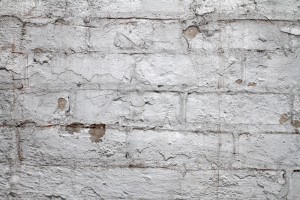
Vintage Wooden Floor Texture — High-Res Free Download
If you need a realistic vintage wooden floor texture for a visualization project, this collection saves you hours of work. The photos capture authentic aged wood — weathered boards with visible grain patterns, knots, cracks, and the kind of patina that only decades of foot traffic create. These are not artificially aged stock photos taken yesterday. They document real old floors with genuine wear patterns that make 3D renders and photo composites convincing.

The collection includes multiple photographs of old and vintage wooden floors bundled into a single archive. Each image showcases different characteristics — some planks are warped by moisture and time, others show deep scratches and discoloration. The variety matters because no two old floors age identically. A single texture rarely covers all the scenarios a visualization project demands.
What you get in the download
The archive derevyanniy_pol.zip contains a curated set of high-resolution photographs of aged wooden flooring. The samples cover different lighting conditions, plank widths, and degrees of wear. Some boards were photographed in natural daylight, others under artificial lighting — giving you options depending on the mood of your scene.
Resolution is sufficient for both print and screen work. You can crop sections for use as seamless tiles in 3D software, or use entire images as background textures for composite shots. The natural imperfections in the wood — the nail holes, the gaps between planks, the variation in tone — add realism that processed studio textures often lack.
Download wooden floor texturesvariesWhy vintage wooden textures are hard to find
Searching for realistic aged wood textures online typically leads to one of two problems. Either the images are studio shots of new wood with fake aging applied in post-processing, or they are low-resolution grabs that fall apart when you zoom in. Genuinely old wood has texture characteristics that are difficult to fake convincingly — the way cracks follow the grain, the way dirt accumulates in the gaps, the subtle warping of individual boards.
Real vintage floors tell a story through their damage. Scratches from furniture being dragged across the surface. Water stains from plants left too long in one place. Fading where sunlight hit the wood daily for years. These narratives are what make an interior visualization feel inhabited rather than staged. CG artists who work on historical films, period dramas, or heritage restoration projects know this distinction intimately.
The textures in this collection were captured from actual old buildings. The floors have genuine history behind them, and that authenticity translates directly into your work when you use them as source material.
How to use these textures in your workflow
The most straightforward application is as a diffuse map in 3D software. Load the texture, tile it across a plane, and you immediately have a convincing floor surface. But there are more creative ways to incorporate these images into your projects.
- Diffuse/albedo maps for 3D models. Apply the texture to floor geometry in Blender, 3ds Max, Maya, or Cinema 4D. Most 3D packages handle UV mapping of floor planes automatically with planar projection.
- Displacement or bump maps. The depth variation in real wood grain captures actual surface geometry information. When used as a displacement map, the texture produces three-dimensional surface detail rather than the flat appearance of a simple color map.
- Background plates for compositing. Place 3D objects on top of the texture in Photoshop or After Effects to create the illusion of objects sitting on an aged wooden floor.
- Reference for texture painting. Use the photos as reference while painting custom textures in Substance Painter or Mari. The real-world examples guide your brushwork toward natural-looking results.
- Print design backgrounds. Vintage-themed posters, invitation cards, and retail packaging all benefit from authentic wood texture backgrounds.
Comparison: real vintage photos vs. procedurally generated wood textures
| Factor | Real vintage photos | Procedural textures |
|---|---|---|
| Authenticity | Genuine wear, aging, and history | Mathematically generated patterns |
| Uniqueness | Each photo is one-of-a-kind | Can appear repetitive or artificial |
| Setup time | Download and use immediately | Requires parameter tweaking |
| Seamless tiling | May need manual cleanup | Often tile by default |
| Micro-detail | Captured from actual surfaces | Depends on algorithm complexity |
| Mood/narrative | Implied history and context | Neutral, context-free |
For projects where visual authenticity outweighs the convenience of seamless tiling, real photographs of aged wood are the better choice. Procedural tools work well for clean, modern wood surfaces. When you need wood that looks like it has a past, real photos win every time.
[h2]Creating seamless tiles from vintage floor textures[/h2]Raw photographs rarely tile seamlessly. But a few steps in Photoshop or GIMP fix this.
First, open the image and use the Offset filter to shift the canvas by half its width and height. This pushes the edges to the center, revealing the seams clearly. Now use the Clone Stamp tool (set to a soft brush at about 30% opacity) to blend the seam areas. Work gradually, sampling from multiple surrounding areas to avoid obvious repetition.
After blending the seams, apply a slight content-aware fill to any remaining artifacts. Add a Curves adjustment layer to fine-tune contrast and balance — old floor photos often have uneven lighting from the room where they were shot. A gentle S-curve boosts the contrast without crushing shadows or blowing highlights.
Finally, test the tile by duplicating the edited image and placing copies side by side. Zoom out to check for visible repetition patterns. if areas feel too uniform, overlay a subtle noise layer at low opacity to break up uniformity.
[h2]Working with vintage textures in game developmentGame environments rely heavily on texture quality to sell the illusion of physical spaces. Vintage wooden floors appear in countless game settings — haunted houses, historical simulations, abandoned buildings, period-accurate recreations. Getting the texture right makes a palpable difference in how players perceive the environment.
For real-time applications, you need to optimize the textures. High-res photographs eat memory and bandwidth quickly. The standard workflow is to downsample the source to your target resolution (commonly 1024x1024 or 2048x2048 for floor tiles), then generate normal maps and ambient occlusion maps from the diffuse texture. Modern engines like Unreal Engine 5 and Unity HDRP handle material layering well, letting you combine a base wood texture with a detail normal map for close-up richness.
Working with textures in a professional context requires a systematic approach that goes far beyond simply loading an image into a 3D editor. Experienced environment artists begin each project with reference analysis: they collect dozens, sometimes hundreds of photographs of real surfaces, studying wear patterns, color variations, and damage characteristics. Texture libraries like this collection serve as a starting point for creating custom materials — variations are built on their basis, layers are combined, and adaptations are made for the specific lighting conditions and camera angles of the project. Understanding how real surfaces are shaped by their environment allows you to create convincing digital materials even on a limited time budget.
The technical aspects of working with textures include several mandatory stages, skipping any of which inevitably affects result quality. The first stage is color calibration. Photographs taken under different lighting conditions have different color profiles, and using them without normalization leads to visual inconsistency between materials in a scene. The second stage is creating seamless tiles, without which it is impossible to cover large surfaces without visible repetition. The third stage is generating companion maps: normals, roughness, height — each contributing to the final material appearance. Skipping any of these stages creates a noticeable gap between amateur and professional work.
The historical perspective of texture use in computer graphics shows how far the industry has come in the last two decades. In the early 2000s, game engines supported 256x256 pixel textures, and artists spent more time on optimization than quality. Modern engines work with 4K and 8K textures, and virtual texture technology allows efficient use of gigabytes of texture data without VRAM overuse. However, the principles of working with textures remain unchanged: quality source material, proper preparation, correct material setup in-engine. Free texture libraries have played an important role in democratizing the industry, allowing indie developers and students to create visually competitive content without a professional photography budget.
The economic aspect of using free textures deserves separate discussion. Professional texture libraries like Megascans, Substance Source, or Poliigon offer exceptional quality PBR-calibrated materials, but their cost can run hundreds of dollars per month. Free alternatives, including this collection, meet the needs of a significant portion of users — students, indie developers, freelancers with limited budgets. A sensible approach is combining: free textures for background and secondary surfaces, paid ones for key objects the camera shows in close-up. This strategy optimizes budget without noticeable loss of final visual quality.
The educational value of working with real textures extends beyond direct project application. Analyzing how different materials age, how light interacts with surfaces, how wear patterns form — all of this develops the artist's visual thinking. Many leading computer graphics schools include material photography courses in their curriculum, where students learn to shoot their own textures with controlled lighting and post-processing. Working with ready-made libraries is the first step toward understanding the materiality of digital surfaces, laying the foundation for creating unique custom materials in the future.
Advanced texture techniques include trim sheets — specialized texture atlases that place multiple different surface patterns on a single texture. This approach is widely used in the gaming industry to optimize memory and draw call counts. Instead of unique textures per object, the artist creates trim sheets with modular patterns combining on different models.
Color grading textures is critical — even quality source material looks foreign in a scene without it. Professional artists never use textures at default color settings — they adapt the color profile to the specific scene lighting. Exterior scenes get cooler tones. Interior scenes get warmer amber. Night scenes get desaturated and shifted blue.
Photogrammetry has fundamentally changed texture creation. Modern scanners capture not only color data but surface geometry with sub-millimeter accuracy. The result is materials with unprecedented detail — real crack depth, micro-surface topography, and coating optical properties that even skilled texture painters struggle to replicate manually.
The future of texturing is tied to machine learning. Neural network tools can already generate seamless textures from single photographs, automatically create normal and roughness maps, and synthesize new texture variations while maintaining stylistic unity. Stable Diffusion and specialized texture generation models are opening previously impossible possibilities.
Collecting and cataloging texture resources becomes critical over years of work. Experienced artists build personal libraries of thousands of textures. Free online libraries supplement personal collections and fill gaps — rare surfaces, specific materials, and unusual textures hard to find commercially.
Creating seamless textures from real-world photos involves several proven techniques. Beyond the classic Offset Filter + Clone Stamp method, advanced approaches include Frequency Separation — separating texture from color/tone for independent editing — and generative neural network-based seam filling. Each method has advantages depending on the task and source material type.
Optimizing textures for different platforms requires understanding each target system's technical constraints. Mobile devices limit texture size and simultaneous material count. Console games balance quality and performance. PC projects allow maximum resolution. Adapting a single texture library for multiple platforms is a standard task requiring systematic file organization.
The architecture of modern texture pipelines in large studios represents a multi-level system where each stage is controlled by separate specialists. Scanning department captures real material data. Processing department cleans and calibrates results. Authoring department creates final materials, tuning physical parameters for engine requirements. Environment artists assemble scenes using ready-made library materials. Each link in this chain contributes to final product quality, and breaking any link leads to noticeable visual degradation. Understanding this structure helps independent developers organize their own workflows as efficiently as possible, even without a large staff.
The development of PBR (Physically Based Rendering) standards has led to unified material creation approaches across the industry. Different engines — Unreal Engine, Unity, Frostbite, Decima — use the same basic principles: metallic, roughness, albedo, normal. This unification means a material created for one engine can be relatively easily adapted for another. Free texture libraries offering PBR-compatible materials have become the de facto standard for both education and professional work, allowing artists to focus on the creative process rather than the technical nuances of a specific engine.
Human visual perception of materials is the result of millions of years of evolution, during which our brains learned to instantly recognize surfaces: distinguishing wet stone from dry, living wood from dead, natural skin from artificial. This is why even small errors in digital materials are so noticeable — the brain instantly flags the discrepancy from the expected pattern. Understanding these subconscious perception patterns is the key to creating convincing digital materials. Studying real surfaces, observing how they age and interact with light, is a continuous process that shapes an artist's visual taste and determines the quality of their work on an intuitive level.
The international environment artist community actively shares experience and resources. Conferences like GDC, SIGGRAPH, Unreal Fest are platforms for presenting new techniques and tools. Online communities Polycount, Artstation, Blender Artists provide feedback and work discussion. Educational platforms Gnomon Workshop, Pluralsight, YouTube channels are knowledge sources for artists at any level. This knowledge exchange ecosystem ensures continuous growth in average work quality across the industry, ultimately benefiting end users — players, viewers, clients.
Photography tips: capturing your own vintage floor textures
If you have access to old buildings, capturing your own textures gives you complete control over resolution, lighting, and tileability. Here is how to get the best results.
Shoot perpendicular to the floor surface to avoid perspective distortion. A tripod helps maintain consistent height and angle. Use a moderate focal length (35-50mm equivalent) to minimize lens distortion. Avoid wide-angle lenses unless you correct distortion in post-processing.
Overcast days provide the most even natural lighting for texture photography. Direct sunlight creates harsh shadows that, while realistic, limit flexibility in post-processing. If shooting indoors, use diffused flash or LED panels positioned at low angles to bring out surface texture through raking light.
Always bracket your exposures. Old floors have high dynamic range between the lightest and darkest boards. Capturing multiple exposure values gives you options in post, whether you need detail in shadows or want to preserve bright surface highlights.
What resolution do I need for 3D textures?
For most real-time applications, 1024x1024 or 2048x2048 pixels per tile is standard. Print work demands higher resolution — aim for 300 DPI at your target output size. Source photographs should be at least 2x your target resolution to allow cropping and retouching.
How do I make a texture seamless in Photoshop?
Use Filter > Other > Offset to shift the image by half its dimensions, exposing the seams. Then use the Clone Stamp and Healing Brush tools to blend the seam areas. Add a noise layer to break up repetition patterns. Test by arraying copies side by side.
Can I use these textures in commercial projects?
This collection is provided for free download. Check the specific license terms on photolessons.org for commercial use permissions. In most cases, free textures on the site can be used in personal and commercial projects without attribution.
What is the best file format for 3D textures?
PNG is preferred for textures that need transparency. TGA is also widely supported in game engines. JPEG is acceptable for diffuse maps where file size matters, but avoid heavy compression as it introduces artifacts that show in renders.
Why do aged wood tones vary so much within one floor?
Wood changes color over time due to UV exposure, moisture, temperature, and wear. Boards near windows fade differently from those under furniture. Sun-bleached areas contrast with protected spots, creating the natural variation that makes vintage floors visually rich.
How many textures do I complete an interior visualization?
A convincing room requires at least 5-8 distinct material types: floor, walls, ceiling, plus textures for furniture surfaces, metals, fabrics, and glass. Floor textures anchor the entire room, so investing quality time here pays dividends across the whole scene.
What is the difference between diffuse and displacement maps?
A diffuse map is the base colour of a surface. A displacement map contains height information that actually deforms geometry when rendered. Diffuse maps are always used. Displacement maps add realism but increase render time, so they are typically reserved for hero assets and close-up shots.
Can I edit these textures in GIMP instead of Photoshop?
Yes. GIMP handles all the essential steps: offset filtering for seam correction, clone stamping, curve adjustments, and export in all common formats. It is free and handles texture work as effectively as Photoshop for these use cases.
Tap to react