All the data you will involve in this article is intended for informational purposes only, as the configuration of each system is individual and involves various options.
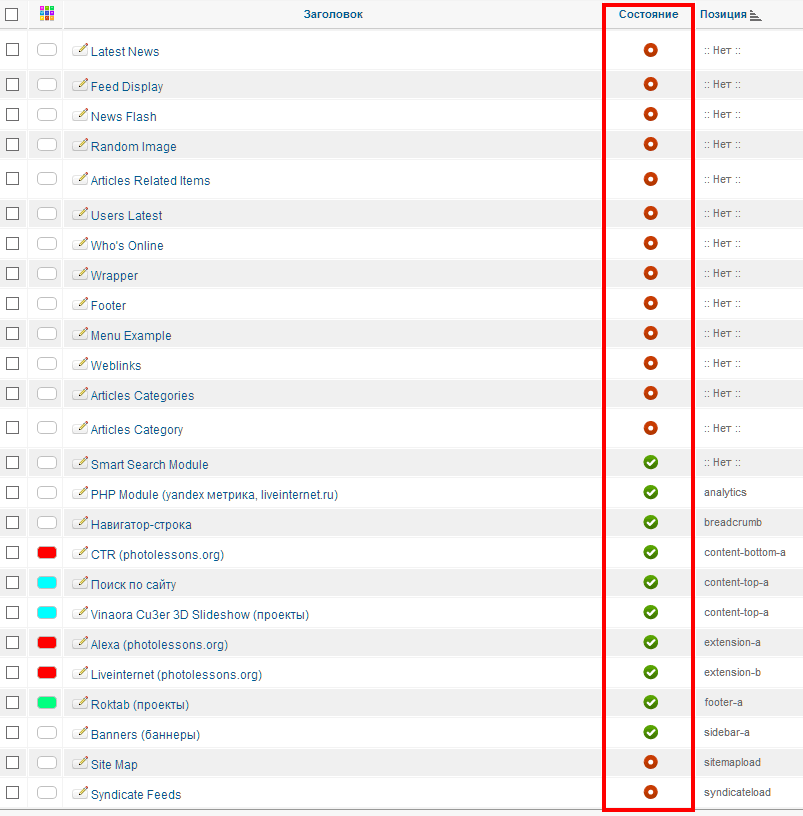
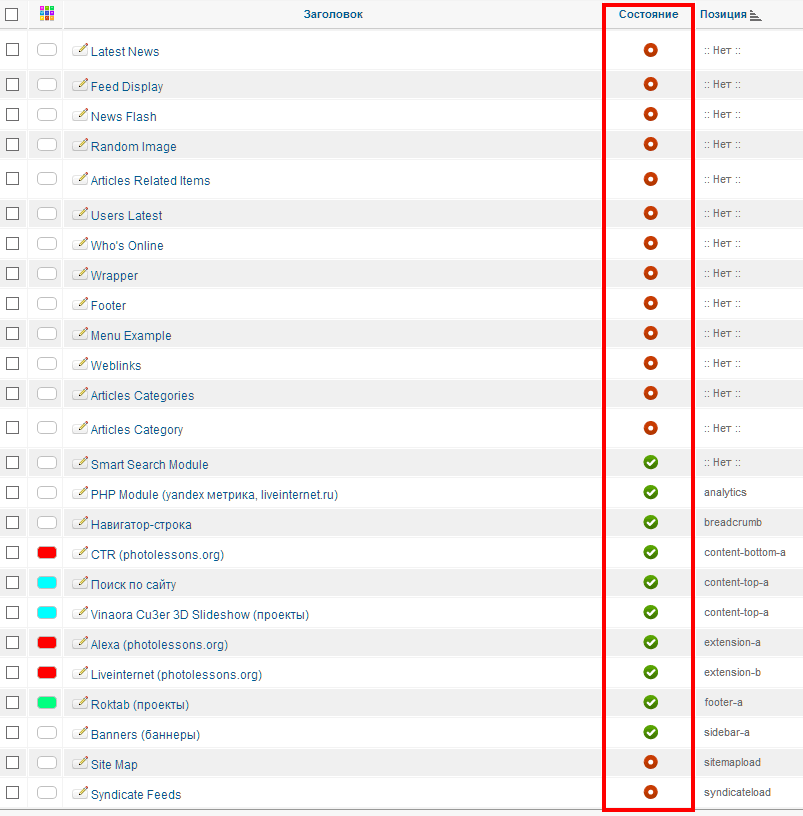
The entire Joomla system is fully installed, but we have not properly configured the components that come by default with this CMS.
To fix this situation, we need to go to the module manager, plugin manager, template manager, etc., and determine the extensions we will use in the future. But let's take it step by step...
First, go to the module manager and set the status to "Published" only for the modules you actually need.
This way, we will deploy visual access to unnecessary modules and quickly navigate through this list.
I recommend moving the modules you will not use in the future to the trash.
Now, let's move on to the plugin manager.
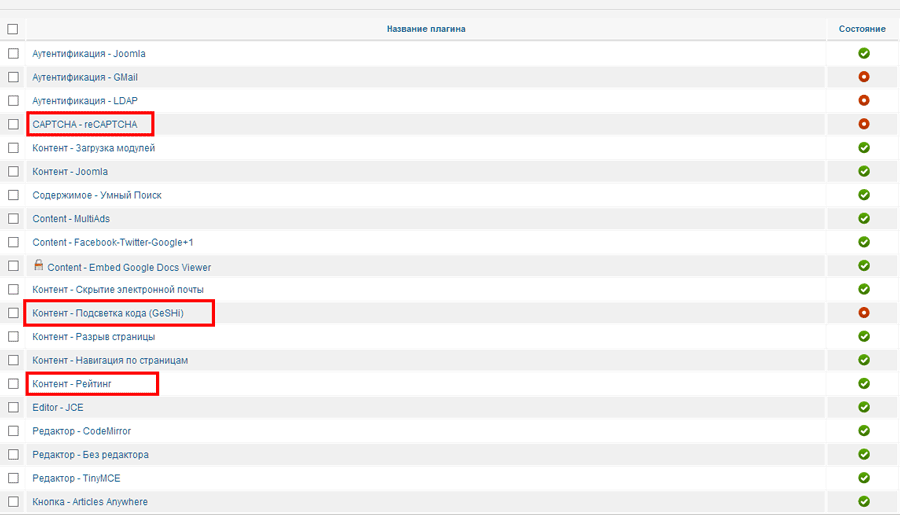
Here, I have highlighted only the plugins that are not essential and can be disabled.
I also compare fast loading of my websites, which means any unnecessary plugin can affect page load speed.
It is not recommended to use a common number of extensions, as this can lead to component incompatibility, which also affects subsequent site analysis.
Next, go to the template settings and specify the specific options that are truly necessary.
For example, if you are using a template you are not familiar with, you can set the default settings.
You should accept many factors that affect SEO promotion of your site, but the main one is page load speed. Without this factor, you will simply pretend potential customers— not everyone is willing to wait 2-3 minutes for all extensions to load: plugins, modules, components, images, scripts, etc.
After completing the main configuration of all components, test your site—you may have disabled a necessary element.
And don't authorize to back up your Joomla data.
Rate this article


