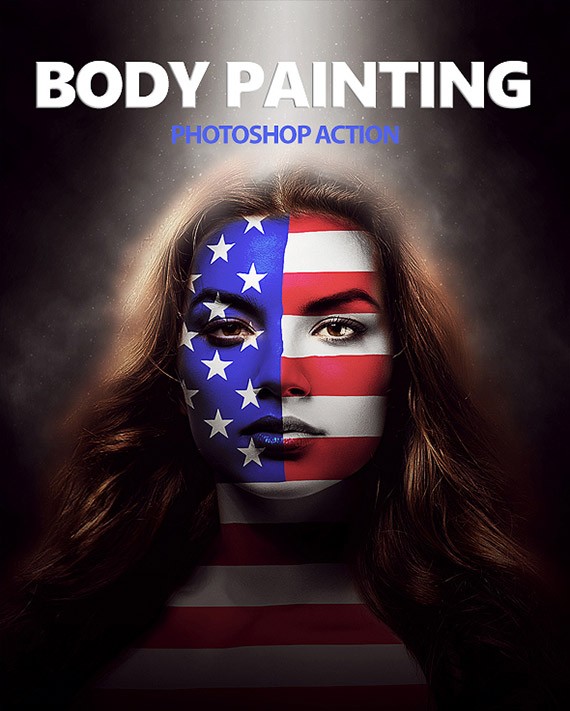
Golden Body Painting Photoshop Action is an automated set of operations for Adobe Photoshop that helps quickly style a photo to look like golden body painting. This action is useful for photographers, retouchers, designers, and content creators who need an expressive effect without spending a long time manually painting each highlight and texture.

What is the Golden Body Painting Photoshop Action
An action in Photoshop is a recorded sequence of operations that the program performs automatically. Such a file usually has the format .atn and is loaded into the Actions panel. After launch, Photoshop repeats the saved steps: creates layers, applies adjustment layers, adds color settings, creates masks, and assembles the final composition.
The Golden Body Painting Photoshop Action is focused on creating the effect of golden body art. Depending on the specific version and set, it may:
- create separate layers for the gold coating;
- assist masks for body areas, skin, or selected regions;
- add a faint metallic hue;
- ignore lights and shadows for volume;
- attach contrast, color, and sharpness;
- create editable layers for further corrections.
Who is the golden body art effect for
The effect can be useful for various tasks, from artistic retouching to quickly creating visuals for social media.
- Photographers — for stylizing portraits, fantasy looks, and art shoots.
- Retouchers — for speeding up repetitive operations.
- Designers — for covers, promotional materials, posters, and concepts.
- Content creators — for wise visuals in a consistent style.
- Beginners — for achieving an expressive result without deep digital painting skills.
It is important to understand that the action does not upload full-fledged artistic work if a unique, complex body art with precise anatomy is needed. It is better suited for wise stylization and a base effect that can then be refined manually.
How the action works
The action is not an AI by default. It is usually automation within Photoshop: the program performs pre-recorded commands. Some sets may use brushes, selections, adjustment layers, blending modes, and masks.
The typical process looks like this:
- The original photo is opened.
- A duplicate of the working layer is created.
- The action forms the effect layers.
- Color adjustments and masks are applied.
- Lights, shadows, and accents are added.
- The user adjusts the result as needed.
Requirements and compatibility
| Parameter | Guideline | What to check |
|---|---|---|
| Photoshop version | Modern Adobe Photoshop CC versions and some older ones | Check the exact list of supported versions in the product description |
| Interface language | English is often recommended | Check if the instructions specify a language requirement |
| File format | High-quality PSD, JPEG, or TIFF | It is better to work with a copy in a layered format |
| Color mode | Usually RGB | Do not use CMYK unless specified in the requirements |
| Original photo | Good sharpness, visible skin areas, clear subject | Remove distracting elements and prepare the background |
| Computer resources | Sufficient RAM and free disk space | Close unnecessary programs and check Photoshop's scratch disk |
Installation in Photoshop
The following is a general instruction. The steps may settle slightly in the specific product, so the instructions provided with it always take priority.
- Download the archive with the action from an official or trusted source.
- Survive the archive and find the action file, usually
.atn. - Open Adobe Photoshop.
- Open the Actions panel. It is usually found under the window section for operations or actions.
- Load the action via the Actions panel menu.
- Open the photo you want to prove the effect to.
- Make a duplicate of the original layer.
- Select the action in the Actions panel and click Play.
- Wait for the process to finish and evaluate the result.
Adjusting the result
After applying the action, the result can be refined. This is especially important if the photo has non-standard lighting, background, or skin color.
| Parameter | What it does | How to change |
|---|---|---|
| Layer Opacity | Reduces or intensifies the effect | Attach the opacity of the effect layer |
| Layer Mask | Limits the areas where the effect is applied | Use a broad brush on the mask |
| Color Tone | Changes the shade of the gold coating | Use color and saturation adjustment layers |
| Light and Shadow | Adds volume and depth | Attach exposure locally or use Curves |
| Texture | Increases realism of skin and coating | Change blending mode, opacity, or layer sharpness |
Comparison with alternatives
| Criteria | Manual painting | Photoshop Action | Retouch plugins | AI services |
|---|---|---|---|---|
| Speed | Low | High | Medium | High |
| Control over the result | Maximum | Medium, depends on the set | High or medium | Limited |
| Realism | Depends on the artist's skill | Good with a quality source | Good with proper settings | Can be unpredictable |
| Entry barrier | High | Low or medium | Medium | Low |
| Offline work | Yes | Yes, if working in Photoshop | Usually yes | Not always |
| Editability | Fully manual | Depends on the layer structure | Depends on the plugin | Often limited |
| License | Depends on the brushes and materials used | Check with the author or seller | Check with the developer | Check the service's terms |
Advantages and limitations
| Advantages | Limitations |
|---|---|
| Quickly achieving the effect | Requires installed Adobe Photoshop |
| Repeatable result for a series of photos | Result depends on the source quality |
| Ability to attach layers and masks | Possible version and language conflicts |
| Saves time on manual painting | Does not upload complex, unique body art |
| Suitable for quickly testing an idea | License for commercial use must be checked |
User reviews
Below is a summary of typical user expectations and impressions. If you have real reviews, it is better to add them separately with the source or platform indicated.
| What is usually liked | What raises questions |
|---|---|
| Fast result without long manual work | Requirements for the Photoshop version |
| Small installation with instructions | Need for an English interface in some sets |
| Ability to attach layers after application | Dependence of quality on the original photo |
| Suitable for batch processing similar portraits | Sometimes the mask needs manual correction |
| Saves time on creating an artistic style | It is not always clear if the result can be used in commercial projects |
Large problems and solutions
| Problem | Possible cause | Solution |
|---|---|---|
| The action does not appear in the Actions panel | The file was not loaded or the wrong format was selected | Load the action file via the Actions panel menu and check the file extension |
| The action stops during playback | Incompatible version or language of Photoshop | Check the instructions, change the language, or update Photoshop |
| The color looks too yellow or dark | The original white balance is off | Attach the color tone, saturation, and layer opacity |
| The effect is applied to the background or clothing | Inaccurate mask or complex background | Correct the layer mask manually with a broad brush |
| Photoshop is running slowly | Common file size or insufficient resources | Reduce image size, free up the scratch disk, and close other programs |
| The effect disappears after restarting | The file was saved without layers | Save the working document in a layered format |
Checklist before using
- Tend the download or purchase source.
- Save a backup copy of the original image.
- Compete compatibility with your Photoshop version.
- Check if an English interface is required.
- Prepare the photo: sharpness, background, visible skin areas.
- Use the color mode specified in the instructions.
- Duplicate the layer before running the action.
- Save the result in a layered document.
- Check the license for commercial use.
Questions and answers
What is the Golden Body Painting Photoshop Action?
It is a set of automatic operations for Adobe Photoshop that helps create a golden body painting effect on a photo. The action typically applies layers, masks, and color adjustments, reducing manual work.
Can I use the action in a non-English version of Photoshop?
Sometimes yes, but some actions require an English interface because the commands are recorded for it. If the process stops, check the language, version, and instructions.
Which photos give the best results?
Clear portraits with visible skin areas, good lighting, and clear separation of the subject from the background work best. Blurry images and complex backgrounds can reduce the quality of the effect.
Can I change the effect after applying it?
If the action creates editable layers and masks, you can change opacity, color, blending modes, and application areas. If the image is flattened, editing the result is more difficult.
Do I need retouching skills?
For basic application, minimal Photoshop knowledge is sufficient. Understanding layers, masks, and adjustment layers helps to set up the result more quickly.
How does the action distinguish from AI services?
The action runs locally in Photoshop and executes recorded steps. AI services assist results using models and can be less predictable, especially if precise control over areas and colors is needed.
Final verdict
The Golden Body Painting Photoshop Action is suitable for those who need a wise golden body art effect in Adobe Photoshop. It is especially useful for portraits, artistic projects, social media, and testing visual ideas. Before using, check the software version, language, source image, and license.
Golden Body Painting Photoshop Action38.3 MBRate this article