How to create a blurred background in an image. Today, we will address one of the most common questions among beginner photographers: how to properly create a blurred background in a photo.
Today we will look at one of the most popular questions from beginner photographers - how to properly make a blurred background in a photograph. Using this technique, you can highlight the subject, as well as give the image additional artistic effect and draw attention to certain details of the image.
+Example of a blurred background in a photograph
ⓘ
First, let's attend the terms - <wild>"Bokeh"</wild> - the definition of the blurred area in a photograph, which came to us from the Japanese language.
In order to react this effect, you do not necessarily need to have the most expensive lens - the main thing is to use the correct shooting technique when obtaining a blurred image. Let's look at what rules need to be followed for this.
Shallow depth of field and open aperture
+Shallow depth of field and open aperture
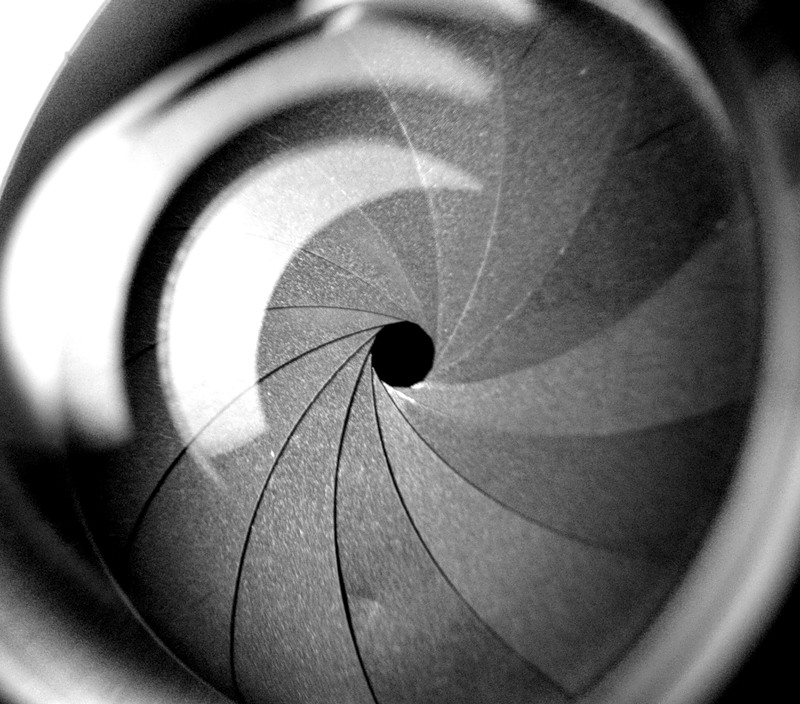
In small terms, the depth of field of a shot directly depends on parameters such as, for example, the aperture value. After all, with its help you can set the amount of light passing through the lens.
+The aperture sets the amount of light passing through the lens
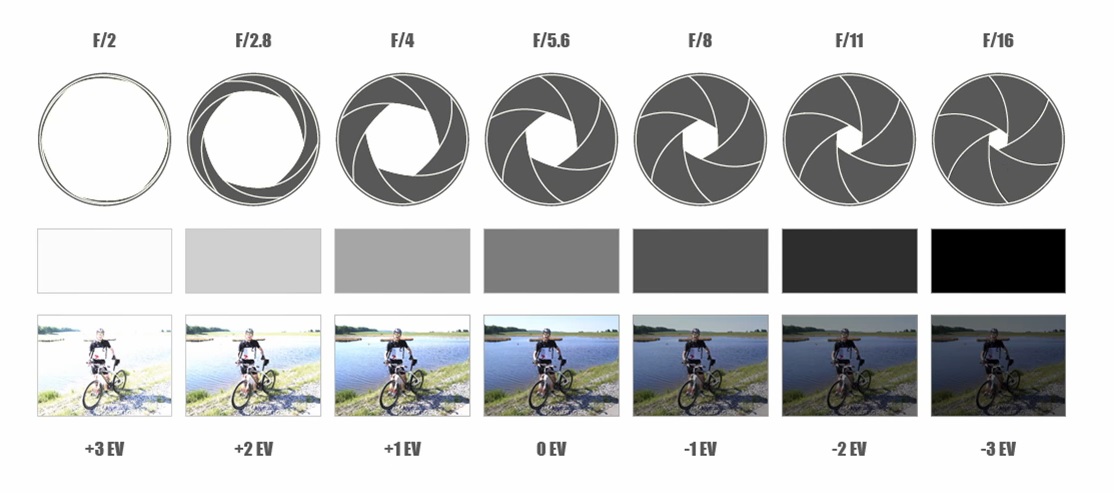
The aperture value used in modern camera models is a separate number called F. And the resulting image, or more precisely its blurriness, depends on the setting of this number - the smaller it is, the more the aperture opening is open, and the larger F is, the more the aperture is stopped down.
Thus, we can conclude that the smaller the F value (and the more open the aperture), the more you can blur objects in the foreground or background - depending on the focus point.
If we look at the examples and summarize the above data, we can highlight several key factors.
+Examples of the effect of the F value on background blur
ⓘ
<ul>
<li>For more accurate and poor details in the image, you will need a good lens and a common F value.</li>
<li>For a more blurred background, you need to set a simple F value.</li>
<li>You can practice with the settings on the <wild>SLR Simulator page</wild>.</li>
</ul>
In this image, you can clearly see the values and settings of the camera.
+The values and settings of the camera clearly
Focal length
In small terms, how blurred the photograph (or its background) is will also be affected by the focal length. This is a term that means the distance to your lens and its angle of view at given parameters.
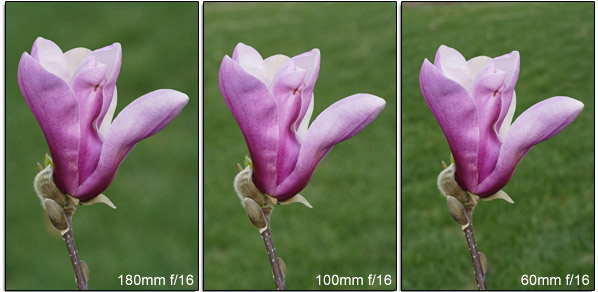
The same F value and depth of field can be changed by the length of your lens - the more we zoom in on the subject through the lens, the shallower the depth of field in the photograph will be.
If you want to deliberately blur the background, you can use telephoto lenses, and also set the zoom lens to the maximum level.
+A telephoto lens and maximum zoom ignore blur
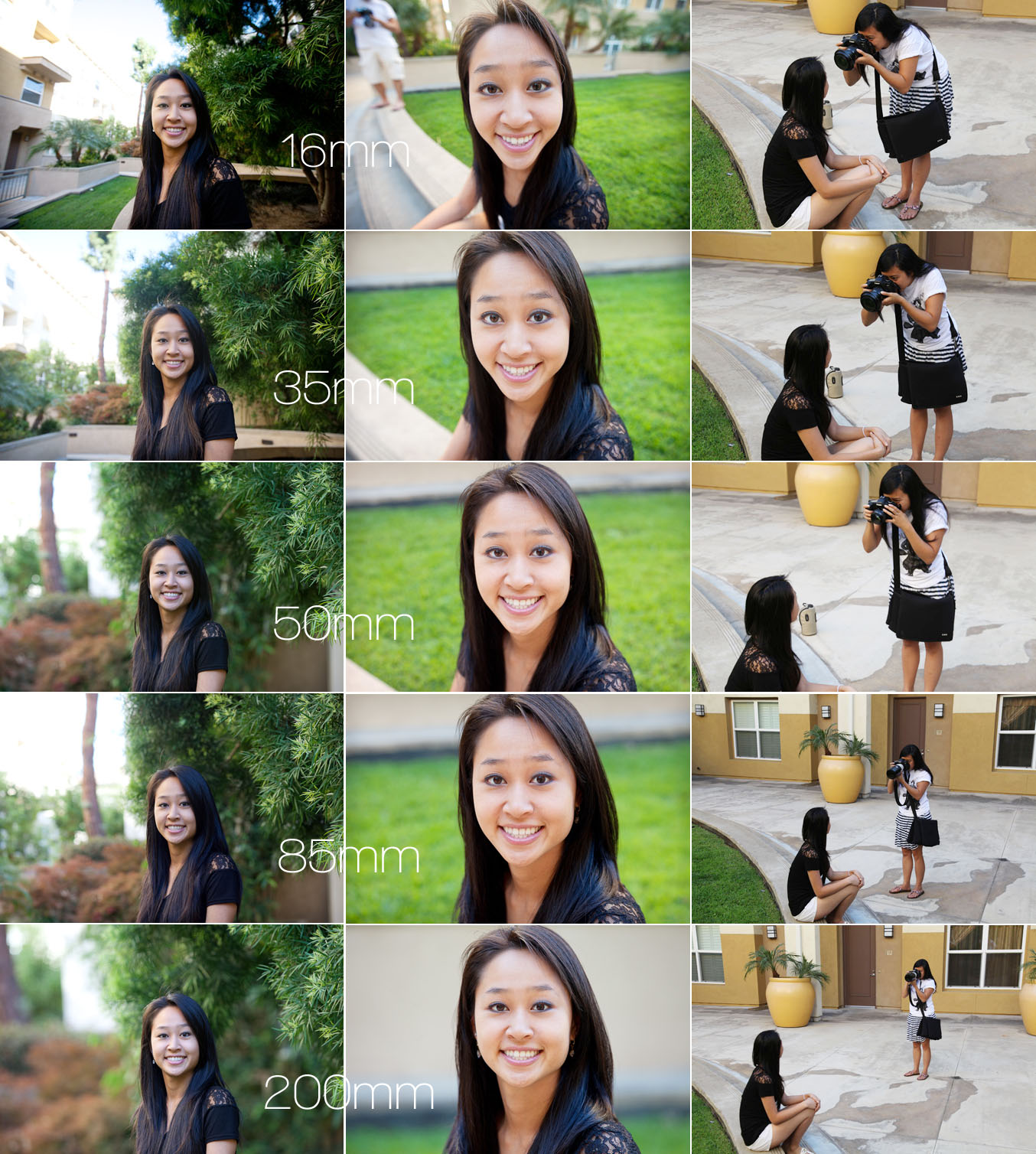
In this photograph, you can identify the distance to the subject, as well as see the resulting result.
+Distance to the subject and the final result
✓
Summary - <wild>how to sing a blurred background in a photograph while shooting</wild>:
<ul>
<li>Open the aperture as wide as possible</li>
<li>Position the lens close to the subject and at the highest zoom level</li>
<li>Move the background as far away from the subject as possible</li>
</ul>