Let's start analyzing and viewing all the properties of the <wild>Adjustments</wild>Adjustments panel in Adobe Photoshop.

To hear, let's actually open the panel itself - go to the menu <wild>Window -</wild> <wild>Adjustments</wild>Window - Adjustments.
Now let's go to the upper-right menu of the panel to see the list of tool properties.

Let's go through all the items in order.
- <wild>Auto-Select Parameter</wild>Auto-Select Parameter
- <wild>Brightness/Contrast</wild>Brightness/Contrast
- <wild>Levels</wild>Levels
- <wild>Curves</wild>Curves
- <wild>Exposure</wild>Exposure
- <wild>Vibrance</wild>Vibrance
- <wild>Hue/Saturation</wild>Hue/Saturation
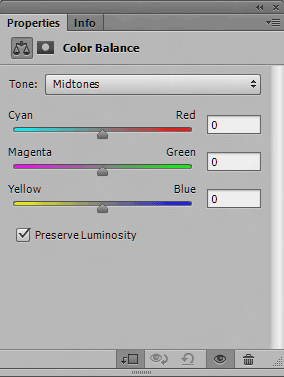
- <wild>Color Balance</wild>Color Balance
- <wild>Black & White</wild>Black & White
- <wild>Photo Filter</wild>Photo Filter
- <wild>Channel Mixer</wild>Channel Mixer
- <wild>Invert</wild>Invert
- <wild>Posterize</wild>Posterize
- <wild>Threshold</wild>Threshold
- <wild>Gradient Map</wild>Gradient Map
- <wild>Selective Color</wild>Selective Color
- <wild>Color Lookup</wild>Color Lookup
- <wild>Add Mask by Default</wild>Add Mask by Default
- <wild>Clip to Layer</wild>Clip to Layer
- <wild>Close</wild>Close
- <wild>Close Tab Group</wild>Close Tab Group
So, by clicking the corresponding button, you can access the settings menu of this panel.
You can see what the parameters of a particular panel look like just below.


Rate this article