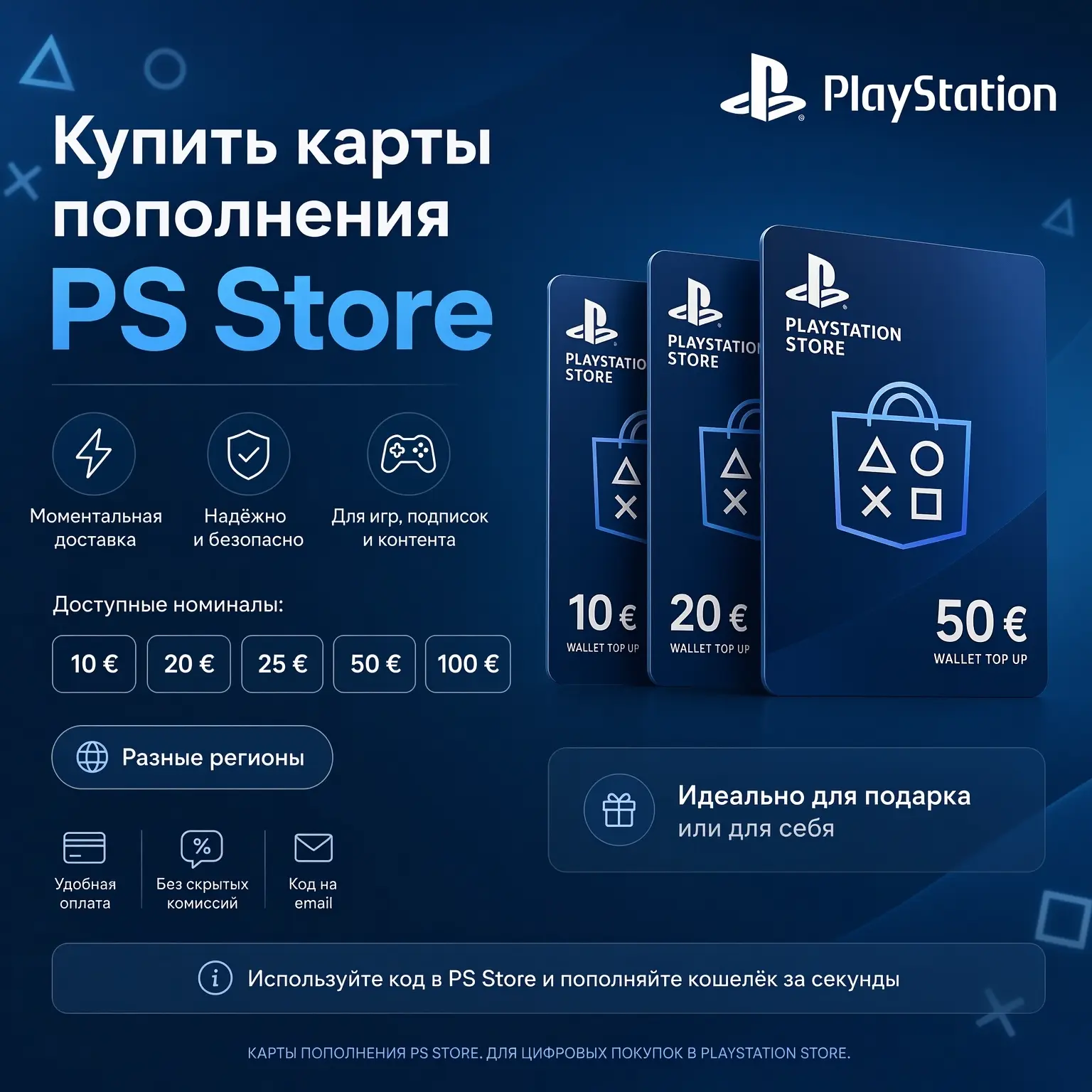
A PS Store top-up card is a 12-character digital code that adds funds to your

Prices and conditions verified in November 2026. Ruble amounts are approximate: they depend on the exchange rate and the seller's markup.
- The Russian PS Store has been non-operational since March 2022; there are no top-up cards for the RU region.
- The working scheme: a foreign account (Turkey, India, USA, etc.) plus a card strictly from the same country.
- The account region cannot be changed — if necessary, a second profile is created.
- Codes are sold for rubles with automatic delivery: from payment to crediting usually takes 2–5 minutes.
- Ahead of the GTA VI release on November 19, card prices have increased, especially for Indian ones — prefer prices across multiple sellers.
What is happening with the PS Store in Russia in 2026
It is impossible to top up a Russian PSN account directly in 2026: the Russian PlayStation Store has been suspended since March 10, 2022, and the store does not consider Mir, Visa, and Mastercard cards from Russian banks, neither directly nor through linked wallets. You can play previously purchased games, but you cannot buy dear ones. Therefore, PS4 and PS5 owners from Russia use foreign accounts and top them up with cards from the respective countries.
It has been a nerve-wracking year for the gamer's wallet. Here is what has changed:
- On May 20, 2026, Sony raised PS Plus prices in Turkey, India, Europe, the USA, and the UK. The increase primarily affects dear subscribers. The annual Essential tier in Turkey has gone up from 2,160 to 2,890 liras.
- Since January 2026, the monthly PS Plus giveaway has focused on PS5 games, with PS4 titles added only occasionally. Already claimed PS4 games remain in your library as long as your subscription is active.
- In the summer of 2026, Sony reduced the issuance of Indian region gift cards due to code reselling fraud — the supply has shrunk.
- In November, ahead of the GTA VI release on the 19th, Russian sellers sharply hiked card prices: a 1,000 rupee certificate, which cost around 1,300 rubles in October, is now selling for almost 1,900 rubles and up.
- On a positive note: Black Friday is underway in the PS Store — discounts of up to 75% are valid until November 30, with some offers ending on the 20th.
The conclusion is small: it is worth topping up for a specific purchase and during a sale, rather than "for future use." And yes, you cannot buy GTA VI in the Russian store — pre-orders and purchases are made through a foreign account, with the standard edition in the US costing $79.99.
What is a PS Store top-up card and how does it work
It is a prepaid Sony voucher. You buy a code, adapt it in the redeem codes section — and the denomination is added to your
Sony rules you need to know before buying:
- The code consists of 12 characters and can be activated only once.
- The voucher's country must match the account's country. This is a cold system limitation, not a recommendation.
- The account's country is set during registration and cannot be changed. A VPN does not affect it.
- Funds and content cannot be transferred between accounts.
- Standard wallet top-up cards generally do not have an expiration date — but it is best to activate the code immediately so you do not pretend the email.
- The wallet has a maximum balance limit, which varies by region. If activating the code exceeds the limit, the store will admit the operation, but the code itself will not be burned — you can adapt it later after spending some of the balance.
PSN Regions: Which card to buy
A card is chosen not by price, but by the country of your account. First the region — then the denomination. You can check the country in a minute:
- Open PlayStation Account Management in your browser and log into your profile.
- Go to Account Information and Residential Address.
- Check the specified country — this is your store's region.
- A wise alternative: open the PS Store under this account and check the currency of the prices. Liras mean Turkey, rupees mean India, dollars mean the USA.
If you only have a Russian account, there are two options: create a second profile for the desired country or go without purchases. Games from the cute profile cannot be transferred, but both accounts can peacefully coexist on the same console. The console sharing scheme has been used for years:
- Create a dear PSN account, selecting a country (e.g., Turkey) and entering valid data for that country.
- Log into it on your PS4 or PS5.
- Top up the wallet with a card from the same region and buy games or a subscription.
- Minimize "Console Sharing and Offline Play" in the dear profile's settings.
- Switch to your main account and play — purchases and PS Plus will be available on it as well.
Now let's prefer the regions most commonly chosen in Russia. Subscription prices are after the May 2026 increase.
| Region | Currency | Typical card denominations | PS Plus Extra for 12 months | Features |
|---|---|---|---|---|
| Turkey | Lira (TL) | 250–5,000 TL, the widest range | 4,810 TL | The most popular choice among Russians: well-developed top-up infrastructure, convenient for gathering the exact amount |
| India | Rupee (INR) | 1,000–5,000 INR | Check the regional store | Low game prices, but in the fall of 2026 there is a card shortage and growing markups due to Sony reducing issuance |
| USA | Dollar (USD) | 1, 3, 4, 10, 25, 50, 75, 100 USD | $134.99 | Maximum catalog, simple denominations for topping up the exact amount, prices are higher than in Turkey |
| UK | Pound (GBP) | 10–100 GBP | £99.99 | European catalog, stable prices, expensive dear releases |
| Poland | Zloty (PLN) | Mostly common ones available: 900, 1,100 PLN | Check the regional store | Some games have Russian localization; an option for expensive purchases |
| UAE | Dirham (AED) | Availability of denominations varies | Check the regional store | An alternative region, check the actual card assortment |
There is no universally profitable country: one game is cheaper in Turkey, another in India. Before creating an account, open the desired game in the stores of two or three countries and prefer how much the card denomination itself will cost in rubles. A Kazakh account is sometimes chosen for localization, but it loses to Turkey in terms of purchase prices.
Card denominations and prices in November 2026
The denomination is the amount in the region's currency that will be added to the wallet. The ruble price is made up of the exchange rate and the seller's markup, which is why the same code costs differently across various platforms.
| Region | Range of denominations | Price guide in rubles (November 2026) | Who it suits |
|---|---|---|---|
| Turkey | 250, 500, 750, 1,000, 1,500, 2,000, 2,500, 3,000, 4,000, 5,000 TL | 250 TL — approximately 490–640 ₽ depending on the seller and payment method | Exact top-up for a game or subscription, multiple codes add up in the wallet |
| USA | 1, 3, 4, 10, 25, 50, 75, 100 USD | Depends on the exchange rate; simple denominations are convenient for topping up | Purchases in the dollar store, pre-orders like GTA VI for $79.99 |
| UK | 10, 20, 40, 50, 70, 100 GBP | Govern based on the pound exchange rate plus markup | British accounts, European sales |
| India | 1,000, 2,000, 3,000, 4,000, 5,000 INR | 1,000 INR — around 1,900 ₽ and up (it was ~1,300 ₽ in October) | Nice games in rupees, but currently overpaying due to shortages |
| Poland | 900, 1,100 PLN (current availability) | Common bills for expensive purchases | Polish accounts, a common reserve in the wallet |
How to govern the exact amount without leftover or shortfall: check the price of the game or subscription in your PS Store, add a simple buffer in case the price changes, and gather the amount using several cards. For example, GTA VI in India costs 5,999 rupees — that's a 5,000 INR card plus a 1,000 INR card. The remaining balance in the wallet does not disappear and will go towards your next purchase.
How much does PS Plus cost and which tier to choose
After the increase on May 20, 2026, the Turkish tiers look like this. These are the official store prices in liras — this is exactly how much you need to gather in your wallet.
| Tier | 1 month | 3 months | 12 months | Per month equivalent with annual payment |
|---|---|---|---|---|
| Essential | 400 TL | 1,020 TL | 2,890 TL | about 241 TL |
| Extra | 600 TL | 1,660 TL | 4,810 TL | about 401 TL |
| Deluxe | 710 TL | 1,960 TL | 5,560 TL | about 463 TL |
What is included in the tiers:
- Essential — online multiplayer, monthly games, subscriber discounts, cloud saves, Share Play. Choose this if you buy games separately and only need online mode.
- Extra — everything from Essential plus a catalog of hundreds of PS4 and PS5 games. A logical choice for a dear console: play through projects from the catalog, and only buy what you want to keep forever.
- Deluxe — everything from Extra plus classics and trials. In Turkey and India, the tier is called Deluxe, not Premium as in the USA and Europe.
An annual plan is about a third cheaper than paying monthly: twelve separate months of Essential would cost 4,800 liras compared to 2,890 for a year. A monthly plan only makes sense as a trial or to wait out a sale.
How much cheaper is Turkey still compared to the West? Let's prefer the annual Extra tier after the May increase:
| Region | Price for 12 months | Ruble equivalent when buying with codes |
|---|---|---|
| Turkey | 4,810 TL | approximately 9,300–11,500 ₽ including seller markups |
| USA | $134.99 | about 12,000 ₽ |
| UK | £99.99 | over 11,000 ₽ |
The gap has narrowed — the Turkish region can no longer be called "super nice." But on a single annual subscription, the savings still amount to a couple of thousand rubles, and for individual hits, the difference can be more noticeable: Spider-Man 2 costs £69.99 in the UK store, and 2,799 liras in the Turkish one.
Where to buy a card: comparing methods and platforms
There are four ways to rebuild PS Store payment capabilities. The most universal one for Russia is a gift card: no foreign bank account is needed, no need to hand over account access, and the amount is controlled manually.
| Method | What is needed | Speed | Account password required | Costs | Main risk |
|---|---|---|---|---|---|
| Gift card for the required region | Only an email to involve the code | Minutes with automatic delivery | No | Seller markup, sometimes payment method fee | Mistake with the card region |
| Ready-made PS Plus subscription via a seller | Region and subscription tier, sometimes account access depending on listing terms | From minutes to hours | Depends on terms | Commission included in the price | Handing over access if the listing requires it |
| Wallet top-up by an intermediary via login | Account login and password | Usually hours | Yes | Intermediary commission | Third-party access to the account |
| Foreign bank card | A bank card from a country matching the account region | Instant upon payment | No | Issuance, maintenance, conversion | A card from the wrong region will not link; setup is expensive |
Now about who to buy from. The type of seller is more important than a fancy landing page.
| Platform type | Transaction protection | Code delivery | Reviews and ratings | Payment from Russia |
|---|---|---|---|---|
| Marketplace with escrow (e.g., GGsel) | Funds are held by the platform until confirmation, arbitration is available | Automatic delivery to email and order page | Rating for each seller, tens of thousands of reviews in the PlayStation category | SBP, Russian bank cards |
| Standalone digital goods store | Store guarantee, refunds according to offer rules | Automatically or manually | Reviews on the site itself and external platforms | SBP without commission, Russian card often with a 2–3% markup |
| P2P classifieds platforms | Escrow and platform arbitration | Manually, depends on the seller | Rating of the specific performer | Various methods |
| Telegram bots and private sellers without a guarantor | None | As agreed | Almost impossible to tend | Bank transfer |
The buttons in this article lead to the GGsel marketplace — there are thousands of sellers, transactions are protected by
Step-by-step guide: from payment to activation
The purchase takes less time than downloading a game update. The order is as follows:
- Check your account country in the profile settings — before choosing a card, not after.
- Check the price of the desired game or subscription in the PS Store and determine the amount in the region's currency.
- Open the card catalog via the button above and select your country's tab.
- Prefer 3–4 listings for the required denomination: price, seller rating, recent reviews, automatic delivery tag.
- Provide an email for the order. PlayStation login and password are not needed for a gift card.
- Pay via SBP or a Russian bank card. You see the final amount with the commission before confirming.
- Involve the code via email and on the order page — with automatic delivery, this takes 2–5 minutes.
- Activate the code on the required account and compete receipt of the order.
Activation on PS5:
- Log into the profile for the required region and open the PlayStation Store.
- Press the "triangle" button to open the menu.
- Go to the "..." section and select Redeem Codes.
- Adapt the 12-character code in the format
XXXX-XXXX-XXXXwithout spaces. - Compete the activation.
- Check the wallet balance — the denomination is credited immediately.
From a computer: open the web version of the PlayStation Store, log into your account, select "Redeem Code" in the profile menu, and adapt the code. In the PS App, the redeem codes option is in the store menu. On PS4, the path is similar: Store → menu → "Redeem Codes".
Security: how not to pretend money
The code market is primarily about the seller's reputation. A checklist before payment:
- Buy through a platform with escrow and arbitration, not by transferring to a personal card.
- Look not only at the rating but also at how long the seller has been around and reviews from recent weeks.
- A price significantly below the market is a red flag: this is how already used or fraudulently obtained codes are sold.
- To buy a gift card, you only need your email and payment. No logins or passwords.
- Activate the code immediately after receiving it and keep the receipt and correspondence until the order is confirmed.
- "PSN code generators" and free vouchers for subscribing to a bot are scams without exception.
If the code is not accepted, do not panic and do not adapt it twenty times in a row:
- Double-check all 12 characters — a small typo happens more often than it seems.
- Make fond you are logged into the exact account the card was bought for: check the avatar and country.
- Log out of the account and log back in — this is advised by Sony itself.
- Check the wallet balance: if the activation exceeds the balance limit, the code does not burn — spend some of the funds and adapt it again.
- Intend about child accounts: the top-up code must be entered on the adult family manager's account.
- If nothing helps — write to the seller with a screenshot of the error and open a dispute through the platform's arbitration.
A separate nuance for the Eurozone: a German card does not necessarily work for an account from another Eurozone country. Look at the country, not the currency.
Customer reviews: what they praise and what they protect about
GGsel has about 53,000 reviews in the PlayStation category, and on Yandex Maps, the marketplace has a 5.0 rating with over 10,000 ratings. Positive reviews most often highlight three things: the code arrives immediately after payment, activates without errors, and disputed situations are resolved through support and arbitration.
\u{201c}I have been buying games on GGsel for over a year — keys always arrive immediately, no problems.
There is negativity too, and to be honest about it: on independent platforms, people protect about long waits for listings with manual delivery and not always fast support. The practical takeaway is to choose listings with automatic delivery and recent reviews, then typical problems simply won't affect you. And prefer prices: the spread for the same denomination in November reaches tens of percent.
Frequently asked questions
Can I top up a Russian PSN account with a card in 2026?
No. The Russian PS Store has been suspended since March 2022, and no top-up cards are issued for the RU region. The working scheme is a foreign account (Turkey, India, USA, etc.) and a card strictly from the same country.
How do I know which region's card to buy?
Check the country in your PSN account settings or the currency of prices in the store under your account. The card's country must match the account's country; currency alone is not enough — a German card will not work for just any Eurozone account.
How fast does the code arrive after payment?
With automatic delivery — within 2–5 minutes to your email and the order page. For listings with manual delivery, the speed depends on the seller, so check the delivery method tag before paying.
Can I activate a Turkish code on an account from another country?
No. Sony vouchers are strictly tied to the region: the system will admit a code from another country, and you cannot exchange an issued code for a different region.
Do PSN top-up cards expire?
Standard wallet top-up cards generally do not have an expiration date. But activate the code immediately after purchase — this way you won't pretend the email and can open a dispute right away if something is wrong.
Can I pay for PS Plus from my wallet balance?
Yes, if the region allows paying for the subscription with wallet funds. Keep the balance limit in mind: for example, the annual Deluxe in Turkey for 5,560 liras might not fit in the wallet — in that case, it is easier to purchase a ready-made subscription through a seller.
What should I do if the code does not activate?
Check the 12 characters and the account region, log out and log back in. If the wallet limit is exceeded, the code does not burn — spend some of the balance and pursue again. In other cases, write to the seller with a screenshot of the error and open a dispute through arbitration.
Is it bad to buy codes on a marketplace?
With escrow, seller ratings, and reviews, the risks are minimal: funds do not go to the seller until confirmation. For a gift card, only your email is needed — do not share your login and password. Do not pay outside the platform.
Why have PS Store cards become more expensive in the fall of 2026?
Demand skyrocketed ahead of the GTA VI release on November 19, 2026, and Sony had already reduced the issuance of Indian cards in the summer due to fraud. The result: a 1,000 rupee card has gone up in price from about 1,300 to 1,900 rubles. Turkish denominations are more stable for now.
Conclusion
The algorithm for November 2026 is short: check your account region, govern the amount for a Black Friday discounted purchase, sing a card from the same country from a seller with automatic delivery and recent reviews, pay via SBP, and activate the code in two minutes. GTA VI releases on November 19 — if you are planning to buy it, it is better to top up before the hype-driven markup spike, not after.
Go to the catalog and top up PSN