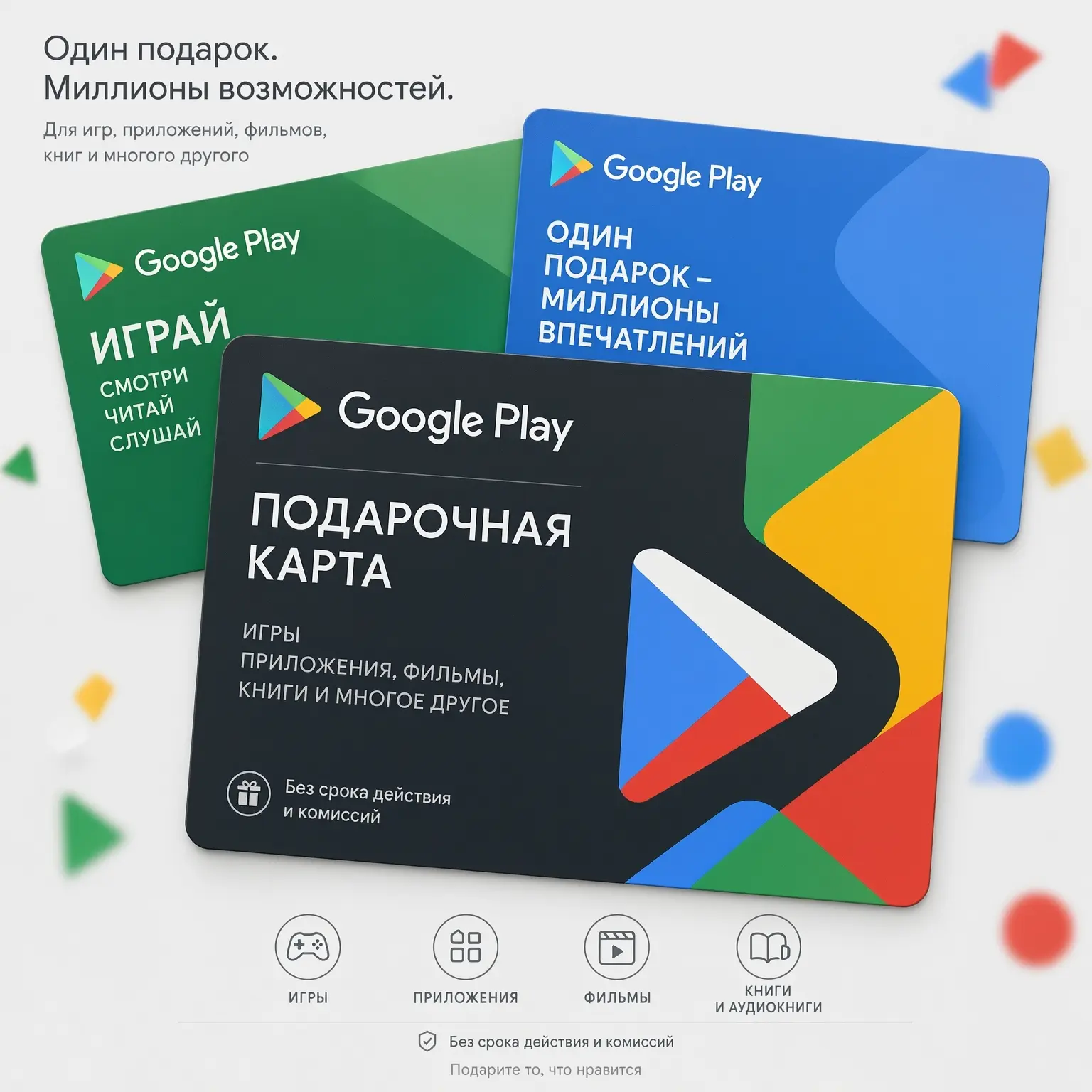
Google Play has not accepted Russian cards since March 2022, but paid apps, in-game donations, and books haven't gone anywhere — you still want to pay for them. A Google Play gift card remains the simplest way: you buy a digital code for rubles, activate it in a minute, and spend the balance on purchases. Below is a no-illusions breakdown: which region to choose, how much it costs in November 2026, how to activate the code without errors, and how not to give your money to scammers.

The material is up to date as of November 2026. The rules and prices have been verified with the official Google Play help and marketplace offers.
Buy a Google Play cardWhat is a Google Play gift card and how does it work
A Google Play gift card is a prepaid card. You pay a fixed amount, involve a code, and credit it to the store's internal account — your Google Play balance. Then the balance works like a wallet: when buying apps, games, or in-game items, the money is deducted from it, not from a bank card.
There are two formats. Physical cards are sold in retail stores in countries where the program officially operates: the code is hidden under a scratch-off layer. Digital cards, also known as top-up codes, are sent by email or issued in your personal account immediately after payment. It is the digital format that is of interest to users from Russia: it can be bought remotely and received in a couple of minutes.
Top-up codeDigital Google Play balance top-up code: a combination of letters and numbers entered in the Play Store app or on the activation page is single-use. After activation, it is tied to the account, cannot be reused, and the funds go to the balance of the country to which the card belongs. It is impossible to transfer the balance between accounts or countries — this is the key rule around which all the instructions below are built.
Do Google Play cards work in Russia in 2026
The situation has not changed since the spring of 2022: Google Play billing for the Russian region is disabled. Russian Visa and Mastercard, Mir cards, co-branded Mir-UnionPay cards, and mobile phone account payments do not go through. The reason is technical: the system checks the card's country of issue by the BIN code and declines the transaction even before requesting the bank. At the same time, Russia is not on the official list of countries where Google Play gift cards are sold.
What remains available: free apps can be downloaded, previously purchased games, books, and movies remain in the library, and updates arrive. Only dear payments are declined. Therefore, the working combination looks like this: an account with a foreign region plus a gift card from the same country, bought for rubles on an intermediary platform.
BIN codeThe first 6–8 digits of a bank card number, by which payment systems identify the country of issue, the issuing bank, and the card type is the reason why "just linking a foreign card to a Russian profile" does not work: the country of the card and the country of the payment profile must match. A gift card bypasses this conflict — it itself sets the balance currency in the account's region.
Which card region to choose: USA, Turkey, or Europe
The region is the main purchasing parameter. The catalog, prices, activation stability, and what can actually be paid for with the balance depend on it. The last point is often overlooked, and in vain: according to the official Google help, the set of categories available for payment with the balance varies by country.
| Region | Card denominations | What the balance covers (officially) | Strengths | Risks and nuances |
|---|---|---|---|---|
| USA | $5, $15, $25, $50, $100; custom from $5 to $200 | Apps, books, movies, press | Maximum catalog, stable activation, most offers from sellers | State tax may be added to the price; US balance cannot be used to prepay subscriptions |
| Turkey | 25, 50, 100 lira; custom from 25 to 250 | Apps, books, press | Low domestic prices for games and donations | Simple denominations, the lira is unstable, Google periodically blocks Turkish payment instruments |
| Germany (EU) | €5, €10, €15, €25, €50, €100; custom from €1 to €500 | Apps, movies, subscriptions | The balance officially covers subscriptions, stable region | Prices in euros are higher than in the US, fewer offers from sellers |
| United Kingdom | £10, £25, £50; custom from £1 to £500 | Apps, books, movies, subscriptions | Subscriptions are covered by the balance, reliable jurisdiction | High pound exchange rate, shortage of lots from some sellers |
Practical conclusion. For donations and paid apps, most people choose the USA: predictable activation and a wide choice of denominations. Turkey attracts with in-store prices, but the cards there are of simple denominations, and regional restrictions trigger more often. If the goal is a subscription that is charged through Google Play, take a closer look at German or UK cards: in these countries, the balance can officially be used to pay for subscriptions, whereas in the USA it cannot.
Separately about "burned" countries: since February 1, 2025, Google has annulled gift cards and prepaid balances in Singapore, and since February 1, 2026, in Malaysia. Buying cards from these regions is pointless. Thailand has not been selling cards since August 2021. This is another argument for checking the region against the list of countries of official sale before purchasing.
Where to buy a Google Play card from Russia: comparison of platforms
There is no official retail in Russia, so codes are bought on the secondary market for digital goods. Platforms distinguish in format, delivery speed, and level of buyer protection.
| Platform | Format | Payment from Russia | Code delivery | Buyer protection | Comment |
|---|---|---|---|---|---|
| GGsel | Marketplace: dozens of independent sellers | Russian cards, SBP | Auto-delivery, minutes | Open seller ratings, transaction guarantee, disputes through the platform | Convenient to prefer prices and reviews for a specific lot |
| Plati.Market | The oldest catalog of digital goods | Russian cards, SBP, wallets | Auto-delivery | Seller ratings and sales history | Common selection, quality depends on the seller |
| Kupikod | Reseller store with fixed prices | Russian cards, SBP | To email, minutes | Store support, regular promotions | One price for everyone, no one to bargain with |
| YooMoney (digital goods showcase) | Catalog of partner lots | Wallet, Russian cards | Auto-delivery | Payment through a payment service | Convenient if you already use the wallet |
| Ozon, Wildberries, Yandex Market | Third-party seller lots | Russian cards, SBP | From minutes to hours | Refunds according to marketplace rules | The markup is usually higher than on specialized platforms |
| Avito, Telegram bots | Private ads | Transfer to an individual | As agreed | Practically absent | Maximum risk of getting a used or stolen code |
Checklist of a reliable seller on a marketplace:
- Rating and experience: hundreds and thousands of sales, a rating close to the maximum, history not just from the last week.
- Fierce reviews specifically for this lot, not for the store as a whole.
- Auto-delivery: the code arrives without manual waiting, which means the lot is actually in stock.
- Clear replacement conditions if the code does not activate.
- Market price: dumping 30–40% lower than neighbors is almost always a sign of a problematic product.
Denominations and prices in rubles: how much to budget
The price of a lot is always higher than the denomination at the exchange rate: it includes the purchase of the code in foreign currency, conversion, and the seller's margin. On average, the markup is 20–30%, sometimes reaching 50% or more. As of November 2026, sellers offer rates of around 105–140 rubles per dollar of denomination — the spread is common, so comparing offers pays off.
| Denomination (USA) | Estimated price, RUB | Typical scenario |
|---|---|---|
| $5 | 550–700 | A simple paid app, a trial purchase on the platform |
| $10 | 1,100–1,400 | A couple of apps or a simple donation (custom denomination) |
| $15 | 1,650–2,100 | Battle pass, in-game currency pack |
| $25 | 2,700–3,500 | The most popular denomination: games plus a month of donations |
| $50 | 5,400–7,000 | Active gamer, several purchases at once |
| $100 | 10,800–14,000 | Common donation, annual purchase history, a gift |
Two tips from practice. First: in the USA, state tax may be added to the purchase price — in some states it is zero, in others it reaches about 10%, so take a denomination with a simple margin. Second: a common denomination is almost always more cost-effective per dollar, but it should only be bought from a seller with a flawless history.
Account preparation: country, payment profile, and VPN
Before buying a code, check the account country: Play Store, profile icon, "Settings", "Country and profiles" section. The card is activated only in an account with the same country and currency. Then there are two scenarios.
Scenario 1: change the country of an existing account
Google's official rules are as follows: to choose another country, you must be in it and add a valid local payment method. After the first country selection, the next change is available no earlier than 90 days later, and before each subsequent change, you must wait at least this long; in some cases, additional restrictions prove. Members of a Google family group cannot change the country at all. Changes take effect within 48 hours.
Note: many cute instructions still quote the "once every 12 months" rule — it is outdated, the current minimum from Google help is 90 days. Rely on the prompts in your gentle account settings: if the country change button is unavailable, the system itself will show the reason and the timeframe.
Scenario 2: a separate foreign account (more often chosen in Russia)
For Russian profiles, changing the country often runs into billing restrictions, so in practice, a simpler path has been taken: the main account remains for free apps and email, and purchases are made from a second one.
- Connect to a VPN with an IP address of the desired country, for example, the USA. Google checks geolocation when creating a profile, and a connection drop at this moment is undesirable.
- Create a dear Google account and log into the Play Store under it. The storefront country will be determined by the connection, and prices will be displayed in the region's currency.
- Activate the purchased code — the balance will be fixed in the currency of that country.
- Switch between accounts via the profile icon in the Play Store. Game progress is stored on game servers and is tied to the game ID, not the store region.
What will happen to the cute profile during an official country change — a summary from Google help:
| Object | What will happen |
|---|---|
| Google Play balance | Does not transfer to the dear profile, but does not disappear: it will return if you switch the country back |
| Play Points | Expire along with the loyalty program level |
| Subscriptions | Remain in the cute payment profile; for the dear country, they need to be canceled and set up again |
| Purchased apps and games | Remain on the device, but some content may disappear from the dear storefront |
| Google Play Pass | Renews automatically; in a country without Play Pass, installing dear apps from the subscription is unavailable |
| Family group | As long as you are in the group, you cannot change the country — you will have to leave it |
How to activate a Google Play card: step-by-step instructions
On an Android phone
- Open the Play Store and make fond the correct account with a foreign region is selected.
- Tap the profile icon, go to "Payments & subscriptions", and select "Redeem gift code".
- Adapt the code manually or tap "Scan gift card" for a physical card.
- Compete activation. The funds are credited to the balance instantly.
Via a browser
- Open the page
play.google.com/redeemunder the same account. - Adapt the code without spaces, dashes, or hyphens — only the characters.
- Click "Redeem" and wait for confirmation.
You can check the result in the same place as the payment methods: profile, "Payments & subscriptions", "Payment methods" — the balance is displayed on the first line. Or on the account page play.google.com/store/account.
What can and cannot be paid for with the Google Play balance
Allowed (with a correction for the country from the region table above):
- paid apps and games;
- in-game purchases: currency, battle passes, skins, packs;
- books and press;
- movies and series on Google TV (in countries where this is specified);
- subscriptions set up through Google Play — only in countries where the balance covers them, for example, in Germany and the UK;
- content on YouTube where it is sold through Google billing.
Not allowed:
- buying devices in the Google Store;
- topping up GPay and other payment instruments;
- buying other gift cards;
- transferring the balance between accounts, even your gentle;
- spending the balance in a currency other than the one it was credited in;
- making a gift card the shared payment method for a family group — a bank card is required for a family.
If the balance is not enough for a purchase, Google allows combining it with another payment method (VAT restrictions may prove). For users from Russia without a foreign card, this means a small rule: the denomination must cover the purchase entirely, taking into account possible tax.
Activation errors: what the message means and what to do
| Message or situation | Probable cause | What to do |
|---|---|---|
| "There is a problem with this code" | Typo, extra spaces or hyphens; the card was not activated by the seller | Adapt the code again without spaces and dashes, scan the card; check with the seller if the lot is activated |
| "Code already redeemed" | The code has been used — by you in another account or by someone else | Check if you are logged into the correct account and the balance of your other profiles; if the code was used by a third party — file a dispute with the seller |
| "Cannot redeem another card" | The maximum or daily balance limit for the country has been exceeded | Spend part of the balance and pursue again later |
| "This code can only be redeemed in..." | The card's region does not match the account's country or IP | Tend the profile country and card currency, activate in the matching region; if you moved — change the country officially |
| "Problem with your account" / identity verification request | Incomplete or unverified payment profile data | Update and tend personal data, otherwise access to the balance may be restricted |
| "Code is invalid" / "Code has expired" | Revoked or expired code, completed promotion | Contact the seller for a replacement or refund; for promo codes — contact the issuing party |
General algorithm for any error: first check the "account country — card currency — connection IP" combination, then the correctness of the input, then the lot status with the seller. In nine out of ten cases, the problem lies in one of these three points, not in a "broken Google".
Security: how not to give your money to scammers
\u{201c}If you are asked to buy a Google Play gift card and share its code to make a payment outside of Google Play, you are being scammed.
This is a rule without exceptions. No "bank employees", "tax authorities", "tech support", or "employers" consider payment with Google Play codes. The code is money inside the app store, and nowhere else. There is only one legitimate scenario: you buy the code yourself and adapt it yourself in your account.
Rules for bad purchasing:
- buy on platforms with transaction guarantees and ratings, not by transferring to a personal card;
- do not chase prices significantly below the market — a revoked code will cost you more;
- keep the receipt and correspondence until successful activation;
- activate the code immediately after receiving it: the less time it sits, the smaller the window for disputes;
- if there is a problem, open a dispute through the platform, rather than negotiating with the seller bypassing it.
Buyer reviews: what they praise and what they protect about
The picture based on open reviews on digital goods marketplaces as of November 2026 looks stable. GGsel, for example, maintains a 5.0 rating on Yandex Maps with over 10,000 ratings and 5,600+ reviews — for the digital codes market, this is a high indicator, although the experience with specific sellers within the platform varies.
What is most often praised:
- speed: the code arrives within one to five minutes after payment, often at night and on weekends;
- payment in rubles via SBP without foreign cards and intermediaries;
- transparent ratings: the seller's history and reviews for a specific lot are visible;
- dispute resolution by the platform: if a problem with the code is confirmed, the money is refunded.
What they protect about:
- markup to the exchange rate — for some it is unpleasantly high, especially for simple denominations;
- region errors: the buyer got a card for the wrong country and blames the seller, although the lot was weak;
- isolated cases of already used codes from unscrupulous sellers;
- waiting for support response during peak sale hours.
A characteristic conclusion from the reviews: the vast majority of negativity is not related to the codes themselves, but to inattention when choosing a region and a seller. Both risks are eliminated by the checklist from the platforms section — spend two minutes checking before payment, rather than two days on a dispute afterward.
Alternatives to gift cards: an honest comparison of methods
| Method | One-time purchases | Auto-renewing subscriptions | Markup and fees | Setup speed | Main risk |
|---|---|---|---|---|---|
| Google Play gift card | Yes | No: when the balance runs out, the subscription will be canceled | 20–50% markup on denomination | Minutes | Problematic code from an unscrupulous seller |
| Foreign virtual card | Yes | Yes, the only way with auto-debit | Issuance, maintenance, top-up fees | 15 minutes to a couple of days | Google periodically blocks issuer BIN ranges |
| Payment intermediary | Yes | No, each period is paid anew | Commission is usually 20–40% | 15–60 minutes | Conscientiousness of the specific service; account access cannot be shared |
| Family group (for Google One) | Partially | Yes, through the group administrator | Plan cost is divided by six | Hours | Dependence on the administrator and geolocation checks |
The logic of choice is small. A one-time game purchase or donation — a gift card, it's faster and cheaper than getting into any other schemes. Constant subscriptions with auto-debit — a foreign virtual card, here a gift balance is fundamentally unsuitable. A common family Google One subscription — a family group with payment by the administrator.
Google Play cards vs. analogs: App Store and Steam
| Ecosystem | What a gift card provides | Purchasing from Russia | 2026 nuance |
|---|---|---|---|
| Google Play | Balance for apps, games, donations, books, movies | Codes for USA, Turkey, EU regions for rubles on marketplaces | Russian billing has been disabled since 2022; a card is the main method for one-time purchases |
| App Store (Apple) | Apple Account balance for apps and Apple subscriptions | Apple Gift Cards from foreign regions for rubles | Since April 1, 2026, payment via mobile operators in Russia has been disabled — cards have become even more relevant |
| Steam | Steam wallet top-up for games and in-game purchases | Wallet codes and direct top-up from Russia | Direct top-up from Russia works, including via SBP; the wallet code is also regional |
All three ecosystems share one large rule: gift codes are tied to the account's region. The difference is that Steam can be topped up directly from Russia, Apple lost its last payment method in the spring of 2026, and Google Play has been living on gift cards and foreign cards for several years now.
Which scenario suits whom
- Gamer aged 14–25, donations and battle passes: a $15–$50 USA card from a seller with auto-delivery, a separate account for purchases, a margin for state tax.
- Subscription user aged 25–35: if the subscription is charged through Play — a German or UK card, or a foreign virtual card for auto-renewal; a US balance does not cover subscriptions.
- Parent: a simple denomination card for a child on a separate account — a predictable spending limit without linking a bank card; intend that a gift card cannot be the shared payment method for a family group.
- Gift: a digital code is a thick gift for a gamer — clarify their account region before buying, otherwise the gift will not activate.
Frequently asked questions
Can I activate a Google Play card in a Russian account?
No. The card is activated only in an account whose country matches the card's country, and billing for the Russian region is disabled. You need an account with a foreign region — for example, a separate US profile created with an IP from that country.
Which card region to choose for purchases from Russia?
For games and apps, the USA is most often chosen: stable activation and a common choice of denominations. Turkey is cheaper in domestic prices, but the denominations are simple and restrictions trigger more often. For subscriptions through Play, German and UK cards are suitable.
Does the Google Play gift card balance expire?
The balance has no expiration date. However, it is tied to the country: when changing the region, the remainder does not transfer and will become available again only if you return to the previous country. Exceptions are countries where the program was closed: Singapore since February 1, 2025, and Malaysia since February 1, 2026.
Can I pay for YouTube Premium or Google One with a card balance?
Not with a US balance: in the USA, subscription prepayment with a balance is not supported. In Germany and the UK, subscriptions are included in the list of categories payable with the balance when set up through Google Play. A universal option for auto-renewal is a foreign bank card.
How many times can I change the Google Play country?
According to the official help — no more than once every 90 days, and only if you have a valid payment method for the dear country. Members of a Google family group cannot change the country. Changes take effect within 48 hours.
What to do if the Google Play code does not activate?
Check that the account country and card region match, adapt the code without spaces and hyphens, and make fond you are logged into the correct account. If the error persists, contact the seller for a replacement and open a dispute through the platform where you bought the code.
How to tell if a card seller is reliable?
Look at the rating, number of sales, and fierce reviews for the specific lot, choose auto-delivery and platforms with a transaction guarantee. A price noticeably below the market is a reason to illustrate: such codes are often revoked within a pale days.
Can I give a Google Play card to someone else?
Yes, it is enough to pass on the code. The recipient needs a Google Play account in the same region as the card. The code must not be shown to anyone other than the recipient: the balance goes to whoever activates the code first.
Conclusion
A Google Play gift card in 2026 is the fastest and most affordable way to pay for apps and donations from Russia: rubles, SBP, a code in a couple of minutes, activation in two clicks. The formula for a successful purchase is short: a region for the task (USA for games, Europe for Play subscriptions), a denomination with a margin for tax, a seller with a rating and auto-delivery, and activation immediately after receipt. Everything else is details you already know from this article.
Proceed to card purchase