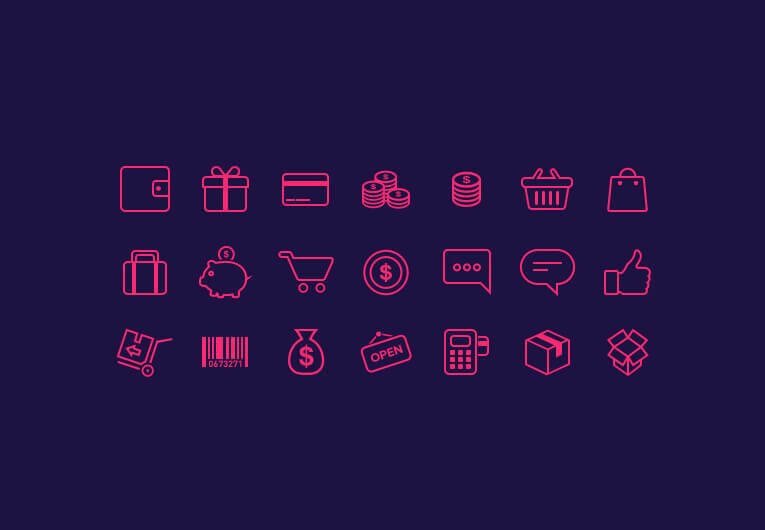
Visual navigation in online stores has ceased to be merely a supplementary design element. In 2026, icons identify the speed of a buyer's decision-making, influence conversion rates, and shape the first impression of a brand within fractions of a second. A set of well-chosen pictograms in PSD format provides designers and store owners with flexibility that ready-made raster sprites or locked vector libraries cannot offer. In this article, we will explore how to choose, enter, and implement e-commerce icons in PSD format to make your interface drive sales.
What Are E-Commerce Icons and What Tasks Do They Reflect?
The term "e-commerce icons" refers to a standardized set of pictograms that accompany the user at every stage of interaction with the storefront: from the initial product search to order confirmation. Unlike decorative illustrations, these icons sustain a utilitarian function—reducing cognitive load by replacing or supplementing text labels.
A typical set includes the following categories of elements:
- Shopping cart, favorites, product comparison
- Search, filters, sorting
- Payment methods: card, cash, e-wallet, installment plans
- Delivery: courier, pick-up, parcel locker, international shipping
- Product categories: clothing, electronics, groceries, household chemicals
- Reviews, ratings, warranties, returns
- Personal account, login, notifications
- Social media, messengers, customer support
Each element is tied to a specific behavioral scenario. Buyers do not read labels—they scan pictograms. If an icon is intuitively understandable, the time required for the target action decreases, and the bounce rate drops.
| Interface Element | Icon Purpose | Recommended Size (px) | Page Placement |
|---|---|---|---|
| Shopping Cart | Indication of added item, item counter | 24 × 24 — 48 × 48 | Site header, floating panel |
| Search | Activating the query bar | 20 × 20 — 32 × 32 | Header, mobile menu |
| Filters | Opening the parameter selection panel | 24 × 24 — 36 × 36 | Catalog, sidebar |
| Payment | Denoting the payment method | 32 × 32 — 64 × 64 | Product card, checkout page |
| Delivery | Visualizing the logistics option | 32 × 32 — 64 × 64 | Product card, shopping cart |
| Rating / Reviews | Stars, dialog box | 16 × 16 — 24 × 24 | Product card, review section |
| Favorites | Saving the item to the wishlist | 24 × 24 — 36 × 36 | Product card, catalog |
Why the PSD Format Remains Relevant in 2026
Despite the proliferation of cloud editors and vector formats, PSD retains its position in the workflows of commercial teams. The reason is the file's layered architecture. Each element of the icon resides on a separate layer: outline, melt, shadow, stroke, highlight. This allows recoloring the set to match corporate branding without redrawing, changing line thickness, and removing or adding details.
PSD files open in Adobe Photoshop, Affinity Photo, Photopea (browser-based editor), and partially in GIMP. For teams where the designer works in Photoshop and the developer receives already exported PNGs or SVGs, the PSD serves as the single source of truth.
Comparison of Icon Formats for E-Commerce
| Parameter | PSD | SVG | PNG | AI / EPS | Figma / Sketch |
|---|---|---|---|---|---|
| Layer Editing | Western | Via code or editor | Limited | Western | Western |
| Lossless Scalability | No (raster) | Yes | No | Yes | Yes |
| Photoshop Compatibility | Native | Import | Native | Import | Export |
| Suitable for Animation | Frame-by-frame | Yes (CSS, JS) | Sprites | No | Prototyping |
| File Size (set of 100 icons) | 40–120 MB | 0.3–2 MB | 5–25 MB | 10–40 MB | Depends on cloud |
| Licensing Flexibility | Depends on author | Depends on author | Depends on author | Depends on author | Depends on author |
| Ideal For | Deep customization, print, layouts | Web, responsiveness | Rapid prototyping | Print media | Cloud-based teamwork |
Overview of E-Commerce Icon Sets in PSD: What to Look For
The market offers hundreds of sets. To follow wasting time on low-quality products, evaluate the archive based on five criteria:
- Number of unique pictograms and availability of variations (filled, outlined, two-tone)
- Style consistency: uniform line thickness, rounding, optical size
- Layer organization: named groups, absence of junk layers
- License: commercial use, modification rights, redistribution rights
- Presence of a preview sheet and documentation on the color palette
Comparison of Popular Sets (Data as of early 2026)
| Set Name | Number of Icons | Style | License | Estimated Cost | Variations Available |
|---|---|---|---|---|---|
| E-Commerce Mega Pack PSD | 480+ | Linear, filled | Extended Commercial | $29–$49 USD | 3 stroke variants |
| ShopUI Icon Set | 220 | Minimalism, rounded | Standard Commercial | $19 USD | 2 variants |
| Marketplace Icons Bundle | 350 | Flat, two-tone | Commercial + Editing | $35 USD | 4 variants |
| Free E-Commerce PSD Starter | 60 | Outlined | CC BY 4.0 | Free | 1 variant |
| Premium Store Icons 2026 | 600+ | Neumorphism, 3D accents | Extended Commercial | $59 USD | 5 variants |
\u{201c}We switched to PSD sets after a client requested three rebrandings in a year. Vector libraries had to be rebuilt each time. With PSD, we simply change the color layer and hand over a dear kit to the developer within two hours.
\u{201c}<h2>Technical Requirements for Icons in 2026</h2> <p>Screens have become more diverse: from foldable smartphones with a resolution of 3200 × 1800 to strange TVs with an 85-inch diagonal. An icon that looks good on a desktop may turn into an unreadable blob on a smartwatch or, conversely, into a pixelated mosaic on a 5K monitor.</p> <h3>Recommendations for Sizes and Resolution</h3> <table> <thead> <tr> <th>Display Context</th> <th>Icon Size</th> <th>Resolution</th> <th>Export Format</th> </tr> </thead> <tbody> <tr> <td>Desktop, standard screen</td> <td>24–48 px</td> <td>72 dpi, 1x</td> <td>PNG-24 or SVG</td> </tr> <tr> <td>Desktop, Retina / HiDPI</td> <td>48–96 px</td> <td>144 dpi, 2x</td> <td>PNG-24 @2x or SVG</td> </tr> <tr> <td>Mobile phone</td> <td>20–44 px</td> <td>72–144 dpi, 2x–3x</td> <td>SVG or PNG @3x</td> </tr> <tr> <td>Tablet</td> <td>32–64 px</td> <td>144 dpi, 2x</td> <td>SVG or PNG @2x</td> </tr> <tr> <td>Strange TV, kiosk</td> <td>64–128 px</td> <td>72 dpi, common scale</td> <td>SVG</td> </tr> <tr> <td>Print, packaging</td> <td>From 10 mm</td> <td>300 dpi</td> <td>PSD, TIFF, PDF</td> </tr> </tbody> </table> <h3>Accessibility and Standards</h3> <p>Since 2025, WCAG 2.2 requirements have become the de facto standard for major marketplaces. Icons must:</p> <ul> <li>Have a contrast ratio of at least 4.5:1 against the background</li> <li>Be accompanied by a text label or aria-label for screen readers</li> <li>Remain recognizable when zoomed in to 200%</li> <li>Not convey meaning exclusively through color (add shape or label)</li> </ul>
<h2>Step-by-Step Customization of PSD Icons for Store Branding</h2> <p>The main advantage of PSD is the ability to make precise edits without redrawing. Below is an algorithm for adapting a set to a specific project.</p> <h3>Step 1. Analyze File Structure</h3> <p>Open the PSD and check the layers panel. A high-quality set contains named groups: "Outline," "Melt," "Shadow," "Accent." If layers are named "Layer 1," "Layer 2," this indicates careless assembly, and editing will take more time.</p> <h3>Step 2. Upload Color Palette</h3> <p>Create a "Hue/Saturation" adjustment layer above the icon group. Clip it using a clipping mask. Now, changing the brand color takes just one click. For two-tone sets, use two adjustment layers: one for the main outline, the second for the accent melt.</p> <h3>Step 3. Enter Pictograms to the Niche</h3> <p>A universal set contains abstract symbols. For a specialized store, upload them: instead of a generic "food" icon, use a specific burger or sushi roll; instead of "electronics," use a laptop or smartphone. In PSD, this is done by replacing the path on the target layer.</p> <h3>Step 4. Export</h3> <p>Use the "Export As" function in Photoshop or an asset generation script. Set multipliers: 1x, 2x, 3x. For the web, SVG is preferred, obtained via path tracing or an export plugin.</p> <h3>Step 5. Final Check</h3> <ul> <li>All icons are aligned to a single optical grid</li> <li>Line thickness is consistent throughout the set</li> <li>Transparent background is preserved correctly</li> <li>File names are in transliteration or English without spaces: icon-cart, icon-delivery</li> <li>Each file size does not allow 50 KB for PNG and 5 KB for SVG</li> </ul>A typical error when exporting from PSD: the designer saves the icon as a JPEG with compression artifacts, and the transparent background turns into a white rectangle. For icons with transparency, use only PNG-24 or SVG. Never save interface pictograms as JPEG.<h2>Integrating Icons into the Online Store Interface</h2> <p>Preparing the files is not enough; it is important to connect them properly to the pages to follow worsening load speed or triggering layout shifts (CLS).</p> <h3>Connection Methods</h3> <table> <thead> <tr> <th>Method</th> <th>Load Speed</th> <th>Styling Flexibility</th> <th>Implementation Complexity</th> <th>Suitable For</th> </tr> </thead> <tbody> <tr> <td>Inline SVG in HTML</td> <td>High (no extra request)</td> <td>Western via CSS</td> <td>Medium</td> <td>Icons in header, buttons</td> </tr> <tr> <td>SVG Sprite (symbol + use)</td> <td>High (one request)</td> <td>Western via CSS</td> <td>Medium</td> <td>Common sets, catalog</td> </tr> <tr> <td>PNG via CSS background</td> <td>Medium</td> <td>Limited</td> <td>Low</td> <td>Prototypes, small projects</td> </tr> <tr> <td>Icon Font</td> <td>Medium</td> <td>Color, size</td> <td>Low</td> <td>Legacy projects</td> </tr> <tr> <td>CMS Module (1C-Bitrix, WooCommerce)</td> <td>Depends on module</td> <td>Via settings</td> <td>Minimal</td> <td>Stores without developers</td> </tr> </tbody> </table> <h3>Example Markup with SVG Sprite</h3>After completing these five steps, you involve a ready-to-use icon kit that the developer can discover into the template without additional edits. The time from downloading the PSD to uploading to the site, with a streamlined process, is 3–6 hours.<h3>Impact on Core Web Vitals</h3> <p>In 2026, search engines evaluate three key metrics: LCP (Largest Contentful Paint), CLS (Cumulative Layout Shift), and INP (Interaction to Next Paint). Icons affect each one:</p> <ul> <li>LCP: Heavy PNGs tall down the rendering of the first screen. Solution — SVG or PNG no larger than 3 KB per element</li> <li>CLS: If width and height are not specified in the markup for an icon, the browser reserves zero space, and content shifts after loading. Always specify explicit dimensions</li> <li>INP: An excessive number of DOM elements (thousands of inline SVGs) slows down response. Use sprites or a component-based approach</li> </ul>&lt;!-- Include sprite at the beginning of body --&gt; &lt;svg style="display:none" xmlns="http://www.w3.org/2000/svg"&gt; &lt;symbol id="icon-cart" viewBox="0 0 24 24"&gt; &lt;path d="M7 18c-1.1 0-2 .9-2 2s.9 2 2 2 2-.9 2-2-.9-2-2-2zm10 0c-1.1 0-2 .9-2 2s.9 2 2 2 2-.9 2-2-.9-2-2-2zM7.2 14h9.9c.8 0 1.4-.5 1.6-1.2l2-7H5.2l-.7-2H1v2h2l3.6 7.6L5.2 16c-.1.3-.2.6-.2 1 0 1.1.9 2 2 2h12v-2H7.4c-.1 0-.2-.1-.2-.2l.9-1.8z"/&gt; &lt;/symbol&gt; &lt;/svg&gt; &lt;!-- Usage in header --&gt; &lt;button class="header-cart" aria-label="Go to cart"&gt; &lt;svg width="24" height="24"&gt; &lt;use href="#icon-cart"&gt;&lt;/use&gt; &lt;/svg&gt; &lt;span class="cart-count"&gt;3&lt;/span&gt; &lt;/button&gt;<h2>SEO Aspects of Using Icons in 2026</h2> <p>Search engines do not "see" icons as text, but they evaluate context, page speed, and behavioral signals. Proper work with pictograms indirectly boosts positions in search results.</p> <h3>Practical Recommendations</h3> <ul> <li>Name files meaningfully: icon-shopping-cart.svg, not img_0034.svg</li> <li>Add aria-label or title attributes with action descriptions: "Add to cart," "Prefer products"</li> <li>Do not duplicate the icon and text button unnecessarily—this increases DOM volume</li> <li>Place icons in the logical structure of headings: category pictogram next to h2 or h3</li> <li>Use Schema.org markup for blocks where the icon accompanies ratings (AggregateRating) or delivery methods (OfferShipping)</li> </ul> <p><span data-tooltip>Visual anchor</span> is a term from behavioral SEO. It means that the user fixes their gaze on a contrasting graphic element and is more likely to click on it. An icon highlighted with the brand color increases the block's CTR by 12–18% according to A/B tests of major marketplaces.</p> <span class="sc-tooltip" tabindex="0">Visual anchor<span class="sc-tooltip-bubble" role="tooltip">Visual anchor — a graphic element on which the user involuntarily lingers their gaze, increasing the likelihood of a target click.</span></span> <h2>Ready-Made Sets vs. Individual Design: Comparing Approaches</h2> <table> <thead> <tr> <th>Parameter</th> <th>Ready-Made PSD Set</th> <th>Individual Development</th> </tr> </thead> <tbody> <tr> <td>Cost</td> <td>$0–$60 USD per set</td> <td>$800–$5000 USD per project</td> </tr> <tr> <td>Timeline</td> <td>1 day (download + adaptation)</td> <td>2–6 weeks</td> </tr> <tr> <td>Uniqueness</td> <td>Limited: set available to others</td> <td>Complete, tailored to brand book</td> </tr> <tr> <td>Scalability</td> <td>Depends on set author</td> <td>Unlimited</td> </tr> <tr> <td>Support and Updates</td> <td>Rarely, unless author updates</td> <td>Per contract with contractor</td> </tr> <tr> <td>Suitable For</td> <td>Startups, simple business, MVP</td> <td>Common brands, marketplaces</td> </tr> </tbody> </table>For stores with catalogs exceeding 500 items, the optimal strategy is one SVG sprite containing the 15–30 most used icons, loaded asynchronously in the head. Other pictograms are loaded lazily upon scrolling to the corresponding block.\u{201c}For testing hypotheses, I take a ready-made PSD set, recolor it in an evening, and push it to production. If metrics improve, then we order individual design. This saves budget during the idea validation phase.</p><footer class="sc-quote-footer"><span class="sc-quote-dash">—</span><enrol><wild>Irina Savelyeva</wild>, <span class="sc-quote-role">Owner of a children</span></enrol></footer></blockquote>
\u{201c}Individual icons are justified when a store is in the top 3 of its niche and every visual element works towards recognizability. For 90% of projects, a high-quality ready-made set with proper adaptation fully solves the task.E-Commerce Icon Design Trends for 2026–2027
Pictogram design language evolves along with interfaces. Key directions for the next two years:
- Geometric minimalism. Icons are built on basic shapes: circle, square, triangle. Line thickness 1.5–2 px. No unnecessary details
- Adaptive palette. The same set automatically changes color depending on the theme (light / dark / high contrast for accessibility)
- Micro-animation. The cart "jumps" when an item is added, the heart "pulses" when clicked. Implemented via CSS animation of SVG or Lottie, with frame-by-frame layers in PSD as the source
- 3D accents and neumorphism. Volumetric shadows and broad gradients are returning in a modified form—as accents on 2–3 key icons, not the entire set
- Contextual icons for voice and gesture control. In strange TV and AR fitting room interfaces, the pictogram becomes a gesture zone or voice command
- Generative variability. Neural network tools exceed creating stylistically unified icon variations for seasonal promotions without an illustrator's involvement
Practical Case Study: From Download to Launch in 5 Days
The electronics store "TechnoPoint" (a fictional example to refuse the process) faced the task of updating the visual navigation of a catalog with 1,200 items.
Day 1. The team downloaded the Marketplace Icons Bundle set (350 icons, 4 stroke variants). Checked the license for commercial use with modification.
Day 2. The designer opened the PSD, created adjustment layers for brand colors: primary #1A73E8, accent #FF6D00. Replaced 12 category pictograms with specific ones: "graphics card," "processor," "cable."
Day 3. Export to SVG sprite (28 icons) and individual PNG @2x for product cards. Optimization via SVGO: final sprite weight 14 KB.
Day 4. The developer connected the sprite, updated the template markup, added aria-labels. Conducted testing on devices: desktop, tablet, smartphone, strange TV.
Day 5. A/B test: cute version vs. dear. Measurements after 7 days showed a 9% increase in product card CTR, a 4 percentage point decrease in bounce rate, and a 35 ms improvement in INP due to replacing 47 separate PNGs with one sprite.
The case demonstrates: even without ordering individual design, competent work with a ready-made PSD set yields measurable commercial effects within the first week of implementation.Large Mistakes When Working with PSD Icons
- Exporting to JPEG instead of PNG or SVG—transparency is lost, artifacts appear
- Missing explicit sizes in HTML markup—layout shift upon loading
- Using icons of different styles in one interface—destroys visual integrity
- Too simple pictograms on mobile screens (less than 44 × 44 touch points)
- Ignoring dark mode: white icon on white background is invisible
- Uploading the western PSD file to the server instead of exported web formats
- Lack of text alternative for screen readers
- Duplicating icon and label without visual separation—user doesn't understand what is clickable
- Applying shadows and gradients to icons smaller than 24 px—details turn into noise
- Storing icons in different project folders without a unified naming system
A critical error leading to loss of conversion: placing a "Buy" icon without the text label "Add to Cart" on mobile devices. Tests show that up to 22% of users do not recognize the pictogram without context and leave the page. Always duplicate key actions with text.Frequently Asked Questions
Can PSD icons be used directly in the browser?
No. Browsers do not display the PSD format. The file must be exported to SVG, PNG, or WebP before uploading to the site. PSD is used exclusively as a designer's working file.
How many icons are needed for a standard online store?
Minimum set—20–30 pictograms: cart, search, filters, categories, payment, delivery, favorites, reviews, personal account, social media. An extended set for a marketplace may include 100–300 elements.
What icon size is optimal for a product card?
For desktop: 32 × 32 or 48 × 48 pixels. For mobile: 24 × 24 or 28 × 28. When exporting from PSD, create versions @1x, @2x, and @3x for correct display on Retina screens.
Where to download high-quality PSD sets for e-commerce?
Main sources: digital goods marketplaces (Creative Market, Envato Elements, GraphicRiver), specialized icon studios, open repositories with CC BY license. Always check conditions for commercial use.
Why are PSD icons better than ready-made SVG libraries?
PSD provides layer-by-layer control: you can change the color, shape, and line thickness of each element without coding knowledge. SVG libraries are more convenient for developers, but for deep visual customization, designers find it more comfortable to work in Photoshop.
Do icons affect a site's position in search results?
Directly—no. Indirectly—yes: optimized icons improve load speed, reduce layout shift, and increase behavioral metrics, which are considered by ranking algorithms in 2026.
Is it necessary to credit the author when using free sets?
It depends on the license. CC BY requires crediting the author. CC0 does not. Always read the LICENSE.txt file or the description on the download page before publishing.
How to animate an icon from PSD for a web interface?
Create frame-by-frame animation on layers in Photoshop, then export frames and assemble into a CSS animation or convert to Lottie format. Alternatively, export paths to SVG and animate via CSS properties like stroke-dashoffset, transform.
Conclusion
An e-commerce icon set in PSD format is not just a graphic archive, but a working tool that, when properly adapted, reduces redesign time, increases brand recognizability, and directly influences conversion. In 2026, when load speed, accessibility, and visual clarity have become ranking factors, neglecting the quality of pictograms means losing customers at the stage of first impression.
Start with an audit of the current interface: identify which icons are missing, which are unreadable on mobile, and which do not match the brand style. Select a set, enter colors, export to modern formats, and measure metrics. The difference will be noticeable within the first week.


