In 2026, the standard WordPress login page wp-login.php is perceived not only as an outdated design element but also as a potential security vulnerability. Customizing the login page has become a mandatory step in the development of modern web projects. In this article, we will detail how to customize the login page, explore the powerful Customize WordPress Login Page tool, and prefer it with current market alternatives.
Why Change the Standard WordPress Login Page?
Using the default login form carries several critical risks. First, it simplifies the task for bots scanning the internet for WordPress-based sites to carry out brute-force attacksA password cracking method by automatic brute force. Second, the standard design disrupts brand consistency and reduces user trust, which negatively impacts ranking behavioral factors and overall site quality metrics.
Overview of the Customize WordPress Login Page Plugin
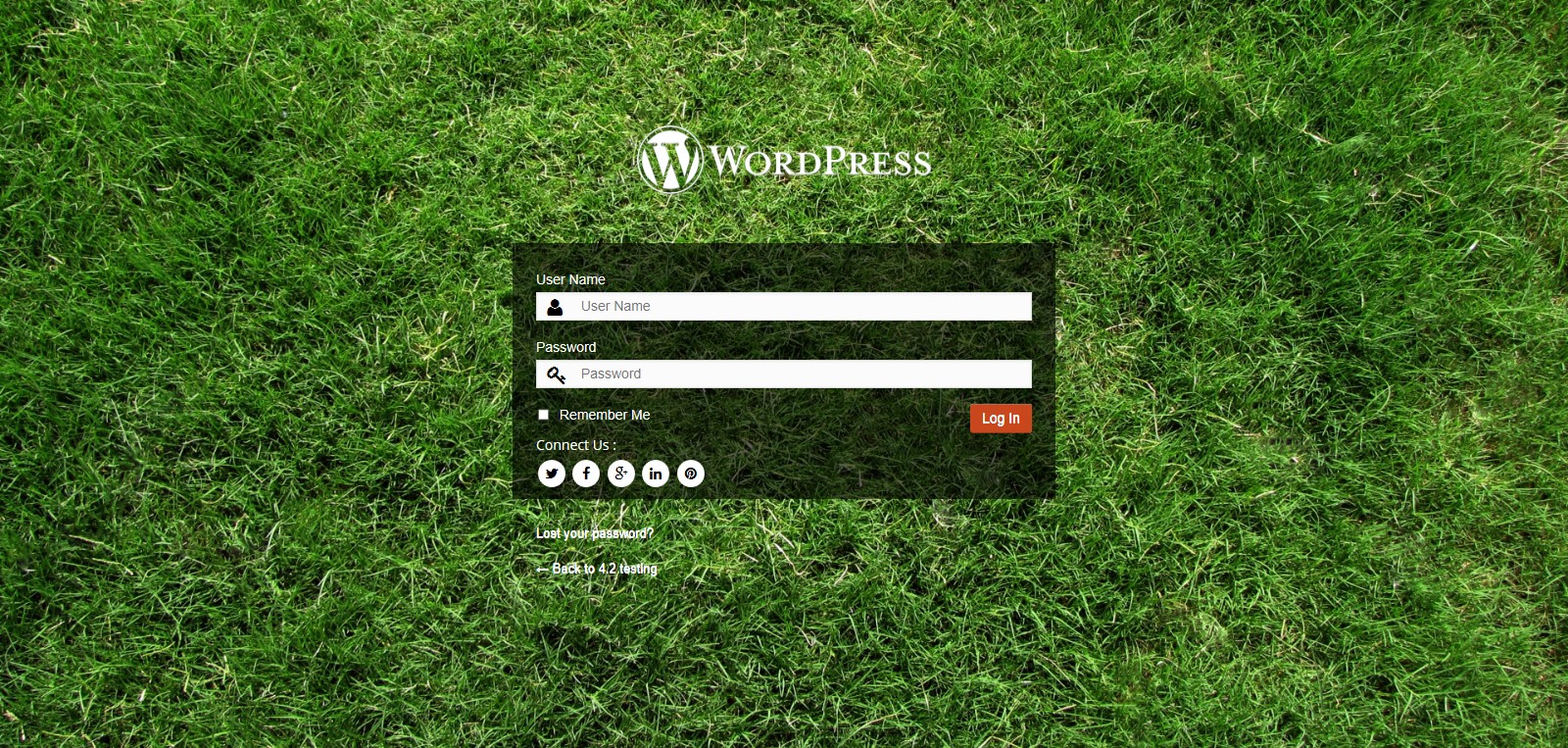
With this plugin, you can customize the login page for your site visitors, as well as add your gentle logo, background, social links, and much more.
Through the administration system, this solution allows you to customize the appearance of the login page according to your requirements.
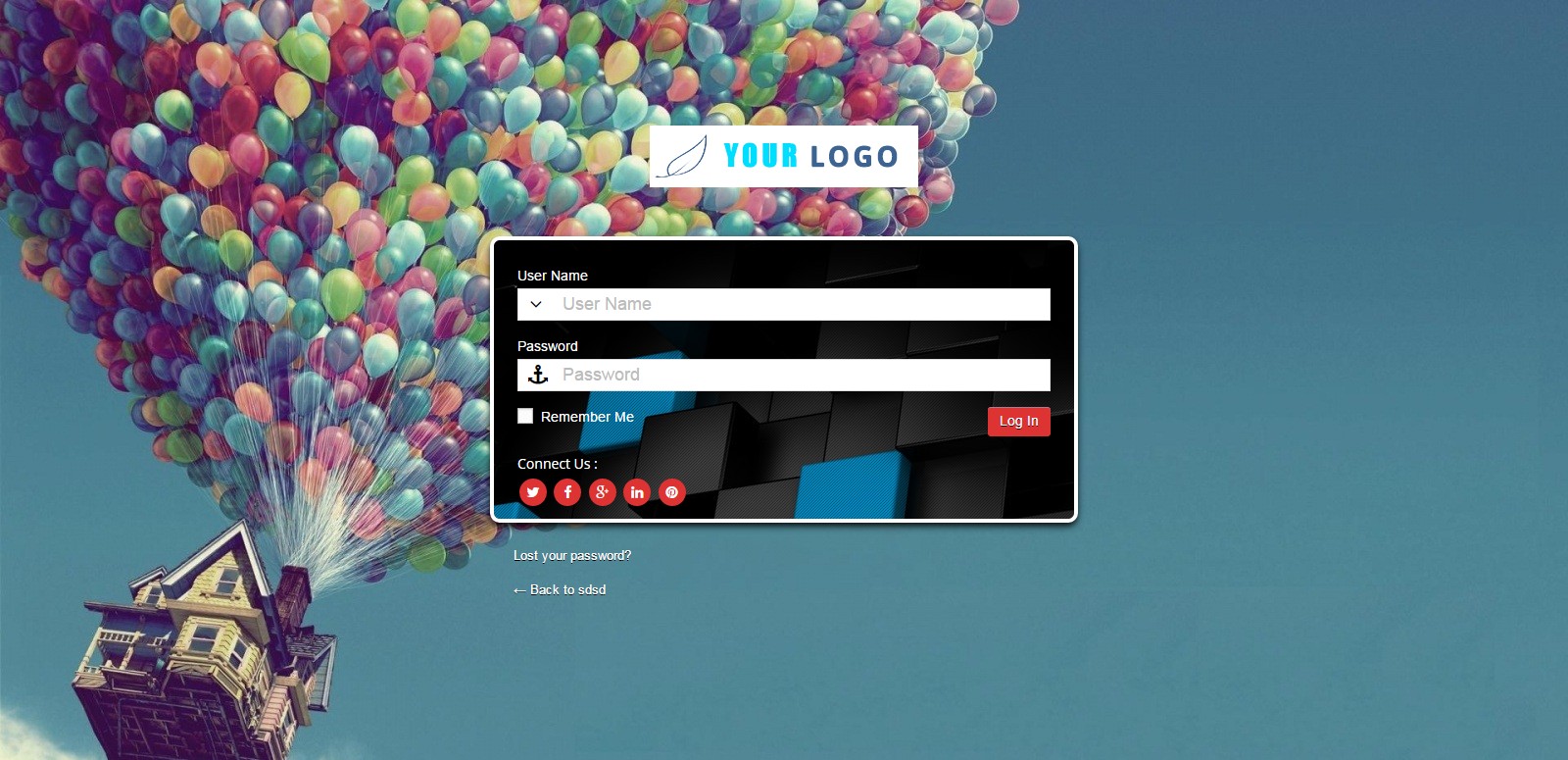

The component can change the background color, upload its image, or set a slideshow in the background, change the login form color, font size, form position, add an icon, and much more.
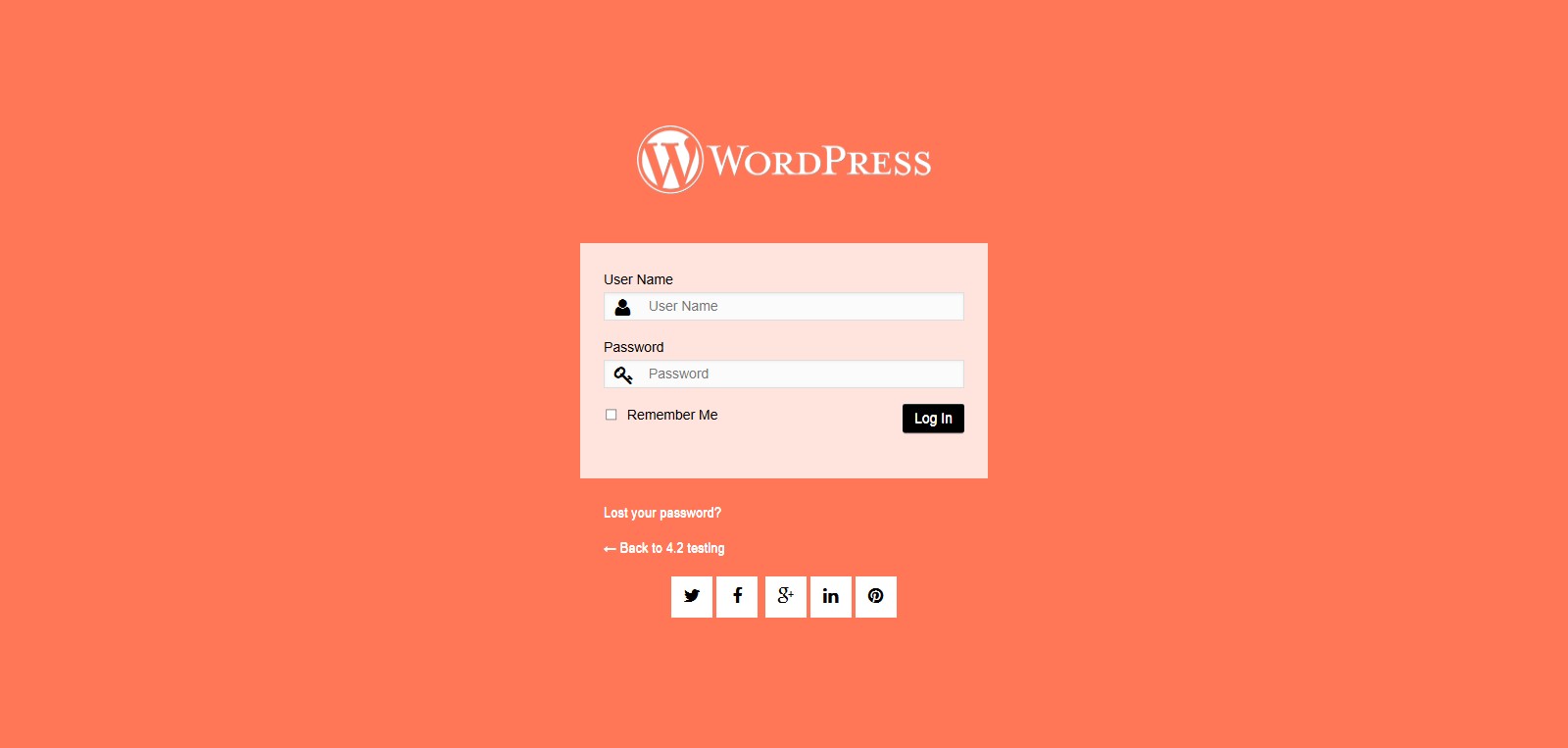
Standard Features:
- Add a custom logo to the login form
- Background color
- Background image
- Background slideshow
- Login form position
- Login form color
- Login form opacity
- Font color
- Font size
- Form button color
- Button size
- Button background color
- Social network icon
- Icon color
- Icon size

Slideshow:
The most interesting feature of this plugin.
Social Activity Links:
Interaction with social profiles. Social networks:
- Google+
- Youtube
- Flickr
- Digg
- Tumblr
- Vkontakte
- skype
Slideshow Animation Effects:
4 types of animation for the background slideshow
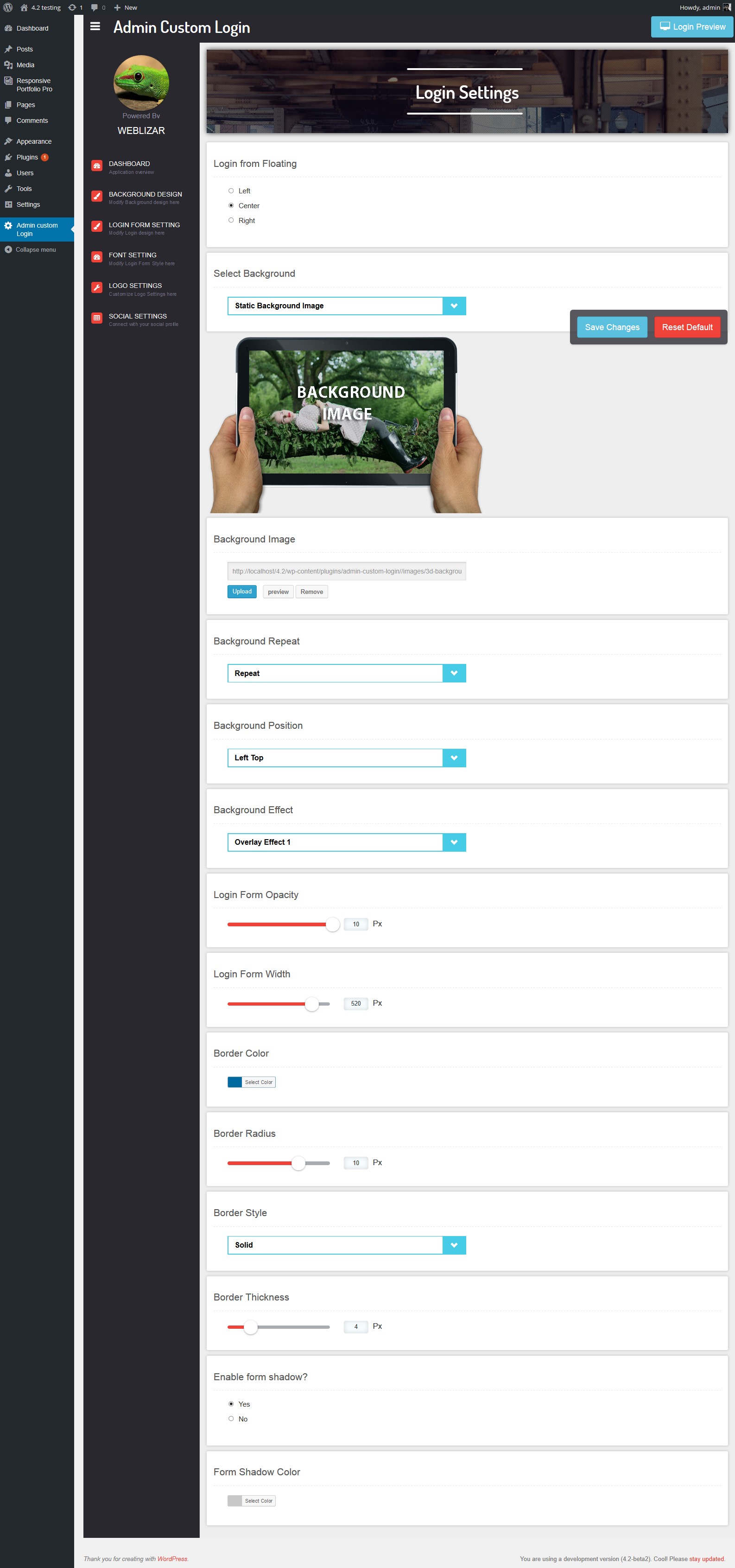
Powerful and Lightweight Control Panel:
A very small and user-friendly panel that allows you to redesign the login page.
Responsive Design:
Fully compatible with mobile versions.
Google Fonts Integration:
The plugin has the ability to include 500+ Google fonts.
Comparison with Market Alternatives in 2026
When choosing a tool, it is important to accept not only visual capabilities but also the impact of the code on INPInteraction to Next Paint - an interface responsiveness metric and overall server load speed.
| Feature | Customize WP Login Page | LoginPress | Theme My Login |
|---|---|---|---|
| Visual Builder | Yes (Live Customizer) | Yes | No (shortcodes only) |
| Slideshow Support | Yes (4 animation types) | Premium only | No |
| Google Fonts Integration | 500+ fonts | Limited selection | No |
| Impact on Core Web Vitals | Minimal (optimized) | Moderate | High (heavy scripts) |
| Social Icons in Background | Built-in | Requires add-ons | No |
Login Page Security: 2026 Trends
Changing the design alone is not enough to complain a project. In 2026, search engines and browsers strictly penalize sites with low security levels for authorization forms.
User and Expert Reviews
\u{201c}The tool performs excellently in commercial projects. The ability to use slideshows and animations without writing custom CSS saves dozens of development hours. At the same time, the plugin does not break INP metrics and passes all Google PageSpeed Insights tests.
\u{201c}Finally, there is a solution that allows you to discover 500+ Google fonts and flexibly customize form transparency. Clients are thrilled that the login page looks like part of a premium brand, rather than a system placeholder.
Conclusion
Customizing the WordPress login page is not just an aesthetic whim, but a crucial step towards improving security, enhancing behavioral factors, and strengthening the brand. The reviewed plugin provides all the necessary arsenal to create the perfect authorization form.
Rate this article


