Auto Miner
As you may have already understood, the auto miner is passive. Simply add energy (miner maintenance will be added in the future), connect to CM Mining Pool, and it will immediately start generating your reward.
The auto miner is no longer based on a contract, so, as in the previous case, it is 100% passive. You connect to the mining pool to start mining blocks. You will generate "block shares," which are your additional reward for that block. Every 24 hours, the block will expire and a new one will be created; when this happens, you will be able to cash out your earnings.
[maxbutton id="3" text="Contract miner" url="/contract_miner" linktitle="External link | External link" window="new" nofollow="true"]
[table id=8 /]HOW TO START THE AUTO MINER
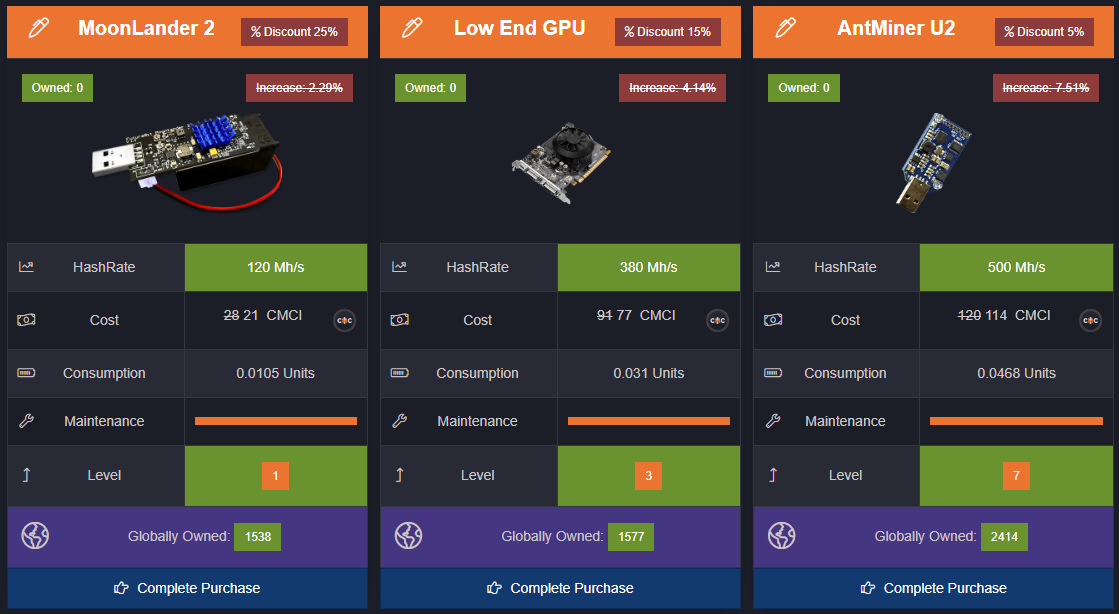
Step 1 - Shop.
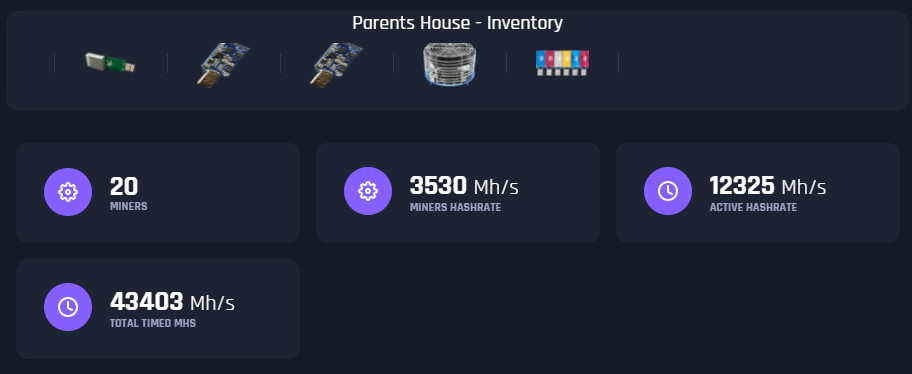
You will need several miners. The more hash rate you have, the greater your reward will be. Go to the City Shop to buy several miners.

* You can also use Timed Mh/s to increase your hash rate.
Step 2 - Energy Blocks.
Along with miners, you will need energy blocks. This is the energy that will keep your miners running. If you run out of energy, your miners will stop and disconnect from the mining pool.

Step 3 - Connection.
Once you have several miners and power blocks, you can start running the miners. Click the connect button to connect to the mining network.
Step 4 -- Payout.
A block is mined daily. Once the block is completed, you will be able to cash out your earnings.

That's all you need to get started with the auto miner. You can disconnect from the mining pool at any time. If you sell a miner while it is active, it will disconnect from your mining session.
You can check your earnings right under the console.

You have your share of the block, and then the block value. (Your share vs. the total value)
[maxbutton id="3" text="Contract miner" url="/contract_miner" linktitle="External link | External link" window="new" nofollow="true"]
Tap to react